Minecraft version
Back to modpacks 
Modrinth · Minecraft modpack
Hoplite for Lunar Client
Tailor-made list of popular mods to enhance your gameplay experience on Hoplite through Lunar Client, including in-game proximity voice chat.
Choose a version Pick your version below, then grab the matching file.
Quick answer
Which Hoplite for Lunar Client release should I use?
Latest stable file Hoplite for Lunar Client 0.0.9
Game version 1.21.11
Loader Fabric 0.20.1
Hoplite for Lunar Client 0.0.9 is a complete pack release for 1.21.11 with Fabric 0.20.1. Install it as its own launcher instance. If the creator publishes a separate server file, make sure it names this exact pack release. 13 mods in this pack file.
Pack setup
How should I set up Hoplite for Lunar Client for players and a server?
Use Hoplite for Lunar Client 0.0.9 as the pack version. Install the pack as its own launcher instance. The creator’s listing does not name a separate server file, so check the release notes before setting up a dedicated server. Do not upload the ordinary client folder blindly.
Client instance Install Hoplite for Lunar Client 0.0.9
Dedicated server setup Match Hoplite for Lunar Client 0.0.9
Pack loader Fabric 0.20.1
A pack is a matched client and server setup, not one mod with an install-side label. Keep its release, loader, manifest and overrides together.
Referenced mods 13
Client only 6
Server only 0
Not labelled 7
These numbers come from the pack file you chose. “Not labelled” means we don’t know which side it belongs on—not that it is safe everywhere. The file count is not a RAM estimate.
What are the server requirements for Hoplite for Lunar Client?
Hoplite for Lunar Client 0.0.9. Change the pack release and its contents or setup may change too.
The selected pack release is Hoplite for Lunar Client 0.0.9. That file is for Minecraft 1.21.11 with Fabric 0.20.1. It contains 13 mod projects. The creator’s listing does not name a separate server file. Check their notes before using one, and do not upload an ordinary client folder or rebuild the pack mod by mod. A file count cannot tell us the right RAM, CPU or storage; size the server for the players and world you actually run.
About this project
What kind of pack is Hoplite for Lunar Client?

Hoplite for Lunar Client
Hoplite for Lunar Client is a tailor-made list of popular mods to enhance your gameplay experience, including in-game proximity voice chat. These mods are validated to work with Lunar Client.
Note: While you're able to use Hoplite for Lunar Client on any modpack loader, it's heavily recommended to use it on Lunar Client to ensure you get the best experience on Hoplite.
Modpack Content
- Simple Voice Chat: Proximity voice chat for Minecraft with a variety of features.
- Cloth Config API: Configuration library for Minecraft Mods.
- Krypton: Optimizes in the Minecraft network stack. Reduces memory and CPU usage.
- Mod Menu: Adds a mod menu to view an in-game list of all the mods you have installed.
- More Culling: Prevents the rendering of things you cannot see to improve FPS.
- Memory Leak Fix: Fixes random memory leaks found within vanilla Minecraft.
- Sodium Extra: Adds features found in Optifine to Sodium, like particle and animation settings.
- Reese's Sodium Options: Replaces Sodium's option screen to improve user experience.
FAQ
What's Hoplite and where can I play it?
Hoplite is a Minecraft server created and owned by SpeedSilver. Hoplite offers innovative new games such as Battle Royale and Duels. All of the gamemodes found on Hoplite, contain custom items referred to as "Legendary Items". These are unique custom model items, that have special abilities to create a unique combat experience. You can play Hoplite today @ hoplite.gg.
Not sold yet? Read more!
How do I launch this on Lunar Client?
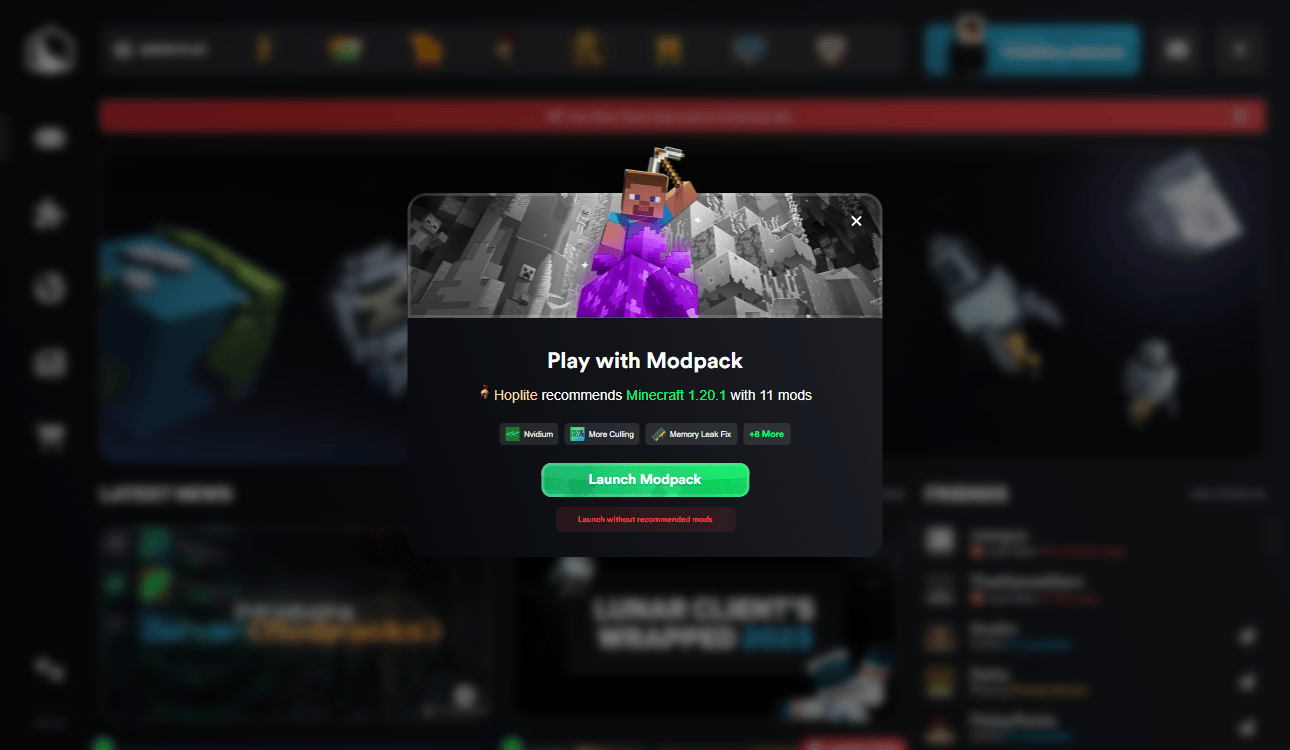
Simple! In three easy steps you can be ready to go!
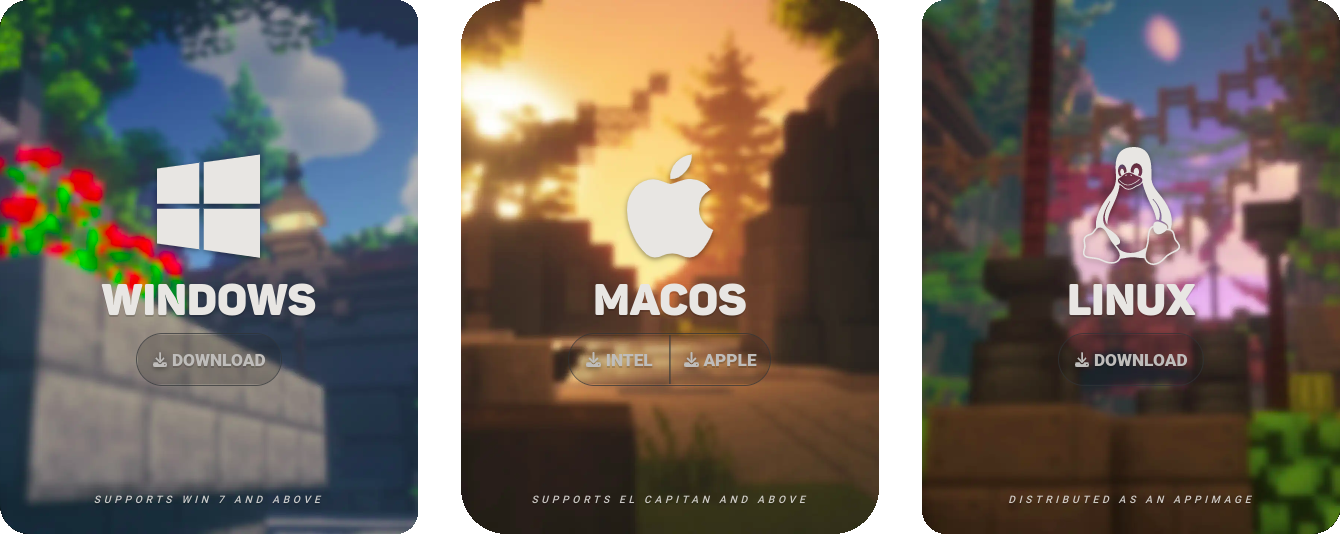
Step 1: Download Lunar Client
Step 2: Open Lunar Client and Click the Hoplite Logo

Step 3: Click "Launch Modpack"
Connect and create one of a kind experiences and get the latest updates by joining our Discord Community.
Project description from Modrinth.
Mods in Hoplite for Lunar Client 0.0.9
Open any mod on Modpacks.ch to check its files and dependencies.
cloth-config-21.11.153-fabric.jar SHA-1
4c224606a963bce223db5b27edb4959ecf40d4ee · Modrinth version xuX40TN5 · Project link unavailable Side not labelledfabric-api-0.141.6+1.21.11.jar SHA-1
c98467cbbaf4d197377266795ae015f4130d65b6 · Modrinth version 6qAuTtLR · Project link unavailable Side not labelledferritecore-8.2.0-fabric.jar SHA-1
c2e2f5e008f5bc9f401dfad8ca94909917006b65 · Modrinth version Ii0gP3D8 · Project link unavailable Side not labellediris-fabric-1.10.8+mc1.21.11.jar SHA-1
acfbe6d065b6c35d85c14da04d35e073363f3acf · Modrinth version ka9PDlsN · Project link unavailable Client onlykrypton-0.2.10.jar SHA-1
94ddaeeae6ca7fecc79e54a0aa02a5438a775a99 · Modrinth version O9LmWYR7 · Project link unavailable Side not labelledlithium-fabric-0.21.4+mc1.21.11.jar SHA-1
203bdcb26e97b3217b045e1182651a7d7b6462ec · Modrinth version Ow7wA0kG · Project link unavailable Side not labelledmodmenu-17.0.1.jar SHA-1
d5612d70bda58e0179b177ca9990e57471e67d19 · Modrinth version cLkYaVuL · Project link unavailable Client onlymoreculling-fabric-1.21.11-1.6.2.jar SHA-1
11a929de62650cc536244d4c2ba889fa84c1c0f2 · Modrinth version wOzykoLV · Project link unavailable Client onlyplaceholder-api-2.8.2+1.21.10.jar SHA-1
bbdc920ecff993148cd6e81a208536132245ce40 · Modrinth version qxjzQ9xY · Project link unavailable Side not labelledreeses-sodium-options-fabric-2.2.4+mc1.21.11.jar SHA-1
295623b7f0bd9ffb365e2364d7229b6ed1e2bedc · Modrinth version ffpCc8nY · Project link unavailable Client onlysodium-extra-fabric-0.9.4+mc1.21.11.jar SHA-1
5ee4535324b48628424866eca29a4dceb364d27a · Modrinth version oqoegXMw · Project link unavailable Client onlysodium-fabric-0.8.14+mc1.21.11.jar SHA-1
4a8733fe544168068d12fa94b2ab03e6c0c7bf91 · Modrinth version rkdTcxoT · Project link unavailable Client onlyvoicechat-fabric-1.21.11-2.6.22.jar SHA-1
d607bc579bb5e0488a539ed87e62e91f10d38376 · Modrinth version CN53keBo · Project link unavailable Side not labelledPick your setup
Hoplite for Lunar Client by Minecraft version and loader
Choose the version and loader you play, then open the matching release.
Minecraft version
1.21.8
1 loader buildMinecraft version
1.21
1 loader buildMinecraft version
1.20.1
1 loader buildMade local changes? Try them in a copied instance before touching a world you care about.
Recent files
Hoplite for Lunar Client versions and loaders
Fabric 0.20.11.21.118.0.312+7 release
Fabric1.21.11 release
Fabric1.21.8 release
Fabric1.21 release
Fabric1.21 release
Fabric1.20.1 release
Fabric1.20.1 release
Fabric1.20.1 release
Fabric1.20.1 release
Looking for an older file? The official Modrinth project page is in Resources.
 modpack
CurseForge · Minecraft
Master of Cipher
Medieval | A Magic And Adventure Modpack | Vanilla+
 modpack
CurseForge · Minecraft
Hasenhodensack BTR
a mixup of coziness and challenge
 modpack
CurseForge · Minecraft
Honey Pack
Fabric RPG modpack with dungeons, exploration, immersive weather, ships & aircraft