Vintage Story version
Back to mods 
Vintage Story Mod DB · Vintage Story mod
XBlood
XBlood - Enhanced Blood FX for Vintage Story XBlood brings more visceral, dynamic blood effects to Vintage Story. Built to be immersive and fun without being over-the-top. It features: • Damage Scaling blood splatter • Multiplayer Support • Cube-shape
Choose a version Pick your version below, then grab the matching file.
Quick answer
Which XBlood release should I use?
Latest stable file 1.6.5
Game version 1.20.9
Loader Built-in Vintage Story mod system
XBlood 1.6.5 targets 1.20.9. It must be installed on the client. Installation on the dedicated server is optional. No extra mods listed for this file.
Where it goes
Is XBlood required on the client, server, or both?
It must be installed on the client. Installation on the dedicated server is optional.
Client Required
Dedicated server Optional
Loader for this release Built-in Vintage Story mod system
Required install it here Optional supported, not mandatory Not supported do not install here Source doesn’t say do not assume
This release supports both sides, but the source does not require it on the server.
What else does XBlood 1.6.5 need?
1.6.5. Change the file and its required mods may change too.
This file does not list any required mods. Do not add a library just because a different file uses it.
This file does not list any required or optional mods.
Before you install it
Add XBlood without breaking your instance.
Built for XBlood 1.6.5. Pick another file and the loader, install side or required mods may change.
- 01
Stick to this file
Use 1.6.5. It targets 1.20.9; another release may have different loader, side or dependency requirements.
- 02
Bring the mods it needs
This file does not list any required mods. Do not add a library just because a different file uses it.
- 03
Put it on the correct side
It must be installed on the client. Installation on the dedicated server is optional.
- 04
Pick the file you checked
Use the “Get this file” button beside 1.6.5. It opens that exact file at the source.
About this project
What does XBlood add?
XBlood - Enhanced Blood FX for Vintage Story
XBlood brings more visceral, dynamic blood effects to Vintage Story.
Built to be immersive and fun without being over-the-top.
It features:
-
Damage Scaling blood splatter
-
Multiplayer Support
-
Cube-shaped particles
- Leave lasting blood drops for up to 8 minutes
- Particles shrink towards of their life
-Added Cmd/Chat Settings that should be Server-side
/bloodtime Splatter1 (seconds) - Bright red blood (Default time 90s)
/bloodtime Splatter2 (seconds) - Dark red blood (Default time 480s)
/bloodstyle (red|color) Color will add a slight purple hue to the drifter blood and brown to Bowtorn (Red is the Default)
Current limitation:
Blood is a particle effect, and there seems to be a pretty short leash they give us to have fun, especially if you plan on using it in survival.
I reduced the time for the main splatter to 90 seconds and set the long-lasting blood drops to 8 minutes, along with reducing their count.
This should prevent the blood from hitting the particle limit as easily during regular play.
The only caveat is that weather creates so many particles, I'm not sure if blood even has enough priority to spawn at all.
Credit:
My mod is based strongly on Brutal Story I wouldn't have been able to figure out multiplayer replication without this project
https://mods.vintagestory.at/brutalstory
Project description from Vintage Story Mod DB.
Pick your setup
XBlood releases for each Vintage Story version.
Choose the version and loader you play, then open the matching release.
Vintage Story version
1.20.8-rc.1
1 loader buildVintage Story version
1.20.7
1 loader buildCheck the dependencies, then try the file in a copied instance before changing a world you care about.
Recent files
XBlood versions and loaders
1.6.5
XBlood_v1.6.5.zip
28 Apr 2025
Client Required Server Optional Dependencies No extras listed Listed on Release listing
Check the 1.20.9 setup 1.20.9 release
1.6.2
XBlood.zip
17 Apr 2025
Client Required Server Optional Dependencies No extras listed Listed on Release listing
Check the 1.20.8-rc.1 setup 1.20.8-rc.1 release
1.6.1
XBlood.zip
16 Apr 2025
Client Required Server Optional Dependencies No extras listed Listed on Release listing
Check the 1.20.8-rc.1 setup 1.20.71.20.8-rc.1 release
1.5.6
XBlood_v1.5.6.zip
16 Apr 2025
Client Source doesn’t say Server Source doesn’t say Dependencies No extras listed Listed on Release listing
Check the 1.20.8-rc.1 setup 1.20.71.20.8-rc.1 release
1.5.5
XBlood_v1.5.5.zip
16 Apr 2025
Client Required Server Optional Dependencies No extras listed Listed on Release listing
Check the 1.20.8-rc.1 setup 1.20.71.20.8-rc.1 release
1.5.3
XBlood_v1.5.3.zip
16 Apr 2025
Client Required Server Optional Dependencies No extras listed Listed on Release listing
Check the 1.20.8-rc.1 setup 1.20.71.20.8-rc.1 release
1.5.2
Xblood_v1.5.2.zip
16 Apr 2025
Client Required Server Optional Dependencies No extras listed Listed on Release listing
Check the 1.20.8-rc.1 setup 1.20.71.20.8-rc.1 release
1.5.1
XBlood_v1.5.1.zip
16 Apr 2025
Client Required Server Optional Dependencies No extras listed Listed on Release listing
Check the 1.20.7 setup 1.20.7 release
1.5.0
XBlood_v1.5.0.zip
16 Apr 2025
Client Required Server Optional Dependencies No extras listed Listed on Release listing
Check the 1.20.7 setup 1.20.7 release
Looking for an older file? The official Vintage Story Mod DB project page is in Resources.
 mod
Vintage Story
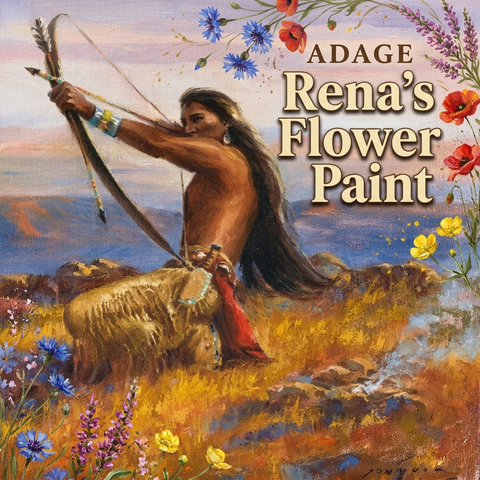
Adage: RenaFlowerPaint
Grind flowers into Vintage Canvas pigments, then seal with water in a barrel for 24h to make paint.
 mod
Vintage Story
Hydrate or Diedrate
A mod that adds thirst and hydration mechanics as well as hot weather survival.
 mod
Vintage Story
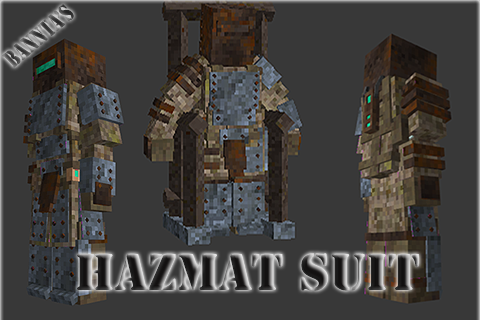
Hazmat Suit
Adds a hazmat protective suit with a charging rack and many more features