Minecraft version
Back to modpacks 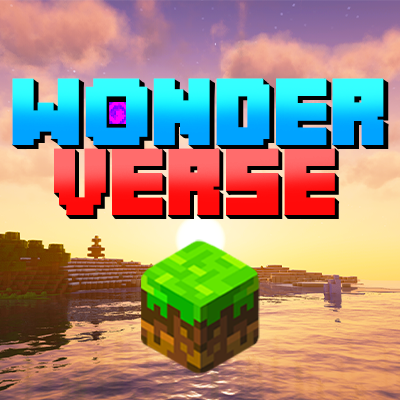
CurseForge · Minecraft modpack
WONDERVERSE
Enhance visuals and performance without modifying the gameplay! Still 99% vanilla, but 100% better!
Choose a version Pick your version below, then grab the matching file.
Quick answer
Which WONDERVERSE release should I use?
Latest stable file WONDERVERSE - 1.1.3
Game version 1.21.1
Loader Fabric 0.16.9
WONDERVERSE - 1.1.3 is a complete pack release for 1.21.1 with Fabric 0.16.9. Install it as its own launcher instance. If the creator publishes a separate server file, make sure it names this exact pack release. 82 mods in this pack file.
Pack setup
How should I set up WONDERVERSE for players and a server?
Use WONDERVERSE - 1.1.3 as the pack version. Install the pack as its own launcher instance. The creator’s listing does not name a separate server file, so check the release notes before setting up a dedicated server. Do not upload the ordinary client folder blindly.
Client instance Install WONDERVERSE - 1.1.3
Dedicated server setup Match WONDERVERSE - 1.1.3
Pack loader Fabric 0.16.9
A pack is a matched client and server setup, not one mod with an install-side label. Keep its release, loader, manifest and overrides together.
Referenced mods 82
Client only 19
Server only 0
Not labelled 63
These numbers come from the pack file you chose. “Not labelled” means we don’t know which side it belongs on—not that it is safe everywhere. The file count is not a RAM estimate.
What are the server requirements for WONDERVERSE?
WONDERVERSE - 1.1.3. Change the pack release and its contents or setup may change too.
The selected pack release is WONDERVERSE - 1.1.3. That file is for Minecraft 1.21.1 with Fabric 0.16.9. It contains 82 mod projects. The creator’s listing does not name a separate server file. Check their notes before using one, and do not upload an ordinary client folder or rebuild the pack mod by mod. A file count cannot tell us the right RAM, CPU or storage; size the server for the players and world you actually run.
About this project
What kind of pack is WONDERVERSE?

Welcome to the official WONDERVERSE modpack page!
It has been made with a simple focus in mind: enhance Minecraft visually without modifying the gameplay, so that it can be played on any world or server without issues.
We wanted to keep the original gameplay of Minecraft intact, with only a few Quality of Life changes, while make the game run smoother with a bunch of optimization mods and make it more visually appealing with the use of shaders, resource packs with animations and mods focusing on the graphical aspects of the game.

- 99% Vanilla-like using only mods that don't alter the original gameplay
- Higher resolution graphics with 32x textures and enhanced GUIs
- Stunning visuals with customized shaders, animations and 3D elements (including player skins!)
- Many vanilla-friendly Quality of Life improvements
- A lot of performance optimizations: you won't need Optifine anymore
- Works everywhere without limitations, just like the vanilla client
- Extensively tested for 250+ hours on multiple devices without problems or crashes
- Built for Fabric

Let's make a few examples to help you understand what WONDERVERSE really wants to achieve.
Zooming just by pressing a key is a very handy feature but Mojang has added an item for being able to zoom: the spyglass. In WONDERVERSE you can indeed bind a key to zoom, because it's truly convenient, but it will only work if you have a spyglass in your inventory.
Forgetting how to brew a potion or how to upgrade a diamond tool and having to pause the game and check the wiki can be frustrating at times, so in WONDERVERSE you can access the recipe book directly in every utility block menu.
You can view your stats in the HUD while riding a horse, you can see what other players are crafting, you can disable PVP in LAN worlds, you can jump over fences (without placing awful carpets) but mobs can't and the F3 screen displays useful information without cluttering your view.
Visually speaking, many elements are 3D like crops, bed's pillows, skin layers (like hair and clothes details) and dropped items; food, animals, mobs and players have animations; ores glows in the dark and armors emits shiny particles; water and sky are much more realistic and you can see the Aurora Borealis at night.

WONDERVERSE started out as a private pack to be used in our YouTube and TikTok livestreams, but after so many people asked us which mods / shaders / resource packs we were using we decided to share it with all of you!
This modpack is still in progress so feel free to suggest other useful and aesthetically pleasing mods that can help make Minecraft better (without modifying the core game too much).
This is the only place where it can be downloaded. It’s really easy to install and play using the CurseForge launcher.
We carefully selected all the mods, shaders and resource packs included in WONDERVERSE. All credits go to the original creators.
Project description from CurseForge.
Pick your setup
WONDERVERSE by Minecraft version and loader
Choose the version and loader you play, then open the matching release.
Minecraft version
1.21
1 loader buildMade local changes? Try them in a copied instance before touching a world you care about.
Recent files
WONDERVERSE versions and loaders
Fabric 0.16.91.21.18.0.312+7 release
Fabric1.21.1 release
Fabric1.21.1 release
1.21Fabric release
1.21Fabric release
1.21Fabric release
Looking for an older file? The official CurseForge project page is in Resources.
 modpack
 CurseForge · Minecraft
Create rise
Minecraft Create with Add-ons and Aeronautics for Creative and Survival
 modpack
 CurseForge · Minecraft
Thrones of Westeros
Forge your legacy in the brutal lands of Westeros. Claim the throne, build massive castles, manage kingdoms, and survive the harsh political and physical winters.
 modpack
 CurseForge · Minecraft
Danny's AOT - Titan Chronicles
A modpack made for Danny's AOT shingeki mod. This modpack is not Danny's official modpack.