Minecraft version
Back to modpacks 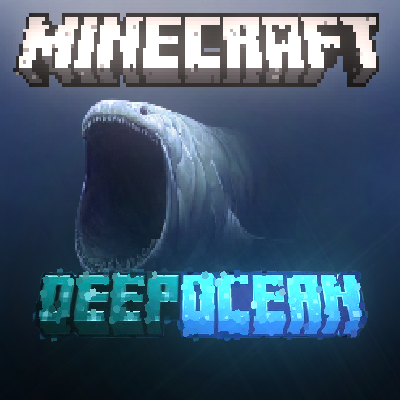
CurseForge · Minecraft modpack
Realistically Deep Oceans
Welcome to possibly the deepest oceans that can ever be made in Minecraft!
Choose a version Pick your version below, then grab the matching file.
Quick answer
Which Realistically Deep Oceans release should I use?
beta file Deepest Oceans - 1.0
Game version 1.12.2
Loader Forge 14.23.5.2860
Deepest Oceans - 1.0 is a complete pack release for 1.12.2 with Forge 14.23.5.2860. Install it as its own launcher instance. If the creator publishes a separate server file, make sure it names this exact pack release. 14 mods in this pack file.
Pack setup
How should I set up Realistically Deep Oceans for players and a server?
Use Deepest Oceans - 1.0 as the pack version. Install the pack as its own launcher instance. The creator’s listing does not name a separate server file, so check the release notes before setting up a dedicated server. Do not upload the ordinary client folder blindly.
Client instance Install Deepest Oceans - 1.0
Dedicated server setup Match Deepest Oceans - 1.0
Pack loader Forge 14.23.5.2860
A pack is a matched client and server setup, not one mod with an install-side label. Keep its release, loader, manifest and overrides together.
Referenced mods 14
Client only 0
Server only 0
Not labelled 14
These numbers come from the pack file you chose. “Not labelled” means we don’t know which side it belongs on—not that it is safe everywhere. The file count is not a RAM estimate.
What are the server requirements for Realistically Deep Oceans ?
Deepest Oceans - 1.0. Change the pack release and its contents or setup may change too.
The selected pack release is Deepest Oceans - 1.0. That file is for Minecraft 1.12.2 with Forge 14.23.5.2860. It contains 14 mod projects. The creator’s listing does not name a separate server file. Check their notes before using one, and do not upload an ordinary client folder or rebuild the pack mod by mod. A file count cannot tell us the right RAM, CPU or storage; size the server for the players and world you actually run.
About this project
What kind of pack is Realistically Deep Oceans ?
ABOUT :
These mods, shaderpacks, and resource packs together create the most immersive real life, deep sea minecraft experience. These real life like oceans can go up to thousands of Km/blocks deep leaving nothing but ocean and a barren sea floor and an unsettling feeling that your not alone in the abyss....
In the future i plan to add more mods to make this experience more creepy or even exciting!
If you would like this feel free to leave a few comments or even DM me on discord with the mods you would like me to add! Here is my username in case you would like to DM me - ( "hazvr146") .
FOR BEST GAMEPLAY :
1 - INSTALL OPTIFINE (Most important, for shaders to work!) 2 - Choose a shader pack of your choice (Feel free to install more, mostly just whatever looks best for you!)
3 - Apply all Resource Packs with "No Sun" at the top
4 - Turn of clouds so they dont show underwater
5 - Change time to night (This is also your choice)
TEMPLATE WORLD:
When minecraft loads, there will be a world already made for you wich you can instantly play, this world contains a hut in which you start with and apart from that, almost nothing but water streching for almost infinity. If your planning on making a world of your own, read the instructions below! Upon load of the temp world, you will be located in a hut submerged 5000 blocks deep in the ocean. in front of you there are signs wich i advise you read before jumping into the ocean!
Fun Fact: The depth of this ocean is around the equivalent of the Mariana Trench !
INSTRUCTIONS FOR DEEP OCEAN WORLD CREATING : **- Press create world
- Press more world options** - Change world type to Custom Cubic - Press customize **- Click presets
- On the top line "Water Level", change the number from 63 to around 11000**NOTE: I havent tested anything higher than 11060 so it could lead to crashes, errors or the world not loading!
**HOW I DID IT :**Using the help of - Aimsells - video on the deepest ocean in minecraft (Credits below with link to video! ) i used "Cubic Chunks" mod "Cubic World Gen" and "MalisisCore" to be able to break the bounds of vanilla minecraft world generation and set the Ocean Level to "11060" Blocks in the sky meaning when you loaded in you would be put at the average spawn level, only that you are submerged 11000 blocks deep in the ocean. You will have to use Tp commands to return to the surface extremely high in the sky!
Here is the command if you need it -- (" /Tp @s 0 11060 0 ")
CREDITS :
Credits to - Aimsell - for the inspiration and to share this modpack for people to play! One last thing, if you are going to make a video on this modpack, make sure you credit him somewhere in your video!
There is social links to his YouTube and Discord, or if you want to get staight to his video, click this red button here! -- Click Here For The Video!
Project description from CurseForge.
Mods in Deepest Oceans - 1.0
Open any mod on Modpacks.ch to check its files and dependencies.
AmbientEnvironment-1.0.2.jar SHA-1
6959d9f89b3b9bd0b0c16949b111370f5158d647 · CurseForge file 2785546 · Project link unavailable Side not labelledambients-1.2.1.jar SHA-1
7a3802bb7d837722ea1e9ae6703efaa72f5f14e0 · CurseForge file 3986935 · Project link unavailable Side not labelledAmbientSounds_v3.1.7_mc1.12.2.jar SHA-1
021bd97bcd91bd370e923c48046d6cbe1306ce87 · CurseForge file 3516274 · Project link unavailable Side not labelledComplementaryUnbound_r5.3.zip SHA-1
9474a8bc55e4f37786568ae532e4336aab72ba42 · CurseForge file 5874235 · Project link unavailable Side not labelledCreativeCore_v1.10.71_mc1.12.2.jar SHA-1
2c60a20ae9c9431a3b215a331c2b2af7fa3a060c · CurseForge file 4722163 · Project link unavailable Side not labelledCubicChunks-1.12.2-0.0.1208.0-SNAPSHOT-all.jar SHA-1
9d7b4db8c598b23598b46d0218542526dba84bf4 · CurseForge file 3546640 · Project link unavailable Side not labelledCubicWorldGen-1.12.2-0.0.152.0-SNAPSHOT-all.jar SHA-1
d15754227293417473ca5f365e1103418c98a5d4 · CurseForge file 3546646 · Project link unavailable Side not labelledFaithless1.12.zip SHA-1
1197b3bd7e597d28596c893b25dd948707d45be8 · CurseForge file 4331700 · Project link unavailable Side not labelledmalisiscore-1.12.2-6.5.1.jar SHA-1
4b4a9fd82030ec2e31e64c9807779695323800c3 · CurseForge file 2680892 · Project link unavailable Side not labelledMandalasGUI_Legacy+Modded_Dakmode_v4.6.zip SHA-1
bbbe94fa4b7896c5ba76a10357bcee3c4de004da · CurseForge file 4755517 · Project link unavailable Side not labelledno-sun.zip SHA-1
f44b5daa09ea481be47f7f2907f95a5483a6a7c0 · CurseForge file 2821965 · Project link unavailable Side not labelledSildur's Enhanced Default v1.171 Fancy.zip SHA-1
8fb51f76d6f7960fcd4d9bc428fe39b3e3539de6 · CurseForge file 5442776 · Project link unavailable Side not labelledSimply_Upscaled_v_0.3.5.zip SHA-1
436cb3b53d8cb39eb7a2f1851ff3b33d9ffa6ff3 · CurseForge file 5590713 · Project link unavailable Side not labelledSpooklementary_1.1.zip SHA-1
19dbcf0ab3714b1402e375ee71f3d5b18a3eb44f · CurseForge file 4799982 · Project link unavailable Side not labelledPick your setup
Realistically Deep Oceans by Minecraft version and loader
Choose the version and loader you play, then open the matching release.
Made local changes? Try them in a copied instance before touching a world you care about.
Recent files
Realistically Deep Oceans versions and loaders
Forge 14.23.5.28601.12.28.0.312+7 beta
Looking for an older file? The official CurseForge project page is in Resources.
 modpack
 CurseForge · Minecraft
Cobblemon RPG Edition | Cobblemon & RPG [Cobblemon 1.7.3]
A Cobblemon modpack completely based on the RPG!
 modpack
 CurseForge · Minecraft
Create Colony Plus
A modpack that lets you build almost everything you’ve ever dreamed of in Minecraft. From ships to cars, tanks, and airplanes. Construct your own steel and fuel factories, or even starting your own colony.
 modpack
 CurseForge · Minecraft
VerityCraft - A Realistic Horror Experience with Verity
A complete horror modpack featuring Verity and much more!