Minecraft version
Back to modpacks 
CurseForge · Minecraft modpack
FPS+
From 30fps to 200fps
Choose a version Pick your version below, then grab the matching file.
Quick answer
Which FPS+ release should I use?
Latest stable file FPS+
Game version 1.21.11
Loader Fabric 0.18.4
FPS+ is a complete pack release for 1.21.11 with Fabric 0.18.4. Install it as its own launcher instance. If the creator publishes a separate server file, make sure it names this exact pack release. 10 mods in this pack file.
Pack setup
How should I set up FPS+ for players and a server?
Use FPS+ as the pack version. Install the pack as its own launcher instance. The creator’s listing does not name a separate server file, so check the release notes before setting up a dedicated server. Do not upload the ordinary client folder blindly.
Client instance Install FPS+
Dedicated server setup Match FPS+
Pack loader Fabric 0.18.4
A pack is a matched client and server setup, not one mod with an install-side label. Keep its release, loader, manifest and overrides together.
Referenced mods 10
Client only 4
Server only 0
Not labelled 6
These numbers come from the pack file you chose. “Not labelled” means we don’t know which side it belongs on—not that it is safe everywhere. The file count is not a RAM estimate.
What are the server requirements for FPS+?
FPS+. Change the pack release and its contents or setup may change too.
The selected pack release is FPS+. That file is for Minecraft 1.21.11 with Fabric 0.18.4. It contains 10 mod projects. The creator’s listing does not name a separate server file. Check their notes before using one, and do not upload an ordinary client folder or rebuild the pack mod by mod. A file count cannot tell us the right RAM, CPU or storage; size the server for the players and world you actually run.
About this project
What kind of pack is FPS+?
Fabric Based Modpack designed for the ultimate balance of stunning ultra realism and high FPS.
Experience Minecraft like never before with cinematic visuals, shader-ready optimization, and cutting-edge performance mods. Play smoother, load faster, and enjoy breathtaking graphics without tanking your framerate.
Recommended Settings
- Getting screen tearing? Enable VSync under Options → Video Settings → General.
- Using high-end shaders? Make sure to allocate at least 4-6GB RAM in your launcher.
Project description from CurseForge.
Pick your setup
FPS+ by Minecraft version and loader
Choose the version and loader you play, then open the matching release.
Made local changes? Try them in a copied instance before touching a world you care about.
Recent files
FPS+ versions and loaders
Fabric 0.18.41.21.118.0.312+7 release
Looking for an older file? The official CurseForge project page is in Resources.
 modpack
 CurseForge · Minecraft
Re-Created
Master the engineering challenge of Create and Thermal, building massive automated factories and complex production lines. Every machine brings you closer to one goal: constructing a rocket and reaching the Moon.
 modpack
 CurseForge · Minecraft
One Piece Liberation
This is a mod for my mine mine no mi/carts/ zitoen one piece server!
 modpack
 CurseForge · Minecraft
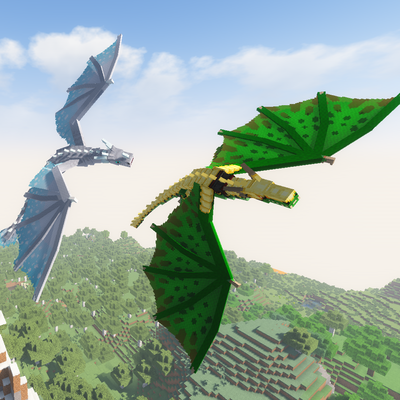
Wyrmbound
This Modpack is not Finished, since it plans to have the main focus of the pack be Ice and fire 2, and when the mod is released this pack will be updated to also have that mod.