Minecraft version
Back to modpacks 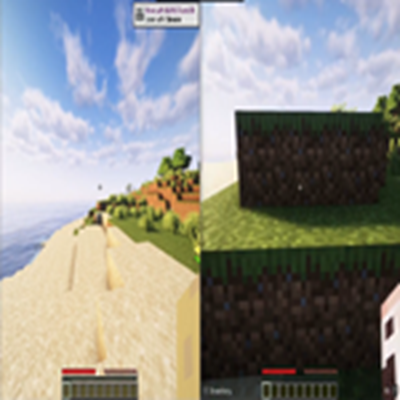
CurseForge · Minecraft modpack
Xjcorr's Splitscreen
A modpack designed to allow for multiple instances of minecraft to run on the same computer with controller support and performance enhancing mods like lithium
Choose a version Pick your version below, then grab the matching file.
Quick answer
Which Xjcorr's Splitscreen release should I use?
Latest stable file Minecraft Splitscreen-1.1.zip
Game version 1.21.10
Loader Fabric 0.19.2
Minecraft Splitscreen-1.1.zip is a complete pack release for 1.21.10 with Fabric 0.19.2. Install it as its own launcher instance. If the creator publishes a separate server file, make sure it names this exact pack release. 5 mods in this pack file.
Pack setup
How should I set up Xjcorr's Splitscreen for players and a server?
Use Minecraft Splitscreen-1.1.zip as the pack version. Install the pack as its own launcher instance. The creator’s listing does not name a separate server file, so check the release notes before setting up a dedicated server. Do not upload the ordinary client folder blindly.
Client instance Install Minecraft Splitscreen-1.1.zip
Dedicated server setup Match Minecraft Splitscreen-1.1.zip
Pack loader Fabric 0.19.2
A pack is a matched client and server setup, not one mod with an install-side label. Keep its release, loader, manifest and overrides together.
Referenced mods 5
Client only 2
Server only 0
Not labelled 3
These numbers come from the pack file you chose. “Not labelled” means we don’t know which side it belongs on—not that it is safe everywhere. The file count is not a RAM estimate.
What are the server requirements for Xjcorr's Splitscreen?
Minecraft Splitscreen-1.1.zip. Change the pack release and its contents or setup may change too.
The selected pack release is Minecraft Splitscreen-1.1.zip. That file is for Minecraft 1.21.10 with Fabric 0.19.2. It contains 5 mod projects. The creator’s listing does not name a separate server file. Check their notes before using one, and do not upload an ordinary client folder or rebuild the pack mod by mod. A file count cannot tell us the right RAM, CPU or storage; size the server for the players and world you actually run.
About this project
What kind of pack is Xjcorr's Splitscreen?
🎮 PC Splitscreen Modpack – Smooth, Fast, and Controller-Ready!
Bring console-style couch co-op straight to your PC!
This modpack is designed to make Minecraft splitscreen easy, stable, and fun, all while keeping performance silky smooth.
✨ What This Modpack Does
✔ Enables true splitscreen gameplay on PC – play with friends on the same machine just like on console.
✔ Boosts FPS and stability with top-tier performance mods:
Sodium – massive rendering optimizations
Lithium – better game logic performance
Iris – shader support with high efficiency
✔ Full controller support using Midnight Controls, allowing seamless play with gamepads.
✔ Works great for local co-op sessions, LAN worlds, or just relaxing with friends on the couch.
💡 Perfect For:
Players wanting couch co-op on PC
Low to high-end systems needing better FPS
Anyone who prefers controllers over keyboard & mouse
Running shaders without tanking performance
🕹 Ready to Play
Just install the modpack, connect your controllers, set up your split windows, and jump right in. No complicated mod configuration needed.
Experience Minecraft together—smooth, optimized, and controller-friendly!
Project description from CurseForge.
Mods in Minecraft Splitscreen-1.1.zip
Open any mod on Modpacks.ch to check its files and dependencies.
fabric-api-0.138.4+1.21.10.jar SHA-1
0345c20b71007521a25b393091adeb45328d7c57 · CurseForge file 7343486 · Project link unavailable Side not labellediris-fabric-1.9.7+mc1.21.10.jar SHA-1
f96d48791a372edb0fa3adfc80848c4f27eae737 · CurseForge file 7351304 · Project link unavailable Client onlylithium-fabric-0.20.1+mc1.21.10.jar SHA-1
7d44f5da9c690bbf1bd6d65c1acc81db5cf7f8c6 · CurseForge file 7219262 · Project link unavailable Side not labelledmidnightcontrols-fabric-1.11.3-beta.3.jar SHA-1
1c210ce9031822296ce687cdcbf06f4348ced0d1 · CurseForge file 7168258 · Project link unavailable Side not labelledsodium-fabric-0.7.3+mc1.21.10.jar SHA-1
1c3ffa862d9fa4479abf67a88527907d60237248 · CurseForge file 7207593 · Project link unavailable Client onlyPick your setup
Xjcorr's Splitscreen by Minecraft version and loader
Choose the version and loader you play, then open the matching release.
Made local changes? Try them in a copied instance before touching a world you care about.
Recent files
Xjcorr's Splitscreen versions and loaders
Fabric 0.19.21.21.108.0.312+7 release
Fabric1.21.10 release
Looking for an older file? The official CurseForge project page is in Resources.
 modpack
 CurseForge · Minecraft
create in a sky
A tech mod that uses Create and create Aeronautics to explore the world
 modpack
 CurseForge · Minecraft
Simply Optimized Forked
An unofficial continuation of Simply Optimized, maintaining the no-bloat, bleeding-edge performance while improving and iterating upon it
 modpack
 CurseForge · Minecraft
Create Factory Lifestyle
Create and MineColonies focused modpack where you can build your mega factory and a thriving village around it!