Minecraft version
Back to modpacks ![DropVersion - Boost [NF] project artwork](https://media.forgecdn.net/avatars/1732/841/639102998345398555.png)
CurseForge · Minecraft modpack
DropVersion - Boost [NF]
Maximum performance for the latest version of Minecraft (NeoForge 26.1)
Choose a version Pick your version below, then grab the matching file.
Quick answer
Which DropVersion - Boost [NF] release should I use?
Latest stable file DropVersion-Boost-v1.2.1_mn26.3_neoforge.zip
Game version 26.3
Loader NeoForge 26.3.0.101
DropVersion-Boost-v1.2.1_mn26.3_neoforge.zip is a complete pack release for 26.3 with NeoForge 26.3.0.101. Install it as its own launcher instance. If the creator publishes a separate server file, make sure it names this exact pack release. 15 mods in this pack file.
Pack setup
How should I set up DropVersion - Boost [NF] for players and a server?
Use DropVersion-Boost-v1.2.1_mn26.3_neoforge.zip as the pack version. Install the pack as its own launcher instance. The creator’s listing does not name a separate server file, so check the release notes before setting up a dedicated server. Do not upload the ordinary client folder blindly.
Client instance Install DropVersion-Boost-v1.2.1_mn26.3_neoforge.zip
Dedicated server setup Match DropVersion-Boost-v1.2.1_mn26.3_neoforge.zip
Pack loader NeoForge 26.3.0.101
A pack is a matched client and server setup, not one mod with an install-side label. Keep its release, loader, manifest and overrides together.
Referenced mods 15
Client only 8
Server only 0
Not labelled 7
These numbers come from the pack file you chose. “Not labelled” means we don’t know which side it belongs on—not that it is safe everywhere. The file count is not a RAM estimate.
What are the server requirements for DropVersion - Boost [NF]?
DropVersion-Boost-v1.2.1_mn26.3_neoforge.zip. Change the pack release and its contents or setup may change too.
The selected pack release is DropVersion-Boost-v1.2.1_mn26.3_neoforge.zip. That file is for Minecraft 26.3 with NeoForge 26.3.0.101. It contains 15 mod projects. The creator’s listing does not name a separate server file. Check their notes before using one, and do not upload an ordinary client folder or rebuild the pack mod by mod. A file count cannot tell us the right RAM, CPU or storage; size the server for the players and world you actually run.
About this project
What kind of pack is DropVersion - Boost [NF]?
🚀 DropVersion: Boost
Maximum performance for the latest version of Minecraft (NeoForge 26.1.x).
ℹ️ You can find the Fabric version (more fps 😉) here: DropVersion - Boost (FA)
Do you feel like the new update consumes too much RAM? Are you experiencing stutters when loading new chunks? DropVersion: Boost is the ultimate, minimalist solution to maximize your FPS and game stability without altering the Vanilla experience at all.
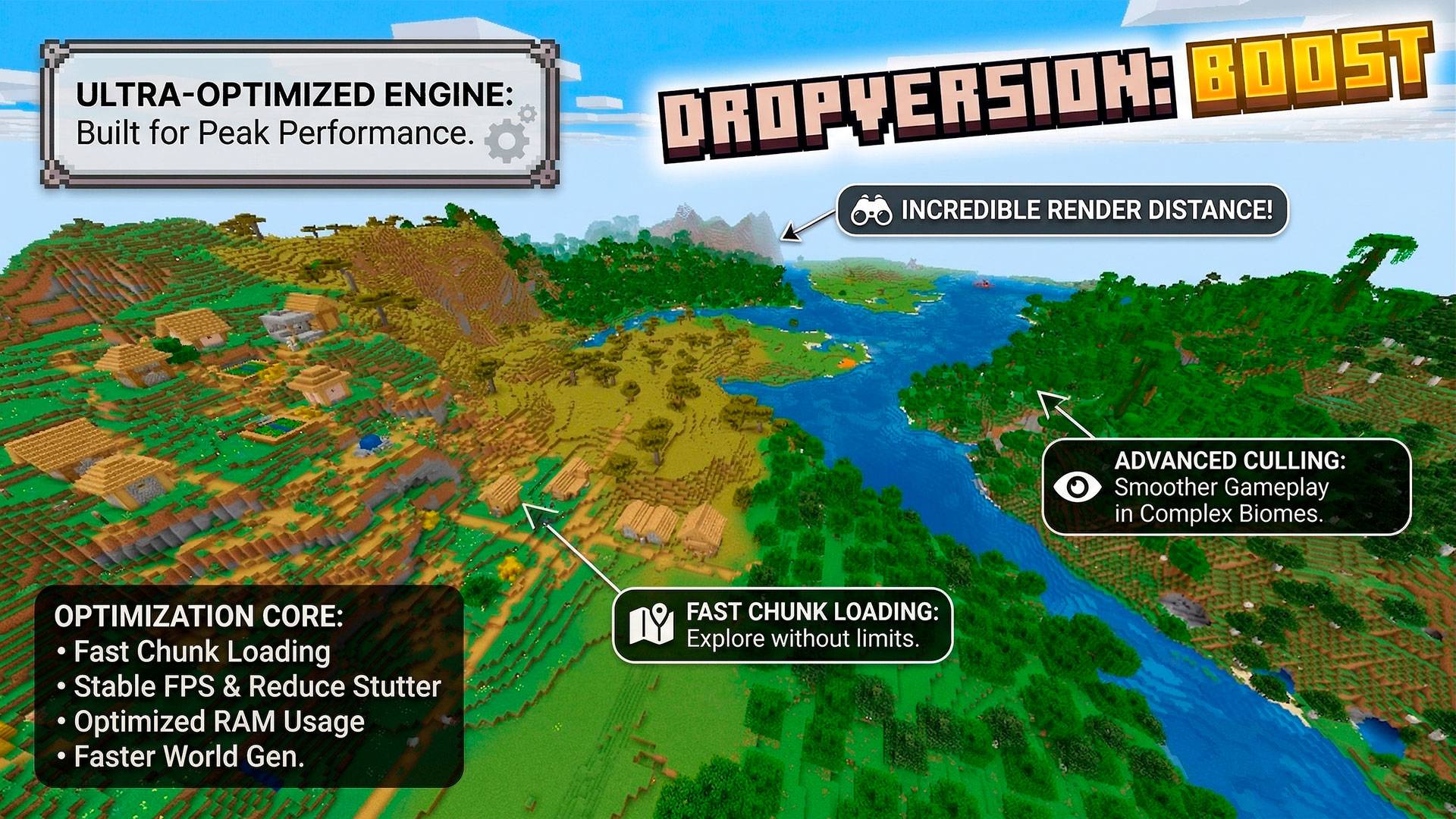
⚙️ What does this modpack do?
This project doesn't add new blocks, weapons, or mechanics. It is a technical infrastructure modpack (Client & Server side) designed with a single purpose: to make Minecraft 26.1 run flawlessly on any PC.
- ⚡ Extreme Smoothness: Deep optimization of rendering, lighting, and terrain generation to eliminate micro-stutters.
- 🧠 Memory Management: Drastic reduction in RAM usage thanks to industry-leading mods.
- 🛠️ Network & TPS Stability: Packet error fixes and optimization of internal game mechanics (ideal for multiplayer servers or LAN play).
- 🧹 Zero Bloatware: Weighs only a few megabytes. Loads in seconds.
📦 Mod List (v1.0.0)
We have meticulously selected the best optimization mods currently available for the new NeoForge 26.1 ecosystem:
- FerriteCore & Lithium: The undisputed kings of RAM and internal logic (TPS) optimization.
- MoreCulling & Hide Item Frames: Reduce visual lag by stopping the rendering of entities and blocks you can't see.
- ScalableLux & Fast Noise: Make world generation and lighting updates smooth as silk.
- Clumps: Groups XP orbs to prevent massive FPS drops at your mob farms.
- Disable Fog / The NoFog: Clears your vision and scrapes those extra frames.
- Packet Fixer, Crash Assistant & DEUF: Vital patches to ensure your game and server stay up and running.
- Default Options: Comes pre-configured to give you the best performance from the very first click.

Install, play, and forget about lag. Welcome to the bleeding edge of Minecraft!
Project description from CurseForge.
Mods in DropVersion-Boost-v1.2.1_mn26.3_neoforge.zip
Open any mod on Modpacks.ch to check its files and dependencies.
bhmenu-neoforge-26.3-3.0.0.jar SHA-1
e7f8ca07575f0e20a586dad55b6d83ee8c8a608d · CurseForge file 9098391 · Project link unavailable Client onlycloth-config-neoforge-26.3.159.jar SHA-1
d57fa1419228ee371b0c29abf943288d384e2d08 · CurseForge file 8952995 · Project link unavailable Side not labelledClumps-neoforge-26.3-26.3.2.jar SHA-1
aeb6689f2f3840021a8af0b02248ece388d262ab · CurseForge file 8897017 · Project link unavailable Side not labelleddisablefog-neoforge-26.3-2.2.1.jar SHA-1
8533ec89ebf0bdbfc01cc6b219220902c5b4798f · CurseForge file 8911734 · Project link unavailable Client onlyferritecore-9.0.0-neoforge.jar SHA-1
b8bfb14ba6ce7068aae08c3a132ca40bda6bd143 · CurseForge file 7806039 · Project link unavailable Side not labelledhide-item-frame-1.5.2-neoforge+26.3.jar SHA-1
3572e41ae93ea1356099f1deced6cd005c6091da · CurseForge file 8919516 · Project link unavailable Client onlyImmediatelyFast-NeoForge-1.17.1+26.3.jar SHA-1
a072863c3b4e7cfed81899d8d3115839a161a708 · CurseForge file 8905048 · Project link unavailable Client onlyiris-neoforge-1.11.7+mc26.3.jar SHA-1
57cbbd1f58b6226c633520541c1a3ae57c019373 · CurseForge file 9015109 · Project link unavailable Client onlylithium-neoforge-0.26.3-mc26.3.jar SHA-1
d9707f95f1062367639e976785cf5f41c34e365c · CurseForge file 9357337 · Project link unavailable Side not labelledmodernfix-neoforge-5.27.23+mc26.3.jar SHA-1
f0e63ec7281e6980324f5e8fa134d1aed4f5635e · CurseForge file 9157019 · Project link unavailable Side not labelledmoreculling-neoforge-26.3-1.9.1.jar SHA-1
97f4d43ffa59fc7d3e0370a1c5b6645f9e44c19d · CurseForge file 9398863 · Project link unavailable Client onlyScalableLux-neoforge-0.3.0-alpha.0.17-all.jar SHA-1
bbda63bc4ca296f604618259aa0b0ad2822ffd49 · CurseForge file 8888213 · Project link unavailable Side not labelledsodium-neoforge-0.9.3-beta.1+mc26.3.jar SHA-1
c9412897122afb33007f6c0d6ee1b2248a9ebcf7 · CurseForge file 9195225 · Project link unavailable Client onlyspark-1.10.187-neoforge.jar SHA-1
be5c8cf137b1bcaa5627a85c7cfe83da846e9e36 · CurseForge file 8918574 · Project link unavailable Side not labelledultraeasymenu-1.1.0-mc26.3-neoforge.jar SHA-1
17ccdb4cb561f05fdf7f8311d88b453bcab74276 · CurseForge file 9123416 · Project link unavailable Client onlyPick your setup
DropVersion - Boost [NF] by Minecraft version and loader
Choose the version and loader you play, then open the matching release.
Minecraft version
26.2
1 loader buildMinecraft version
26.1.2
1 loader buildMinecraft version
26.1
1 loader buildMade local changes? Try them in a copied instance before touching a world you care about.
Recent files
DropVersion - Boost [NF] versions and loaders
NeoForge 26.3.0.10126.38.0.312+7 release
NeoForge26.1.2 release
NeoForge26.2 release
NeoForge26.3 release
NeoForge26.3 release
NeoForge26.3 release
NeoForge26.3 release
NeoForge26.2 release
NeoForge26.1.2 release
NeoForge26.2 release
NeoForge26.1.2 release
NeoForge26.1.2 release
Looking for an older file? The official CurseForge project page is in Resources.
 modpack
 CurseForge · Minecraft
Max's Client Side Pack
A Client Side modpack designed around Vanilla Server Multiplayer
 modpack
 CurseForge · Minecraft
FaireHaven
A cozy, fairycore-inspired Minecraft survival modpack filled with fantasy Origins, beautiful biomes, wildlife, mythical mounts, farming, cooking, fishing, and endless building possibilities. Play solo or with friends!
 modpack
 CurseForge · Minecraft
Biophobia
Fear nature. - A biological horror modpack where the scares are based on different phobias.