Minecraft version
Back to modpacks 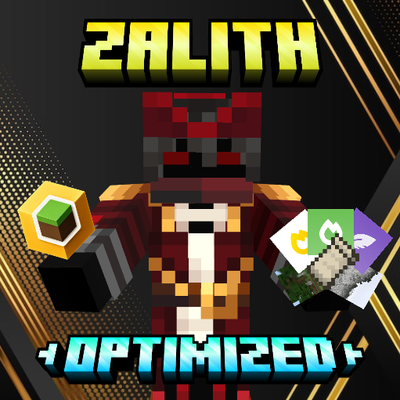
CurseForge · Minecraft modpack
ZALITH OPTIMIZED
Just the essentials of optimization for Minecraft to run on 90% of 2020+ mobile phones (and potato PCs).
Choose a version Pick your version below, then grab the matching file.
Quick answer
Which ZALITH OPTIMIZED release matches 26.3?
Best match for your filters ZALITH OPTIMIZED + SHADER - 26.3 • v1.0
Game version 26.3
Loader Fabric
ZALITH OPTIMIZED + SHADER - 26.3 • v1.0 is a complete pack release for 26.3 with Fabric. Install it as its own launcher instance. If the creator publishes a separate server file, make sure it names this exact pack release. 14 mods in this pack file.
Pack setup
How should I set up ZALITH OPTIMIZED for players and a server?
Use ZALITH OPTIMIZED + SHADER - 26.3 • v1.0 as the pack version. Install the pack as its own launcher instance. The creator’s listing does not name a separate server file, so check the release notes before setting up a dedicated server. Do not upload the ordinary client folder blindly.
Client instance Install ZALITH OPTIMIZED + SHADER - 26.3 • v1.0
Dedicated server setup Match ZALITH OPTIMIZED + SHADER - 26.3 • v1.0
Pack loader Fabric
A pack is a matched client and server setup, not one mod with an install-side label. Keep its release, loader, manifest and overrides together.
Referenced mods 14
Client only 7
Server only 0
Not labelled 7
These numbers come from the pack file you chose. “Not labelled” means we don’t know which side it belongs on—not that it is safe everywhere. The file count is not a RAM estimate.
What are the server requirements for ZALITH OPTIMIZED?
ZALITH OPTIMIZED + SHADER - 26.3 • v1.0 on 26.3. The pack contents and setup notes below stay tied to that release.
The selected pack release is ZALITH OPTIMIZED + SHADER - 26.3 • v1.0. That file is for Minecraft 26.3 with Fabric. It contains 14 mod projects. The creator’s listing does not name a separate server file. Check their notes before using one, and do not upload an ordinary client folder or rebuild the pack mod by mod. A file count cannot tell us the right RAM, CPU or storage; size the server for the players and world you actually run.
About this project
What kind of pack is ZALITH OPTIMIZED?
ZALITH OPTIMIZED
ZALITH OPTIMIZED is a modpack designed specifically for Zalith Launcher, focused on delivering the highest possible performance on Android devices. Its main goal is to provide a smooth experience, especially for users with low-end devices who need every possible FPS without sacrificing stability.
Every mod included in this pack has been carefully selected and configured to reduce lag, minimize stuttering, improve loading times, and maximize the overall performance of Minecraft Java Edition on Android.
🚀 Features
- Significant FPS improvements.
- Better performance on low-end devices.
- Reduced lag and stuttering.
- Improved experience for PvP and multiplayer.
- Carefully configured optimization mods.
- Built specifically for Zalith Launcher.
- Improved memory management for Android devices.
⚠️ Renderer Recommendation
For the best experience with ZALITH OPTIMIZED, make sure you are using the MOBILE GLUES renderer and that it is properly configured for your GPU.
If you are not familiar with configuring MOBILE GLUES, it is recommended to use the Krypton Wrapper renderer instead, as it provides excellent compatibility and performance with minimal setup.
Warning: Using an improperly configured renderer may significantly reduce performance, cause graphical issues, or decrease stability.
💾 Recommended RAM Allocation
The amount of RAM allocated to Minecraft has a direct impact on performance.
Minimum — 1024 MB (1 GB)
Recommended only for entry-level devices.
- Longer loading times are expected.
- Lower overall performance in large worlds.
Recommended — 2300 MB
The best balance between performance, stability, and memory usage.
- Ideal for most Android devices.
- Recommended for everyday gameplay.
High-End Devices — 3072 MB to 6144 MB
Recommended for devices with plenty of available RAM.
- Better performance in large worlds.
- Improved experience on multiplayer servers.
- Better suited for heavier modded gameplay.
Important: Do not allocate more RAM than your device can comfortably provide. Allocating too much memory may actually decrease performance by leaving insufficient RAM available for Android.
⏳ First World Load
If the game freezes, stutters, or runs at a very low FPS when entering a world for the first time, don't worry—this is completely normal.
During the initial load, Minecraft must:
- Generate terrain.
- Load chunks.
- Initialize every installed mod.
- Compile internal resources.
- Prepare game assets.
This is a demanding task, especially on low-end devices.
After a few minutes, performance should gradually stabilize as the world finishes loading. Future loads of the same world will usually be much smoother.
🎯 Purpose
ZALITH OPTIMIZED was created for players who want to achieve the best possible performance in Minecraft Java Edition on Android using Zalith Launcher.
Whether you're playing singleplayer, multiplayer, or PvP, this modpack is designed to deliver a smoother, lighter, and more responsive Minecraft experience.
Project description from CurseForge.
Mods in ZALITH OPTIMIZED + SHADER - 26.3 • v1.0
Open any mod on Modpacks.ch to check its files and dependencies.
cloth-config-26.1.154.jar SHA-1
1700599980477b0ea72608bfdadee7bdde8b9b75 · CurseForge file 7817583 · Project link unavailable Side not labelledClumps-neoforge-26.1.2-26.1.2.1.jar SHA-1
52d25d1022abe96b3b73ab6706558bff99338ada · CurseForge file 7911758 · Project link unavailable Side not labelledDistantHorizons-3.3.3-26.1.2-fabric-neoforge.jar SHA-1
c37821c81a07cb5852511341a9f6d4357bb85493 · CurseForge file 9004779 · Project link unavailable Side not labelleddistanthorizonszstd-1.2.0+fabric-neoforge.jar SHA-1
94cba2b7a1f07a94ac5933276da1fc3877b3b800 · CurseForge file 8965509 · Project link unavailable Client onlyentityculling-neoforge-1.11.3-mc26.1.2.jar SHA-1
d046b0524606d7b5b7909299ae22b508541865c8 · CurseForge file 9100312 · Project link unavailable Client onlyferritecore-9.0.0-neoforge.jar SHA-1
b8bfb14ba6ce7068aae08c3a132ca40bda6bd143 · CurseForge file 7806039 · Project link unavailable Side not labelledlithium-neoforge-0.24.7+mc26.1.2.jar SHA-1
4771c7950131f4be684ca286656632f554f36fa5 · CurseForge file 8533275 · Project link unavailable Side not labelledmodernfix-neoforge-5.27.24+mc26.1.2.jar SHA-1
693d8b42a2dc717e7cfc26a8afa50db928cfe36a · CurseForge file 9101896 · Project link unavailable Side not labelledmoreculling-neoforge-26.1.2-1.7.3.jar SHA-1
feacb8da17bd6c29dfd710c9559386ae16d6551d · CurseForge file 8563670 · Project link unavailable Client onlypodium-neoforge-1.1.1.jar SHA-1
6a1688609698e9b84a0ae0d523ee23f3bc2e24c2 · CurseForge file 8587823 · Project link unavailable Client onlyreeses-sodium-options-neoforge-2.2.4+mc26.1.2.jar SHA-1
7fe98a360cea8c8966ab9178ef857e3836991891 · CurseForge file 8891863 · Project link unavailable Client onlyrenderscale-1.4.0-alpha.4-neoforge+26.1.jar SHA-1
71843ba841eca5cddd49c008312867adff4f01b4 · CurseForge file 8301757 · Project link unavailable Side not labelledsodium-extra-neoforge-0.9.4+mc26.1.2.jar SHA-1
125e81090d542238722e10f52c7ae0c3c6e6c82e · CurseForge file 8892329 · Project link unavailable Client onlysodium-neoforge-0.9.2+mc26.1.2.jar SHA-1
e03e21bf6553fc517241d59c2c116b8e5cc882f8 · CurseForge file 8859590 · Project link unavailable Client onlyPick your setup
ZALITH OPTIMIZED by Minecraft version and loader
Choose the version and loader you play, then open the matching release.
Minecraft version
26.2
1 loader buildMinecraft version
26.1.2
1 loader buildMinecraft version
1.21.11
1 loader buildMinecraft version
1.21.6
1 loader buildMinecraft version
1.21.5
1 loader buildMinecraft version
1.21.4
1 loader buildMinecraft version
1.21.1
2 loader buildsMinecraft version
1.20.1
2 loader buildsMade local changes? Try them in a copied instance before touching a world you care about.
Recent files
ZALITH OPTIMIZED versions and loaders
Fabric26.3 release
Fabric26.3 release
Looking for an older file? The official CurseForge project page is in Resources.