Minecraft version
Back to modpacks 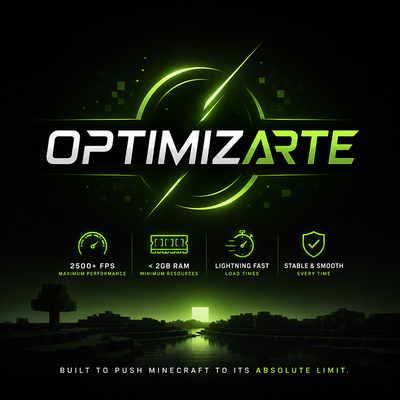
CurseForge · Minecraft modpack
OptimizArte
OptimizArte is a next-level Minecraft optimization project designed to deliver smoother gameplay, higher FPS, lower memory usage, faster loading, and improved stability while preserving the authentic Vanilla experience.
Choose a version Pick your version below, then grab the matching file.
Quick answer
Which OptimizArte release should I use?
Latest stable file Optimizarte (Neoforge 26.2).zip
Game version 26.2
Loader NeoForge 26.2.0.59
Optimizarte (Neoforge 26.2).zip is a complete pack release for 26.2 with NeoForge 26.2.0.59. Install it as its own launcher instance. If the creator publishes a separate server file, make sure it names this exact pack release. 53 mods in this pack file.
Pack setup
How should I set up OptimizArte for players and a server?
Use Optimizarte (Neoforge 26.2).zip as the pack version. Install the pack as its own launcher instance. The creator’s listing does not name a separate server file, so check the release notes before setting up a dedicated server. Do not upload the ordinary client folder blindly.
Client instance Install Optimizarte (Neoforge 26.2).zip
Dedicated server setup Match Optimizarte (Neoforge 26.2).zip
Pack loader NeoForge 26.2.0.59
A pack is a matched client and server setup, not one mod with an install-side label. Keep its release, loader, manifest and overrides together.
Referenced mods 53
Client only 18
Server only 0
Not labelled 35
These numbers come from the pack file you chose. “Not labelled” means we don’t know which side it belongs on—not that it is safe everywhere. The file count is not a RAM estimate.
What are the server requirements for OptimizArte?
Optimizarte (Neoforge 26.2).zip. Change the pack release and its contents or setup may change too.
The selected pack release is Optimizarte (Neoforge 26.2).zip. That file is for Minecraft 26.2 with NeoForge 26.2.0.59. It contains 53 mod projects. The creator’s listing does not name a separate server file. Check their notes before using one, and do not upload an ordinary client folder or rebuild the pack mod by mod. A file count cannot tell us the right RAM, CPU or storage; size the server for the players and world you actually run.
About this project
What kind of pack is OptimizArte?
OptimizArte
Minecraft, optimized the way it was meant to be.
OptimizArte is a comprehensive Minecraft optimization modpack built for Fabric, designed with one purpose: to make Minecraft run as efficiently, smoothly, and consistently as possible on a wide range of hardware.
From powerful gaming PCs to older desktops, entry-level systems, and laptops, OptimizArte is built around a simple idea:
You shouldn't need expensive hardware to enjoy Minecraft.
This isn't just another FPS booster.
OptimizArte is a carefully assembled optimization stack that targets rendering, CPU usage, RAM consumption, world generation, chunk loading, resource loading, particles, entities, block entities, saving, networking, startup time, shaders, and overall game stability.
The result is a Minecraft experience that aims to be lighter, faster, smoother, and more responsive without sacrificing the game itself.
One Goal: Maximum Efficiency
Minecraft is an incredibly complex game.
Every block, entity, particle, texture, model, sound, chunk, structure, shader, resource pack, and world-generation feature adds another workload for your hardware.
As Minecraft and its modding ecosystem have grown, performance has increasingly become a matter of how efficiently the game processes all that information, not simply how powerful your GPU or CPU is.
OptimizArte attacks that problem from multiple directions.
Instead of relying on one optimization mod, it combines specialized technologies that target different performance bottlenecks.
The philosophy is simple:
Don't remove Minecraft. Optimize Minecraft.
A Complete Optimization Stack
OptimizArte brings together some of the most established optimization technologies in the Fabric ecosystem, including:
- Sodium
- Lithium
- FerriteCore
- ModernFix
- ImmediatelyFast
- Entity Culling
- MoreCulling
- BadOptimizations
- FastBoot
- DashLoader
- Ksyxis
- Fast Noise
- ScalableLux
- AsyncParticles
- PartiCull
- Smart Particles
- Resource Pack Pruner
- ResourcePackCached
- GPU Memory Leak Fix
- Connectivity
- ServerCore
- TT20
- Fast Async World Save
- Smooth Chunk Save
- GPUTape
- AchievementOptimizer
- Chunk Activity Tracker
- Better Block Entities
- Faster Iris Shadow Mapper
- Iris
- Sodium Extra
- ImmediatelyFast
- Adaptive Performance Tweaks
- Async Pack Scan
- Async Locator Refined
- Async Logger
- GPU and memory-related optimizations
- and many additional supporting libraries and optimization utilities.
Each component has a specific purpose.
The objective is not to stack dozens of identical FPS mods, but to create an optimization ecosystem where different systems address different bottlenecks.
🚀 Rendering Optimization
One of the biggest performance improvements comes from replacing inefficient rendering paths with significantly more optimized ones.
Sodium forms the foundation of the rendering stack, providing a highly optimized rendering pipeline designed to dramatically improve Minecraft's graphical performance.
ImmediatelyFast further optimizes immediate-mode rendering operations used throughout Minecraft's GUI and rendering systems.
Entity Culling and MoreCulling reduce unnecessary rendering by preventing Minecraft from spending resources on objects that cannot actually be seen.
This matters enormously in real gameplay.
Large bases, villages, farms, storage rooms, caves, dungeons, and heavily populated areas can contain hundreds or thousands of objects.
OptimizArte aims to make Minecraft understand:
If you can't see it, don't waste resources rendering it.
🧠 Memory Optimization
RAM usage is another major focus.
Large Minecraft installations can contain enormous amounts of:
- Blocks
- Items
- Textures
- Models
- Recipes
- Entities
- Block entities
- Resource files
- Registries
- World data
FerriteCore and ModernFix form an important part of the memory optimization layer, while additional tools such as MemGuard, GPU Memory Leak Fix, ResourcePackCached, and Resource Pack Pruner target different sources of unnecessary memory usage.
The goal is to reduce memory pressure and prevent Minecraft from consuming resources unnecessarily.
This is particularly important for laptops and entry-level systems with limited RAM.
⚡ CPU Optimization
Minecraft can be extremely CPU-intensive.
Rendering is only part of the equation.
The CPU is constantly processing:
- Entities
- AI
- Block updates
- Game logic
- World generation
- Lighting
- Chunk operations
- Networking
- Resource loading
- Particle systems
- Saving
- Server logic
Lithium, BadOptimizations, Adaptive Performance Tweaks, ServerCore, TT20, and several other components target these workloads.
The objective is to reduce unnecessary computation and improve the efficiency of Minecraft's simulation.
This means OptimizArte isn't only trying to increase your FPS.
It is also trying to make the game do less unnecessary work.
🌎 World Generation & Chunk Optimization
Exploration is one of Minecraft's most demanding activities.
When you travel into unexplored territory, Minecraft has to generate terrain, calculate lighting, process structures, load resources, and manage newly created chunks.
OptimizArte includes several technologies dedicated to this area, including:
- Fast Noise
- Ksyxis
- ScalableLux
- Chunk Activity Tracker
- Async Locator Refined
- Structure Layout Optimizer
- Smooth Chunk Save
- Fast Async World Save
These systems work together to improve different stages of chunk generation, lighting, saving, activity tracking, and world processing.
The goal is to make exploration feel smoother and reduce the performance spikes commonly associated with loading new terrain.
💾 Faster Saving
Saving Minecraft worlds can cause noticeable stutters.
This becomes even more relevant in larger worlds and modded environments.
OptimizArte includes optimization technologies such as:
Fast Async World Save
and
Smooth Chunk Save
to improve the way world data is written and reduce the impact that saving can have on gameplay.
The objective is simple:
Save the world without making the game feel like it stopped.
📦 Resource & Loading Optimization
Minecraft spends considerable time loading resources.
Textures, models, sounds, resource packs, language files, shaders, and other assets can significantly affect startup and reload times.
OptimizArte therefore includes several optimizations focused specifically on this area:
- FastBoot
- DashLoader
- Async Pack Scan
- ResourcePackCached
- Resource Pack Pruner
- Language Reload
- Async Locator Refined
- ImmediatelyFast
Together, these aim to make Minecraft's startup and resource-management systems more efficient.
The goal isn't only:
"More FPS."
It is also:
"Get into the game faster."
🎨 Shader Optimization
OptimizArte doesn't force players to choose between performance and visual quality.
The pack supports Iris Shaders, while including additional technologies designed to reduce the performance cost associated with shader rendering.
This includes components such as:
- Faster Iris Shadow Mapper
- Iris
- Sodium
- GPU-related optimizations
- ScalableLux
- Particle optimization
This makes it possible to build an experience that can remain highly optimized even when players decide to use shaders.
OptimizArte is therefore designed to work both as a pure performance setup and as a foundation for a visually enhanced Minecraft experience.
🌫️ Particle & Visual Effects Optimization
Particles can become surprisingly expensive.
Fire, explosions, weather, block effects, environmental effects, magical effects, and modded particles can quickly create significant rendering overhead.
OptimizArte includes:
- AsyncParticles
- Smart Particles
- PartiCull
- Particle Core
- Disable Fog
- Additional rendering optimizations
The goal is to prevent visual effects from unnecessarily overwhelming the rendering pipeline.
👾 Entity & Block Entity Optimization
Entities and block entities are some of Minecraft's most expensive objects to process and render.
OptimizArte specifically targets this area with:
- Entity Culling
- MoreCulling
- Better Block Entities
- Fast Item Frames
- Mob Collision Off
- Get It Together, Drops!
- Despawn Tweaks
- Chunk Activity Tracker
These optimizations can be particularly useful in large bases, farms, villages, storage systems, and heavily populated areas.
🌐 Network & Server Optimization
Performance isn't limited to single-player rendering.
Minecraft also has a networking and server-simulation side.
OptimizArte includes technologies such as:
- Connectivity
- Packet Fixer
- RuOK
- ServerCore
- TT20
- Connectivity-related optimizations
These components are intended to improve communication efficiency, server behavior, and certain sources of network-related overhead.
This makes the project useful not only for solo worlds, but also for multiplayer environments.
🛠️ Stability & Error Handling
Performance means very little if the game constantly crashes.
OptimizArte therefore also includes tools dedicated to improving reliability and handling problematic situations.
Examples include:
- Crash Assistant
- CrashExploitFixer
- Neruina
- Connectivity
- Puzzles Lib
- Various compatibility and configuration libraries
These components help diagnose, mitigate, or prevent certain crashes, ticking-entity problems, networking issues, and other sources of instability.
The philosophy is straightforward:
Optimization should make Minecraft more reliable, not just faster.
💻 Designed for Low-End Hardware
This is one of OptimizArte's defining objectives.
The pack is specifically designed to make Minecraft more accessible to hardware that would normally struggle with modern versions of the game.
Entry-Level PCs
OptimizArte aims to reduce unnecessary CPU, GPU, and RAM workload so that modest hardware can dedicate more of its resources to actual gameplay.
Laptops
Laptops often have strict thermal and power limitations.
Reducing unnecessary workload can help the hardware maintain performance for longer periods instead of constantly operating at its maximum capacity.
Older PCs
Instead of assuming that every player upgrades their hardware every few years, OptimizArte attempts to make older systems remain useful for modern Minecraft.
Mid-Range PCs
Mid-range systems can benefit from improved frame consistency and reduced background overhead while maintaining higher graphical settings.
High-End PCs
Even powerful hardware benefits from efficiency.
The goal isn't to artificially limit performance.
The goal is to ensure that available hardware is being used for things that actually matter.
📊 More Than FPS
OptimizArte doesn't define performance using a single number.
A game running at 200 FPS can still feel terrible if it suffers from:
- Stuttering
- Frame-time spikes
- Chunk-loading freezes
- Garbage-collection pauses
- Shader bottlenecks
- Memory leaks
- CPU spikes
- Server lag
- Entity overload
- Resource-loading delays
That's why OptimizArte focuses on overall frame consistency and system efficiency, not just the highest possible FPS number.
The target is a Minecraft experience that feels:
Smooth.
Responsive.
Consistent.
Fast.
Stable.
🧩 Carefully Engineered, Not Randomly Assembled
OptimizArte isn't simply a folder containing every optimization mod available.
Optimization mods can overlap.
They can conflict.
They can duplicate functionality.
They can create unexpected interactions.
They can even make performance worse when incorrectly combined.
That's why OptimizArte is built around compatibility, specialization, and configuration.
Every component exists because it contributes to a larger optimization strategy.
The goal is to make the entire stack work together rather than simply maximizing the number of optimization mods installed.
Vanilla Minecraft — Evolved
OptimizArte doesn't want to turn Minecraft into something else.
It doesn't want to remove the game's identity.
It doesn't want to force an ultra-minimal graphical style.
It doesn't want to make Minecraft look like a completely different game.
It wants Minecraft to remain:
Minecraft.
Just more efficient.
Better optimized.
More responsive.
More accessible.
More stable.
And capable of running on hardware that would otherwise struggle with modern Minecraft.
The OptimizArte Philosophy
Don't remove the experience.
Optimize the experience.
Don't demand better hardware.
Make better use of the hardware people already have.
Don't chase FPS alone.
Chase smoothness, consistency, efficiency, and stability.
That is what OptimizArte is built around.
OptimizArte
Minecraft 1.21.1 • Fabric
A complete optimization ecosystem designed to make Minecraft run better on virtually every class of hardware.
From an entry-level laptop to a high-end gaming PC.
From vanilla gameplay to shaders.
From small survival worlds to large multiplayer environments.
From loading the game to exploring thousands of chunks.
OptimizArte exists for one reason:
To make Minecraft run the way it always should have.
OptimizArte
Minecraft, optimizado como siempre debió estar.
OptimizArte es un modpack de optimización integral para Minecraft 1.21.1 sobre Fabric, creado con un objetivo claro:
hacer que Minecraft funcione de la forma más eficiente, fluida, estable y consistente posible en la mayor cantidad de equipos.
Desde PCs gaming de gama alta hasta computadoras antiguas, equipos de entrada y laptops, OptimizArte busca aprovechar mejor el hardware disponible.
Esto no es simplemente otro modpack de "más FPS".
OptimizArte es un ecosistema completo de optimización que trabaja sobre renderizado, CPU, memoria RAM, generación de mundo, carga de chunks, recursos, partículas, entidades, block entities, guardado, red, tiempos de carga, shaders y estabilidad general.
El resultado que buscamos es un Minecraft más ligero, rápido, fluido y responsivo, sin sacrificar la experiencia original del juego.
Un solo objetivo: máxima eficiencia
Minecraft es un juego extremadamente complejo.
Cada bloque, entidad, partícula, textura, modelo, sonido, chunk, estructura, shader, recurso y sistema de generación de mundo representa trabajo adicional para tu hardware.
A medida que Minecraft ha evolucionado, el rendimiento se ha convertido cada vez más en una cuestión de qué tan eficientemente procesa el juego toda esa información, no simplemente de qué tan potente sea tu PC.
OptimizArte ataca ese problema desde múltiples ángulos.
En lugar de depender de un único mod de optimización, combina tecnologías especializadas que trabajan sobre diferentes cuellos de botella.
La filosofía es sencilla:
No eliminar Minecraft. Optimizar Minecraft.
🚀 Optimización del renderizado
Una de las principales áreas de OptimizArte es el renderizado.
Sodium constituye la base del sistema gráfico, proporcionando un pipeline de renderizado altamente optimizado.
Sobre esta base se integran herramientas como ImmediatelyFast, Entity Culling, MoreCulling, Better Block Entities, PartiCull y otras optimizaciones específicas.
La idea es reducir todo el trabajo gráfico que Minecraft realiza innecesariamente.
Esto resulta especialmente importante en:
- Grandes construcciones
- Aldeas
- Granjas
- Bases con muchos cofres
- Almacenes
- Dungeons
- Zonas con muchos mobs
- Estructuras densas
- Mundos con gran cantidad de contenido
En pocas palabras:
Si algo no puede verse, no debería consumir recursos como si estuviera frente a ti.
🧠 Optimización de memoria
El consumo de RAM es otro de los grandes objetivos de OptimizArte.
Minecraft puede llegar a manejar cantidades enormes de:
- Bloques
- Ítems
- Texturas
- Modelos
- Recetas
- Entidades
- Block entities
- Recursos
- Registros
- Datos de mundo
FerriteCore y ModernFix forman una parte fundamental de esta capa de optimización.
A ellos se suman herramientas como:
- MemGuard
- GPU Memory Leak Fix
- ResourcePackCached
- Resource Pack Pruner
Cada una ataca diferentes fuentes de consumo innecesario.
El objetivo es reducir la presión sobre la memoria y evitar que Minecraft utilice recursos que realmente no necesita.
Esto es especialmente importante en laptops y PCs de gama baja, donde una utilización excesiva de RAM puede provocar stuttering, pausas de garbage collection y pérdida de estabilidad.
⚡ Optimización del procesador
Minecraft no depende únicamente de la GPU.
El procesador está constantemente trabajando con:
- IA
- Entidades
- Actualizaciones de bloques
- Lógica del juego
- Generación de mundo
- Iluminación
- Chunks
- Red
- Recursos
- Partículas
- Guardado
- Simulación del servidor
OptimizArte utiliza tecnologías como:
- Lithium
- BadOptimizations
- Adaptive Performance Tweaks
- ServerCore
- TT20
- AsyncParticles
- Fast Noise
- ScalableLux
y otros componentes destinados a reducir procesamiento innecesario.
La intención no es simplemente conseguir más FPS.
Es conseguir que Minecraft tenga que hacer menos trabajo para producir el mismo resultado.
🌎 Generación de mundo y chunks
Explorar es una de las actividades más exigentes de Minecraft.
Cuando entras en territorio desconocido, el juego debe generar terreno, calcular iluminación, procesar estructuras, ejecutar generación de características y administrar los nuevos chunks.
OptimizArte dedica una parte importante de su arquitectura a este proceso mediante tecnologías como:
- Fast Noise
- Ksyxis
- ScalableLux
- Chunk Activity Tracker
- Async Locator Refined
- Structure Layout Optimizer
- Smooth Chunk Save
- Fast Async World Save
El objetivo es reducir el coste asociado a generar, procesar, cargar y guardar el mundo.
Esto resulta especialmente importante durante la exploración, donde normalmente aparecen algunos de los mayores picos de carga de Minecraft.
💾 Guardado optimizado
Guardar un mundo puede producir pausas y pequeños congelamientos.
El problema puede aumentar considerablemente en mundos grandes o muy modificados.
Por eso OptimizArte incorpora tecnologías como:
Fast Async World Save
y
Smooth Chunk Save
para mejorar la forma en la que Minecraft escribe los datos del mundo y reducir el impacto del guardado sobre el gameplay.
La filosofía es sencilla:
guardar tu mundo sin que Minecraft parezca que se congeló.
📦 Optimización de recursos y tiempos de carga
Minecraft puede tardar una cantidad considerable de tiempo procesando recursos.
Texturas, modelos, sonidos, resource packs, idiomas, shaders y otros archivos pueden afectar directamente los tiempos de inicio y recarga.
OptimizArte incluye herramientas como:
- FastBoot
- DashLoader
- Async Pack Scan
- ResourcePackCached
- Resource Pack Pruner
- Language Reload
- Async Locator Refined
- ImmediatelyFast
El objetivo es reducir el tiempo que Minecraft necesita para preparar todo lo necesario antes de jugar.
No buscamos únicamente:
"Más FPS."
También buscamos:
"Llegar al juego más rápido."
🎨 Optimización para shaders
OptimizArte tampoco obliga al jugador a elegir entre rendimiento y calidad visual.
El pack utiliza Iris Shaders junto con Sodium y tecnologías complementarias destinadas a reducir el impacto de los shaders.
Entre ellas encontramos:
- Faster Iris Shadow Mapper
- Iris
- Sodium
- ScalableLux
- Optimizaciones de GPU
- Optimizaciones de partículas
Esto permite utilizar OptimizArte como una base de rendimiento incluso cuando el jugador quiere utilizar shaders.
La filosofía es:
más calidad visual sin desperdiciar rendimiento innecesariamente.
🌫️ Optimización de partículas y efectos
Las partículas pueden convertirse rápidamente en una fuente considerable de carga.
Explosiones, fuego, lluvia, efectos ambientales, magia, partículas de mods y efectos de bloques pueden generar miles de operaciones adicionales.
Por eso OptimizArte incorpora:
- AsyncParticles
- Smart Particles
- PartiCull
- Particle Core
- Disable Fog
junto con otras optimizaciones del pipeline gráfico.
El objetivo es mantener los efectos visuales sin permitir que estos dominen innecesariamente el rendimiento.
👾 Entidades y Block Entities
Entidades y block entities pueden ser especialmente costosas en Minecraft.
OptimizArte trabaja específicamente sobre este problema mediante:
- Entity Culling
- MoreCulling
- Better Block Entities
- Fast Item Frames
- Mob Collision Off
- Get It Together, Drops!
- Despawn Tweaks
- Chunk Activity Tracker
Esto resulta especialmente útil en bases grandes, granjas, aldeas, almacenes y zonas con muchos objetos.
La meta es reducir tanto el coste de procesamiento como el de renderizado cuando estos elementos no son realmente necesarios.
🌐 Optimización de red y servidor
El rendimiento tampoco termina en el cliente.
Minecraft tiene una importante carga relacionada con la comunicación entre cliente y servidor y con la propia simulación del servidor.
OptimizArte incorpora herramientas como:
- Connectivity
- Packet Fixer
- RuOK
- ServerCore
- TT20
para optimizar diferentes aspectos de la comunicación y el procesamiento del servidor.
Esto permite que el proyecto sea útil tanto para mundos individuales como para experiencias multijugador.
🛠️ Estabilidad y prevención de problemas
El rendimiento no sirve de mucho si Minecraft se cae constantemente.
Por eso OptimizArte también incluye herramientas enfocadas en estabilidad y resolución de problemas, entre ellas:
- Crash Assistant
- CrashExploitFixer
- Neruina
- Connectivity
- Puzzles Lib
- Diferentes librerías y sistemas de compatibilidad
Estos componentes ayudan a detectar, corregir o mitigar determinados crashes, entidades con ticks problemáticos, problemas de red y otros comportamientos que pueden afectar la estabilidad.
La filosofía es clara:
Optimizar también significa hacer Minecraft más confiable.
💻 Diseñado para equipos de gama baja
Este es uno de los pilares fundamentales de OptimizArte.
El proyecto está pensado para intentar hacer Minecraft mucho más accesible para hardware que normalmente tendría dificultades con las versiones modernas del juego.
🖥️ PCs de entrada
Reducimos trabajo innecesario de CPU, GPU y RAM para que un equipo modesto pueda dedicar una mayor parte de sus recursos al juego.
💻 Laptops
Las laptops suelen estar limitadas por temperatura, consumo energético y capacidad de refrigeración.
Reducir carga innecesaria puede ayudar a mantener un rendimiento más consistente durante sesiones prolongadas.
🖥️ PCs antiguas
No todos los jugadores pueden actualizar su hardware cada pocos años.
OptimizArte busca que un equipo antiguo pueda seguir siendo capaz de disfrutar de Minecraft moderno.
⚙️ Gama media
Los equipos de gama media pueden beneficiarse de una mayor consistencia de frames, menor carga innecesaria y mejores tiempos de respuesta.
🚀 Gama alta
Incluso un PC potente puede beneficiarse de la eficiencia.
La intención no es limitar el hardware.
Es asegurarnos de que sus recursos se utilicen donde realmente importan.
📊 Más que FPS
OptimizArte no define el rendimiento mediante un único número.
Un Minecraft que muestra 200 FPS puede seguir sintiéndose mal si presenta:
- Stuttering
- Frame-time spikes
- Congelamientos al cargar chunks
- Pausas por garbage collection
- Picos de CPU
- Fugas de memoria
- Sobrecarga de shaders
- Lag de servidor
- Exceso de entidades
- Retrasos al cargar recursos
Por eso OptimizArte busca mejorar algo mucho más importante:
La consistencia del rendimiento.
Queremos un Minecraft que se sienta:
Fluido.
Responsivo.
Consistente.
Rápido.
Estable.
🧩 No es una colección aleatoria de mods
OptimizArte no consiste simplemente en instalar todos los mods de optimización disponibles.
Los mods de rendimiento pueden:
- Solaparse
- Duplicar funciones
- Generar conflictos
- Introducir incompatibilidades
- Incluso empeorar el rendimiento si están mal configurados
Por eso OptimizArte se construye alrededor de tres principios:
Compatibilidad
Los componentes deben poder coexistir correctamente.
Especialización
Cada herramienta debe aportar algo concreto.
Configuración
La optimización no termina al instalar un mod; la forma en que cada componente está configurado también importa.
El objetivo es que todo el conjunto funcione como un sistema, no como una simple colección de mods.
🧱 Vanilla, pero mejor
OptimizArte no quiere convertir Minecraft en otro juego.
No quiere eliminar su identidad.
No quiere obligarte a jugar con una configuración visual ultra minimalista.
No quiere convertir Minecraft en un benchmark.
Quiere que Minecraft siga siendo:
Minecraft.
Pero mejor optimizado.
Más eficiente.
Más fluido.
Más estable.
Más accesible.
Y capaz de aprovechar mejor prácticamente cualquier hardware.
La filosofía de OptimizArte
No elimines la experiencia.
Optimízala.
No exijas mejor hardware.
Haz un mejor uso del hardware que el jugador ya tiene.
No persigas únicamente más FPS.
Persigue fluidez, consistencia, eficiencia y estabilidad.
Eso es OptimizArte.
OptimizArte
Minecraft 1.21.1 • Fabric
Un ecosistema completo de optimización diseñado para que Minecraft funcione mejor en prácticamente cualquier tipo de hardware.
Desde una laptop de entrada hasta una PC gaming de gama alta.
Desde Minecraft Vanilla hasta Minecraft con shaders.
Desde un pequeño mundo de supervivencia hasta servidores multijugador.
Desde el momento en que pulsas "Jugar" hasta que llevas miles de chunks explorados.
OptimizArte existe por una sola razón:
Hacer que Minecraft funcione como siempre debió funcionar.
Project description from CurseForge.
Mods in Optimizarte (Neoforge 26.2).zip
Open any mod on Modpacks.ch to check its files and dependencies.
adaptive_performance_tweaks-neoforge-26.2-12.8.0.jar SHA-1
670489f9f95b9306203276ee3756cd628affb08b · CurseForge file 8530192 · Project link unavailable Side not labelledanvianslib-neoforge-26.1-1.4.1.jar SHA-1
d2dc2ce49cea8e84c879cd1aa23faeb1513166d4 · CurseForge file 8056201 · Project link unavailable Side not labelledarchitectury-neoforge-21.0.7.jar SHA-1
c47ec87515e86af442baf5fb820ec271ac04fbac · CurseForge file 8562968 · Project link unavailable Side not labelledasynclogger-2.2.2+26.1.2-neoforge.jar SHA-1
be8a23b212046ce3b6f01b542de56ccc73ea0ba8 · CurseForge file 8631014 · Project link unavailable Side not labelledAsyncParticles-26.2.2.3+26.2.jar SHA-1
03295c82470a68c350a47a17d5b5dc93e703be9b · CurseForge file 8639140 · Project link unavailable Client onlyBadOptimizations-2.4.1-26.2-forge.jar SHA-1
1c20191b8dcce3442039f1466d1a18d1feb431f7 · CurseForge file 8260340 · Project link unavailable Client onlybbe-neoforge-1.3.8-beta.1+mc26.2.jar SHA-1
eb08e7382f0090d0f5ae59f005938b4062a92034 · CurseForge file 8440936 · Project link unavailable Client onlybetterfpsdist-26.2-6.2.jar SHA-1
aa8fb75ace3799d186fb41ec22540ef8868ba2b6 · CurseForge file 8383582 · Project link unavailable Client onlyboosters-1.3.2+26.2-neoforge.jar SHA-1
c8bcae655b569120dea1a6b02867835c5e65e76f · CurseForge file 8483840 · Project link unavailable Client onlycloth-config-26.2.155.jar SHA-1
6ea13f34b0fcdcc9299b766efa199dcc7cb73878 · CurseForge file 8269700 · Project link unavailable Side not labelledClumps-neoforge-26.2-26.2.1.jar SHA-1
afb2dff9ca5a0415606b0cae92c8ca04b2c9bf80 · CurseForge file 8262616 · Project link unavailable Side not labelledconnectivity-26.1-7.6.jar SHA-1
b08d0b362c9e25b1d3ca7574bf83973419acc914 · CurseForge file 7866655 · Project link unavailable Side not labelledCrashAssistant-neoforge-26.2-1.11.12.jar SHA-1
9c36ca75d2ed1ff1fdaa92a9b22794d38dbb1dac · CurseForge file 8636700 · Project link unavailable Client onlycrashexploitfixer-neoforge-2.0.0+26.1.2.jar SHA-1
d9869b424c37c6f16fe7301773e2912373cb243b · CurseForge file 8071073 · Project link unavailable Side not labelledcupboard-26.2-4.0.jar SHA-1
880d5c003f500f78da6e15b2b3167a3c47751169 · CurseForge file 8623576 · Project link unavailable Side not labelleddisablefog-neoforge-26.2-2.2.1.jar SHA-1
4a74b524ed64b49de7b3d602eb252d4f54f32b4d · CurseForge file 8263574 · Project link unavailable Client onlydynamic-fps-3.11.9+minecraft-26.2.0-neoforge.jar SHA-1
32dfe949d65c30b963c52595a2eef69ab22a2fa5 · CurseForge file 8260229 · Project link unavailable Client onlyfastasyncworldsave-26.2-2.6.jar SHA-1
862256b88d4235b0101d74ba35b5ff863585942b · CurseForge file 8406064 · Project link unavailable Side not labelledFastItemFrames-v26.2.0-mc26.2.x-NeoForge.jar SHA-1
3976c4ad1e8af15a27bbac03da4e13d347bf8db0 · CurseForge file 8280581 · Project link unavailable Side not labelledferritecore-9.0.0-neoforge.jar SHA-1
b8bfb14ba6ce7068aae08c3a132ca40bda6bd143 · CurseForge file 7806039 · Project link unavailable Side not labelledfps-booster-neoforge-26.2.jar SHA-1
d2783ec7ba1b0692e884a0462140160990aef982 · CurseForge file 8518907 · Project link unavailable Client onlyfzzy_config-0.7.6+26.2+neoforge.jar SHA-1
1149c7faf96028f7be9b7aae3bdb843f13230631 · CurseForge file 8261896 · Project link unavailable Side not labelledGnetum-4.5.3+26.2-neoforge.jar SHA-1
d6c6962f7531a05be8b840845447e0bb000cc4d2 · CurseForge file 8605434 · Project link unavailable Client onlygpumemleakfix-26.1-1.9.jar SHA-1
588f7ba505846f30394dd6c1038348c87571a26e · CurseForge file 7889666 · Project link unavailable Client onlyImmediatelyFast-NeoForge-1.16.2+26.2.jar SHA-1
5b520bb84393a87d2dbedbca2354bc6221e32920 · CurseForge file 8415229 · Project link unavailable Client onlyimmersive_optimization-neoforge-26.2-0.2.0.jar SHA-1
f0baa6c63d5afd0b176ab3d977e21a4a8f42a15a · CurseForge file 8429548 · Project link unavailable Side not labellediris_shader_folder-1.4.1-neoforge.jar SHA-1
b5c72afa8318d6d92125ad74621d22e413b53497 · CurseForge file 8512633 · Project link unavailable Client onlyiris-neoforge-1.11.2+mc26.2.jar SHA-1
65330433644a0706156b63d02a44855d2b80dd15 · CurseForge file 8396844 · Project link unavailable Client onlyIrisSearch-1.6.0-neoforge.jar SHA-1
741ede18b2369ef0e0a3e4dafe917aaf3b1d6777 · CurseForge file 8574865 · Project link unavailable Client onlyIxeris-4.6.4+26.2-neoforge.jar SHA-1
aa62ef486a3cc4a2565952b25cea52c721003f3f · CurseForge file 8645753 · Project link unavailable Client onlykotlinforforge-6.3.0-all.jar SHA-1
13262b4f867d6ac269b0ce61ea39c88bf60e55bd · CurseForge file 8335648 · Project link unavailable Side not labelledKotlinLangForge-2.12.2-k2.4.10-3.1+neoforge.jar SHA-1
bb77600d16d11930b7fa7dbdd3a7f6cfc9805b62 · CurseForge file 8460763 · Project link unavailable Side not labelledKsyxis-1.4.3.jar SHA-1
6f4b2ea7827da8136bdf436457a2ba3fcdb2120e · CurseForge file 7979747 · Project link unavailable Side not labelledlithium-neoforge-0.25.3+mc26.2.jar SHA-1
e834dc970751b97605e2d06565b8998e22dd543a · CurseForge file 8533306 · Project link unavailable Side not labelledmodernfix-neoforge-5.27.20+mc26.2.jar SHA-1
bbebb8fe2f2e66eccdc79dd976eb03f992466d28 · CurseForge file 8518357 · Project link unavailable Side not labelledmoreculling-neoforge-26.2-1.8.1.jar SHA-1
2efd4033809fdb70e6cbb9bf9ef61efcbd02d99d · CurseForge file 8563685 · Project link unavailable Side not labellednofogmod-unspecified_neoforge-mc26.2.jar SHA-1
ae945d2f6180a04f1334e2c706c4071ba86976e8 · CurseForge file 8260606 · Project link unavailable Side not labelledPacketFixer-neoforge-3.3.6.jar SHA-1
83ace196cb55b167f4f17aec415df066c94effca · CurseForge file 8444397 · Project link unavailable Side not labelledparticle_core-0.3.3+26.2+neoforge.jar SHA-1
bec203d435ad9f4bf45b6efe53f4082dd685b010 · CurseForge file 8390236 · Project link unavailable Side not labelledPuzzlesLib-v26.2.3-mc26.2.x-NeoForge.jar SHA-1
b3eaf4be27b9ace296084cdd3c5b9313bf66826e · CurseForge file 8581778 · Project link unavailable Side not labelledquantified api-omni-2.2.0.jar SHA-1
5ae0dc182dcd8f139edfa4bda644930f25ac5b75 · CurseForge file 8577238 · Project link unavailable Side not labelledquick-pack-neoforge-1.5.0+26.2.jar SHA-1
e167572c8ae15a67f1b9425b0ddaf5bb5b904cdd · CurseForge file 8619212 · Project link unavailable Side not labelledreeses-sodium-options-neoforge-2.2.3+mc26.2.jar SHA-1
f5dfd6ee86c373b1b8d736b946a9b827fbbbf78e · CurseForge file 8410904 · Project link unavailable Side not labelledResourcefulConfig-5.0.0.jar SHA-1
d2c3456ad5008a093be0e565c4896c279f793966 · CurseForge file 8270524 · Project link unavailable Side not labelledScalableLux-0.2.1+neoforge.729d9d3-all.jar SHA-1
df202004ea9f83e2feb97c9deab29122f8197fd6 · CurseForge file 8257466 · Project link unavailable Side not labelledservercore-neoforge-1.5.19+26.2.jar SHA-1
c6e7461ae2e4f22345c78f23ca03b0e2508d750f · CurseForge file 8312203 · Project link unavailable Side not labelledsmoothchunk-26.1-4.2.jar SHA-1
4606707d33c3dc1906609db7933878938d6da5a2 · CurseForge file 7898824 · Project link unavailable Side not labelledSmoothJoin-NeoForge-1.3.1-neoforge.jar SHA-1
1c9cee60d49f98d64c51fe493316206c6bd36303 · CurseForge file 8609473 · Project link unavailable Client onlysodium-extra-neoforge-0.9.3+mc26.2.jar SHA-1
e72afb7db63a6bc9776397bbab03a3364c5299f1 · CurseForge file 8404389 · Project link unavailable Side not labelledsodium-neoforge-0.9.1+mc26.2.jar SHA-1
12b35a942b7e788b4d95824500a5e25d555b51c1 · CurseForge file 8396429 · Project link unavailable Client onlystructure_layout_optimizer-1.1.4+26.1-neoforge.jar SHA-1
28c06195340899492fd30669274479de8874a8d0 · CurseForge file 7808378 · Project link unavailable Side not labelledtt20-0.8.4+mc26.1.1-neoforge.jar SHA-1
e9f6f747fd4bf11168f8e01ddb5c62969ffd6a96 · CurseForge file 8550966 · Project link unavailable Side not labelledzfastnoise-1.0.40+26.2+neoforge.jar SHA-1
a887bfacf465b2127f235db0ec88ce24745a18c3 · CurseForge file 8519650 · Project link unavailable Side not labelledPick your setup
OptimizArte by Minecraft version and loader
Choose the version and loader you play, then open the matching release.
Minecraft version
1.21.1
2 loader buildsMinecraft version
1.20.1
2 loader buildsMade local changes? Try them in a copied instance before touching a world you care about.
Recent files
OptimizArte versions and loaders
NeoForge 26.2.0.5926.28.0.312+7 release
1.21.1NeoForge release
1.20.1Forge release
Fabric26.2 release
Fabric1.20.1 release
Fabric1.21.1 release
Looking for an older file? The official CurseForge project page is in Resources.
 modpack
 CurseForge · Minecraft
Projeto Omega
A Create-centered industrial progression pack focused on automation, engineering, renewable resources, logistics, and building a true megafactory.
 modpack
 CurseForge · Minecraft
Create With Friends SMP
An industrial-focused Minecraft community where creators collaborate to build sprawling, steampunk-inspired empires using the mechanical engineering and automation of the Create Mod.
 modpack
 CurseForge · Minecraft
Stinky Baka
Its a mod pack that ads more bosses, dimensions, armor, weapons and blocks to the game.