Minecraft version
Back to modpacks 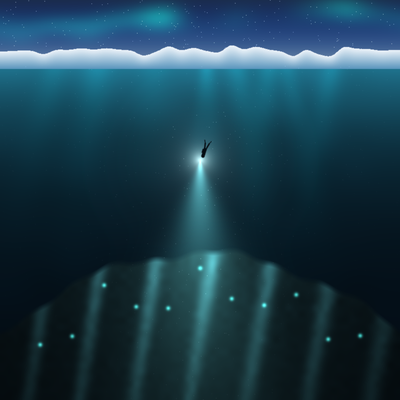
CurseForge · Minecraft modpack
The Lost Depths
Which voice can you trust? A co-op survival-horror diving pack.
Choose a version Pick your version below, then grab the matching file.
Quick answer
Which The Lost Depths release matches Forge?
beta file TheLostDepths-0.18.3.zip
Game version 1.20.1
Loader Forge 47.4.26
TheLostDepths-0.18.3.zip is a complete pack release for 1.20.1 with Forge 47.4.26. Install it as its own launcher instance. If the creator publishes a separate server file, make sure it names this exact pack release. 31 mods in this pack file.
Pack setup
How should I set up The Lost Depths for players and a server?
Use TheLostDepths-0.18.3.zip as the pack version. Install the pack as its own launcher instance. The creator’s listing does not name a separate server file, so check the release notes before setting up a dedicated server. Do not upload the ordinary client folder blindly.
Client instance Install TheLostDepths-0.18.3.zip
Dedicated server setup Match TheLostDepths-0.18.3.zip
Pack loader Forge 47.4.26
A pack is a matched client and server setup, not one mod with an install-side label. Keep its release, loader, manifest and overrides together.
Referenced mods 31
Client only 6
Server only 0
Not labelled 25
These numbers come from the pack file you chose. “Not labelled” means we don’t know which side it belongs on—not that it is safe everywhere. The file count is not a RAM estimate.
What are the server requirements for The Lost Depths?
TheLostDepths-0.18.3.zip on Forge. The pack contents and setup notes below stay tied to that release.
The selected pack release is TheLostDepths-0.18.3.zip. That file is for Minecraft 1.20.1 with Forge 47.4.26. It contains 31 mod projects. The creator’s listing does not name a separate server file. Check their notes before using one, and do not upload an ordinary client folder or rebuild the pack mod by mod. A file count cannot tell us the right RAM, CPU or storage; size the server for the players and world you actually run.
About this project
What kind of pack is The Lost Depths?
The Lost Depths
Which voice can you trust?
!!MAKE SURE YOU CHANGE WORLD TYPE TO THE LOST DEPTHS ONE TO PLAY THE GAME!!
A co-op survival-horror diving pack set on a frozen Arctic coast. You and your team fly in to an isolated research station to survey the sea below it. The sea goes down a long way: 3,800 blocks of ocean, from sunlit kelp shallows to an abyss nobody has charted. Something down there has been listening.
Play it solo or with friends (best with 2 to 4). The story runs from the flight in to an ending you choose, told through radio transmissions, recovered tapes, a field journal and what you find on the sea floor. After the ending, the sea is yours.
Diving
- Four zones, each darker than the last. Each with its own light, cold, pressure, life and sound.
- Air, cold and pressure are real limits. Wetsuit, drysuit and pressure suit, each rated to a depth. Watch your tank, your dive computer and the creak of your suit.
- Free swimming. Swim the way you're looking, kick hard to get out of the way, and learn to read the dark.
- Gear that earns its place. Dive torches, lift bags, sea scooters, flares, descent lines and the tools to survive what lives below.
Building and surviving
Bases on the seabed. Float an intake buoy, run an air line down, seal the room and pump it dry.
- Radio relays. Keep a link to the surface, or lose it.
- Submersibles. A two-seat bubble sub for the upper sea, and something sturdier for later.
- A survey to finish. Tag, sample and record the species you meet, and the Institute sends you new gear as the data comes in.
The sea itself
- A living ocean. Cold-water coral reefs, sponge grounds, seeps and whale falls; schools that scatter from hunters; whales you hear long before you see them; sea ice, icebergs, seals and gulls on the surface.
- Things to find. Old wrecks, lost equipment and caches nobody came back for.
- Megastructures. A drilling rig lies capsized on the slope, her columns standing up into the dark. Swim through her upside-down rooms and find out what pulled her over.
- Sound first. Hundreds of sounds made for this pack. Wear headphones.
Things to know
- The voice feature. Some of the sea's sounds are made from your team's voice chat (Simple Voice Chat). Recordings stay in the game's memory while you play: they are never saved to disk and never sent anywhere outside your game. You can turn this off in the pack's settings.
- Shaders. The pack comes with its own shader (The Lost Depths, via Oculus), switched on by default. Turn it off in Video Settings, Shader Packs, if your machine struggles.
- Memory. Give Minecraft at least 6 GB; 8 GB is better with shaders.
- Your world matters. Start a new world with the pack's own world type; the story builds itself as you go.
Included mods not on CurseForge
- The Lost Depths (the pack's own mod): the story, creatures, gear, subs, world and sounds.
Minecraft 1.20.1, Forge 47.4.26.
Project description from CurseForge.
Mods in TheLostDepths-0.18.3.zip
Open any mod on Modpacks.ch to check its files and dependencies.
alexscaves-2.0.2.jar SHA-1
a1e5c7b7c7eadda4c8e954acbcbaf75a7b500d53 · CurseForge file 5848216 · Project link unavailable Side not labelledalexsmobs-1.22.9.jar SHA-1
dbf93d2f1da19e16739e91e8ea0fc6f4bc2f228f · CurseForge file 5698791 · Project link unavailable Side not labelledappleskin-forge-mc1.20.1-2.5.1.jar SHA-1
81919356f84eab14258db98924b66c3c38e372b1 · CurseForge file 4770828 · Project link unavailable Side not labelledarchitectury-9.2.14-forge.jar SHA-1
a52918a500ff421180a1cbd1a0cabee712134ec4 · CurseForge file 5137938 · Project link unavailable Side not labelledasync-locator-forge-1.20-1.3.0.jar SHA-1
fa8e3d65644e5bf1ea62f1ba3c94b0982dfb7357 · CurseForge file 4603343 · Project link unavailable Side not labelledatlantis-9.29.2026-1.20.1-10.1.4-forge.jar SHA-1
8d81b3f958bff43c8a9744c1d56fc20b24f2ea8e · CurseForge file 9032587 · Project link unavailable Side not labelledbbs-1.20.1-0.1.3-forge.jar SHA-1
972fdb8da6e1d29add810a6dcd90219dc3a5812d · CurseForge file 4709560 · Project link unavailable Side not labelledcameraoverhaul-1.1-1.20.4.jar SHA-1
adca9d3834c0d188bebef70d54a8f3b34b7731dc · CurseForge file 5359800 · Project link unavailable Client onlycanary-mc1.20.1-0.3.3.jar SHA-1
898abd9e337ef1c677ce93f5589497a09c7e9850 · CurseForge file 5089991 · Project link unavailable Side not labelledChunky-1.3.146.jar SHA-1
0b782d12b4ac3b03a94c28f32e9b2d5587d1dd50 · CurseForge file 5320028 · Project link unavailable Side not labelledcitadel-2.6.3-1.20.1.jar SHA-1
fb0b1fa96ce28e4be77b38ad95d83c3da7ec8316 · CurseForge file 7476570 · Project link unavailable Side not labelledcloth-config-11.1.136-forge.jar SHA-1
c65d07748acc57ceb45d53b3964368b84f34d54f · CurseForge file 5729105 · Project link unavailable Side not labelledClumps-forge-1.20.1-12.0.0.4.jar SHA-1
97cc669f68dbe812cb77cc3631339334fc28b877 · CurseForge file 5278538 · Project link unavailable Side not labelledControlling-forge-1.20.1-12.0.2.jar SHA-1
f6d3cdd3ec68c5590cf5b2e89c38dbf031824bfd · CurseForge file 4646682 · Project link unavailable Side not labelleddynamiclights-1.20.1.3.jar SHA-1
560cdade6e0d2a2df372e7f2ed3262a9bdb26c53 · CurseForge file 9007871 · Project link unavailable Side not labelledembeddium-0.3.31+mc1.20.1.jar SHA-1
bb2fa8f3e493af16af9160d049f96c614a1faf2f · CurseForge file 5681725 · Project link unavailable Client onlyentityculling-forge-1.11.2-mc1.20.1.jar SHA-1
856ef2e3c5bbde87fa5f06515c42fbca8af24a74 · CurseForge file 8942290 · Project link unavailable Client onlyEssential_1-5-0-1_forge_1-20-1.jar SHA-1
42a548cc8f911404b3340383c6254c0353562ffd · CurseForge file 8905499 · Project link unavailable Client onlyferritecore-6.0.1-forge.jar SHA-1
417fb6ce8f52abf40bd9d0390371790f9576f8ba · CurseForge file 4810975 · Project link unavailable Side not labelledgeckolib-forge-1.20.1-4.8.4.jar SHA-1
81982cc287f80ffabb2fd36d22cc95e4255c739d · CurseForge file 8285794 · Project link unavailable Side not labelledImmediatelyFast-Forge-1.5.5+1.20.4.jar SHA-1
9eacd407b7dea636d375dc47335d92f616484ea2 · CurseForge file 8348481 · Project link unavailable Client onlyjei-1.20.1-forge-15.56.0.205.jar SHA-1
7f64b7f8fde7f001ef054dabe3618a8780ba2650 · CurseForge file 8778011 · Project link unavailable Side not labelledlexiconfig-forge-1.4.21-epic.jar SHA-1
824b05b4977fe31092ed66fb9f0f4b5415c1a8ec · CurseForge file 8208798 · Project link unavailable Side not labelledloadingbackgrounds-2.0.0-forge-1.20.X.jar SHA-1
533c3b8ebf9e5e79182819ea0a3a4717820af2c9 · CurseForge file 6843628 · Project link unavailable Side not labelledoculus-mc1.20.1-1.8.0.jar SHA-1
984f774e71790deaec674c7587bd24e0711871b2 · CurseForge file 6020952 · Project link unavailable Client onlySearchables-forge-1.20.1-1.0.3.jar SHA-1
ed5a23ec30c90fd06b3f1d8140614028e1fafaee · CurseForge file 5284015 · Project link unavailable Side not labelledsimpleradio-forge-1.20.1-4.5.7.9.jar SHA-1
af09cad4e10f41b727be0da5e47f09cd603a4a58 · CurseForge file 8277550 · Project link unavailable Side not labelledsound-physics-remastered-forge-1.20.1-1.4.10.jar SHA-1
629e987b2a0c9342a31dfdef67590f228d949c34 · CurseForge file 6352920 · Project link unavailable Side not labelledspark-1.10.53-forge.jar SHA-1
231fb325368c0660954f47bfb03493f5246fa4d1 · CurseForge file 4738952 · Project link unavailable Side not labelledstarlight-1.1.2+forge.1cda73c.jar SHA-1
a915880c7834a0b0f9f300f0e3053deaa9a3205a · CurseForge file 4631193 · Project link unavailable Side not labelledvoicechat-forge-1.20.1-2.6.22.jar SHA-1
cc94c3eecc325ea3066ee3cd8bf57142d1b11762 · CurseForge file 8601186 · Project link unavailable Side not labelledPick your setup
The Lost Depths by Minecraft version and loader
Choose the version and loader you play, then open the matching release.
Made local changes? Try them in a copied instance before touching a world you care about.
Recent files
The Lost Depths versions and loaders
Forge 47.4.261.20.18.0.312+7 beta
Looking for an older file? The official CurseForge project page is in Resources.
 modpack
CurseForge · Minecraft
Secure Contain Protect 2.0
A modpack about SCP which is where you can build your own facility or mess around.
 modpack
CurseForge · Minecraft
Alaskan County - Wild County
Experience the Sasquatch/Bigfoot hunting you down as you try your hardest to survive Alaska.
 modpack
CurseForge · Minecraft
Sweet n' Cozy
Build cozy homes, care for horses, grow a farm, and explore a world of wildlife, villages, and creative machinery.