Minecraft version
Back to modpacks 
Modrinth · Minecraft modpack
Simply One Block
Simply One Block is an optimization modpack for 22w13oneblockatatime, the April Fools snapshot for the never-released One Block at a Time Update.
Choose a version Pick your version below, then grab the matching file.
Quick answer
Which Simply One Block release should I use?
Latest stable file Simply One Block 1.0.0
Game version 22w13oneblockatatime
Loader Fabric 0.15.7
Simply One Block 1.0.0 is a complete pack release for 22w13oneblockatatime with Fabric 0.15.7. Install it as its own launcher instance. If the creator publishes a separate server file, make sure it names this exact pack release. 12 mods in this pack file.
Pack setup
How should I set up Simply One Block for players and a server?
Use Simply One Block 1.0.0 as the pack version. Install the pack as its own launcher instance. The creator’s listing does not name a separate server file, so check the release notes before setting up a dedicated server. Do not upload the ordinary client folder blindly.
Client instance Install Simply One Block 1.0.0
Dedicated server setup Match Simply One Block 1.0.0
Pack loader Fabric 0.15.7
A pack is a matched client and server setup, not one mod with an install-side label. Keep its release, loader, manifest and overrides together.
Referenced mods 12
Client only 6
Server only 0
Not labelled 6
These numbers come from the pack file you chose. “Not labelled” means we don’t know which side it belongs on—not that it is safe everywhere. The file count is not a RAM estimate.
What are the server requirements for Simply One Block?
Simply One Block 1.0.0. Change the pack release and its contents or setup may change too.
The selected pack release is Simply One Block 1.0.0. That file is for Minecraft 22w13oneblockatatime with Fabric 0.15.7. It contains 12 mod projects. The creator’s listing does not name a separate server file. Check their notes before using one, and do not upload an ordinary client folder or rebuild the pack mod by mod. A file count cannot tell us the right RAM, CPU or storage; size the server for the players and world you actually run.
About this project
What kind of pack is Simply One Block?

Simply One Block is an optimization modpack for 22w13oneblockatatime, the April Fools snapshot for the never-released One Block at a Time Update.
What is 22w13oneblockatatime?
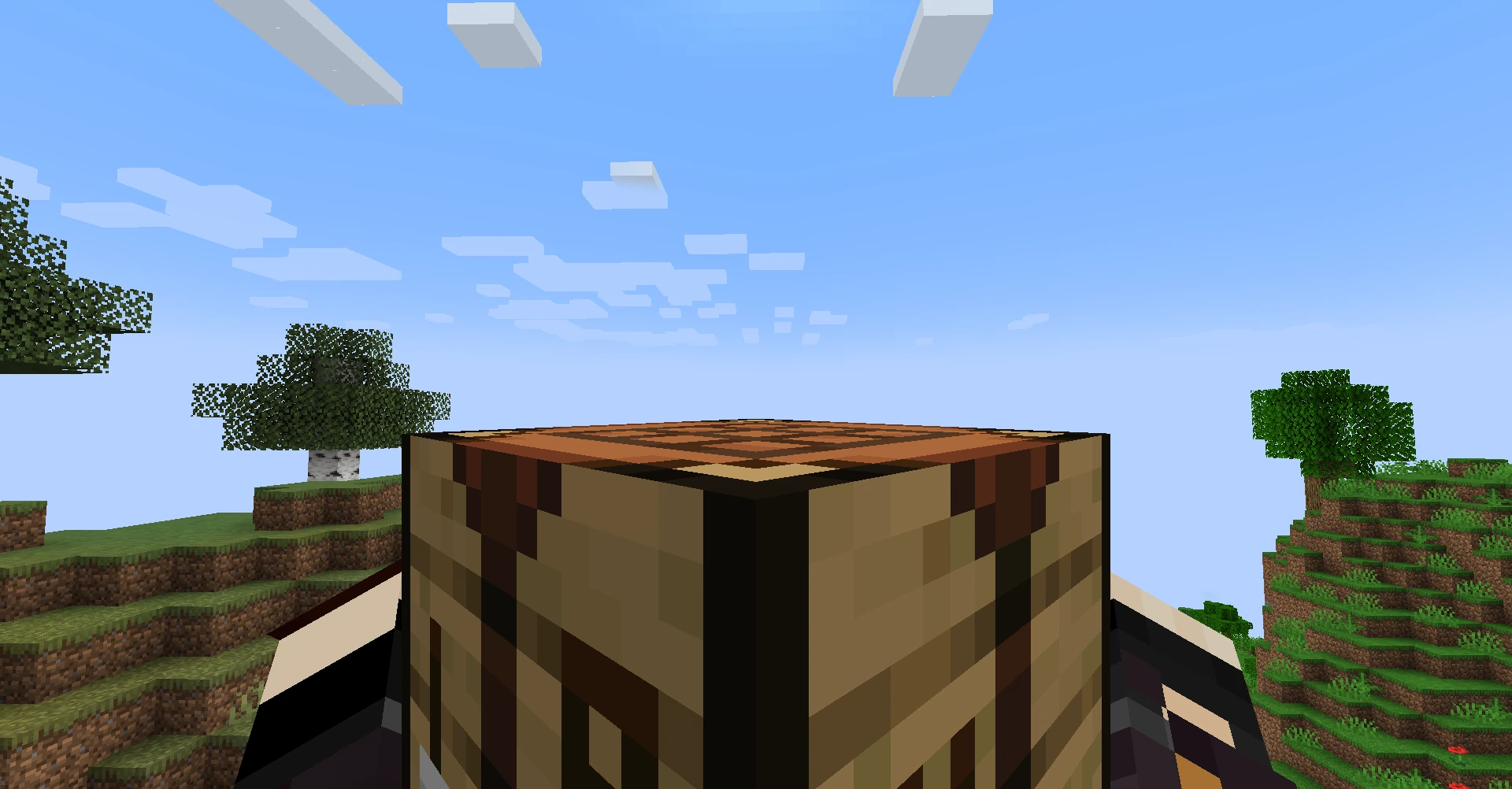
22w13oneblockatatime is one of the yearly April Fools updates for Minecraft, in which your inventory has been entirely removed. Without your inventory, you'll have to get creative if you want to beat the game.
How To Play
The Basics
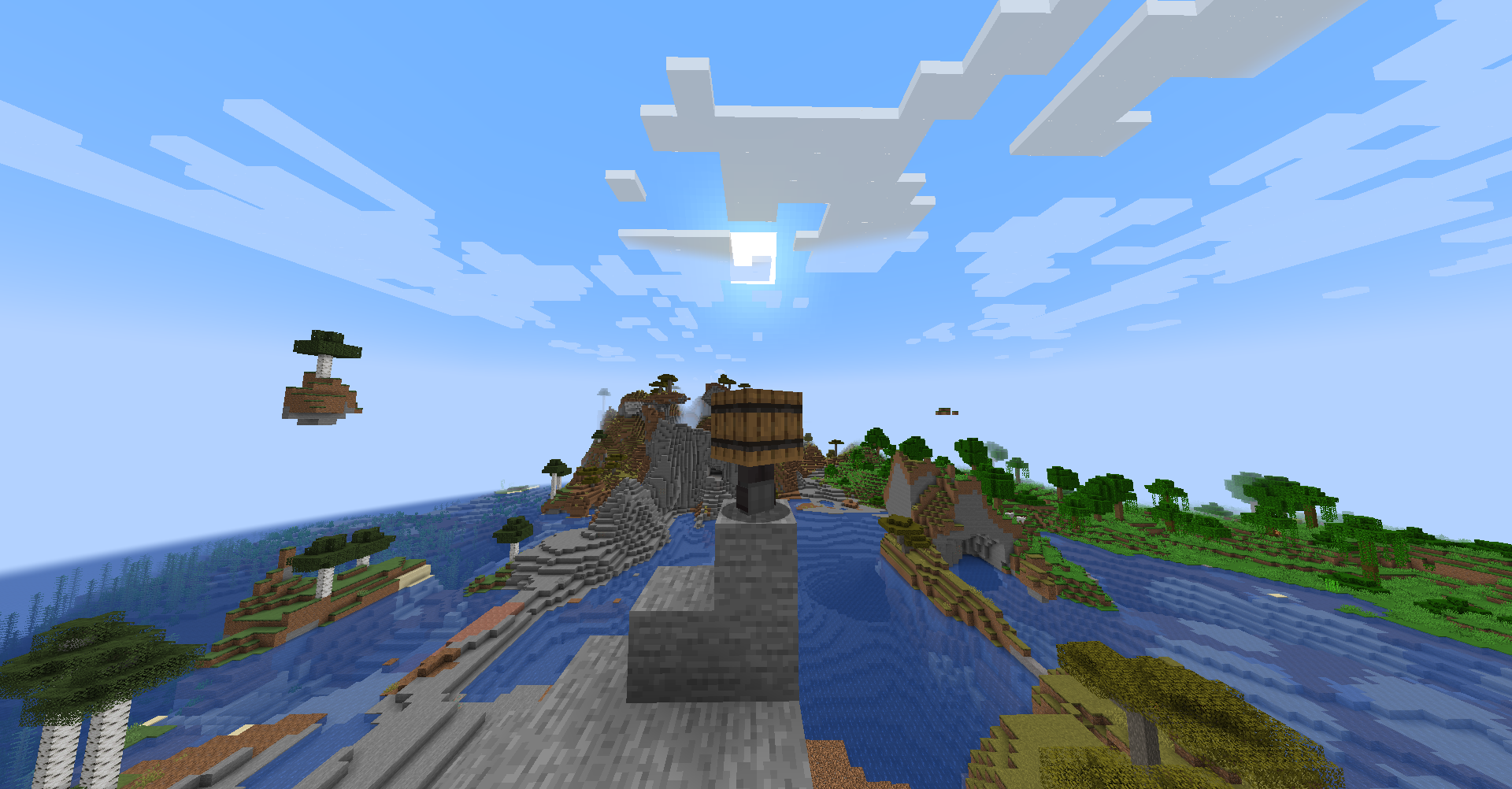
- This is one of the most dramatic departures from Vanilla Minecraft. Your inventory has been entirely removed, but your fists now have Silk Touch, hunger is nonexistent, and you can pick up Chickens and use them to fly as if you're playing Flappy Bird.
- No Inventory?: Anything you mine now appears directly in your hand.
- Chests can be left clicked to explode their contents out into the world.
- Items are also now single use, so be careful what blocks you use that Pickaxe on.
- No Combat?: Attempting to left click on a mob instead picks the mob up.
- When holding a skeleton, it will shoot wherever you're looking.
- When holding a chicken, you can press Space to flap. You'll also fall slowly.
- When holding a spider, you can climb up walls!
Crafting
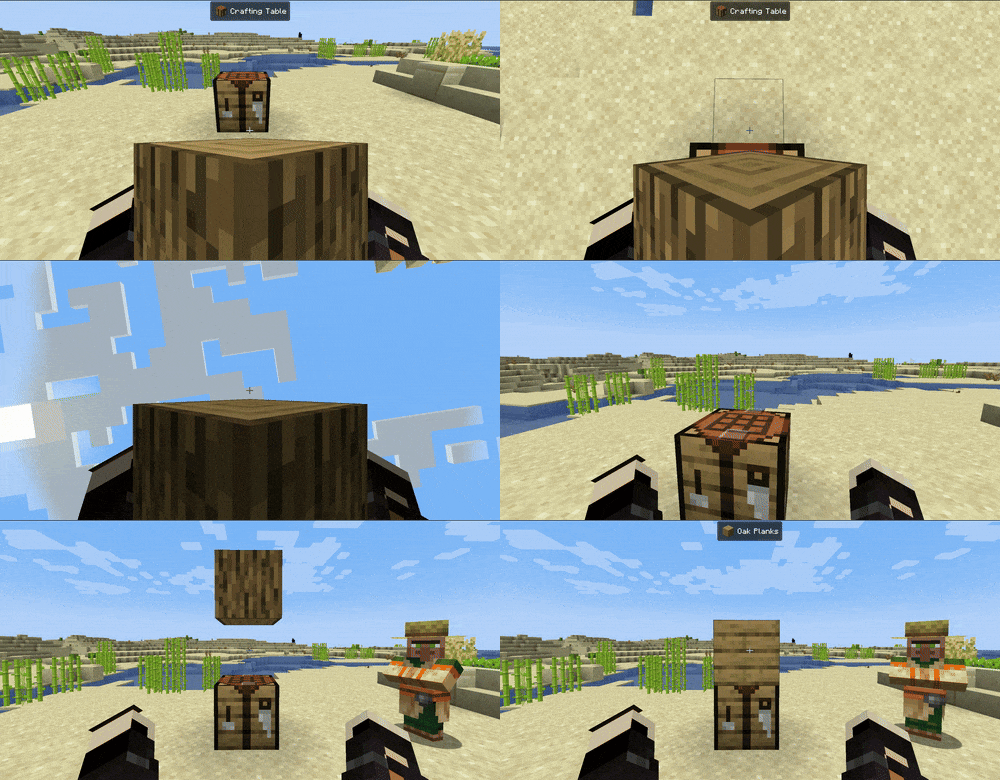
- What about Crafting?: With the Crafting Menu removed, Crafting now takes place in the world. Find a Village or other structure with a Crafting Table. You can either set your recipe down on top of it and toss a Crafting Table on top of it, or throw the last item down. This is fairly finicky, and can take time to get right.
Getting to The Nether
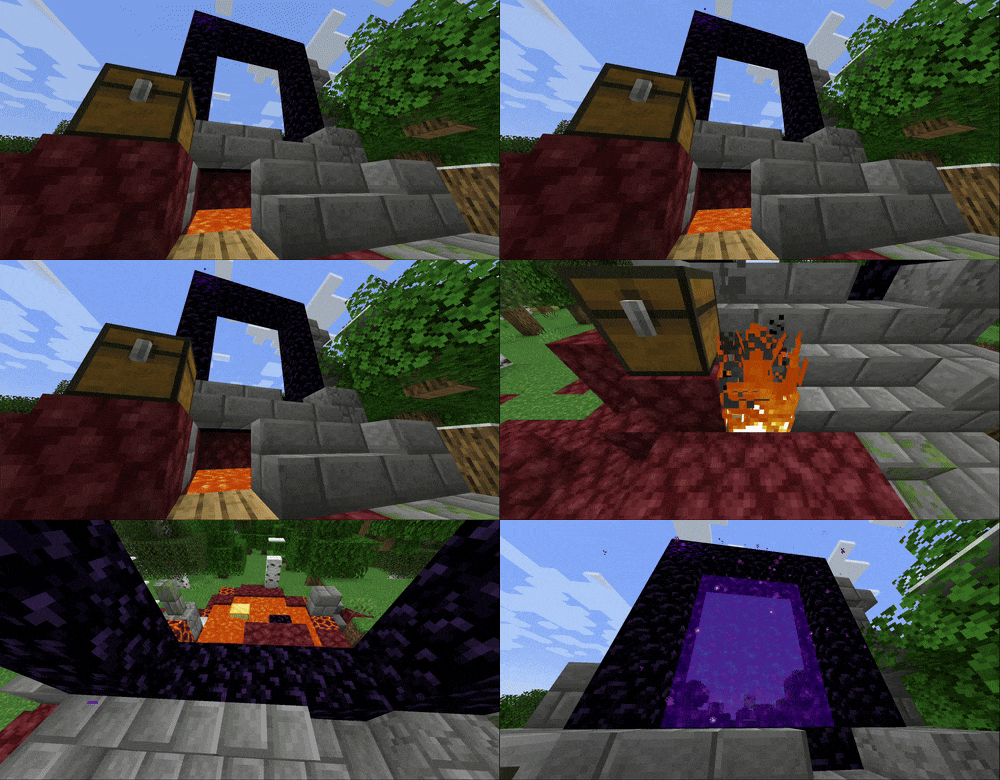
- How do I build a Nether Portal?: Ruined Portals will be your friend here. Mining Obsidian with your fist is slow, but it's possible. Alternatively, you can craft a Pickaxe to speed up the process. If the nearest Portal is missing pieces, you can create Obsidian by picking up Seagrass to spread water.
- But how do I light it?: Nearby lava can set fire to nearby flammable blocks like Planks. The fire can then be picked up and placed on the Portal to light it. If the nearest portal is missing lava, you might be able to craft a Flint and Steel out of Iron from an Iron Golem and Flint from a Ruined Portal Chest.
Getting to The End
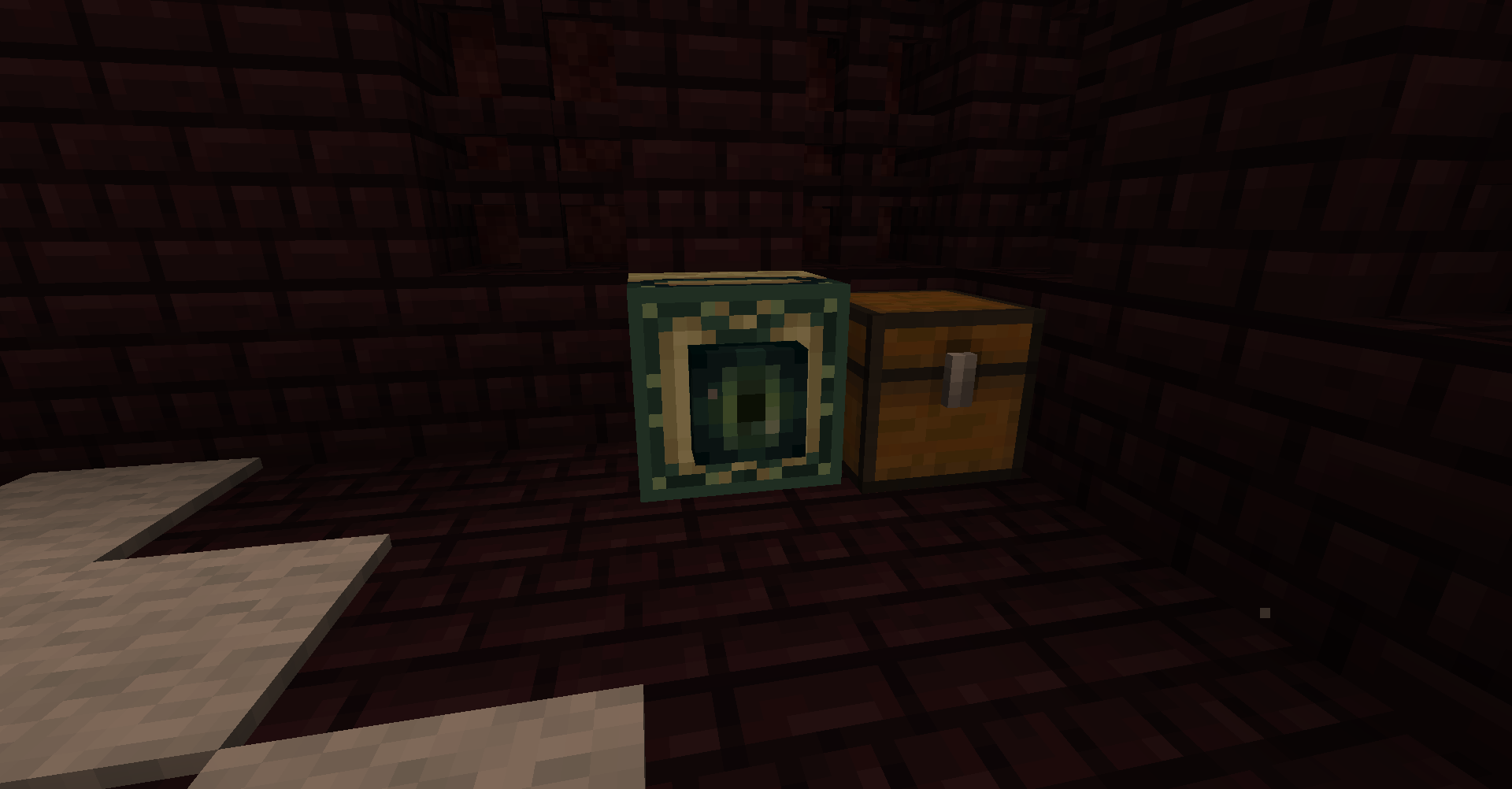
- No Ender Eyes?: Instead of Ender Eyes, End Portal Frames can be found in Nether Fortress chests. When placed in the Overworld, they'll point towards the nearest Stronghold. It's your goal to deliver these frames back to the Stronghold, as you're not likely to have a full portal.
- How do I kill the Dragon?: After destroying the towers (I'd recommend using a Chicken to fly to the tops of the towers and throwing blocks at them), you can wait for it to perch, and left click on it to ride it! Riding the Dragon is sufficient to open the End Portal, and grant the new
Ride the Endadvancement.
Mod List + Mod Licenses
Every mod in this pack has been handpicked to be compatible with 22w13oneblockatatime, including some custom ports. If you know/have made any mods that would fit in the pack, send them my way!
- Cloth Config by shedaniel, from Modrinth
- Connected Doors by Domi, from Modrinth
- Fabric API by modmuss50, from Modrinth
- Horse Buff by CodeF53, from GitHub - backported by cassiancc under CC Share-Alike
- Jade by Snownee, from Modrinth
- Mod Menu by Prospector, from Modrinth
- No Telemetry by kb1000, from Modrinth
- Screenshot to Clipboard by comp500, from Modrinth
- Sheep Consistency by IMS212 (forked from Crupette), from CurseForge under MIT License
- Sleep Background by RedLime, from GitHub under MIT License
- Sodium by jellysquid3, from Modrinth
- Starlight by spottedleaf, from Modrinth
- WI Zoom by Alexander01998, from Modrinth
Project description from Modrinth.
Mods in Simply One Block 1.0.0
Open any mod on Modpacks.ch to check its files and dependencies.
BetterF3-3.0.0-Fabric-1.18.2.jar SHA-1
0d8813aaad005f8eddbd11643d44af306cca04e3 · Modrinth version qUyRV6XT · Project link unavailable Client onlycloth-config-6.5.102-fabric.jar SHA-1
d8996df838204ebe2aa7314b0a95914d326b37e0 · Modrinth version BLMp2TRt · Project link unavailable Side not labelledconnected-doors-1.1+1.18.jar SHA-1
36c08827495e842c0ab46ddb0fcda127dce5cd45 · Modrinth version eHUgp6xi · Project link unavailable Side not labelledfabric-api-0.48.1+22w13oneblockatatime.jar SHA-1
d6e4887f06714eef395e8fa69d27beb32f92e906 · Modrinth version BMFJwerO · Project link unavailable Side not labelledJade-1.18.2-fabric-5.100.0.jar SHA-1
9f05dff14d41319000da7bcd53721d980a68d896 · Modrinth version MSJGBHIo · Project link unavailable Side not labelledmodmenu-3.2.5.jar SHA-1
00ddc85a2bc6f58ca57b1a53bdd74ec5cbbaa21e · Modrinth version nVxObSbX · Project link unavailable Client onlyno-telemetry-1.6.0.jar SHA-1
16b1182b63ba232b790f73d005ed2b3283bd8dea · Modrinth version WY3tHfDe · Project link unavailable Client onlyscreenshot-to-clipboard-1.0.9-fabric.jar SHA-1
39c55d7e0ebe4a7f626e0d4bc85b8d2bea353092 · Modrinth version rObP72r1 · Project link unavailable Client onlysleepbackground-3.8-22w13oneblockatatime.jar SHA-1
63460995387d96367c6ff8798698fb5693a96966 · Project link unavailable Side not labelledsodium-fabric-mc1.18.2-0.4.1+build.15.jar SHA-1
f839863a6be7014b8d80058ea1f361521148d049 · Modrinth version 74Y5Z8fo · Project link unavailable Client onlystarlight-1.0.2+fabric.89b8d9f.jar SHA-1
a436b72ee514bd2b59900159bcc4d461f96ef340 · Modrinth version 4ew9whL8 · Project link unavailable Side not labelledWI-Zoom-1.3-MC22w13oneblockatatime.jar SHA-1
e35dc45b9fef0cfb9692ee32f98b700619240090 · Project link unavailable Client onlyPick your setup
Simply One Block by Minecraft version and loader
Choose the version and loader you play, then open the matching release.
Made local changes? Try them in a copied instance before touching a world you care about.
Recent files
Simply One Block versions and loaders
Fabric 0.15.722w13oneblockatatime8.0.312+7 release
Looking for an older file? The official Modrinth project page is in Resources.
 modpack
 Modrinth · Minecraft
foxward-lite
🌼облегчённый модпак, созданный специально для сервера foxward. | 🍭 a lightweight modpack made especially for the foxward server.
 modpack
 Modrinth · Minecraft
foxward-full
🍒 модпак, созданный специально для сервера foxward. содержит множество модов для комфортной игры и оптимизации. | 🍬 а modpack created specifically for the foxward server. it includes a variety of mods for smooth gameplay and optimization.
 modpack
 Modrinth · Minecraft
Airreach
A Lightweight Create And Cobblemon Modpack