Minecraft version
Back to modpacks 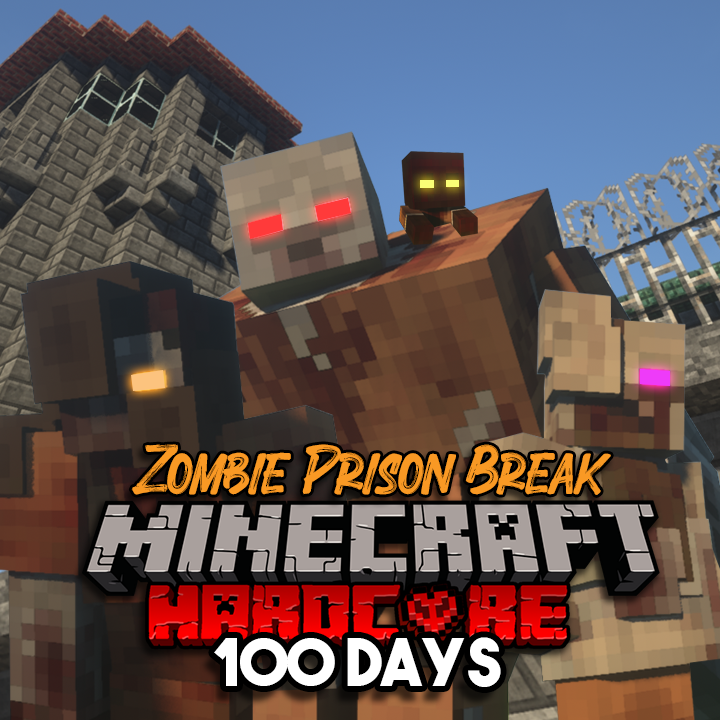
CurseForge · Minecraft modpack
Zombie Prison Break - Modpack by ShadowMech (100 Days Challenge)
Try and survive in a Zombie Apocalypse against a Prison Break with strong Zombie Variant inmates.
Choose a version Pick your version below, then grab the matching file.
Quick answer
Which Zombie Prison Break - Modpack by ShadowMech (100 Days Challenge) release should I use?
Latest stable file Zombie Prison Break - Modpack by ShadowMech (100 Days Challenge)
Game version 1.16.5
Loader Forge 36.1.0
Zombie Prison Break - Modpack by ShadowMech (100 Days Challenge) is a complete pack release for 1.16.5 with Forge 36.1.0. Install it as its own launcher instance. If the creator publishes a separate server file, make sure it names this exact pack release. 30 mods in this pack file.
Pack setup
How should I set up Zombie Prison Break - Modpack by ShadowMech (100 Days Challenge) for players and a server?
Use Zombie Prison Break - Modpack by ShadowMech (100 Days Challenge) as the pack version. Install the pack as its own launcher instance. The creator’s listing does not name a separate server file, so check the release notes before setting up a dedicated server. Do not upload the ordinary client folder blindly.
Client instance Install Zombie Prison Break - Modpack by ShadowMech (100 Days Challenge)
Dedicated server setup Match Zombie Prison Break - Modpack by ShadowMech (100 Days Challenge)
Pack loader Forge 36.1.0
A pack is a matched client and server setup, not one mod with an install-side label. Keep its release, loader, manifest and overrides together.
Referenced mods 30
Client only 0
Server only 0
Not labelled 30
These numbers come from the pack file you chose. “Not labelled” means we don’t know which side it belongs on—not that it is safe everywhere. The file count is not a RAM estimate.
What are the server requirements for Zombie Prison Break - Modpack by ShadowMech (100 Days Challenge)?
Zombie Prison Break - Modpack by ShadowMech (100 Days Challenge). Change the pack release and its contents or setup may change too.
The selected pack release is Zombie Prison Break - Modpack by ShadowMech (100 Days Challenge). That file is for Minecraft 1.16.5 with Forge 36.1.0. It contains 30 mod projects. The creator’s listing does not name a separate server file. Check their notes before using one, and do not upload an ordinary client folder or rebuild the pack mod by mod. A file count cannot tell us the right RAM, CPU or storage; size the server for the players and world you actually run.
About this project
What kind of pack is Zombie Prison Break - Modpack by ShadowMech (100 Days Challenge)?
So do you enjoy playing Zombie Games? How about trying to survive a horde of normal and variant Zombies that get, faster and stronger the longer you survive? Well this Modpack was designed for this type of survival experience for players.
Features:
Bloodmoon Event will have a chance to take place every night.
Be ready for new wild animals.
Survive against hordes of Zombies, and their Zombie Variants.
Addition of a wide range of post apocalypse weapons, supplies, and tools to use for survival.
The Modpack was specifically created for a custom map which can can be downloaded on ShadowMech's Patreon: https://www.patreon.com/shadowmech
But can be used without the custom map too!
The Prison themed Zombies can also be found on my Patreon.
The ModPack can be seen in "100 Days against a Zombie Prison Break in Minecraft Hardcore... Here's What Happened" by ShadowMech on Youtube.
NOTE: Optifine will need to be downloaded manually. Once downloaded, just copy the .jar file into the Mods Folder for this particular instance.
HOW TO ADD ZOMBIE VARIANTS:
Open 'config' folder of the Modpack.
Open 'incontrol' folder.
Open 'spawn.json' file and change the [ "result":"deny" ] to [ "result":"allow" ] text for desired variant you want spawn naturally.
Save file.
HOW TO CHANGE ZOMBIE ATTRIBUTES:
Open 'config' folder of the Modpack.
Open 'incontrol' folder.
Open 'spawn.json' file and change the number in [ "Base": 0.23 ] to whatever speed you desire.
Save file.
Project description from CurseForge.
Pick your setup
Zombie Prison Break - Modpack by ShadowMech (100 Days Challenge) by Minecraft version and loader
Choose the version and loader you play, then open the matching release.
Made local changes? Try them in a copied instance before touching a world you care about.
Recent files
Zombie Prison Break - Modpack by ShadowMech (100 Days Challenge) versions and loaders
Zombie Prison Break - Modpack by ShadowMech (100 Days Challenge)
3 Oct 2021
Check the 1.16.5 · Forge setupForge 36.1.01.16.58.0.312+7 release
Looking for an older file? The official CurseForge project page is in Resources.
 modpack
 CurseForge · Minecraft
One Piece Liberation
This is a mod for my mine mine no mi/carts/ zitoen one piece server!
 modpack
 CurseForge · Minecraft
Dwarfz 7
A modpack revolving around the newly released Create Aeronatics, featuring exploration and tech elements.
 modpack
 CurseForge · Minecraft
Ashen Realms SMP
This is a Dark Fantasy RPG modpack