Minecraft version
Back to modpacks 
Modrinth · Minecraft modpack
Alliance Client Pack
This modpack adds additional functionality to the Alliance Minecraft server. Full of optimizations, QOL changes, and fixes.
Choose a version Pick your version below, then grab the matching file.
Quick answer
Which Alliance Client Pack release matches Fabric?
beta file Alliance Client Pack 0.5.1
Game version 1.20.1
Loader Fabric 0.14.21
Alliance Client Pack 0.5.1 is a complete pack release for 1.20.1 with Fabric 0.14.21. Install it as its own launcher instance. If the creator publishes a separate server file, make sure it names this exact pack release. 38 mods in this pack file.
Pack setup
How should I set up Alliance Client Pack for players and a server?
Use Alliance Client Pack 0.5.1 as the pack version. Install the pack as its own launcher instance. The creator’s listing does not name a separate server file, so check the release notes before setting up a dedicated server. Do not upload the ordinary client folder blindly.
Client instance Install Alliance Client Pack 0.5.1
Dedicated server setup Match Alliance Client Pack 0.5.1
Pack loader Fabric 0.14.21
A pack is a matched client and server setup, not one mod with an install-side label. Keep its release, loader, manifest and overrides together.
Referenced mods 38
Client only 18
Server only 0
Not labelled 20
These numbers come from the pack file you chose. “Not labelled” means we don’t know which side it belongs on—not that it is safe everywhere. The file count is not a RAM estimate.
What are the server requirements for Alliance Client Pack?
Alliance Client Pack 0.5.1 on Fabric. The pack contents and setup notes below stay tied to that release.
The selected pack release is Alliance Client Pack 0.5.1. That file is for Minecraft 1.20.1 with Fabric 0.14.21. It contains 38 mod projects. The creator’s listing does not name a separate server file. Check their notes before using one, and do not upload an ordinary client folder or rebuild the pack mod by mod. A file count cannot tell us the right RAM, CPU or storage; size the server for the players and world you actually run.
About this project
What kind of pack is Alliance Client Pack?
About
This modpack is for the Alliance at GSU Minecraft server. It adds additional functionality for clients that wish to use mods. This modpack works completely on its own for signleplayer and includes many optimization mods to make Minecraft run more smoothly. In addition to optimizations this pack has a number of GUI mods that give the player additional information.
Gameplay Changes
Essential Mod
This mod adds support for emotes, additional player customization, and social features like friends lists and hosting a world without a server.
JourneyMap
Adds a minimap and fullscreen map to the game along with options to create waypoints and see other players on the server.
Ping Wheel
Allows players to "ping" or mark a location for other players to see.
Autoswitch
Automatically selects the best tool and places it in your hand.
Bridging Mod
Adds the bridging functionality from Bedrock to Java along with a few added QOL changes.
Controlify
Adds full controller support to the game. Remappable buttons, vibration support, on screen button guides, and more are included.
All other mods are linked in the changelog
Performance
This pack includes a variety of performance-focused mods. The modpack will run BETTER than vanilla so if you have older hardware or if you’d like to use a higher quality resource pack it's highly encourage you use this pack. Please note that computers from over 8 years ago may run into issues running this pack due to hardware compatibility.
Resource Packs
The following resource packs are included in the modpack. Enable them in this order!
Essential UI
Changes Minecraft's UI to match the Essential Mod.
Vanilla Tweaks
Includes extra tweaks and changes that the server resource pack leaves out.
Pack Compatibility
OS
✅Windows 10/11 | ✅MacOS | ☢️Windows 7/8 | ☢️Linux | ⛔Mobile/Console
Game Versions
✅Minecraft Java 1.21 | ⛔Minecraft Java 1.0.0-1.20.6 | ⛔Minecraft Bedrock
Java Versions
✅Java 21 | ⛔Java 1-20
Key
✅ = Compatible | ☢️ = Untested | ⛔️ = Uncompatible
How to Install Modpack
Modrinth(Recommended)
- Click the search icon on the left sidebar
- Search "Alliance Client Pack" and click install
- Click the library icon on the left sidebar
- Hover over the Alliance modpack and click the play button
Prism Launcher/MultiMC/ATLauncher
- Click "add instance" or "packs"
- Select the Modrinth tab from the left
- Search "Alliance Client Pack" and select the pack
- Click OK
Project description from Modrinth.
Mods in Alliance Client Pack 0.5.1
Open any mod on Modpacks.ch to check its files and dependencies.
autoswitch-7.0.1-alpha.2.jar SHA-1
0a427c20f3f618ac43d9fd5e044cc7442c7aa218 · Modrinth version km8hiOB9 · Project link unavailable Client onlybadpackets-fabric-0.4.1.jar SHA-1
64ed580b9a7c8d4da646944bd01c775c9aa9cb97 · Modrinth version ivJ0srK8 · Project link unavailable Side not labelledbalm-fabric-1.20-7.0.4.jar SHA-1
e7b3c1baf62fe7dfc2cb7557f404afec331666ef · Modrinth version rbUpGzGA · Project link unavailable Side not labelledBetterAdvancements-Fabric-1.20.1-0.3.2.160.jar SHA-1
1d9c421201554048bd8cfdfae7e150c0fcf3986e · Modrinth version pimFfXhN · Project link unavailable Client onlybetterstats-2.10+1.20.1.jar SHA-1
b9cc97788aa536db8b9357b964b176169cef1ac5 · Modrinth version RanY7iKp · Project link unavailable Side not labelledBridgingMod-1.20.1-v1.3.0.jar SHA-1
70ad3ef4024f8d9f1886665dd43684c9da364e70 · Modrinth version r1v03gvU · Project link unavailable Client onlyclickthrougharchitectury-1.0.3-fabric.jar SHA-1
75a4cc35548e118852494e913814a3e9a4c73d41 · Project link unavailable Side not labelledcloth-config-11.0.99-fabric.jar SHA-1
338b0968fb47460f2a1fc2d003d3f2a32d1b0c31 · Modrinth version y0kQixP8 · Project link unavailable Side not labelledcollective-1.20.1-6.62.jar SHA-1
041da824f60c20246d66262022b51cc5f8ebb2b2 · Modrinth version EbteiHrL · Project link unavailable Side not labelledControlify-1.3.1+1.20.jar SHA-1
90a200592b9bd4dd8b5359211d683068d55cb8f6 · Modrinth version FLIWpoEL · Project link unavailable Side not labelledDebugify-1.20.1+1.1.jar SHA-1
eb59b04e71c23da7533c737ab20c79f753866862 · Modrinth version GTuKuQLA · Project link unavailable Side not labelleddefaultoptions-fabric-1.20-18.0.0.jar SHA-1
e440eb4dbd853fa073167da4d3de9f617d5dfef1 · Modrinth version gUEpxWEe · Project link unavailable Client onlydurabilityplus_1.19-1.20_1.0.2.jar SHA-1
21d402e241c2eeb1b03f92b0a1338e7175a1e321 · Modrinth version EBBxdCY4 · Project link unavailable Client onlyeating-animation-1.9.4+1.20.jar SHA-1
5afcee5d75f086d85758e975b4a5964f1166c3cd · Modrinth version OcHlWpeQ · Project link unavailable Client onlyEssential-fabric_1-19.jar SHA-1
5c383c8fd994f6963de85840f2ae75c5b6be9925 · Modrinth version EVfUPvny · Project link unavailable Client onlyfabric-api-0.84.0+1.20.1.jar SHA-1
b6df5dd417d08cfd8565e1ce1a8c1f39219c67fe · Modrinth version FLGCXPFi · Project link unavailable Side not labelledfabric-language-kotlin-1.9.5+kotlin.1.8.22.jar SHA-1
6dab5c754ec04e671e505df685befcedef27f42e · Modrinth version ADg3gvlr · Project link unavailable Side not labelledferritecore-6.0.0-fabric.jar SHA-1
5a57ea73c3c7c0cc300d69611a9cad93baf8e9ab · Modrinth version FCnCG6PS · Project link unavailable Side not labelledidwtialsimmoedm-0.2.0+1.20.jar SHA-1
617b1cd931fa038fee65c13e17a4fd4d86555fdc · Modrinth version Fj2mpq0n · Project link unavailable Client onlyImmediatelyFast-1.1.15+1.20.1.jar SHA-1
8853f6cdd2332e23cd8e09e377612a384353f208 · Modrinth version 4IDo27OL · Project link unavailable Client onlyindium-1.0.18+mc1.20.jar SHA-1
e4fe54f15bc82abdf667fc4658d3b3e7d4e02174 · Modrinth version WTH3T2cR · Project link unavailable Client onlyInventorySorter-1.9.0-1.20.jar SHA-1
19b4af69600fc940112f36a3256d492670d8d4c5 · Modrinth version tr2ZGtz4 · Project link unavailable Side not labelledjourneymap-1.20.1-5.9.9-fabric.jar SHA-1
d4ca7daacdf90bb59dc930b249c306fbed82055e · Modrinth version fHCYp1rV · Project link unavailable Side not labelledmodmenu-7.1.0.jar SHA-1
7d26ff2477ad8a083f11c1006a2b87ff1c121b62 · Modrinth version zv46i3PW · Project link unavailable Client onlymoreculling-1.20-0.18.1.jar SHA-1
388ad05e95d8c317911a53d57fe960e68661c69a · Modrinth version BbgZWSfa · Project link unavailable Client onlyPing-Wheel-1.3.0-fabric-1.20.1.jar SHA-1
b0188c11fefa74672b60477c9d576950c341cd95 · Modrinth version jOMGYXVK · Project link unavailable Side not labelledpridefishinglines-2.0.1+1.20.x.jar SHA-1
c5a5f93681a1176bec2cd6d757df1e07135e04c5 · Modrinth version rOvo2KtK · Project link unavailable Client onlyquickshulker-1.4.0-1.20.jar SHA-1
10670458f2b106ce97a58bc287816ea184924741 · Modrinth version Eq9r6JQQ · Project link unavailable Side not labelledreeses_sodium_options-1.5.1+mc1.20-build.74.jar SHA-1
ff2fb322da5ca3edc25b55234e0f883797e18647 · Modrinth version SgSIhHQO · Project link unavailable Client onlyshulkerboxtooltip-fabric-4.0.3+1.20.jar SHA-1
a725f5f08ebd83fed9c55e35830bb347b778d806 · Modrinth version Ah2mQcI5 · Project link unavailable Side not labelledsodium-extra-0.4.20+mc1.20-build.103.jar SHA-1
6cf2844ca0cfd0b8adb8a0d86e0c635ce0c0f4ef · Modrinth version kTxAMqAj · Project link unavailable Client onlysodium-fabric-mc1.20-0.4.10+build.27.jar SHA-1
b11e18bb09f06c3f8028fa2c090072976fa326d0 · Modrinth version vgceLbdH · Project link unavailable Client onlystackrefill-1.20.1-4.0.jar SHA-1
d1e2e4f7cca47abaa6813da6a1745c0bbf47c793 · Modrinth version 37gXvRIW · Project link unavailable Side not labelledstatus-effect-bars-1.0.3.jar SHA-1
ef6d7078a0e7afd0fabd8bc32394c5a84b2c2bc2 · Modrinth version mTjPtAMK · Project link unavailable Client onlytrashslot-fabric-1.20-15.0.0.jar SHA-1
1d714c9b9235540b158636a4b83358898844ffd9 · Modrinth version jmfsPOT6 · Project link unavailable Side not labelledwaveycapes-fabric-1.4.0-mc1.20.jar SHA-1
ead7d081796c4eb5b7b468a14ac8e688c807d009 · Modrinth version 9ppedk6Z · Project link unavailable Client onlywthit-fabric-8.1.1.jar SHA-1
9a8640b2af89537ade0da2d16f0c39bb5b76d04e · Modrinth version k8RgJjbP · Project link unavailable Side not labelledyet-another-config-lib-fabric-3.0.2+1.20.jar SHA-1
c1c8904d658393871840d19871238416793f661b · Modrinth version zJ1Wh6pM · Project link unavailable Side not labelledPick your setup
Alliance Client Pack by Minecraft version and loader
Choose the version and loader you play, then open the matching release.
Minecraft version
1.19.4
2 loader buildsMade local changes? Try them in a copied instance before touching a world you care about.
Recent files
Alliance Client Pack versions and loaders
Fabric 0.14.211.20.18.0.312+7 beta
Fabric1.20.1 beta
Fabric1.19.4 beta
FabricQuilt1.19.4 beta
FabricQuilt1.19.4 beta
FabricQuilt1.19.4 beta
FabricQuilt1.19.4 beta
FabricQuilt1.19.4 beta
Looking for an older file? The official Modrinth project page is in Resources.
 modpack
CurseForge · Minecraft
Vanilla Sparked - Simply Better
This modpack improves upon the vanilla game, without changing it in a way where it becomes a new game.
 modpack
CurseForge · Minecraft
TxC Server Pack
Mod pack for the German Server TeamxCraft
 modpack
CurseForge · Minecraft
Aetheri
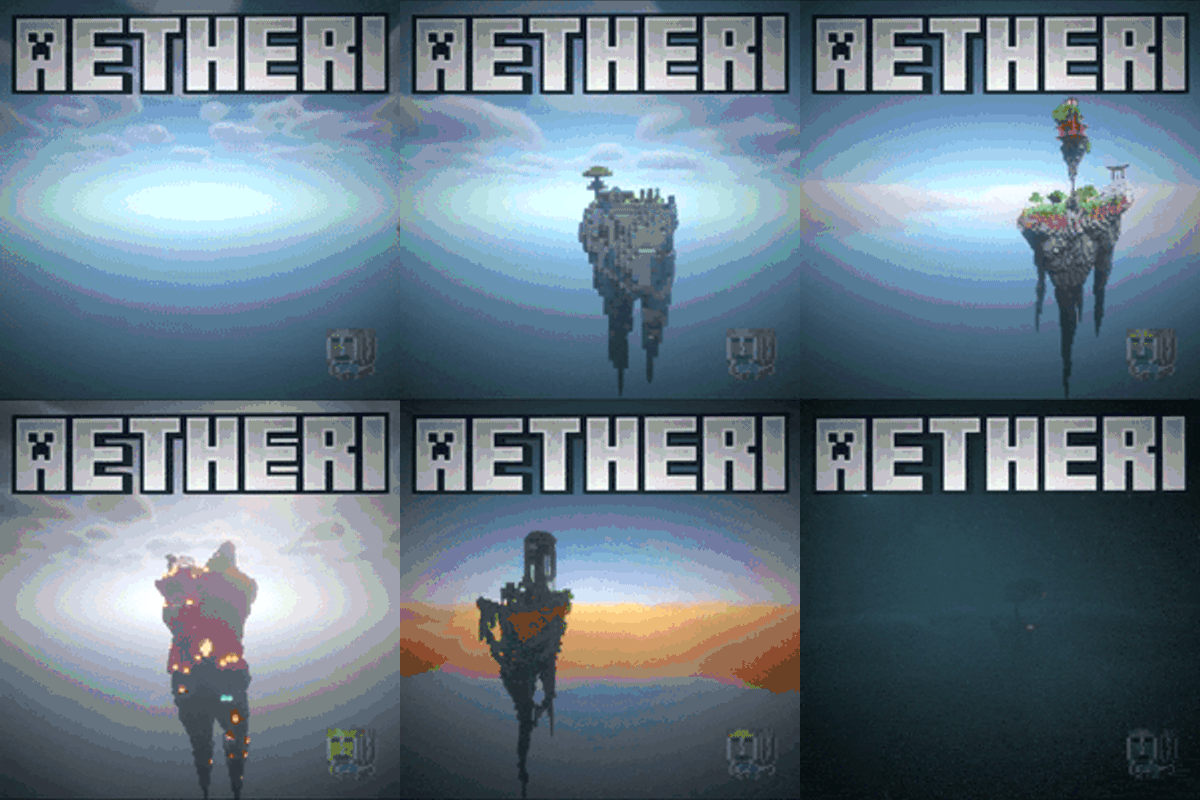
Aetheri is a medieval fantasy Skyblock, featuring seven floating islands, quests, exploration, airships, dragons, bosses, building and automation. Play solo or with friends on a custom Skyblock map. for Minecraft Java 1.20.1 (Fabric).