Minecraft version
Back to modpacks 
Modrinth · Minecraft modpack
multiverse conflict
This modpack allows players to wear superhero costumes and inherit their powers
Choose a version Pick your version below, then grab the matching file.
Quick answer
Which multiverse conflict release should I use?
Latest stable file multiverse conflict 1.1
Game version 1.21.1
Loader NeoForge 21.1.265
multiverse conflict 1.1 is a complete pack release for 1.21.1 with NeoForge 21.1.265. Install it as its own launcher instance. If the creator publishes a separate server file, make sure it names this exact pack release. For this loader, use Java 21. 35 mods in this pack file.
Pack setup
How should I set up multiverse conflict for players and a server?
Use multiverse conflict 1.1 as the pack version. Install the pack as its own launcher instance. The creator’s listing does not name a separate server file, so check the release notes before setting up a dedicated server. Do not upload the ordinary client folder blindly.
Client instance Install multiverse conflict 1.1
Dedicated server setup Match multiverse conflict 1.1
Pack loader NeoForge 21.1.265
Java version Java 21
A pack is a matched client and server setup, not one mod with an install-side label. Keep its release, loader, manifest and overrides together.
Referenced mods 35
Client only 10
Server only 0
Not labelled 25
These numbers come from the pack file you chose. “Not labelled” means we don’t know which side it belongs on—not that it is safe everywhere. The file count is not a RAM estimate.
What are the server requirements for multiverse conflict?
multiverse conflict 1.1. Change the pack release and its contents or setup may change too.
The selected pack release is multiverse conflict 1.1. That file is for Minecraft 1.21.1 with NeoForge 21.1.265. This NeoForge setup needs Java 21. It contains 35 mod projects. The creator’s listing does not name a separate server file. Check their notes before using one, and do not upload an ordinary client folder or rebuild the pack mod by mod. A file count cannot tell us the right RAM, CPU or storage; size the server for the players and world you actually run.
About this project
What kind of pack is multiverse conflict?
A Minecraft modpack that lets you wear iconic superhero costumes and wield their powers
-Key Features:
+)Bosses: Face powerful villains inspired by the DC and Marvel universes.
+)Structures: Explore superhero structures and spaceships to find powers, armor, and weapons from Marvel and DC heroes.
+)Dimensions: Travel across new dimensions inspired by Marvel, DC.
+)NPCs: Add superhero NPCs.
-Installation Guide:
Option 1: Modrinth App (Recommended):
Download and install the Modrinth App.
Open the app and search for "multiverse conflict".
Click Install.
Press Play and enjoy!
Option 2: Other Launchers (Prism, CurseForge, ATLauncher):
Download the .mrpack file from the Versions tab above.
Open your preferred launcher and select Import / Create New Instance.
Choose the downloaded .mrpack file.
Launch the game.
Option 3: Manual Installation:
Download the latest version of Forge.
Download the modpack zip file and extract it.
Copy all files inside the mods and config folders into your local .minecraft directory.
Launch Minecraft using the correct mod-loader profile.
Project description from Modrinth.
Mods in multiverse conflict 1.1
Open any mod on Modpacks.ch to check its files and dependencies.
azurelib-neo-1.21.1-3.2.4.jar SHA-1
c7b85685ae87d137c0eaeb9518731913e07bc7d9 · Modrinth version O4V4mF1Q · Project link unavailable Side not labelledbalm-neoforge-1.21.1-21.0.66.jar SHA-1
dd3606a349f4a3c8fb5bd0ab22905675c02b0d74 · Modrinth version CquiaiDj · Project link unavailable Side not labelledbbe-neoforge-1.3.4+mc1.21.1.jar SHA-1
9841095912d06defa96584b4f0c708ce720b6853 · Modrinth version JgYqDEaQ · Project link unavailable Client onlybendingposes-1.0.0-alpha.jar SHA-1
7ccf5727ceb9e4efd2b5b22eedd059779ac0a2f1 · Modrinth version 2qiNA75A · Project link unavailable Side not labelledcitadel-2.7.1-1.21.1.jar SHA-1
9d7873f74b418f4f83adf2ae41af75d2e8217cd6 · Modrinth version ZkgKf4xj · Project link unavailable Side not labelledcloth-config-15.0.140-neoforge.jar SHA-1
c3e5733ba4503b102589a026000fd5ce0212f6f2 · Modrinth version izKINKFg · Project link unavailable Side not labelledcommon-networking-neoforge-1.0.21-1.21.1.jar SHA-1
f55722a4278997e7ef278f4390a31e848f7beea7 · Modrinth version pR7AeZk3 · Project link unavailable Side not labelleddefaultoptions-neoforge-1.21.1-21.1.8.jar SHA-1
d682687ec41236092c5206a21e2ed34bdb7f6b79 · Modrinth version 1zt17WsC · Project link unavailable Client onlyelementals-neoforge-1.21.1-5.1.5.jar SHA-1
9ccd2d6cb6659e0a400bb769fa0ffed78624c640 · Modrinth version XfHO9f29 · Project link unavailable Side not labelledentityculling-neoforge-1.11.3-mc1.21.1.jar SHA-1
f122f84f329793675b2625d51b77f990d7de3579 · Modrinth version eieYbWYb · Project link unavailable Client onlyferritecore-7.0.3-neoforge.jar SHA-1
9563692efb708b6b568df27a01ec52f6311928ef · Modrinth version x7kQWVju · Project link unavailable Side not labelledfzzy_config-0.7.7+fix1+1.21+neoforge.jar SHA-1
aa04a2ddbce2f50b21d667d2f3e589f9e043e472 · Modrinth version jRuOkBAG · Project link unavailable Side not labelledgeckolib-neoforge-1.21.1-4.9.3.jar SHA-1
5cfe835472a5c5457ae9ac192d9d7b317454d5ac · Modrinth version Grwn5rUB · Project link unavailable Side not labelledglobalpacks-neoforge-1.21.1-21.0.6.jar SHA-1
55cf667b16b81df9b8f7fead042cf2f732b21b85 · Modrinth version FPcUOp35 · Project link unavailable Side not labelledImmediatelyFast-NeoForge-1.6.15+1.21.1.jar SHA-1
f991166f7c82b493481c876e3c83c9fac4159671 · Modrinth version EJzmEPZV · Project link unavailable Client onlyjurassicsaga-0.3.1-neoforge-1.21.1.jar SHA-1
7dcdaff21e3f65b30d250955af78be1fd2340a26 · Modrinth version PWKNgCSX · Project link unavailable Side not labelledkotlinforforge-5.12.0-all.jar SHA-1
d10d062caf1aad9aec82d7852f2fee1781735c1f · Modrinth version uhJhCT7X · Project link unavailable Side not labelledlithium-neoforge-0.15.4+mc1.21.1.jar SHA-1
97212e45c963730bbfc7c44780df99317814c21b · Modrinth version DDUrRVCA · Project link unavailable Side not labelledmillager-neoforge-1.21.1-0.7.7.jar SHA-1
feb857b9cce1610c917851f7a437856e9d64651d · Modrinth version w3btp20m · Project link unavailable Side not labelledmodernfix-neoforge-5.27.27+mc1.21.1.jar SHA-1
52c008540c7dc2cc451f7e939a885d7462c9ae72 · Modrinth version ZDZENbHH · Project link unavailable Side not labelledmoreculling-neoforge-1.21.1-1.0.10.jar SHA-1
7e2d906031fdba883649eef6ef48a4dbdbb0f6cf · Modrinth version 5M4T2FfG · Project link unavailable Client onlyparticlerain-4.0.2+1.21.1-neoforge.jar SHA-1
444c6f221e57cca8e433702b18c4643faa82545a · Modrinth version RxfaR4ud · Project link unavailable Client onlyparticular-1.21.1-NeoForge-1.5.7.jar SHA-1
d6d33e8233481ad8fc6f8c351f52783ed431a800 · Modrinth version WyRBAcBf · Project link unavailable Client onlyPlayerAnimationLibNeoforge-1.1.6+mc.1.21.1.jar SHA-1
856b2e281b405dab7ca1584a7e9d053e76cc268b · Modrinth version yjxtkvnD · Project link unavailable Side not labelledpunchy-3.1-neoforge-1.21.1.jar SHA-1
af4a31072ca8454cd47d8f279330ffaa754f8090 · Modrinth version mXo8AhTM · Project link unavailable Client onlyresourcefulconfig-neoforge-1.21-3.0.11.jar SHA-1
6bf2b6ea9c071c00a2abcdc552667fb6f7d21031 · Modrinth version lSbyRD6v · Project link unavailable Side not labelledresourcefullib-neoforge-1.21-3.0.12.jar SHA-1
24389c8e48ff0e8594e4686b750c494c66a5f8df · Modrinth version x99nCLTm · Project link unavailable Side not labelledsodium-extra-neoforge-0.9.5+mc1.21.1.jar SHA-1
6ca433df0ad08ce8413582e75dcae7619414a068 · Modrinth version T819dLGI · Project link unavailable Client onlysodium-neoforge-0.8.13+mc1.21.1.jar SHA-1
1757289be21ed18db5b0d90703fa3db1b2de5693 · Modrinth version uMOpc5uV · Project link unavailable Client onlystarwars-6.4.6-neoforge-1.21.1.jar SHA-1
6c458ef35355da2db2271a71824c988728c83a00 · Modrinth version annt81H6 · Project link unavailable Side not labelledSubtleEffects-neoforge-1.21.1-1.15.1.jar SHA-1
e8ab4df7ac4bf3d88fa389a1cf97ad2449c3206d · Modrinth version ReUDmzrA · Project link unavailable Side not labelledtempad-1.21.1-3.0.4-all.jar SHA-1
7a4d6837c6f7a4c9a8f4e7054952df25c148033e · Modrinth version T26aJH7E · Project link unavailable Side not labelledtravelers-1.1-neoforge-1.21.1.jar SHA-1
e8ab85e16d1845b53bbfe73660c11e20d77fccd2 · Modrinth version SiOOLqEn · Project link unavailable Side not labelledviltrumitecore-1.11.2-neoforge-1.21.1.jar SHA-1
625326cd437eaf7326df7f62d406b527e5ddf82e · Modrinth version taEIoTnL · Project link unavailable Side not labelledviltrumiteflight-1.6.9-neoforge-1.21.1.jar SHA-1
9a16e123fa7d6afdab33aecd609280d209d94f20 · Modrinth version EvNa0vxs · Project link unavailable Side not labelledPick your setup
multiverse conflict by Minecraft version and loader
Choose the version and loader you play, then open the matching release.
Minecraft version
1.20.1
1 loader buildMade local changes? Try them in a copied instance before touching a world you care about.
Recent files
multiverse conflict versions and loaders
NeoForge 21.1.2651.21.18.0.312+7 release
Forge1.20.1 alpha
Looking for an older file? The official Modrinth project page is in Resources.
 modpack
CurseForge · Minecraft
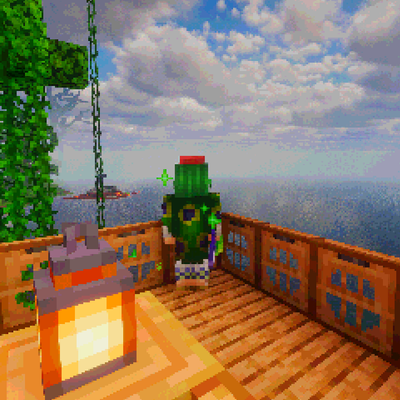
Gooberpack 2 Electric Boogaloo
This is a modpack created for my friends and I. It features reworked combat, plenty of bosses to fight, structures and dimensions to explore, and technology to create and automate many things.
 modpack
CurseForge · Minecraft
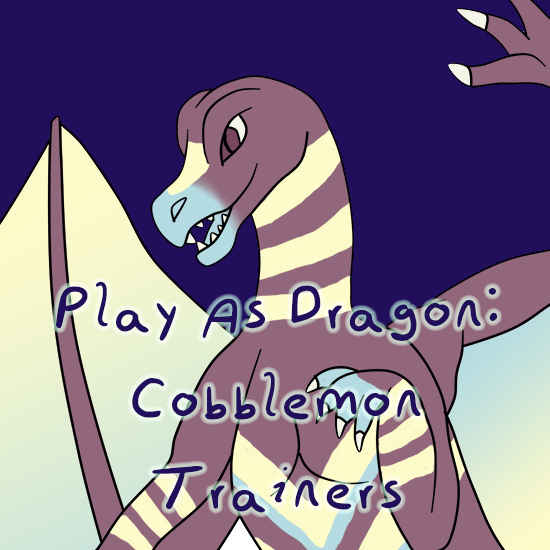
Play as Dragon: Cobblemon Trainers
Semi kitchen sink pack with Dragon Survival and Cobblemon being focus mods.
 modpack
CurseForge · Minecraft
Fantasy MC NeoForge
Minecraft But It’s Fantasy