Minecraft version
Back to modpacks 
Modrinth · Minecraft modpack
SVC for Lunar Client
A light-weight modpack to jump straight into a world with friends, using Simple Voice Chat, on Lunar Client.
Choose a version Pick your version below, then grab the matching file.
Quick answer
Which SVC for Lunar Client release should I use?
Latest stable file SVC for Lunar Client 0.1.0
Game version 26.3
Loader Fabric 0.19.5
SVC for Lunar Client 0.1.0 is a complete pack release for 26.3 with Fabric 0.19.5. Install it as its own launcher instance. If the creator publishes a separate server file, make sure it names this exact pack release. 6 mods in this pack file.
Pack setup
How should I set up SVC for Lunar Client for players and a server?
Use SVC for Lunar Client 0.1.0 as the pack version. Install the pack as its own launcher instance. The creator’s listing does not name a separate server file, so check the release notes before setting up a dedicated server. Do not upload the ordinary client folder blindly.
Client instance Install SVC for Lunar Client 0.1.0
Dedicated server setup Match SVC for Lunar Client 0.1.0
Pack loader Fabric 0.19.5
A pack is a matched client and server setup, not one mod with an install-side label. Keep its release, loader, manifest and overrides together.
Referenced mods 6
Client only 3
Server only 0
Not labelled 3
These numbers come from the pack file you chose. “Not labelled” means we don’t know which side it belongs on—not that it is safe everywhere. The file count is not a RAM estimate.
What are the server requirements for SVC for Lunar Client?
SVC for Lunar Client 0.1.0. Change the pack release and its contents or setup may change too.
The selected pack release is SVC for Lunar Client 0.1.0. That file is for Minecraft 26.3 with Fabric 0.19.5. It contains 6 mod projects. The creator’s listing does not name a separate server file. Check their notes before using one, and do not upload an ordinary client folder or rebuild the pack mod by mod. A file count cannot tell us the right RAM, CPU or storage; size the server for the players and world you actually run.
About this project
What kind of pack is SVC for Lunar Client?
SVC for Lunar Client
SVC for Lunar Client is a lightweight modpack that allows you to use Simple Voice Chat on Lunar Client.
Note: We recommend using Lunar Client to gain the best experience while using this modpack, however it can be launched on any modpack loader.
Modpack Content
- Simple Voice Chat: A working voice chat in Minecraft.
- Sodium: Modern rendering engine which greatly improves performance.
- Iris: Modern shaders mod for Minecraft, compatible with OptiFine shader packs.
- Fabric API: Adds common hooks and intercompatibility measures.
- Mod Menu: Adds a mod menu to view an in-game list of all the mods you have installed.
FAQ
How do I install the SVC modpack on Lunar Client?
Here are the five easy steps you need to take!
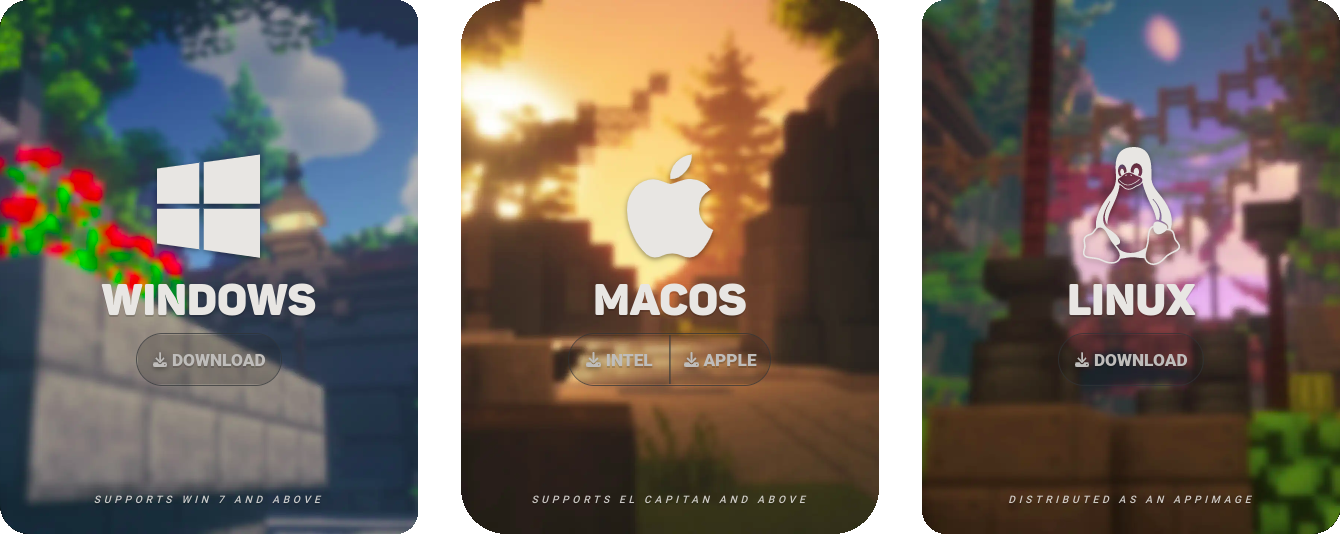
Step 1: Download Lunar Client
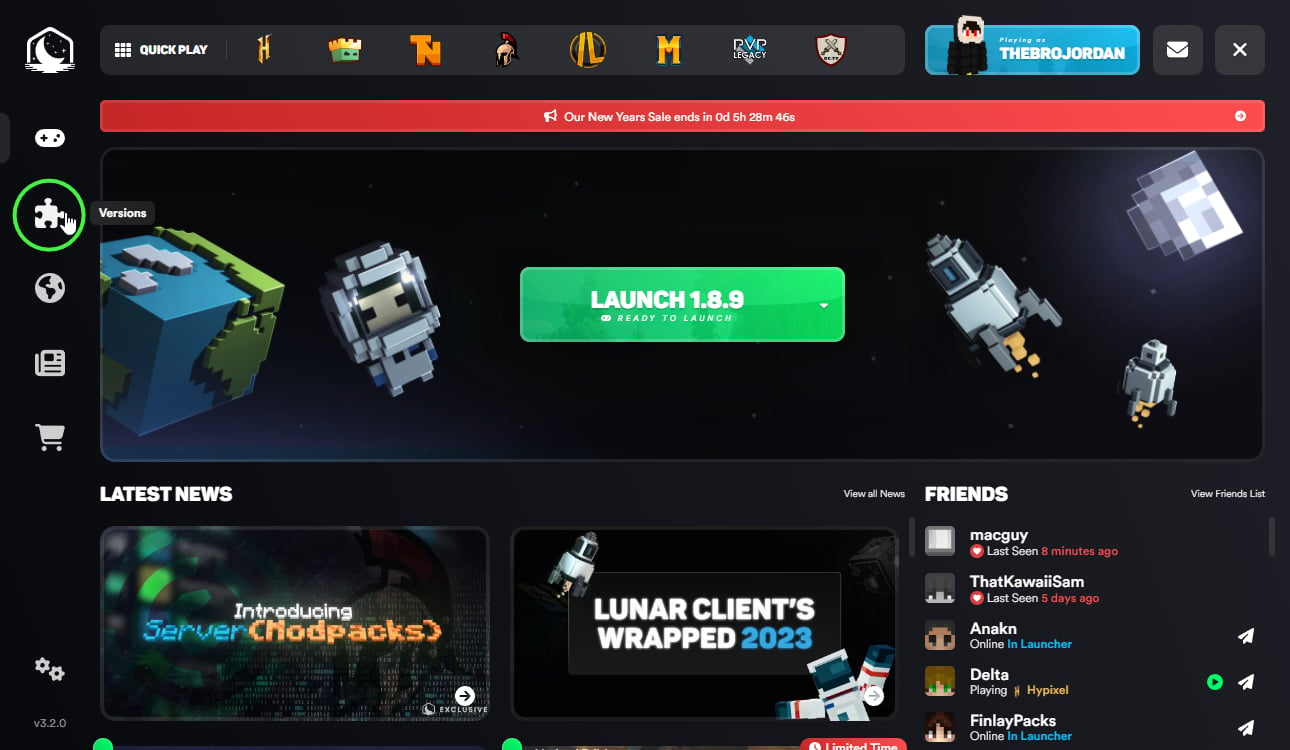
Step 2: Select "Versions" on the Lunar Client Launcher
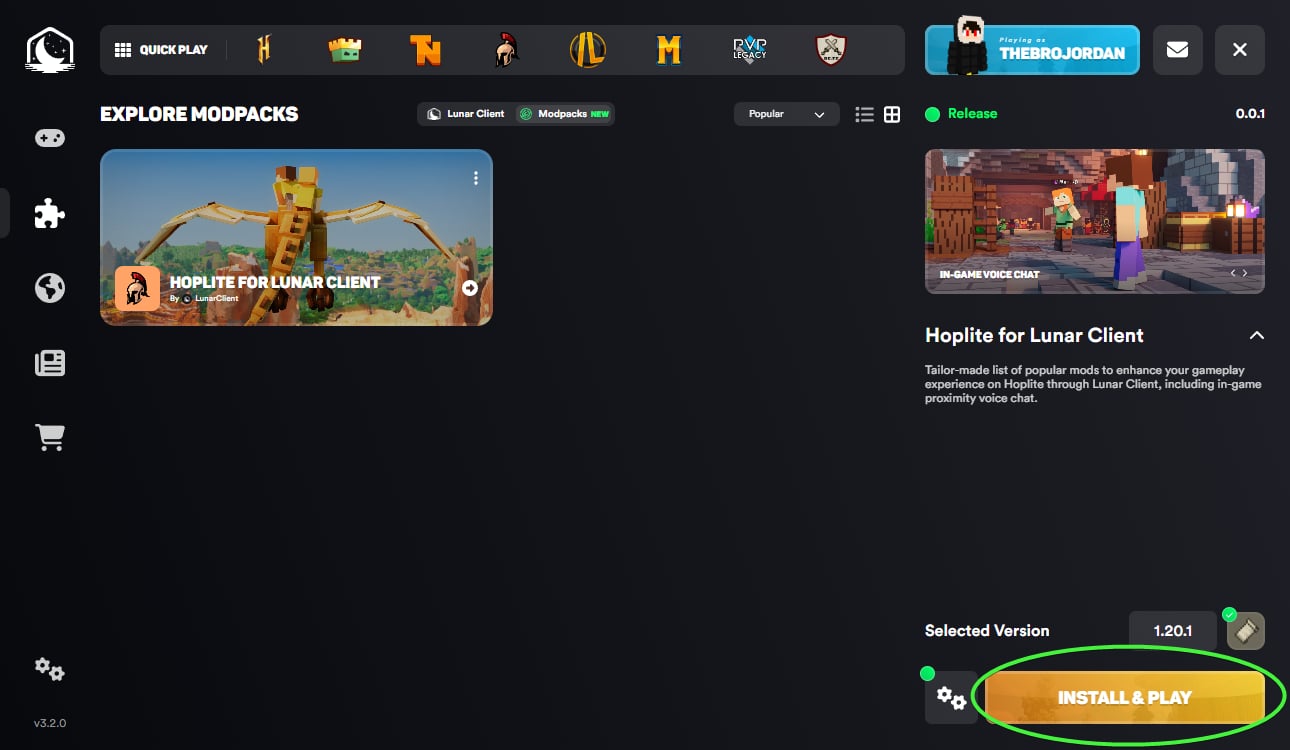
Step 3: Click "Modpacks" on the top of the page

Step 4: Install your modpack of choosing, in this case the SVC for Lunar Client Modpack.
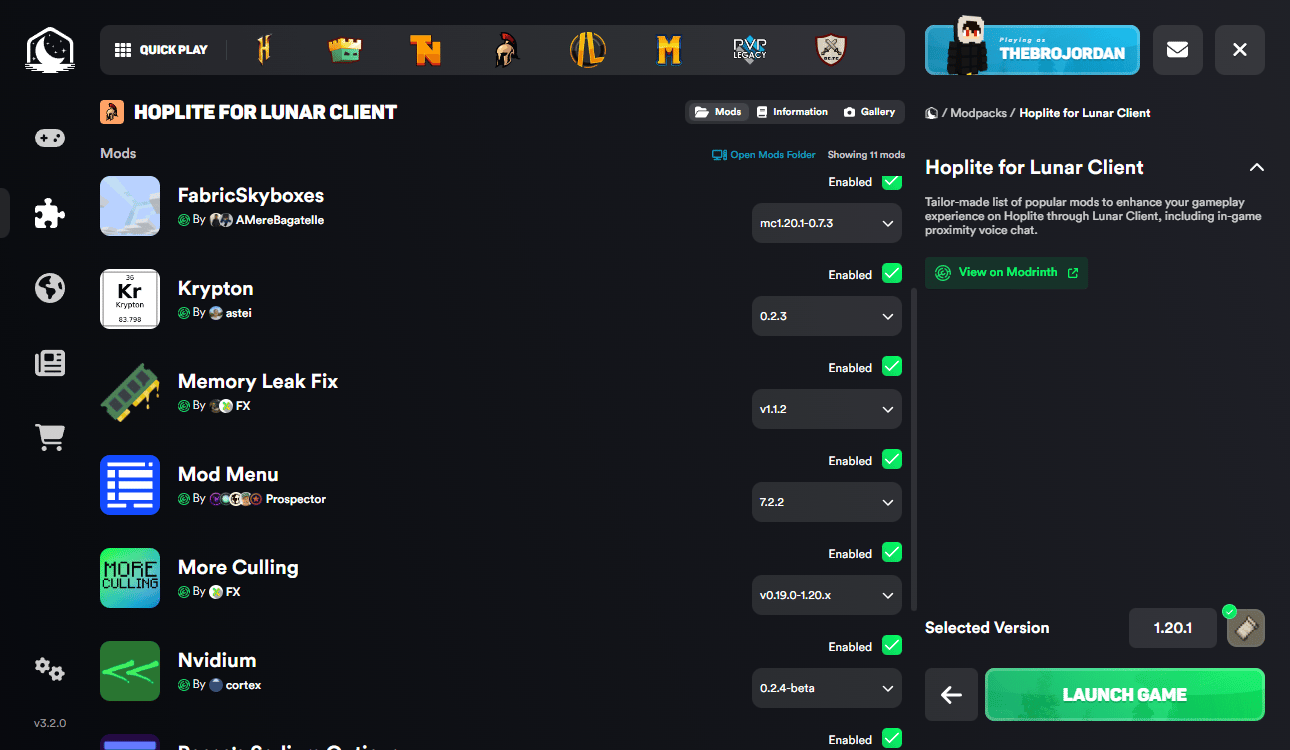
Step 5: Click "Launch Game" after the install is complete!
Connect with fellow SVC enthusiasts and stay in the loop with latest updates in our Discord.
Project description from Modrinth.
Mods in SVC for Lunar Client 0.1.0
Open any mod on Modpacks.ch to check its files and dependencies.
fabric-api-0.161.0+26.3.jar SHA-1
53f9ee02c3702734d90520aa8c9719bf0e1c8d4f · Modrinth version bNnaTiuM · Project link unavailable Side not labellediris-fabric-1.11.6+mc26.3.jar SHA-1
63493cf8c58754bf6b9db297b895aeb17393e4df · Modrinth version bAdKrpw8 · Project link unavailable Client onlymodmenu-21.0.0.jar SHA-1
66ec40f1cd0c037ddca2b5fc6b4b976d479c18e8 · Modrinth version kyy7dbrZ · Project link unavailable Client onlyplaceholder-api-3.2.0+26.3.jar SHA-1
4c455faa6333dbaef72cedbb91fe4a2a03176741 · Modrinth version lXytLqWj · Project link unavailable Side not labelledsodium-fabric-0.9.2+mc26.3.jar SHA-1
9acfe851e36f4fb27d7c5baa224e8bd4e0334283 · Modrinth version bAZQdGpg · Project link unavailable Client onlyvoicechat-fabric-2.6.24+26.3.jar SHA-1
2ac4bb844e3b23b6e0a729edcf521ba1198ec5d2 · Modrinth version OLnMVWXy · Project link unavailable Side not labelledPick your setup
SVC for Lunar Client by Minecraft version and loader
Choose the version and loader you play, then open the matching release.
Minecraft version
26.2
1 loader buildMinecraft version
26.1.2
1 loader buildMinecraft version
1.21.11
1 loader buildMinecraft version
1.21.10
1 loader buildMinecraft version
1.21.8
1 loader buildMinecraft version
1.21.7
1 loader buildMinecraft version
1.21.6
1 loader buildMinecraft version
1.21.4
1 loader buildMade local changes? Try them in a copied instance before touching a world you care about.
Recent files
SVC for Lunar Client versions and loaders
Fabric 0.19.526.38.0.312+7 release
Fabric26.2 release
Fabric26.2 release
Fabric26.1.2 release
Fabric1.21.11 release
Fabric1.21.10 release
Fabric1.21.8 release
Fabric1.21.7 release
Fabric1.21.6 release
Fabric1.21.4 release
Looking for an older file? The official Modrinth project page is in Resources.
 modpack
CurseForge · Minecraft
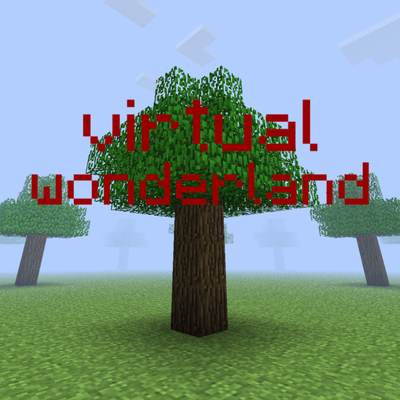
A Virtual Wonderland Continued (wonderland.jar)
A very liminal Horror modpack that uses the wonderland.jar mod. This mod can be played either on PC or in Virtual Reality, but its Continued.
 modpack
Modrinth · Minecraft
Always Updated
[26.4 / April Fools] - Modpack that mainly tries to support snapshots with maximum performance, including Sodium. This includes minimal QoL mods.
 modpack
CurseForge · Minecraft
ITS TIIIIIIIIIIME
Cozy Christmas modpack with custom quests and spirited combat.