
Minecraft version
Back to modpacks 
Modrinth · Minecraft modpack
Redstone Essentials
The most essential mods for Technical Minecraft.
Choose a version Pick your version below, then grab the matching file.
Quick answer
Which Redstone Essentials release matches 1.20.2?
Best match for your filters Redstone Essentials 1.3.0 (1.20.2)
Game version 1.20.2
Loader Fabric 0.15.2
Redstone Essentials 1.3.0 (1.20.2) is a complete pack release for 1.20.2 with Fabric 0.15.2. Install it as its own launcher instance. If the creator publishes a separate server file, make sure it names this exact pack release. 50 mods in this pack file.
Pack setup
How should I set up Redstone Essentials for players and a server?
Use Redstone Essentials 1.3.0 (1.20.2) as the pack version. Install the pack as its own launcher instance. The creator’s listing does not name a separate server file, so check the release notes before setting up a dedicated server. Do not upload the ordinary client folder blindly.
Client instance Install Redstone Essentials 1.3.0 (1.20.2)
Dedicated server setup Match Redstone Essentials 1.3.0 (1.20.2)
Pack loader Fabric 0.15.2
A pack is a matched client and server setup, not one mod with an install-side label. Keep its release, loader, manifest and overrides together.
Referenced mods 50
Client only 22
Server only 4
Not labelled 24
These numbers come from the pack file you chose. “Not labelled” means we don’t know which side it belongs on—not that it is safe everywhere. The file count is not a RAM estimate.
What are the server requirements for Redstone Essentials?
Redstone Essentials 1.3.0 (1.20.2) on 1.20.2. The pack contents and setup notes below stay tied to that release.
The selected pack release is Redstone Essentials 1.3.0 (1.20.2). That file is for Minecraft 1.20.2 with Fabric 0.15.2. It contains 50 mod projects. The creator’s listing does not name a separate server file. Check their notes before using one, and do not upload an ordinary client folder or rebuild the pack mod by mod. A file count cannot tell us the right RAM, CPU or storage; size the server for the players and world you actually run.
About this project
What kind of pack is Redstone Essentials?
Redstone Essentials


This mod pack has most of the essential utility mods to quickly help you setup your Technical Minecraft (commonly called as TMC) instance. It focuses on technical utility mods but also includes additional utility mods, all the performance enhancing/optimization mods, a few cosmetic mods and the useful redstone oriented resource packs.
Most of the configs for the technical utility mods used are set to default as you might prefer to tweak them to your liking or bring them over from your existing instance (Make sure to go through 'Usage Instructions' section provided below to help aid the transfer of your data.) Two creative worlds, one of them is a void world for your testing purposes, with all gamerules suitable for you to just pick up and use for redstone, are setup with this mod pack as well.
All the mods and resource packs used in this mod pack are by some wonderful people in the minecraft modding community, the full list with the credits is provided below.
Do join the linked discord to submit issues, request mod additions or give any sort of feedback regarding the project, I would love to hear from you.

TMC-related resources, websites, tools, archive servers and more, can be found in this TMC Links gist, compiled by Joa
All the rules available in carpet and it's extensions can be found in this Carpet Rules Database by Crec0
Usage Instructions
Modpack Setup
- To download and setup the modpack instance for the first time:
Here are all the ways to download this modpack depending on which launcher you are using. Make sure to choose the correct game version and the latest modpack version available for that game version. - To bring over data from your existing instance:
Once you have the modpack instance set up, head over to the.minecraftfolder of an instance you are currently using (In Windows systems, it will usually be atC:\Users\<YOUR_USER>\AppData\Roaming\<YOUR_LAUNCHER>\instances\<INSTANCE_NAME>\.minecraft) and copy everything you want to, over to the modpack instance folder you have just created (It will be atC:\Users\<YOUR_USER>\AppData\Roaming\<YOUR_LAUNCHER>\instances\Redstone Essentials\.minecraft).
I recommend copying over the 'config', 'saves', 'schematics' folders and the 'options.txt' file over for smooth sailing through the setup of this modpack and jump right into using it. - To toggle the mods off:
If you are using Prism Launcher or MultiMC, head over to the Console Window for the modpack instance and uncheck the check boxes besides the mods you wish to disable or alternatively, head to the .minecraft folder and delete them from the mods folder directly. - To update the modpack:
If there is an update to the modpack, make sure to read the modpack version changelogs to see if there are any omissions/additions, all your instance data including all saves and configs should be preserved, but even then make sure to take a backup of the instance before updating in case something goes wrong and you end up losing your data. - To add/ update individual mods:
Do keep in mind that you can always choose to add mods to the instance that you get when you download this modpack. You can also selectively update certain mods and keep the others as such if you wish to do so.
Resource Packs Setup
- For versions below 1.20.2:
Make sure you have Carpet Extra mod on your server and set the carpet ruleblockStateSyncingto true for these packs to update the different block state textures properly.
You are also able to customize these packs to your liking, Rexxstone shows how to do that [here](https://youtu.be/mHzThetR9l0). - **For versions 1.20.2 and above:**
From this version onwards, you don't need to enable the above mentioned carpet rule. Along with that, the Respackopts mod (included with this pack) can be used to customize/choose alternative textures (if available) via the config GUIs beside the resource packs in the resource packs menu, in game itself. Rexxstone shows how to do that as well, [here](https://youtu.be/iJObRPuR6Bs).
Mods*
Here is a list of all the mods in this pack:
Technical Utility Mods**
- CalcMod (1.20+) by Js802025
- Carpet** by Gnembon
- Carpet Addons Not Found by Gilly7CE
- Carpet Extra by Altrisi
- Carpet Fixes by Fxmorin
- Carpet TIS Addition by Fallen Breath
- Essential Addons by Senseiwells0
- IntriCarpet by Intricate1
- JoaCarpet (1.19.4) by Joa
- Sub Tick by Intricate1
- Essential Client by Senseiwells
- G4mespeed by G4me4u
- Immediately Fast (1.18.2+) by RaphiMC
- Item Scroller by Masa
- Item Scroller Craft-fix by Andrews54757
- Litematica by Masa
- Litematica Server Paster by Fallen Breath
- Litemoretica (1.19.2+) by Earthcomputer
- Masa Additions by Hp3721
- Masa Gadget by Plusls
- Minihud by Masa
- NBT Autocomplete by Mt1006
- Pick Block Pro by Sjouwer
- PickMoreBlocks (1.20.1+) by Axialeaa
- Pistorder by Fallen Breath
- Redstone Multimeter by Space Walker
- Syncmatica by Kpzip
- Technical Utilities (1.19.2+) by KikuGie
- Tweakermore by Fallen Breath
- Tweakeroo by Masa
- WorldEdit by Sk89q
Additional Utility Mods
- Better Command Block UI by Tec
- Death Log by Glisco
- Don't Clear Chat History by Triphora
- Isometric Renders by Glisco
- Mod Menu by Prospector
- More Chat History by JackFred2
- Reese's Sodium Options by FlashyReese
- Respackopts (1.20.2+) by JFronny
- Screenshots (1.20.1+) by Squagward
- Screenshot to Clipboard by Comp500
- Sodium Extra by FlashyReese
Optimization Mods
- Concurrent Chunk Management Engine by Ishland
- Dash Loader by Alphaqu
- Dynamic FPS by Juliand665
- Enhanced Block Entities by FoundationGames
- Entity Culling by Tr7zw
- FerriteCore by Malte0811
- Immediately Fast by RaphiMC
- Krypton by Astei
- LazyDFU by Astei
- Lithium by Jellysquid3
- Memory Leak Fix by Fxmorin
- Modern Fix (1.19.4+) by Embeddedt
- Smooth Boot by UltimateBoomer
- Sodium by Jellysquid3
- Starlight by Spottedleaf
- ThreadTweak (1.20+) by Getchoo
Cosmetic Mods
- Continuity by Peppercode1
- Iris by Coderbot
Dependency (and library) Mods
- Cloth Config API by Shedaniel
- Fabric API by Modmuss50
- Fabric Language Kotlin by Modmuss50
- Indium by Comp500
- LibJF by JFronny
- MaliLib by Masa
- owo-lib by Glisco
- Yet Another Config Lib by Isxander
Resource Packs
This is a list of the resource packs in this modpack:
Resource Packs
- Redstone Tweaks by RexxStone
- Redstone Tweaks Carpet Addon by RexxStone
- XK Redstone Display by XeKr
* Do note that this is list of all mods included over all game versions of this modpack, so some mods that are not compatible with each other will still be listed here, but will not be in the same version of the modpack. For example, Item Scroller is only included in those game versions in which Item Scroller Craft-fix is not there.
Information like this will be provided in the changelogs that come with each mod pack version.
** The carpet mod extensions are only needed on the server but are included with this pack in case you are playing on your single player worlds.
Versions
This list contains all game versions that Redstone Essentials mod pack is available for:
Version Availability
| Game Versions | Modpack Availability |
|---|---|
| 1.21.1 | In progress |
| 1.21 | Up-to-date |
| 1.20.6 | Up-to-date |
| 1.20.4 | Up-to-date |
| 1.20.3 | Up-to-date |
| 1.20.2 | Up-to-date |
| 1.20.1 | Up-to-date |
| 1.20 | Up-to-date |
| 1.19.4 | Up-to-date |
| 1.19.3 | Up-to-date |
| 1.19.2 | Up-to-date |
| 1.18.2 | Up-to-date |
| 1.17.1 | Up-to-date |
This modpack will be updated to every new version that comes out from here on.
Project description from Modrinth.
Mods in Redstone Essentials 1.3.0 (1.20.2)
Open any mod on Modpacks.ch to check its files and dependencies.
bettercommandblockui-0.4.2-1.20.2.jar SHA-1
6bf518ea44696df872eda8bed42ab058b99cff2b · Modrinth version I7pz0uTj · Project link unavailable Client onlyc2me-fabric-mc1.20.2-0.2.0+alpha.10.126.jar SHA-1
fef69c623f5bfc6c10c86f2790a7c1ac2da3cf32 · Modrinth version ilKwGRiJ · Project link unavailable Side not labelledcalcmod-fabric-1.20.2-1.3.1.jar SHA-1
0516e50f63839e045445254cc3f0413f267374c3 · Modrinth version BDwPfWKe · Project link unavailable Side not labelledcarpet-addons-not-found-1.20.2-1.3.1.jar SHA-1
955d95abf431f6deae0b999868e76cf857e8aa1f · Modrinth version 4YBtFP61 · Project link unavailable Server onlycarpet-extra-1.20.2-1.4.118.jar SHA-1
1e3add8c1f3c6caa26c6cd411dff0fbfdfcecae4 · Modrinth version XiXJeZ6p · Project link unavailable Server onlycarpet-tis-addition-mc1.20.2-v1.54.4.jar SHA-1
d1032f87b755727698e13719ac91797b34c1dc2f · Modrinth version sp1pHu4Z · Project link unavailable Side not labelledchatpatches-202.6.0.jar SHA-1
046fb63f9058208659fa9b4d8a4e2edb1bac082f · Modrinth version lXK3AMbd · Project link unavailable Client onlycloth-config-12.0.113-fabric.jar SHA-1
28928cd6aac738ee2e4ea2b6a39d0f28e7af75dc · Modrinth version wjYUbvpn · Project link unavailable Side not labelledcontinuity-3.0.0-beta.4+1.20.2.jar SHA-1
f9eaa5fc75d2747dbe14818dfde04eaf7152ae3c · Modrinth version JXhQlDZl · Project link unavailable Client onlydeathlog-0.3.2+1.20.2.jar SHA-1
b215c1a53b04c0d350b1f099522216c807e0582e · Modrinth version iyH37xsn · Project link unavailable Side not labelleddynamic-fps-3.3.0+minecraft-1.20.0.jar SHA-1
7acddcd34851c4d112acdc0ad82ecce3fd76619a · Modrinth version QLkpv8Ld · Project link unavailable Client onlyenhancedblockentities-0.9.1+1.20.2.jar SHA-1
7d40ccbc5355602325ad3e633592441a63a3999a · Modrinth version eIFo7wvq · Project link unavailable Client onlyentityculling-fabric-1.6.3-mc1.20.2.jar SHA-1
fc0f672543db18542eb712af86ede643de7bbb69 · Modrinth version tUVHg6HN · Project link unavailable Client onlyEssentialAddons-1.20.2-1.3.0.jar SHA-1
bfbb3ffc47d7a354a60c0aeb9a85c6b4ad74421c · Modrinth version ppmg37Y6 · Project link unavailable Server onlyEssentialClient-1.20.2-1.4.0.jar SHA-1
81e2eac2016eb8f3ab4dcfcfef1a8d8ac749f81d · Modrinth version mpigDvvL · Project link unavailable Client onlyfabric-api-0.91.2+1.20.2.jar SHA-1
ab4b6a5a9252aa3bc3686b0df78b9637245efdc2 · Modrinth version fdestf2d · Project link unavailable Side not labelledfabric-carpet-1.20.2-1.4.121+v231011.jar SHA-1
cdd7eed28acb6242493d751235cfbbc4a944e65b · Modrinth version xksYKkvF · Project link unavailable Side not labelledfabric-language-kotlin-1.10.16+kotlin.1.9.21.jar SHA-1
c411b587ba7b272b956605e5ee2ad10985e38ec9 · Modrinth version VJUqKopR · Project link unavailable Side not labelledferritecore-6.0.1-fabric.jar SHA-1
8fa3b84fc5860dbc30fdf8cced02af68dffcf3fa · Modrinth version unerR5MN · Project link unavailable Side not labelledImmediatelyFast-Fabric-1.2.8+1.20.4.jar SHA-1
6777e5b7071410d9257af181ac6367324d28854a · Modrinth version 3EgIBnht · Project link unavailable Client onlyindium-1.0.27+mc1.20.1.jar SHA-1
8c8e6b96243155b41f2f9d29d5940ee895bcb141 · Modrinth version Lue6O9z9 · Project link unavailable Optional Client onlyintricarpet-mc1.20.2-v2.0.1.jar SHA-1
1ba5b5f0ed41d3d1f5252318e46997b349d1ba21 · Modrinth version aspci4dF · Project link unavailable Server onlyiris-mc1.20.2-1.6.14.jar SHA-1
aac3c343192ab77e5d3ede702151a0155a1712cc · Modrinth version Cjwm9s3i · Project link unavailable Client onlyisometric-renders-0.4.6+1.20.2.jar SHA-1
0c54b10e4b4a2710744f362bd3718be0b4ae7d3b · Modrinth version S0dUbuBm · Project link unavailable Client onlykrypton-0.2.4.jar SHA-1
cffdf89a438b83215ddbac2a29c56a2cd68b7d57 · Modrinth version cQ60Ouax · Project link unavailable Side not labelledlazydfu-0.1.3.jar SHA-1
0dfa8b03ed408fb7fdada29e01cfebba02af1049 · Modrinth version 4SHylIO9 · Project link unavailable Side not labelledlibjf-3.14.0.jar SHA-1
f96b8be66a24f4d9c20937b876871af3b1e21759 · Modrinth version 29brjVoz · Project link unavailable Side not labelledlitemoretica-1.2.5+mc1.20.2.jar SHA-1
79b67b1c6b226150dc4c4b484e76fe9742a8dad0 · Modrinth version Jm6fvwbi · Project link unavailable Side not labelledlithium-fabric-mc1.20.2-0.12.0.jar SHA-1
9b713d4909582d900274dcd7ca01abd195b53520 · Modrinth version qdzL5Hkg · Project link unavailable Side not labelledmagiclib-all-0.7.398+fe2125a-stable.jar SHA-1
1e9fe904c3526470c6f8457967ac31728fecccba · Modrinth version MWMg7DwN · Project link unavailable Side not labelledMasaGadget-all-3.2.331+61c3583-stable.jar SHA-1
04c6ea2a8c437448d7fff572d1c6cac1a12b7da0 · Modrinth version zor5PPqN · Project link unavailable Client onlymodernfix-fabric-5.10.1+mc1.20.2.jar SHA-1
530fd499a1615176faf0b717590a0a312cbeb709 · Modrinth version rRcwOsPa · Project link unavailable Side not labelledmodmenu-8.0.0.jar SHA-1
6c781bc4ebf6b11296715c663bc1c7542e4eb630 · Modrinth version TwfjidT5 · Project link unavailable Client onlyNBTac-FABRIC-1.20.2-1.1.8.jar SHA-1
0b85543779ef3167b90aab1f0d62ce828719d57c · Modrinth version BXURpLV7 · Project link unavailable Client onlyowo-lib-0.11.4+1.20.2.jar SHA-1
b992ac6909d9443bdf4383caf0bd868735f375e5 · Modrinth version DYgDdRtg · Project link unavailable Side not labelledPick-Block-Pro-1.7.21-mc1.20.2.jar SHA-1
1f31faf933376319d1bf4dac772501e26c0da0b7 · Modrinth version YBtcxmHK · Project link unavailable Client onlypickmoreblocks-1.0.1+1.20.1.jar SHA-1
32ae535e83a928c8828180a6c695facc8cd928dc · Modrinth version ZQy26wsR · Project link unavailable Client onlypistorder-mc1.20-v1.5.0-fabric.jar SHA-1
a9d8d8080a676d5f78c7bbfd591cf2f86c72d611 · Modrinth version T96e9vvK · Project link unavailable Client onlyredstone-multimeter-fabric-mc1.20.2-1.13.0.jar SHA-1
547179817d7ea7149cc4b6148a6700294d9e040e · Modrinth version w51jlxEp · Project link unavailable Side not labelledreeses_sodium_options-1.7.0+mc1.20.2-build.97.jar SHA-1
5ab271d5c698f96618f717a231218810afc927b0 · Modrinth version YxKBGhki · Project link unavailable Client onlyrespackopts-4.7.1.jar SHA-1
064040045a1d9e24f637593d9391f64ea77bbf7d · Modrinth version ugj8PKJw · Project link unavailable Side not labelledscreenshots-2.0.0.jar SHA-1
5a06a2fe24e286240255415fbe0498ce5a60524f · Modrinth version CWROUxly · Project link unavailable Client onlysodium-extra-0.5.3+mc1.20.2-build.114.jar SHA-1
36f5fbe6b699600b648bdbb854c9f54d54fd9444 · Modrinth version e8Jw5Pey · Project link unavailable Client onlysodium-fabric-mc1.20.2-0.5.5.jar SHA-1
febadd3d2e225cdef9054dfecca167d92406a85b · Modrinth version pmgeU5yX · Project link unavailable Client onlystarlight-1.1.3+fabric.5867eae.jar SHA-1
66c7a95fbaff89b12cb02122c80c7bf133fdbf8c · Modrinth version PLbxwptm · Project link unavailable Side not labelledsyncmatica-1.20.2-0.3.11.jar SHA-1
250830b916477593e0bdd9bc58d34f8b7f7e3ab7 · Modrinth version MQ7NrqXP · Project link unavailable Side not labelledthreadtweak-fabric-1.20.2-0.1.1.jar SHA-1
4849b845daf49089d0eb1268ce23d61b9694afa4 · Modrinth version gBP1GqtK · Project link unavailable Side not labelledtweakermore-mc1.20.2-v3.15.1.jar SHA-1
6850a41c733508233e0ed01f0d8352e4be39c757 · Modrinth version SaYZjdZ1 · Project link unavailable Client onlyworldedit-mod-7.3.0-beta-02.jar SHA-1
541bd530f6f9f1bb2ff4cdcd5e64fa1ee338342a · Modrinth version PTig47IL · Project link unavailable Side not labelledyet-another-config-lib-fabric-3.3.0-beta.1+1.20.2.jar SHA-1
772af4c248d33af696762533819d7cacad4716ea · Modrinth version vede4iWJ · Project link unavailable Side not labelledPick your setup
Redstone Essentials by Minecraft version and loader
Choose the version and loader you play, then open the matching release.
Minecraft version
1.20.6
1 loader buildMinecraft version
1.20.4
1 loader buildMinecraft version
1.20.3
1 loader buildMinecraft version
1.20.2
1 loader buildMinecraft version
1.20.1
1 loader buildMinecraft version
1.20
1 loader buildMinecraft version
1.19.4
1 loader buildMinecraft version
1.19.3
1 loader buildMinecraft version
1.19.2
1 loader buildMinecraft version
1.18.2
1 loader buildMinecraft version
1.17.1
1 loader buildMade local changes? Try them in a copied instance before touching a world you care about.
Recent files
Redstone Essentials versions and loaders
Fabric 0.15.21.20.28.0.312+7 release
Fabric1.20.2 beta
Fabric1.20.2 beta
Fabric1.20.2 beta
Fabric1.20.2 alpha
Looking for an older file? The official Modrinth project page is in Resources.
 modpack
CurseForge · Minecraft
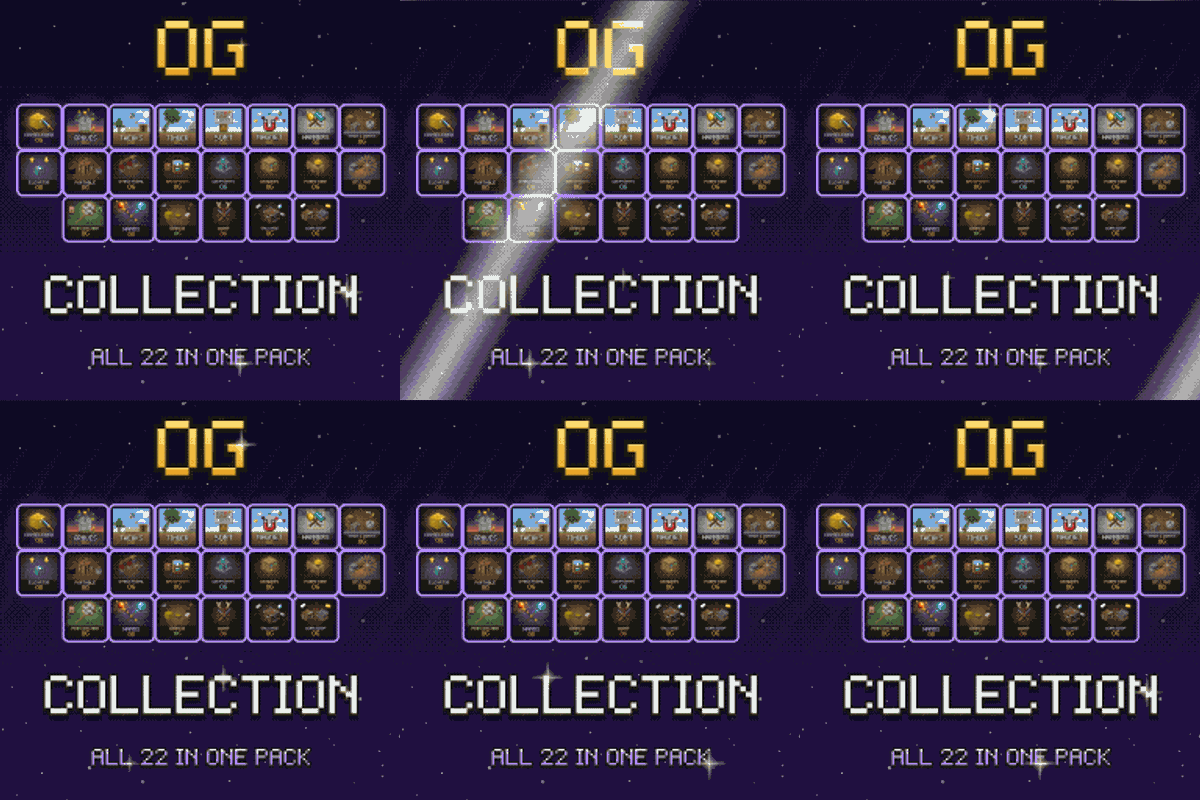
OG Collection
All twenty-two OG mods in one vanilla+ pack: chisel, graves, tweaks, timber, sorting, magnet, hammers, crates, elevators, workstations, physics, backpacks, waypoints, drawers, furniture, bellows, mob nets, wands, ranching, hunting, salvage, workshop.
 modpack
Modrinth · Minecraft
AsguhoClient
Simply a really optimized Client with the tools you need to build awesome contraptions, farms and extraordinary looking builds. This modpack include mods such as litematica etc.
 modpack
Modrinth · Minecraft
Escape From Tarkraft
Modern weapons. Tactical gear. A high-stakes multiplayer extraction shooter inside Minecraft.