Minecraft version
Back to modpacks 
Modrinth · Minecraft modpack
Technically Enhanced
A lightweight modpack featuring powerful tools like Masa’s mods (Tweakeroo, MiniHUD, Litematica), Carpet, and other utilities, combined with optimization mods like Sodium and Lithium, all while keeping vanilla gameplay intact.
Choose a version Pick your version below, then grab the matching file.
Quick answer
Which Technically Enhanced release matches 1.21.1 Fabric?
Best match for your filters Technically Enhanced 1.7
Game version 1.21.1
Loader Fabric 0.16.0
Technically Enhanced 1.7 is a complete pack release for 1.21.1 with Fabric 0.16.0. Install it as its own launcher instance. If the creator publishes a separate server file, make sure it names this exact pack release. 27 mods in this pack file.
Pack setup
How should I set up Technically Enhanced for players and a server?
Use Technically Enhanced 1.7 as the pack version. Install the pack as its own launcher instance. The creator’s listing does not name a separate server file, so check the release notes before setting up a dedicated server. Do not upload the ordinary client folder blindly.
Client instance Install Technically Enhanced 1.7
Dedicated server setup Match Technically Enhanced 1.7
Pack loader Fabric 0.16.0
A pack is a matched client and server setup, not one mod with an install-side label. Keep its release, loader, manifest and overrides together.
Referenced mods 27
Client only 14
Server only 1
Not labelled 12
These numbers come from the pack file you chose. “Not labelled” means we don’t know which side it belongs on—not that it is safe everywhere. The file count is not a RAM estimate.
What are the server requirements for Technically Enhanced?
Technically Enhanced 1.7 on 1.21.1 Fabric. The pack contents and setup notes below stay tied to that release.
The selected pack release is Technically Enhanced 1.7. That file is for Minecraft 1.21.1 with Fabric 0.16.0. It contains 27 mod projects. The creator’s listing does not name a separate server file. Check their notes before using one, and do not upload an ordinary client folder or rebuild the pack mod by mod. A file count cannot tell us the right RAM, CPU or storage; size the server for the players and world you actually run.
About this project
What kind of pack is Technically Enhanced?
Technical Focus
The Technically Enhanced modpack is all about giving you powerful tools and advanced controls while staying close to the vanilla Minecraft experience. It improves building, automation, and gameplay control without changing how the game feels.
- 🪶 Lightweight and efficient with minimal impact on performance
- ⚖️ Stays close to vanilla gameplay with no core mechanic changes
- 🧱 Powerful building tools like WorldEdit and Litematica, Live Texture Editor
- 🛠️ Advanced utilities including Carpet, Tweakeroo, MiniHUD, and Item Scroller
- ✨ Quality-of-life improvements like zoom, fullbright, and hand restock
- 🔧 Highly customizable tools to fit your playstyle
⚠️ Some features in Tweakeroo may be considered cheating on certain multiplayer servers. Make sure to check the server rules before using them.
🔗 Other Packs in the Enhanced Series
Enhanced Quality
Improves visuals, audio, and adds quality-of-life features.Enhanced FPS
Lightweight pack focused on maximizing performance.Enhanced FPS NeoForge
NeoForge version of the pack.
⌨️ Keybinds
Keybinds
Keybinds to open menu:
- Tweakeroo: X+C
- Item scroller: I+C
- Malilib: A+C
- Litematica: M (M+C works also)
- MiniHUD: H+C
- Live Texture Editor: R
📦 List of Mods
Performance Mods (7)
Utility Mods (11)
Carpet by gnembon (includes Carpet TIS Addition by Fallen Breath)
Litematica, MiniHud, Syncmatica, Tweakeroo and Item Scroller by Masa (the newer versions of these mods are currently maintained by Sakura Ryoko)
Misc Mods (8)
Reese'sSodiumOptions and SodiumExtra by FlashyReese
RemoveReloadingScreen by dima_dencep
Mod Libraries and APIs
❓ Need help?
Join the Discord server for support, suggestions, or feedback.
Project description from Modrinth.
Mods in Technically Enhanced 1.7
Open any mod on Modpacks.ch to check its files and dependencies.
carpet-tis-addition-v1.63.2-mc1.21.1.jar SHA-1
0d247d6c5f04275617a1bb055110a92a49710d29 · Modrinth version xEmHibDZ · Project link unavailable Side not labelledcloth-config-15.0.140-fabric.jar SHA-1
5d82342a2df53fd6df712bfdd583a811572918a4 · Modrinth version HpMb5wGb · Project link unavailable Side not labelledcontinuity-3.0.0-beta.5+1.21.jar SHA-1
16d31a39e85dc10cdff4e06198a1bb26b4b82427 · Modrinth version NksUpFjf · Project link unavailable Client onlycullleaves-fabric-3.4.0.jar SHA-1
e80558a23a573f820375abffece181febd3e7509 · Modrinth version JnCn3KSm · Project link unavailable Client onlyenhancedblockentities-0.10.2+1.21.jar SHA-1
d81359d77fc7c5437f3e83e519dc2f869300f0cd · Modrinth version HBZAPs3u · Project link unavailable Client onlyentityculling-fabric-1.7.0-mc1.21.jar SHA-1
ef4acec15876eafba8ce1618d2c2a6b3de27e58f · Modrinth version kPbJu8eF · Project link unavailable Client onlyfabric-api-0.105.0+1.21.1.jar SHA-1
09b6399db5f09a79b0ac5b7ecbbba2e3189b190a · Modrinth version WTaAx4ah · Project link unavailable Side not labelledfabric-carpet-1.21-1.4.147+v240613.jar SHA-1
54f2907d83e67283d165336f26e5219d4bd36037 · Modrinth version f2mvlGrg · Project link unavailable Side not labelledfabric-language-kotlin-1.12.2+kotlin.2.0.20.jar SHA-1
6fa5bbd06ab731cbd522aa2591af69101d921672 · Modrinth version o0V8mlNz · Project link unavailable Side not labelledfzzy_config-0.4.3+1.21.jar SHA-1
676bcb8354bf98db7049e4bff07e449fe48f0211 · Modrinth version 3KToifZX · Project link unavailable Side not labelledImmediatelyFast-Fabric-1.2.21+1.21.1.jar SHA-1
46c17639a7c0bfec1f9fb4aae53f9163994a3a4e · Modrinth version ahszC7KU · Project link unavailable Client onlyindium-1.0.35+mc1.21.jar SHA-1
1bf4b5db91f4e6d7a4f94fe2e96525d22df1cacb · Modrinth version Z8VpxxGh · Project link unavailable Client onlyiris-fabric-1.8.0-beta.4+mc1.21.1.jar SHA-1
6481f2b12ec0d4040424b5f78d4b56faaf862ad5 · Modrinth version u9KvDA4s · Project link unavailable Client onlykrypton-0.2.8.jar SHA-1
73e792eb5f120787becda4b87b6ff18b26caea50 · Modrinth version Acz3ttTp · Project link unavailable Side not labelledlithium-fabric-mc1.21.1-0.13.1.jar SHA-1
3dde05dcd5afab3ff6ca77c08f4c82d3a064f3c6 · Modrinth version 9x0igjLz · Project link unavailable Side not labelledmalilib-fabric-1.21.1-0.21.0.jar SHA-1
a7e5ef8d924bb810557d98bae5b615dfc38bab38 · Modrinth version CQI1MTlR · Project link unavailable Client onlymodmenu-11.0.2.jar SHA-1
0a7c7ac1dd5360ef735ca1e782540ec45c4fc3c8 · Modrinth version 3ib3Uvvv · Project link unavailable Client onlyNoChatReports-FABRIC-1.21-v2.8.0.jar SHA-1
f1822b058132f7f221a3ac4470d54d820369c04e · Modrinth version riMhCAII · Project link unavailable Side not labellednoisium-fabric-2.3.0+mc1.21-1.21.1.jar SHA-1
642a672cfc60ff1e1262a39d7e160b1381c5120c · Modrinth version 4sGQgiu2 · Project link unavailable Server onlyparticle_core-0.2.4+1.21.jar SHA-1
c3bdbe71d48559f89651ee2b88928f911a68eebd · Modrinth version 9vefjf6j · Project link unavailable Client onlyreeses-sodium-options-fabric-1.8.0-beta.4+mc1.21.1.jar SHA-1
7a2b9b23d3d05939f70244401e9c0a796942d13c · Modrinth version DSxKPh7H · Project link unavailable Client onlyrrls-5.0.1+mc1.21-fabric.jar SHA-1
b1dbb9282b2758708005e6b08260295e5b1468b0 · Modrinth version 1JxwJqRH · Project link unavailable Client onlysodium-extra-fabric-0.6.0-beta.3+mc1.21.1.jar SHA-1
d5ad3bbc8a75fc2e8f3d957a85aa05f3e8b95fd0 · Modrinth version CEAENzuT · Project link unavailable Client onlysodium-fabric-0.6.0-beta.2+mc1.21.1.jar SHA-1
7a94dda82ffd1fe24cd1cacad70eb89dbe564ea6 · Modrinth version CcIWi5Av · Project link unavailable Client onlyspark-1.10.97-fabric.jar SHA-1
1c8384ff5a49ae40f725764954e5838a4a550d06 · Modrinth version qTSaozEL · Project link unavailable Side not labelledworldedit-mod-7.3.6.jar SHA-1
89d3d1a5b6d4d400adf5fc64ccc3f10add3ed7c3 · Modrinth version vBzkrSYP · Project link unavailable Side not labelledYetAnotherConfigLib-3.5.0+1.21-fabric.jar SHA-1
c58dab87a7b62d0b3812c97fa69381ae041a1439 · Modrinth version Y8Wa10Re · Project link unavailable Side not labelledPick your setup
Technically Enhanced by Minecraft version and loader
Choose the version and loader you play, then open the matching release.
Minecraft version
26.2
1 loader buildMinecraft version
26.1.2
1 loader buildMinecraft version
1.21.11
1 loader buildMinecraft version
1.21.8
1 loader buildMinecraft version
1.21.7
1 loader buildMinecraft version
1.21.5
1 loader buildMinecraft version
1.21.4
1 loader buildMinecraft version
1.21.3
1 loader buildMinecraft version
1.21.1
1 loader buildMinecraft version
1.21
1 loader buildMade local changes? Try them in a copied instance before touching a world you care about.
Recent files
Technically Enhanced versions and loaders
Fabric 0.16.01.21.18.0.312+7 release
Fabric1.21.1 release
Fabric1.21.1 release
Fabric1.21.1 release
Looking for an older file? The official Modrinth project page is in Resources.
 modpack
Modrinth · Minecraft
Dylan's Awesome Mod Pack
A (mostly) Vanilla+ mod pack for Fabric that provides performance and quality of life mods, as well as resource packs that work well with Vanilla Minecraft.
 modpack
CurseForge · Minecraft
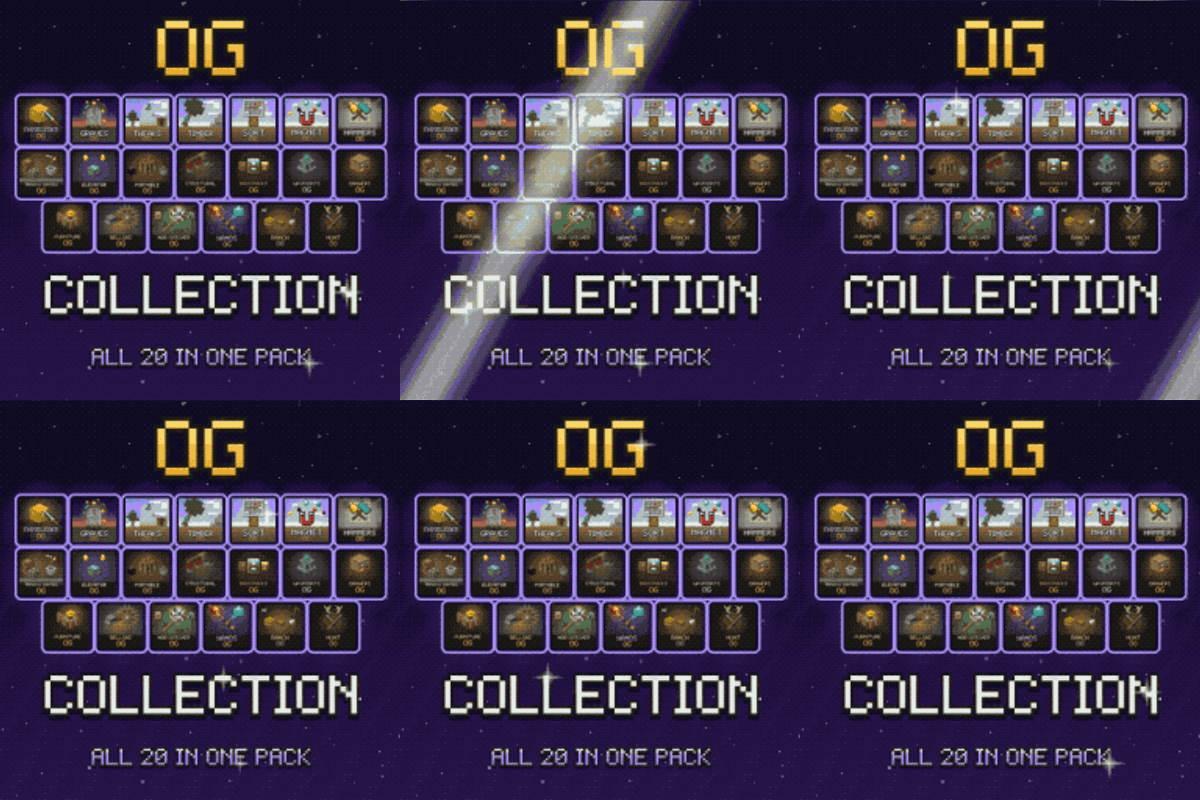
OG Collection
All twenty-one OG mods in one vanilla+ pack: chisel, graves, tweaks, tree felling, sorting, magnet, hammers, crates, elevators, workstations, physics, backpacks, waypoints, drawers, furniture, bellows, mob nets, wands, ranching, hunting and salvage.
modpack
Modrinth · Minecraft
Tales of Folks
A full medieval roleplay where you play as a different race persuing a career.