Minecraft version
Back to modpacks 
Modrinth · Minecraft modpack
Eclipse Client
✨Eclipse Client✨—a sleek, performance-packed Minecraft client built on Fabric—boosts your game with style 🎨 and speed 🚀. Featuring a modern UI and unique tools like cross-version server support ⏪, it’s the ultimate upgrade for smoother, smarter gameplay
Choose a version Pick your version below, then grab the matching file.
Quick answer
Which Eclipse Client release should I use?
Latest stable file Eclipse Client 1.0.1
Game version 1.21.4
Loader Fabric 0.16.10
Eclipse Client 1.0.1 is a complete pack release for 1.21.4 with Fabric 0.16.10. Install it as its own launcher instance. If the creator publishes a separate server file, make sure it names this exact pack release. 35 mods in this pack file.
Pack setup
How should I set up Eclipse Client for players and a server?
Use Eclipse Client 1.0.1 as the pack version. Install the pack as its own launcher instance. The creator’s listing does not name a separate server file, so check the release notes before setting up a dedicated server. Do not upload the ordinary client folder blindly.
Client instance Install Eclipse Client 1.0.1
Dedicated server setup Match Eclipse Client 1.0.1
Pack loader Fabric 0.16.10
A pack is a matched client and server setup, not one mod with an install-side label. Keep its release, loader, manifest and overrides together.
Referenced mods 35
Client only 22
Server only 0
Not labelled 13
These numbers come from the pack file you chose. “Not labelled” means we don’t know which side it belongs on—not that it is safe everywhere. The file count is not a RAM estimate.
What are the server requirements for Eclipse Client?
Eclipse Client 1.0.1. Change the pack release and its contents or setup may change too.
The selected pack release is Eclipse Client 1.0.1. That file is for Minecraft 1.21.4 with Fabric 0.16.10. It contains 35 mod projects. The creator’s listing does not name a separate server file. Check their notes before using one, and do not upload an ordinary client folder or rebuild the pack mod by mod. A file count cannot tell us the right RAM, CPU or storage; size the server for the players and world you actually run.
About this project
What kind of pack is Eclipse Client?
✨Eclipse Client✨
The Ultimate Minecraft Performance Experience

Sleek, fast, and built for style.
What is Eclipse Client?
✨Eclipse Client✨—a sleek, performance-packed Minecraft client built on Fabric—boosts your game with style 🎨 and speed 🚀. Featuring a modern UI and unique tools like cross-version server support ⏪, it’s the ultimate upgrade for smoother, smarter gameplay 🌟.
Sleek UI: A modern, user-friendly interface designed for ease and elegance.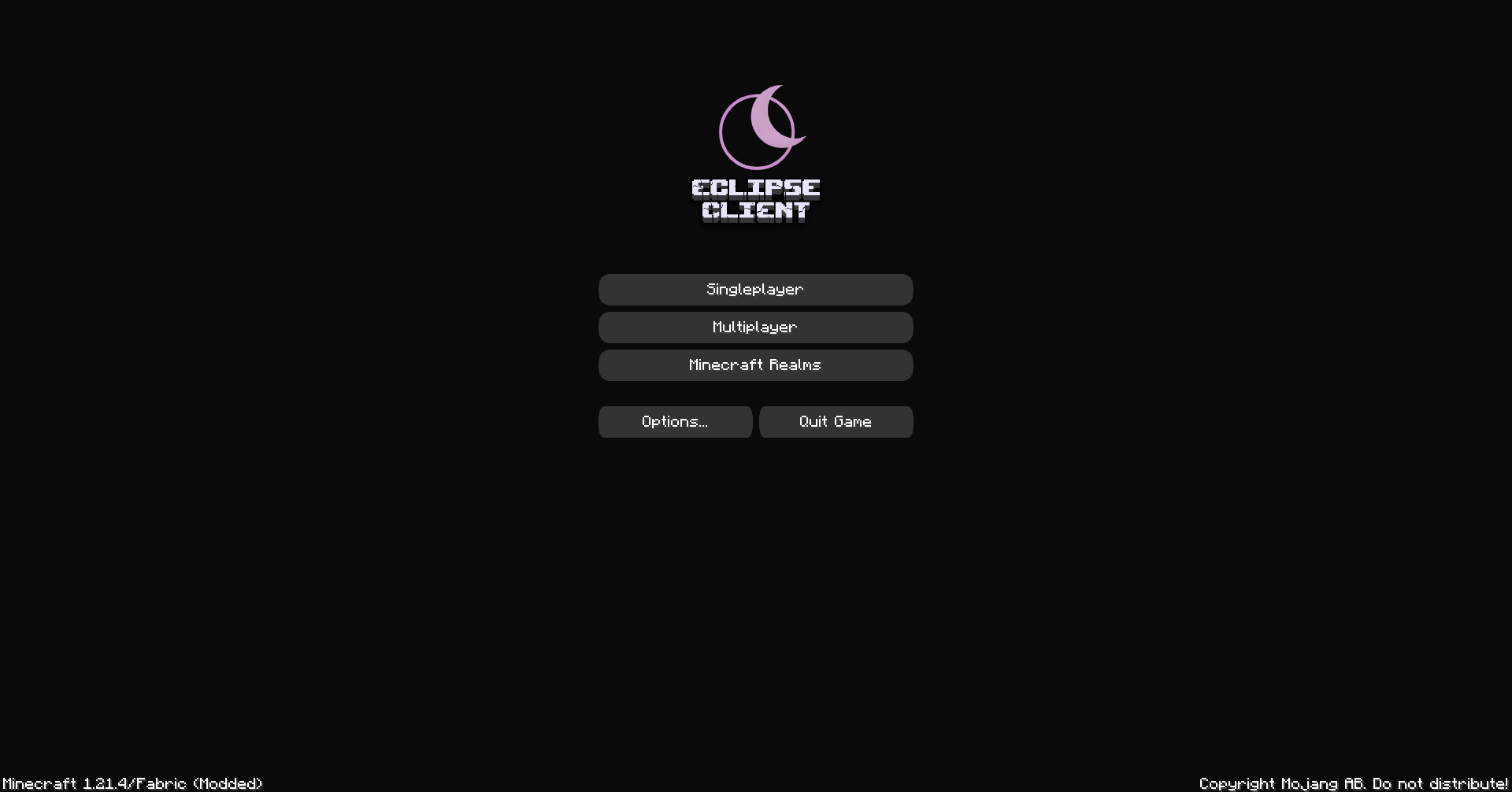
Cross-Version Support: Join servers running on older Minecraft versions seamlessly.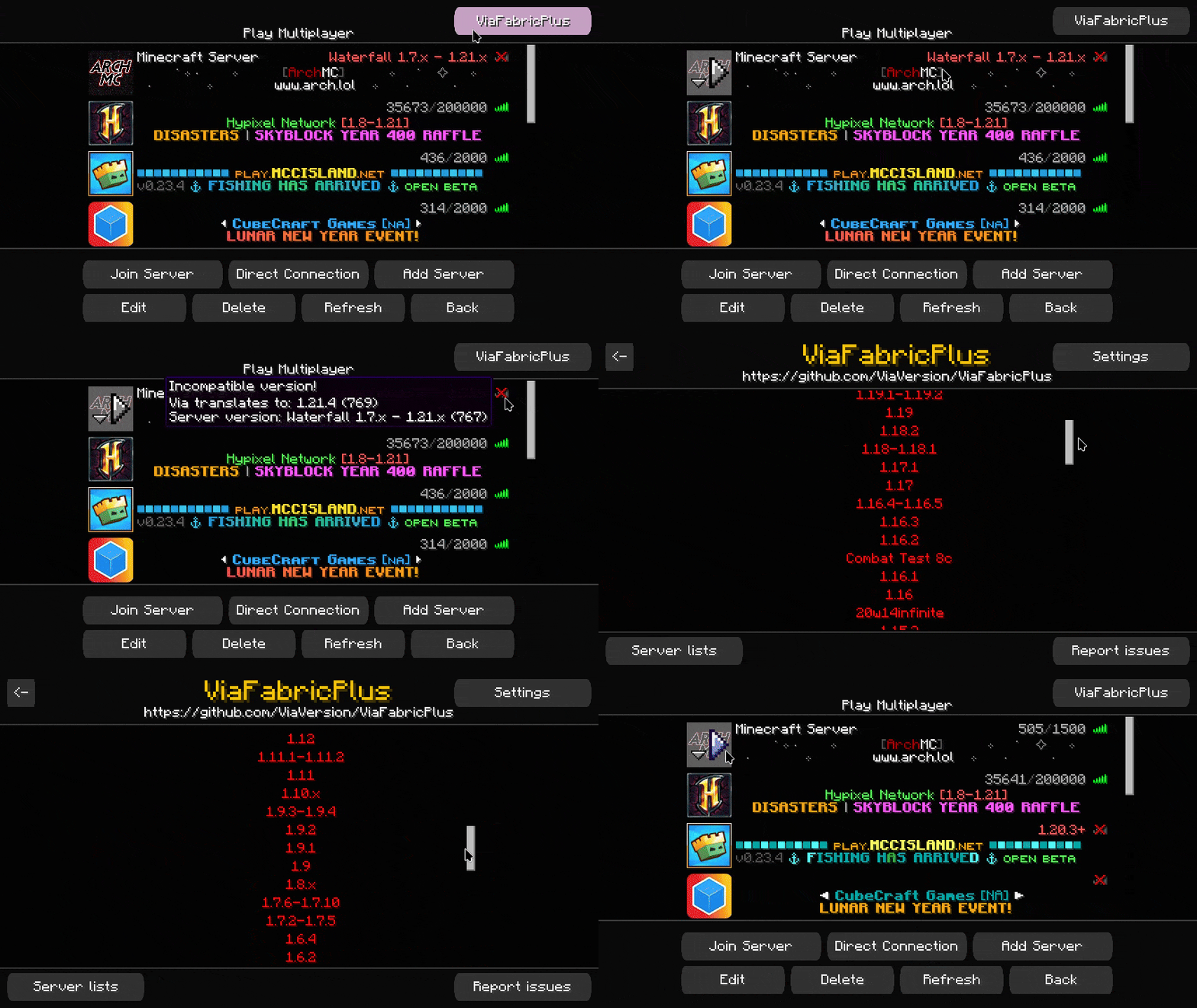
Why Choose Eclipse Client?
Built on Fabric for lightweight, modular performance.
Perfect for players who want style and functionality in one package.
Regular updates and a growing list of features!
Project description from Modrinth.
Mods in Eclipse Client 1.0.1
Open any mod on Modpacks.ch to check its files and dependencies.
BetterPingDisplay-Fabric-1.21.4-1.1.1.jar SHA-1
7ffd6268b82f61938792a1bb4b09b6a4110376ae · Modrinth version HwP123tD · Project link unavailable Client onlyc2me-fabric-mc1.21.4-0.3.2+alpha.0.33.jar SHA-1
11df2693d7db2d4aca45b633b28b87145c9950cb · Modrinth version Qgg5mpR6 · Project link unavailable Side not labelledcloth-config-17.0.144-fabric.jar SHA-1
63a1a3b25c642f5a745dfcc9bdc0841660f560af · Modrinth version TJ6o2sr4 · Project link unavailable Side not labelledcullleaves-fabric-4.0.3.jar SHA-1
1962f8f7f4264cba46a579e0580366736abe3e9a · Modrinth version MFDifoVo · Project link unavailable Client onlyenhancedblockentities-0.11.3+1.21.4.jar SHA-1
261b0e79ffbb79f9b708827333bd745620ebbec0 · Modrinth version YokFoILZ · Project link unavailable Client onlyentityculling-fabric-1.7.2-mc1.21.4.jar SHA-1
a8b87f259682580d558f793ed99be44d55f06c0f · Modrinth version NkBXk0Ye · Project link unavailable Client onlyfabric-api-0.115.1+1.21.4.jar SHA-1
291f1b55876161c6af568770414cee7bfe401547 · Modrinth version UnrycCWP · Project link unavailable Side not labelledfabric-language-kotlin-1.13.1+kotlin.2.1.10.jar SHA-1
b28cc99b01aef86d0d6ca3ea7f468512bd0595c4 · Modrinth version 476dzMG5 · Project link unavailable Side not labelledfancymenu_fabric_3.3.5_MC_1.21.4.jar SHA-1
5703b76da7ca85a98fef0f00f2f4c13d4baeef38 · Modrinth version uNxdVzCh · Project link unavailable Side not labelledferritecore-7.1.1-fabric.jar SHA-1
ee08ca5fd2a7a02dbade048745533b5570a826f0 · Modrinth version IPM0JlHd · Project link unavailable Side not labelledGamma-Utils-2.2.2-mc1.21.4.jar SHA-1
e9fe5f1c856325f31be391e2862059a09ea9a892 · Modrinth version lwiszLIz · Project link unavailable Client onlyiris-fabric-1.8.5+mc1.21.4.jar SHA-1
cd2d91bc43678cc7037752e8ea1c9d5fa5ec451f · Modrinth version LZrmMq4i · Project link unavailable Client onlykonkrete_fabric_1.9.9_MC_1.21.4.jar SHA-1
af8d52b03ba5af9a6e10dcfed67ab862e2445d1b · Modrinth version 9I475ADm · Project link unavailable Side not labelledlithium-fabric-0.14.7+mc1.21.4.jar SHA-1
2f41a836351d5ae37b9cd6c96227e1dcaa30e6c5 · Modrinth version QCuodIia · Project link unavailable Side not labelledmelody_fabric_1.0.10_MC_1.21.jar SHA-1
5624eea73f251c70a9489192d326f9b4aab3b13c · Modrinth version OqxSeb4n · Project link unavailable Client onlymidnightcontrols-fabric-1.10.3.jar SHA-1
e3cf3e8ee6cbb84dab056f26336cffdd424d5bb0 · Modrinth version 3bg8IbA5 · Project link unavailable Client onlymodelfix-1.21.3-1.10-fabric.jar SHA-1
3f4d67c87d0a6e8c323f443635013bfd58b8872d · Modrinth version h47zwBfZ · Project link unavailable Client onlyMouseTweaks-fabric-mc1.21.3-2.27.jar SHA-1
8267df3b46152116a252d085da525fb84400a95a · Modrinth version m8rwZENW · Project link unavailable Client onlyno-telemetry-1.8.0.jar SHA-1
238b8ebc95100368951e0ff5ef2b16a1406e32f2 · Modrinth version tmHWmt1u · Project link unavailable Client onlynoisium-fabric-2.5.0+mc1.21.4.jar SHA-1
4adbf542d5dd586fe8a458202bfeebd757dfd2f6 · Modrinth version 9NHdQfkN · Project link unavailable Side not labellednotenoughcrashes-fabric-4.4.8+1.21.4.jar SHA-1
4984dc07d4bdbff2815ed0e908a8b8a2370f37b4 · Modrinth version sW7BgUXk · Project link unavailable Side not labelledplaceholder-api-2.5.2+1.21.3.jar SHA-1
841b1ef57880fc0f94a22ab268b737c3830b5595 · Modrinth version eeN3FuMY · Project link unavailable Side not labelledreeses-sodium-options-fabric-1.8.3+mc1.21.4.jar SHA-1
c72f07a8f139f0420cbce29bd9eb29fb24db427f · Modrinth version KoUrx3jJ · Project link unavailable Client onlyResourcify (1.21.3-4-fabric)-1.7.0.jar SHA-1
ef92880e2216593d98ccdebf3f32db7798cdf2be · Modrinth version JyVuANiw · Project link unavailable Client onlysodium-extra-fabric-0.6.1+mc1.21.4.jar SHA-1
c3bd0d2121653fec3c0f82a841d88e85e87f9796 · Modrinth version f4TfteNb · Project link unavailable Client onlysodium-fabric-0.6.6+mc1.21.4.jar SHA-1
772956d8cc9ebec66a5001dccf66d8d1af3c3465 · Modrinth version tu8qILqH · Project link unavailable Client onlysodium-shadowy-path-blocks-fabric-4.0.0.jar SHA-1
d9abec69cdfb21612764142674dcdd398a90c1fe · Modrinth version Aymjs2iN · Project link unavailable Client onlysodiumextras-fabric-1.0.7-1.21.4.jar SHA-1
a3456a4ee493546b0884312859c68a968dd0d91b · Modrinth version q8C5e9OZ · Project link unavailable Client onlysodiumoptionsapi-fabric-1.0.10-1.21.4.jar SHA-1
a9bf768be6b332aa525fe5130dcddf5f4904b84f · Modrinth version dMzvef0h · Project link unavailable Client onlysodiumoptionsmodcompat-fabric-1.0.0-1.21.4.jar SHA-1
9c5ab3b6ba0e096567b60b0c5c74b8e570205da9 · Modrinth version C8El2MOS · Project link unavailable Client onlystatus-effect-bars-1.0.7.jar SHA-1
1c667909a86f6b957bd26fd344ad873247012cdf · Modrinth version iSH5aE6f · Project link unavailable Client onlytxnilib-fabric-1.0.22-1.21.4.jar SHA-1
d5d8ab448ff6b6d84946f8b495cba43f3584569b · Modrinth version YacqGFEs · Project link unavailable Side not labelledViaFabricPlus-4.0.1.jar SHA-1
a35ea32c1e88003bcef56075c806cd90ff3355e5 · Modrinth version uEQzm8Tz · Project link unavailable Client onlyYetAnotherConfigLib-3.6.2+1.21.4-fabric.jar SHA-1
1394c363dee8a2ba53981a7b1135c1e882fa15f1 · Modrinth version VtWuZoXP · Project link unavailable Side not labelledZoomify-2.14.2+1.21.3.jar SHA-1
736e8888664701b86042e10bea357aa9af583c35 · Modrinth version RKRjd2h1 · Project link unavailable Client onlyPick your setup
Eclipse Client by Minecraft version and loader
Choose the version and loader you play, then open the matching release.
Made local changes? Try them in a copied instance before touching a world you care about.
Recent files
Eclipse Client versions and loaders
Fabric 0.16.101.21.48.0.312+7 release
Fabric1.21.4 release
Looking for an older file? The official Modrinth project page is in Resources.
 modpack
 Modrinth · Minecraft
Great FPS
Great FPS is a lightweight Fabric optimization modpack designed to dramatically improve Minecraft performance, reduce lag, and boost FPS on low-end PCs while preserving the vanilla gameplay experience.
 modpack
 CurseForge · Minecraft
Age Of Create Together
the Age of Create Together mod is a progression stage from era to era; you can have a great time with your friends thanks to a wide variety of creatures and crafting recipes.
 modpack
 CurseForge · Minecraft
Wyrmfell
A roleplay modpack built for the Wyrmfell : Dragon Roleplay server.