

















Minecraft version
Back to modpacks 
Modrinth · Minecraft modpack
Babylone
Man's ambition is limited only by his imagination, and Create's stress system.
Choose a version Pick your version below, then grab the matching file.
Quick answer
Which Babylone release should I use?
Latest stable file A more recent Babylone
Game version 1.20.1
Loader Fabric 0.15.7
A more recent Babylone is a complete pack release for 1.20.1 with Fabric 0.15.7. Install it as its own launcher instance. If the creator publishes a separate server file, make sure it names this exact pack release. 46 mods in this pack file.
Pack setup
How should I set up Babylone for players and a server?
Use A more recent Babylone as the pack version. Install the pack as its own launcher instance. The creator’s listing does not name a separate server file, so check the release notes before setting up a dedicated server. Do not upload the ordinary client folder blindly.
Client instance Install A more recent Babylone
Dedicated server setup Match A more recent Babylone
Pack loader Fabric 0.15.7
A pack is a matched client and server setup, not one mod with an install-side label. Keep its release, loader, manifest and overrides together.
Referenced mods 46
Client only 3
Server only 0
Not labelled 43
These numbers come from the pack file you chose. “Not labelled” means we don’t know which side it belongs on—not that it is safe everywhere. The file count is not a RAM estimate.
What are the server requirements for Babylone?
A more recent Babylone. Change the pack release and its contents or setup may change too.
The selected pack release is A more recent Babylone. That file is for Minecraft 1.20.1 with Fabric 0.15.7. It contains 46 mod projects. The creator’s listing does not name a separate server file. Check their notes before using one, and do not upload an ordinary client folder or rebuild the pack mod by mod. A file count cannot tell us the right RAM, CPU or storage; size the server for the players and world you actually run.
About this project
What kind of pack is Babylone?
Babylone
To the sky!
A simple and *lightweight* fabric mod list focused on the Create mod and ComputerCraft.
Created with ❤️ in France for Create players on Gunivers
Included
Core mods
| Name | Author | |
|---|---|---|
 |
Create Fabric | tropheusj |
 |
CC: Tweaked | Jonathan Coates |
 |
Farmer's Delight [Fabric] | KEVIN BEAUCORAL |
Gameplay
| Name | Author | |
|---|---|---|
 |
Inventorio | Silas Groh |
 |
Spice of Fabric | Siphalor |
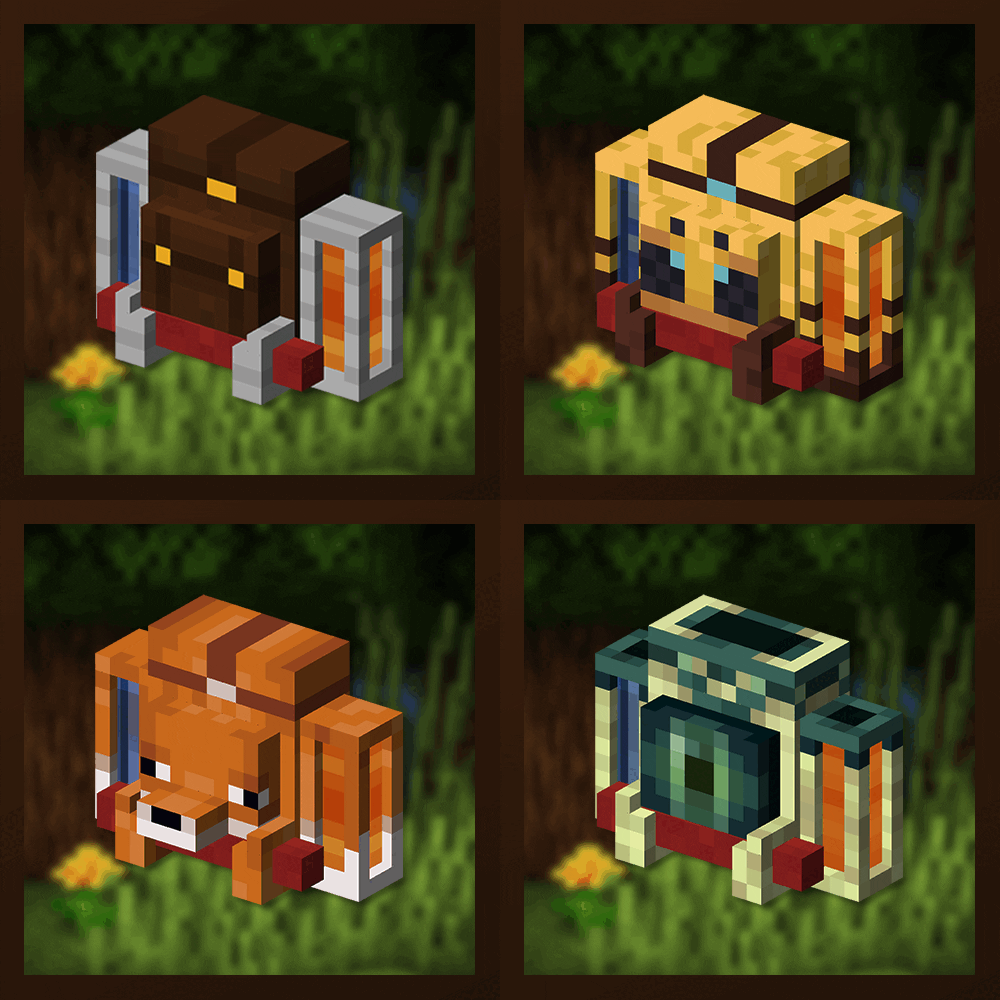 |
Traveler's Backpack | Tiviacz1337 |
 |
Simple Voice Chat | Max Henkel |
 |
You're in Grave Danger | B1n4ry |
Quality of life
| Name | Author | |
|---|---|---|
 |
AppleSkin | Ryan Liptak |
 |
Chipped | grimb.o |
 |
Roughly Enough Items (REI) | shedaniel |
 |
Xaero's World Map | thexaero |
 |
Xaero's Minimap | thexaero |
Compatibility
| Name | Author | |
|---|---|---|
 |
ComputerCreate | ascpial |
Generation
Visuals
| Name | Author | |
|---|---|---|
 |
Distant Horizons (optional) | James Seibel |
 |
Explosive Enhancement | SuperkatSays |
 |
Iris Shaders (optional) | coderbot |
 |
LambDynamicLights | LambdAurora |
Optimization
| Name | Author | |
|---|---|---|
 |
Entity Culling | tr7zw |
 |
FerriteCore | malte0811 |
 |
LazyDFU | Andrew Steinborn |
 |
Lithium | JellySquid |
 |
Sodium | JellySquid |
 |
Starlight (Fabric) | Spottedleaf |
Other
| Name | Author | |
|---|---|---|
 |
No Chat Reports | Aizistral |
 |
Default Options | BlayTheNinth |
 |
Simple Voice Chat Enhanced Groups | Max Henkel |
 |
Mod Menu | Terraformers |
 |
RebindAllTheKeys | Minenash |
Dependencies
How to use it
Persistent groups
As of 2.0, Simple Voice Chat Enhanced Groups is available in the modpack. To enable global default groups, with op rights, do :
/persistentgroup add <group-name> [<normal|open|isolated>]which will create a new persistent group which will not be removed when empty, with the specified name, and mode:normalmeans that you will be able to hear people in proximity but not respond to themopenmeans that you can hear people in proximity and respond to themisolatedmeans that you won't hear people in proximity and they won't hear you
Then, tell players to do the following:
/autojoingroup set <group-name>wheregroup-nameis the same as in the previous step
After doing the second step, players will be put in the group immediatly when they join the world.
For example, you can do: /persistentgroup add "Where is my wrench?" open and players can type: /autojoingroup set "Where is my wrench?". In this configuration, players will join the group "Where is my wrench?" when they join without having to do anything, and still chat normally with people in the world who are not in the group.
Icon made by Godino under Creative Commons Attribution-Noncommercial-No Derivative Works 3.0 License
Project description from Modrinth.
Mods in A more recent Babylone
Open any mod on Modpacks.ch to check its files and dependencies.
appleskin-fabric-mc1.20.1-2.5.1.jar SHA-1
d0f11243f79c071416bbcee781ae93eb57a0283c · Modrinth version xcauwnEB · Project link unavailable Side not labelledarchitectury-9.2.14-fabric.jar SHA-1
4fa65e32dbf63a871a30fe8ec6fbff9a4b8d007d · Modrinth version WbL7MStR · Project link unavailable Side not labelledathena-fabric-1.20.1-3.1.2.jar SHA-1
53014ceff1e10085609c16adbe246df51113bfe9 · Modrinth version mXJWSwbJ · Project link unavailable Side not labelledbalm-fabric-1.20-7.0.7.jar SHA-1
4146542912d84041708b60c08721c837928d4c8c · Modrinth version I5betUED · Project link unavailable Side not labelledbclib-3.0.14.jar SHA-1
34be724165bfe1207542f26551b10925d099eee1 · Modrinth version TPC86Pyz · Project link unavailable Side not labelledcardinal-components-api-5.2.2.jar SHA-1
b049c6342185dae10607d6c1fe2fd792db189582 · Modrinth version qW85eawp · Project link unavailable Side not labelledcc-tweaked-1.20.1-fabric-1.110.0.jar SHA-1
8574d230e80afbf3d34df79b2a983ab3339530bc · Modrinth version USCud6VB · Project link unavailable Side not labelledChipped-fabric-1.20.1-3.0.4.jar SHA-1
fe5fb23429503cf058f6429c6e0f4be979175a01 · Modrinth version JUHjzcuO · Project link unavailable Side not labelledcloth-config-11.1.118-fabric.jar SHA-1
f669f899d707b9e9acf1c239b0ae6b2c8be95361 · Modrinth version J3FLptsi · Project link unavailable Side not labelledcreate-fabric-0.5.1-f-build.1335+mc1.20.1.jar SHA-1
008a0169efbaca4a144af7467ca659a4011c30f4 · Modrinth version A8R3Be5A · Project link unavailable Side not labelleddefaultoptions-fabric-1.20-18.0.1.jar SHA-1
0de6a14b49d9be842a91e84ebe968f9f4d961e7b · Modrinth version QIKpMBgZ · Project link unavailable Client onlyDistantHorizons-2.0.1-a-1.20.1.jar SHA-1
b42adab2ec0a2919db552a7acbe71196eb6e183c · Modrinth version fAVxiMK6 · Project link unavailable Optional Client onlyentityculling-fabric-1.6.2-mc1.20.1.jar SHA-1
8e4be2bb9703deddb3d3d212c812cdc1f9de072b · Modrinth version BDwHAdWc · Project link unavailable Side not labelledexplosive-enhancement-1.2.2-1.20.x.jar SHA-1
5dcc50f5876d59b45b7c66f542c8448140ac2110 · Modrinth version LLkiKipc · Project link unavailable Side not labelledfabric-api-0.92.0+1.20.1.jar SHA-1
3373057a5049e311557f8c9494b35ef2df88d984 · Modrinth version YG53rBmj · Project link unavailable Side not labelledfabric-language-kotlin-1.10.19+kotlin.1.9.23.jar SHA-1
d8a8a5a4f1289e9b4d65f9551c32fbdf56b4f162 · Modrinth version ZMokinzs · Project link unavailable Side not labelledfarmers-delight-fabric-1.4.3.jar SHA-1
758d7931e769dc4a78ff6642976cffbe75a522cb · Modrinth version QXYNitXw · Project link unavailable Side not labelledferritecore-6.0.1-fabric.jar SHA-1
8fa3b84fc5860dbc30fdf8cced02af68dffcf3fa · Modrinth version unerR5MN · Project link unavailable Side not labelledindium-1.0.30+mc1.20.4.jar SHA-1
b24233f29c0ce4802c61ea8998e01e6e4580ae60 · Modrinth version Aouse6P7 · Project link unavailable Side not labelledinstantgroup-fabric-1.20.1-1.6.0.jar SHA-1
d697e0d27a154b055d9337db938c729ee45adf61 · Modrinth version YXLv3lWE · Project link unavailable Side not labelledinventorio-mc1.20.1-fabric-v1.10.0.jar SHA-1
2b630137681535fdb35e163d78ffa5ddf8bdf9ad · Modrinth version MG8bmKf8 · Project link unavailable Side not labellediris-mc1.20.1-1.6.17.jar SHA-1
daaa0a952273301117d3dc42bde68c6f1f60b318 · Modrinth version JHbrO6Zq · Project link unavailable Optional Side not labelledlambdynamiclights-2.3.2+1.20.1.jar SHA-1
71b636fa74744e51ba2d248c81a38bdbfad5d43b · Modrinth version mYl4RvKg · Project link unavailable Side not labelledlazydfu-0.1.3.jar SHA-1
0dfa8b03ed408fb7fdada29e01cfebba02af1049 · Modrinth version 4SHylIO9 · Project link unavailable Side not labelledlithium-fabric-mc1.20.1-0.11.2.jar SHA-1
8f4642147e60827f728badac7a819d1a9f3b25d5 · Modrinth version ZSNsJrPI · Project link unavailable Side not labelledmodmenu-7.2.2.jar SHA-1
099c68feeb74887cbbbd8ce9a27c6123804a2c5a · Modrinth version lEkperf6 · Project link unavailable Side not labelledNoChatReports-FABRIC-1.20.1-v2.2.2.jar SHA-1
b99f23fb76aad5a944400717e6d71aa011c4d7f7 · Modrinth version HeZZR2kF · Project link unavailable Side not labelledrebind-all-the-keys-1.3.0+1.20.1.jar SHA-1
71bdf2dd8a3f2a43d483d7ffa0062f9f8b471295 · Modrinth version vZL9YbsO · Project link unavailable Client onlyresourcefullib-fabric-1.20.1-2.1.23.jar SHA-1
8ede002f0753ff813e2fdbbfbf22a1eeb8f032b6 · Modrinth version YzWNEutS · Project link unavailable Side not labelledRoughlyEnoughItems-12.0.684-fabric.jar SHA-1
447ea5038e0a8189cc2b537cb956b8d42770af7c · Modrinth version 23HREXEg · Project link unavailable Side not labelledsodium-fabric-0.5.8+mc1.20.1.jar SHA-1
bdd6b8ac84b46ae56a3bbb761ce430c48e42e00d · Modrinth version mhZtY2lR · Project link unavailable Side not labelledspiceoffabric-1.6.2+mc1.20.1.jar SHA-1
92fc41b981db1e1fbc9f10918587de7edd60de28 · Modrinth version JQeNIIvU · Project link unavailable Side not labelledstarlight-1.1.2+fabric.dbc156f.jar SHA-1
a03102cab439cbab5a1d7d72cd7c2b4976ddd421 · Modrinth version XGIsoVGT · Project link unavailable Side not labelledtravelers-backpack-1.20.1-9.1.9.jar SHA-1
45dc110ff1b9c5ef2a362193753bf199d6bac55b · Modrinth version C78BanYS · Project link unavailable Side not labelledvoicechat-fabric-1.20.1-2.5.9.jar SHA-1
e1644d397191c05181036b7054d4f6d18d3129f6 · Modrinth version blva78z9 · Project link unavailable Side not labelledXaeros_Minimap_24.0.2_Fabric_1.20.jar SHA-1
e27415ac4ec9b58df35c588238cd4c5d7a4b3123 · Modrinth version W0vNiSUN · Project link unavailable Side not labelledXaerosWorldMap_1.38.1_Fabric_1.20.jar SHA-1
e091d484c8597c1c67716c71d36ca4749c77f77b · Modrinth version RtG1V19k · Project link unavailable Side not labelledyet-another-config-lib-fabric-3.2.2+1.20.jar SHA-1
ad0b96eddc7961e799b154251305a4ffd1cdad9a · Modrinth version DretS191 · Project link unavailable Side not labelledyoure-in-grave-danger-2.0.0-beta.10.jar SHA-1
873a3acdb4014d235eeb91ba7c47d99a3021da93 · Modrinth version hiCUVv26 · Project link unavailable Side not labelledYungsApi-1.20-Fabric-4.0.4.jar SHA-1
d3bcef6c363422b38cbd0298af63a27b5e75829d · Modrinth version k1OTLc33 · Project link unavailable Side not labelledYungsBetterDesertTemples-1.20-Fabric-3.0.3.jar SHA-1
b8de6410b1ae57a49848f172d5310dc79e731b25 · Modrinth version 1Z9HNWpj · Project link unavailable Side not labelledYungsBetterDungeons-1.20-Fabric-4.0.3.jar SHA-1
a1e7a1f9eb9bda15abb711b5dd6e1087e7dd79d0 · Modrinth version bSSS84Op · Project link unavailable Side not labelledYungsBetterMineshafts-1.20-Fabric-4.0.4.jar SHA-1
dda3af404d6958f6fed882b8b4ae7827ac78944b · Modrinth version qLnQnqXS · Project link unavailable Side not labelledYungsBetterNetherFortresses-1.20-Fabric-2.0.6.jar SHA-1
837560db615bad870809e09436e943c4324301d1 · Modrinth version FL88RLRu · Project link unavailable Side not labelledYungsBetterOceanMonuments-1.20-Fabric-3.0.4.jar SHA-1
e4e512ae388a57d4eb383657e52707c01283d7be · Modrinth version 4c00pjbt · Project link unavailable Side not labelledYungsBetterStrongholds-1.20-Fabric-4.0.3.jar SHA-1
f7a5eb03935abe845c6691ae99ae42889fdd5da1 · Modrinth version yV6hn0bB · Project link unavailable Side not labelledPick your setup
Babylone by Minecraft version and loader
Choose the version and loader you play, then open the matching release.
Minecraft version
1.19.2
1 loader buildMade local changes? Try them in a copied instance before touching a world you care about.
Recent files
Babylone versions and loaders
Fabric 0.15.71.20.18.0.312+7 release
Fabric1.20.1 alpha
Fabric1.20.1 alpha
Fabric1.19.2 release
Fabric1.19.2 release
Fabric1.19.2 beta
Looking for an older file? The official Modrinth project page is in Resources.
 modpack
 Modrinth · Minecraft
Vulkan Updated
Vulkan renderer for 52% more performance (with shaders) than a Sodium on driver-bound systems. Zero-Bloat.
 modpack
 Modrinth · Minecraft
Roziaria
Built around the Create mod and its addons, with 70+ new biomes, new structures and Fresh Animations, while staying mostly lag free! Now with Modular Backpacks.
 modpack
 Modrinth · Minecraft
Pino 4
Kitchen sink pack with focus on Create, Mekanism and Applied Energistics 2