Back to modpacks
Minecraft VR for bad laptops project artwork

Modrinth · Minecraft modpack

Minecraft VR for bad laptops

This is a modpack that helps non-vr ready laptops/PCs to be able to run minecraft in VR.

Choose a version Pick your version below, then grab the matching file.

Quick answer

Which Minecraft VR for bad laptops release should I use?

Updated 6 months ago
Latest stable file Minecraft VR for bad laptops 1.4.0
Game version 1.21.11
Loader Quilt 0.30.0-beta.3

Minecraft VR for bad laptops 1.4.0 is a complete pack release for 1.21.11 with Quilt 0.30.0-beta.3. Install it as its own launcher instance. If the creator publishes a separate server file, make sure it names this exact pack release. 24 mods in this pack file.

Pack setup

How should I set up Minecraft VR for bad laptops for players and a server?

Use Minecraft VR for bad laptops 1.4.0 as the pack version. Install the pack as its own launcher instance. The creator’s listing does not name a separate server file, so check the release notes before setting up a dedicated server. Do not upload the ordinary client folder blindly.

Client instance Install Minecraft VR for bad laptops 1.4.0
Dedicated server setup Match Minecraft VR for bad laptops 1.4.0
Pack loader Quilt 0.30.0-beta.3

A pack is a matched client and server setup, not one mod with an install-side label. Keep its release, loader, manifest and overrides together.

Referenced mods 24
Client only 13
Server only 0
Not labelled 11

These numbers come from the pack file you chose. “Not labelled” means we don’t know which side it belongs on—not that it is safe everywhere. The file count is not a RAM estimate.

What are the server requirements for Minecraft VR for bad laptops?

Minecraft VR for bad laptops 1.4.0. Change the pack release and its contents or setup may change too.

24 mods in this pack file

The selected pack release is Minecraft VR for bad laptops 1.4.0. That file is for Minecraft 1.21.11 with Quilt 0.30.0-beta.3. It contains 24 mod projects. The creator’s listing does not name a separate server file. Check their notes before using one, and do not upload an ordinary client folder or rebuild the pack mod by mod. A file count cannot tell us the right RAM, CPU or storage; size the server for the players and world you actually run.

About this project

What kind of pack is Minecraft VR for bad laptops?

Notice

I am no longer updating this modpack.

I left the minecraft community because of drama with the community, drama with my friends who are big the the minecraft space. And mojangs lack of updates/low qulity updates. I am more active in Roblox than minecraft and i also want to work on bigger projects. So yeah

Goodbye minecraft!

Welcome

You may want to run Minecraft in VR. You got the headset the software. But you computer does not have the power to run Steam VR. Or it does but it is very laggy.
If you said yes to those questions then you may want to use this modpack

Minecraft VR for bad laptops!

This Mod Pack helps laptops/PCs that are not VR ready be able to play Minecraft in VR using some very good optimization mods that is going to help your laptop/PC run better in VR!

How to setup

Pre-setup

You would need a few things.

  • A launcher that can read .mrpack (I recomend using Prism Launcher but any launcher works!)
  • And a copy of Steam VR

Setup

Setting up is easy as cake.
find this modpack in the modrinth laucher and install it really simple and the best way to install it.

A another way is to download the modpack file from this page and install it with the modrith laucher.

After that. open Steam VR and run Minecraft.

Then just toggle the VR button

That's it!

told ya it's easy as cake

How is it in game?

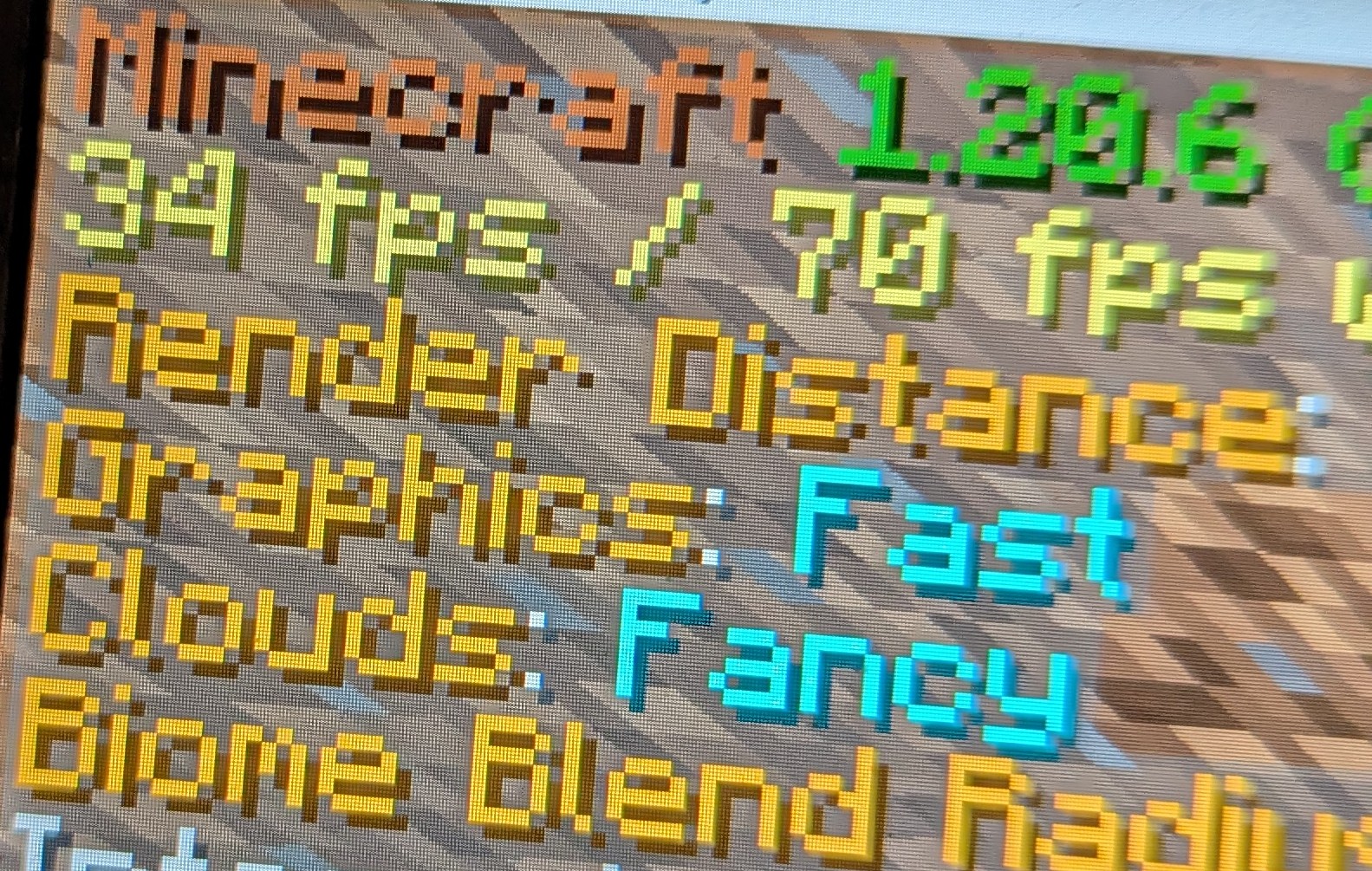
The modpack with the optimization mods and configs is able to get around 30 FPS in VR which is really good for a computer with only 12GB of RAM and a lack of VR support
The Minecraft F3 menu showing its getting 30FPS

Overall

This modpack is good if you are looking for a way to play Vivecraft on a non-VR ready or low end computer. There are a few things to note one is that the modpack is not perfect and some computer can't run this at all like MacBooks or super super low end computer. And also you would to have to follow some setup from Vivecraft FAQ. FOR SERVER OWNER PLEASE READ THIS FOR VIVECRAFT SERVER STUFF. And Steam VR is needed for it to work it can be found here. Run Minecraft with Steam VR open (and headset on your head) and press on the VR button.

I also made it mult-loader so you can enjoy this modpack in your favitore loader and have your own mods in those said loaders :3

Credits

The icon for this modpack was made by Unfunnymii

Also thanks to the mods used in this modpack for letting me put them in here. It means a lot!

Project description from Modrinth.

Mods in Minecraft VR for bad laptops 1.4.0

Open any mod on Modpacks.ch to check its files and dependencies.

BadOptimizations-2.4.1-1.21.11.jar SHA-1 70fa28d5a7a1fdd61dd804ca6ac411750da1473f · Modrinth version Q3Dusz2j · Project link unavailable Client only
cloth-config-21.11.153-fabric.jar SHA-1 4c224606a963bce223db5b27edb4959ecf40d4ee · Modrinth version xuX40TN5 · Project link unavailable Side not labelled
continuity-3.0.1-beta.1+1.21.11.jar SHA-1 51d34c3f2035db0c7fca321b2d94f01b5167707c · Modrinth version mX1iknM1 · Project link unavailable Client only
dynamic-fps-3.11.4+minecraft-1.21.11-quilt.jar SHA-1 ad838050d548ace10f795d668d891048f6750829 · Modrinth version TpGBmHye · Project link unavailable Client only
entityculling-fabric-1.9.5-mc1.21.11.jar SHA-1 e2e88c0b2286148e9547eb23d95d2e30e60ad753 · Modrinth version Dx3xsUER · Project link unavailable Client only
fabric-api-0.141.3+1.21.11.jar SHA-1 50de67eb221f0b38216da8668b09ca311327040e · Modrinth version i5tSkVBH · Project link unavailable Side not labelled
fast-ip-ping-v1.0.8-mc1.21.11-fabric.jar SHA-1 451daa1da7470dea8c1de97708e009f840f3130d · Modrinth version qtIKi2T9 · Project link unavailable Client only
ferritecore-8.2.0-fabric.jar SHA-1 c2e2f5e008f5bc9f401dfad8ca94909917006b65 · Modrinth version Ii0gP3D8 · Project link unavailable Side not labelled
ImmediatelyFast-Fabric-1.14.2+1.21.11.jar SHA-1 4f17c6b7388f0afc5d24075dc2a294963f78c712 · Modrinth version QwkfUKSj · Project link unavailable Client only
iris-fabric-1.10.5+mc1.21.11.jar SHA-1 8f56581bb74c845b702d07488cd9b8adffaae497 · Modrinth version ZQx4ktUs · Project link unavailable Client only
krypton-0.2.10.jar SHA-1 94ddaeeae6ca7fecc79e54a0aa02a5438a775a99 · Modrinth version O9LmWYR7 · Project link unavailable Side not labelled
lithium-fabric-0.21.3+mc1.21.11.jar SHA-1 7733e091bebe5f68aaa4e13cfb6f1eaf3a192379 · Modrinth version qvNsoO3l · Project link unavailable Side not labelled
modmenu-17.0.0-beta.2.jar SHA-1 632c7565ba0fbc033aa4574e1ae6919f277fe03b · Modrinth version JWQVh32x · Project link unavailable Client only
morechathistory-1.3.1.jar SHA-1 b4337ef9dc0a6cdf31d8f3df68a6542f64f3625e · Modrinth version 3siYJiWG · Project link unavailable Client only
moreculling-fabric-1.21.11-1.6.2.jar SHA-1 11a929de62650cc536244d4c2ba889fa84c1c0f2 · Modrinth version wOzykoLV · Project link unavailable Client only
NoChatReports-FABRIC-1.21.11-v2.18.0.jar SHA-1 4e519507bdd81ce2520da33f497a5f12469f5b10 · Modrinth version rhykGstm · Project link unavailable Side not labelled
placeholder-api-2.8.2+1.21.10.jar SHA-1 bbdc920ecff993148cd6e81a208536132245ce40 · Modrinth version qxjzQ9xY · Project link unavailable Side not labelled
reeses-sodium-options-fabric-2.0.3+mc1.21.11.jar SHA-1 fb452b122fd72e8540d32fbe3df01cc34a45ce41 · Modrinth version yIgAFMna · Project link unavailable Client only
shulkerboxtooltip-fabric-5.2.15+1.21.11.jar SHA-1 dfc3911da555fe6c0ca57b2fd4ab18deb3cd1b61 · Modrinth version 2lPKqJBJ · Project link unavailable Side not labelled
sodium-extra-fabric-0.8.3+mc1.21.11.jar SHA-1 e8fd1eae0d589393189f64062ca1e46fc03f4ced · Modrinth version yqY1efrC · Project link unavailable Client only
sodium-fabric-0.8.4+mc1.21.11.jar SHA-1 c0a8ac43af978f8d8245bf033670944eb90d7b2e · Modrinth version 1OWNgWVR · Project link unavailable Client only
sound-physics-remastered-fabric-1.21.11-1.5.1.jar SHA-1 f04c90b17094aaa849b147a42d4df9aa82d54ace · Modrinth version pfqxi9qs · Project link unavailable Side not labelled
spark-1.10.156-fabric.jar SHA-1 7cd8909634ab02ca352969a2ea337f1f7641cc1c · Modrinth version 1CB3cS0m · Project link unavailable Side not labelled
vivecraft-1.21.11-1.3.7-fabric.jar SHA-1 208d12fa6d31804bf83439909d31f4a1bac96f22 · Modrinth version GovTWsJu · Project link unavailable Side not labelled

Pick your setup

Minecraft VR for bad laptops by Minecraft version and loader

Choose the version and loader you play, then open the matching release.

13 available setups

Made local changes? Try them in a copied instance before touching a world you care about.

Recent files

Minecraft VR for bad laptops versions and loaders

16 of 16 releases match

Looking for an older file? The official Modrinth project page is in Resources.