Minecraft version
Back to modpacks 
Modrinth · Minecraft modpack
Satisfying Minecraft
This modpack is client-side and makes Minecraft very satisfying.
Choose a version Pick your version below, then grab the matching file.
Quick answer
Which Satisfying Minecraft release should I use?
Latest stable file Satisfying Minecraft 1.0.0
Game version 1.19.2
Loader Fabric 0.15.3
Satisfying Minecraft 1.0.0 is a complete pack release for 1.19.2 with Fabric 0.15.3. Install it as its own launcher instance. If the creator publishes a separate server file, make sure it names this exact pack release. 18 mods in this pack file.
Pack setup
How should I set up Satisfying Minecraft for players and a server?
Use Satisfying Minecraft 1.0.0 as the pack version. Install the pack as its own launcher instance. The creator’s listing does not name a separate server file, so check the release notes before setting up a dedicated server. Do not upload the ordinary client folder blindly.
Client instance Install Satisfying Minecraft 1.0.0
Dedicated server setup Match Satisfying Minecraft 1.0.0
Pack loader Fabric 0.15.3
A pack is a matched client and server setup, not one mod with an install-side label. Keep its release, loader, manifest and overrides together.
Referenced mods 18
Client only 13
Server only 0
Not labelled 5
These numbers come from the pack file you chose. “Not labelled” means we don’t know which side it belongs on—not that it is safe everywhere. The file count is not a RAM estimate.
What are the server requirements for Satisfying Minecraft?
Satisfying Minecraft 1.0.0. Change the pack release and its contents or setup may change too.
The selected pack release is Satisfying Minecraft 1.0.0. That file is for Minecraft 1.19.2 with Fabric 0.15.3. It contains 18 mod projects. The creator’s listing does not name a separate server file. Check their notes before using one, and do not upload an ordinary client folder or rebuild the pack mod by mod. A file count cannot tell us the right RAM, CPU or storage; size the server for the players and world you actually run.
About this project
What kind of pack is Satisfying Minecraft?
This client-side modpack elevates the Minecraft experience by integrating various
enhancements, including audio mods like ExtraSounds and Dynamic Surroundings
and more. Moreover, it incorporates performance mods to optimize the overall
gameplay experience.
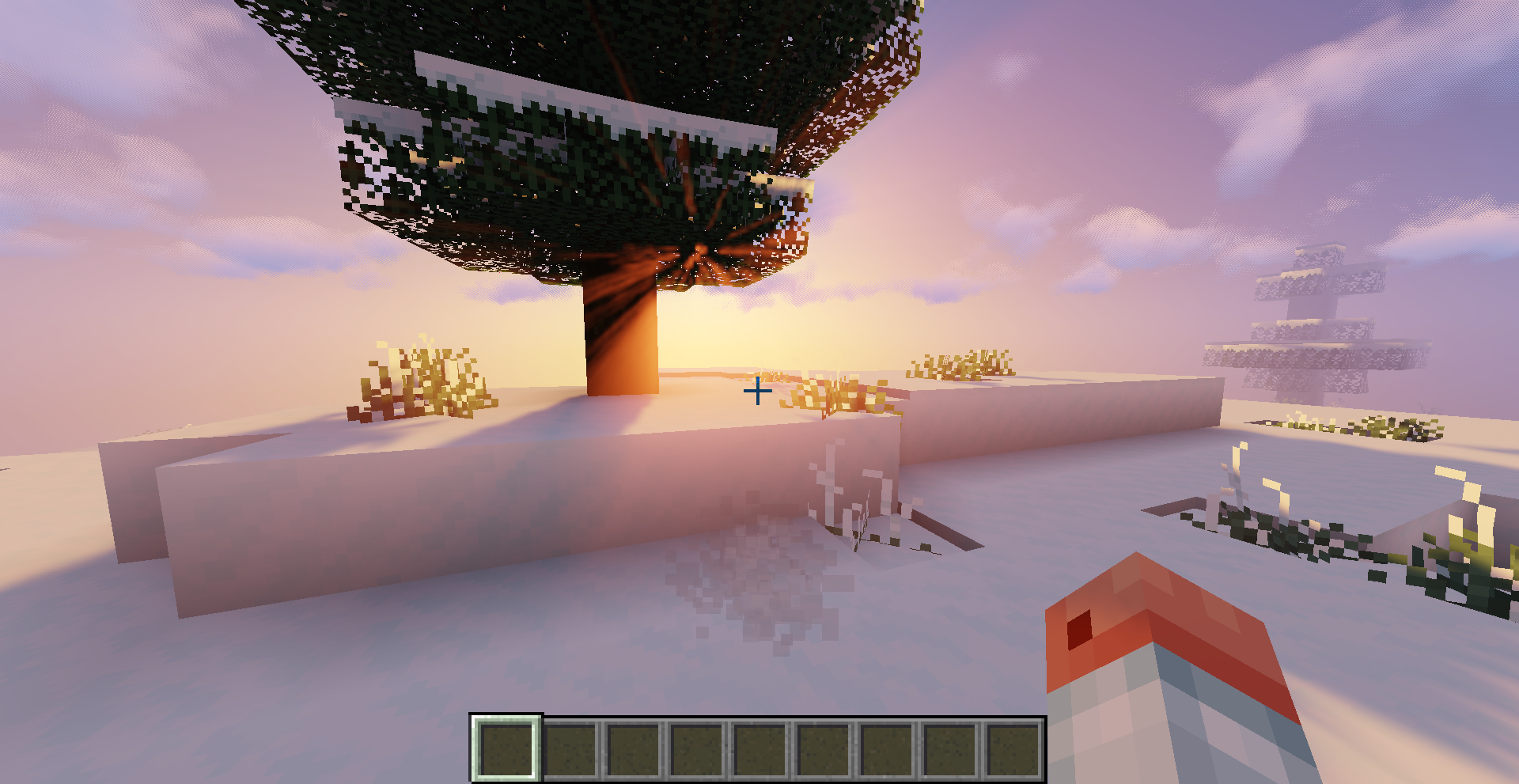
Project description from Modrinth.
Mods in Satisfying Minecraft 1.0.0
Open any mod on Modpacks.ch to check its files and dependencies.
AdvancementPlaques-1.19.2-fabric-1.4.6.jar SHA-1
4af48cf2e71ea3f1ba7987b3bf39662ae3838714 · Modrinth version GBfneXwP · Project link unavailable Client onlycloth-config-8.3.115-fabric.jar SHA-1
949d908415eb7c6b1b974a614c719b6c9f14f527 · Modrinth version 3Ejdp6VI · Project link unavailable Side not labelledcontinuity-2.0.2+1.19.jar SHA-1
b7f4060c66eee13fa1385da89090560de30358e1 · Modrinth version Ql3Ho9eR · Project link unavailable Client onlyDynamicSurroundings-RemasteredFabric-1.19-0.1.1.jar SHA-1
b8a9f8e42a24da28ac8c8380b65b1632b54cd1e1 · Modrinth version taoK2TUO · Project link unavailable Client onlyeating-animation-1.9.1.jar SHA-1
30aac8a879bb2c0f9ade411359239bf5a4cefced · Modrinth version UulaTOZ0 · Project link unavailable Client onlyentity_model_features_fabric_1.19.2-1.1.0.jar SHA-1
fc7a14407aefd352a87c67d75da2cd4782c8462e · Modrinth version z5WFPrA6 · Project link unavailable Client onlyentity_texture_features_fabric_1.19.2-4.6.1.jar SHA-1
96f3fa850086d7c58e23a5b4b97000bf6969ddbc · Modrinth version WBLEReJT · Project link unavailable Client onlyextrasounds-2.3.1+1.19.2-1.19.1.jar SHA-1
c43ac9ffe58cbf59b90eeb4be1a6aad40ebbfbfd · Modrinth version yV1SwVzK · Project link unavailable Client onlyfabric-api-0.76.0+1.19.2.jar SHA-1
f29a349b29324338ebe3acaa2914637008be15f4 · Modrinth version hfsU4hXq · Project link unavailable Side not labelledForgeConfigAPIPort-v4.2.11-1.19.2-Fabric.jar SHA-1
00d05a6d57ee557ab216de5527e1434e3cf50c24 · Modrinth version 3VCgXZ79 · Project link unavailable Side not labelledIceberg-1.19.1-fabric-1.0.46.jar SHA-1
cff3a1f0aa7bd3c6f3ac29ae5cb9e6aba991ecd1 · Modrinth version qC0waeNX · Project link unavailable Side not labelledindium-1.0.9+mc1.19.2.jar SHA-1
a74ab16af990cf55dd1a3b5c76eadfc9ca25e25e · Modrinth version yTfou6df · Project link unavailable Client onlyiris-mc1.19.2-1.6.11.jar SHA-1
90d8f8c0a209373dfc300deb03c0d2d9bd309b8a · Modrinth version LgOJIpIS · Project link unavailable Client onlyitem-model-fix-1.0.3+1.19.jar SHA-1
3bc98ae80c3546dfcdc63c762c236895b7b2a845 · Modrinth version vKmXWAvG · Project link unavailable Client onlyPresenceFootsteps-1.6.4.jar SHA-1
ca03578ac0ce30c50c9b644babe2db1c7125c669 · Modrinth version 3fEb2K4u · Project link unavailable Client onlysodium-fabric-mc1.19.2-0.4.4+build.18.jar SHA-1
227648dc4f6a8604bafc282612a6de47eff70cd8 · Modrinth version rAfhHfow · Project link unavailable Client onlysound-physics-remastered-fabric-1.19.2-1.3.1.jar SHA-1
7ae3e94066ecdc0a9f232ddcdb55dc37b4954509 · Modrinth version BMZ7TDzQ · Project link unavailable Side not labelledvisuality-0.5.6.jar SHA-1
86eafa73e5de6f6aec6401312f3b242a6e48b94b · Modrinth version TrPcZLjs · Project link unavailable Client onlyPick your setup
Satisfying Minecraft by Minecraft version and loader
Choose the version and loader you play, then open the matching release.
Made local changes? Try them in a copied instance before touching a world you care about.
Recent files
Satisfying Minecraft versions and loaders
Fabric 0.15.31.19.28.0.312+7 release
Looking for an older file? The official Modrinth project page is in Resources.
 modpack
 Modrinth · Minecraft
Optim
Optim is a Fabric modpack that aims to provide maximum performance with some common quality-of-life modifications to the game.
 modpack
 Modrinth · Minecraft
Attrium
This modpack is specifically designed for giving u maximum framerates that your PC/mobile can get. This modpack only contain that mods which are meant to give u more fps and they also tweaked to improve your gameplay upto 4x.
 modpack
 Modrinth · Minecraft
Sackpack
Modpack designed for a more enjoyable SMP experience.