Minecraft version
Back to modpacks ![Deez FPS [Vulkan Edition] project artwork](https://cdn.modrinth.com/data/lvEVAXoA/8439a983585ddad6f79195cbfcfd357650c7a71a_96.webp)
Modrinth · Minecraft modpack
Deez FPS [Vulkan Edition]
Are you lagging?? This ModPack got you!! What is lag after using this?
Choose a version Pick your version below, then grab the matching file.
Quick answer
Which Deez FPS [Vulkan Edition] release should I use?
Latest stable file Deez FPS [Vulkan Edition] v12
Game version 1.21.10
Loader Fabric 0.18.4
Deez FPS [Vulkan Edition] v12 is a complete pack release for 1.21.10 with Fabric 0.18.4. Install it as its own launcher instance. If the creator publishes a separate server file, make sure it names this exact pack release. 33 mods in this pack file.
Pack setup
How should I set up Deez FPS [Vulkan Edition] for players and a server?
Use Deez FPS [Vulkan Edition] v12 as the pack version. Install the pack as its own launcher instance. The creator’s listing does not name a separate server file, so check the release notes before setting up a dedicated server. Do not upload the ordinary client folder blindly.
Client instance Install Deez FPS [Vulkan Edition] v12
Dedicated server setup Match Deez FPS [Vulkan Edition] v12
Pack loader Fabric 0.18.4
A pack is a matched client and server setup, not one mod with an install-side label. Keep its release, loader, manifest and overrides together.
Referenced mods 33
Client only 18
Server only 0
Not labelled 15
These numbers come from the pack file you chose. “Not labelled” means we don’t know which side it belongs on—not that it is safe everywhere. The file count is not a RAM estimate.
What are the server requirements for Deez FPS [Vulkan Edition]?
Deez FPS [Vulkan Edition] v12. Change the pack release and its contents or setup may change too.
The selected pack release is Deez FPS [Vulkan Edition] v12. That file is for Minecraft 1.21.10 with Fabric 0.18.4. It contains 33 mod projects. The creator’s listing does not name a separate server file. Check their notes before using one, and do not upload an ordinary client folder or rebuild the pack mod by mod. A file count cannot tell us the right RAM, CPU or storage; size the server for the players and world you actually run.
About this project
What kind of pack is Deez FPS [Vulkan Edition]?

ㅤㅤ ㅤㅤ
ㅤㅤ  ㅤㅤ
ㅤㅤ 
ㅤㅤㅤㅤㅤㅤㅤㅤㅤㅤㅤㅤㅤㅤㅤㅤㅤㅤ
 ㅤ
ㅤ
About
Deez FPS is one of the best FPS modpacks you can find right now! this modpack version use Vulkan
•Vulkan is a Minecraft mod that replaces Minecraft's OpenGL renderer with an optimized renderer that uses Vulkan API.
You Can find Deez FPS (the main modpack version) Here
PC Config
Cpu: Ryzen 7 3700X.
Gpu: RTX 2060.
Ram: 16GB - DDR4.
Compatibility
Deez FPS [Vulkan Edition] is compatible with all the launchers, is still not official if it works with all but half of them.
FPS Comparison
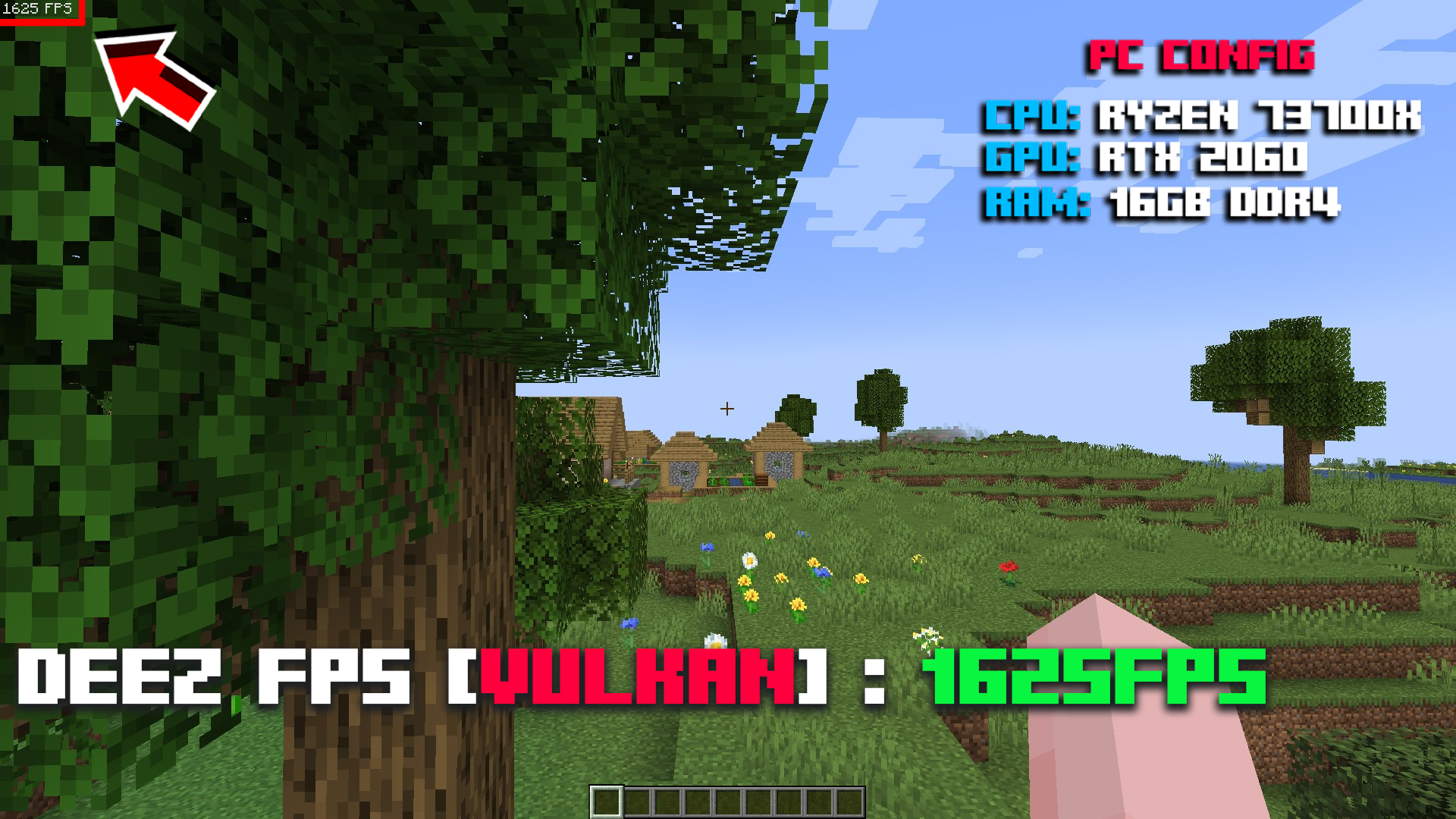
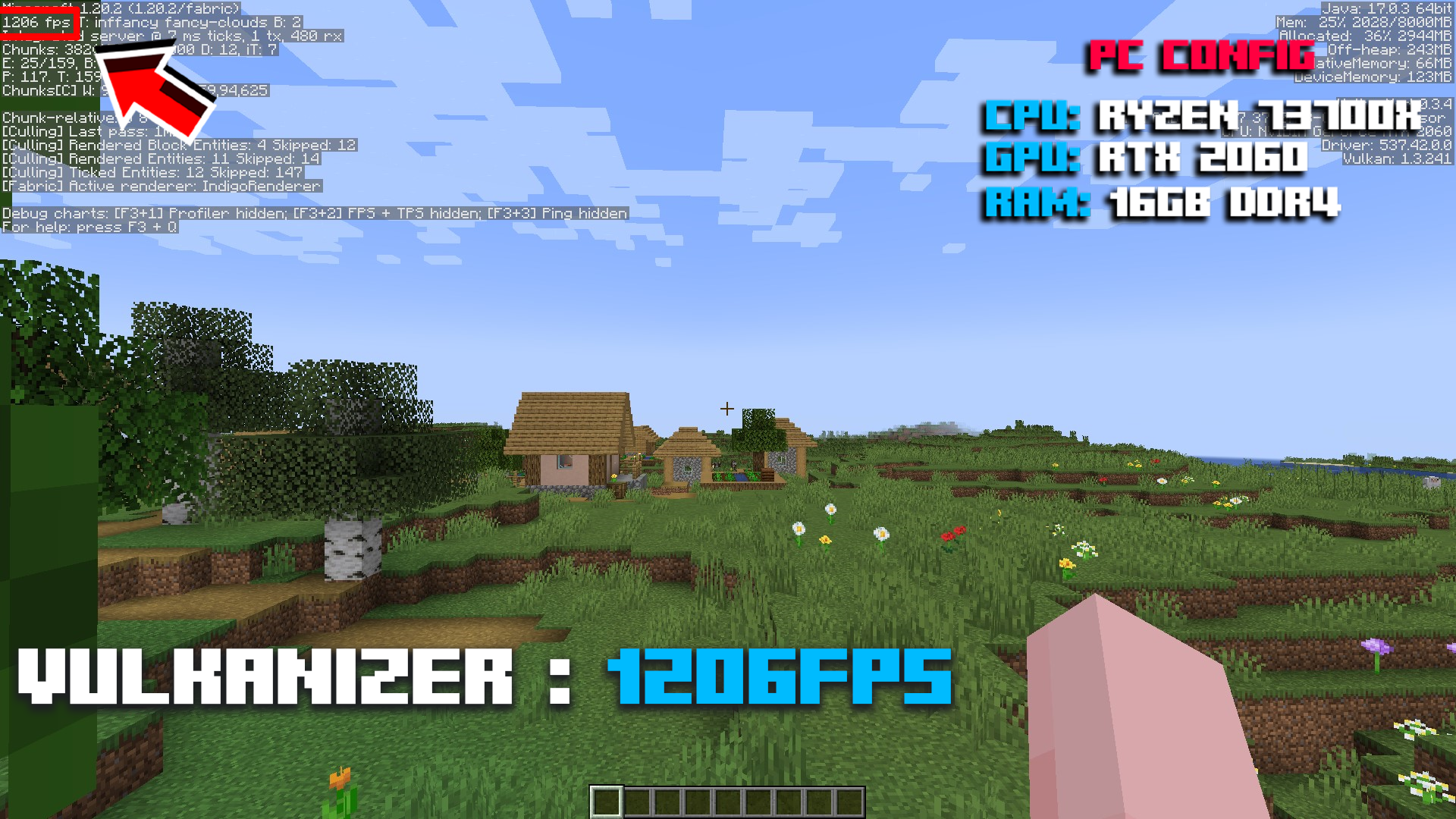
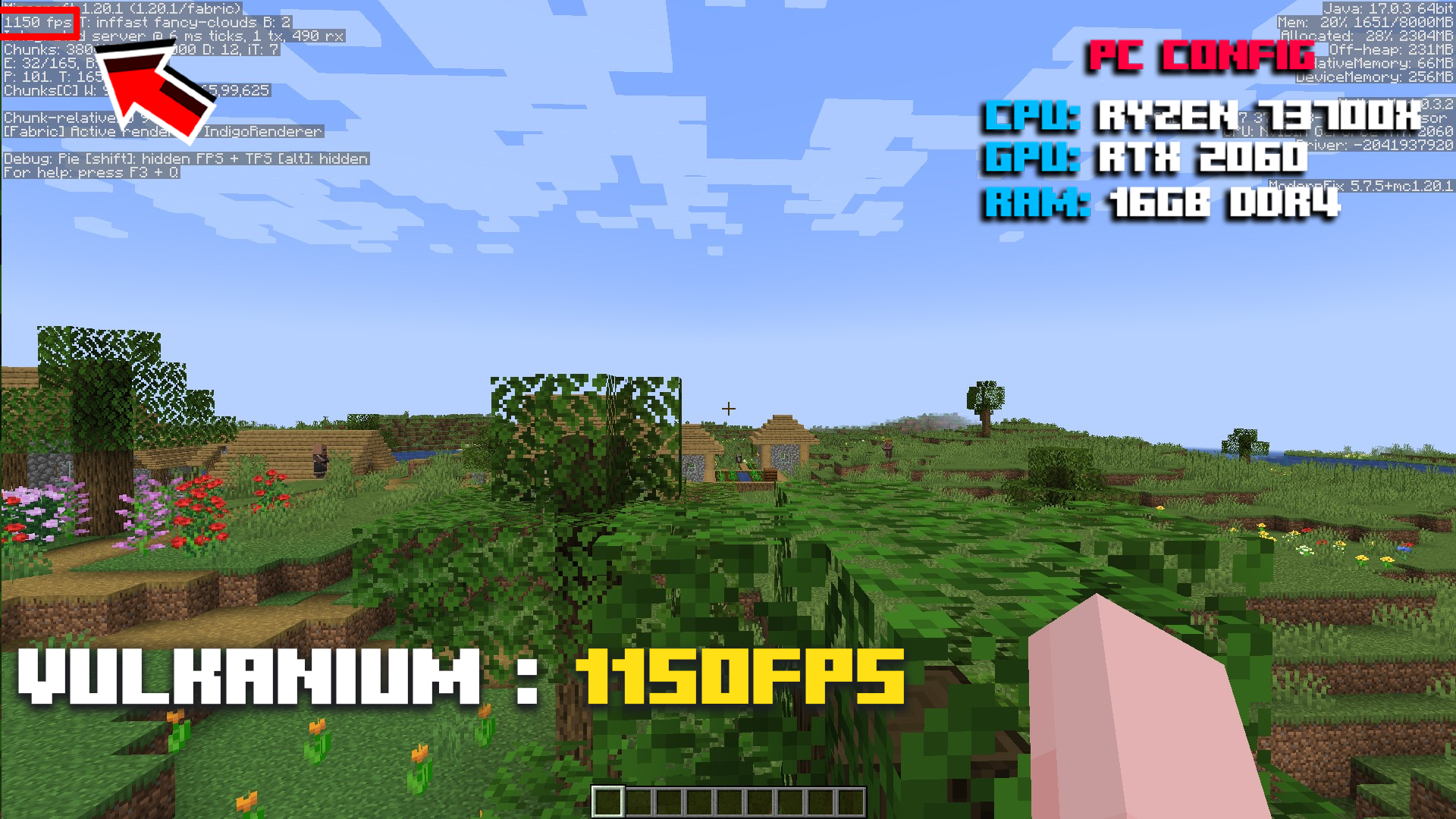
You can check the gallery I made, I tested some with vanilla, lunar client, fabulously optimized and deez fps [VE] of course [ I didn't cheat, I didn't fake anything 100% reliable, It's not guarantee you will get the same fps like mine. I worked hard to use the same settings in vanilla , lunar , fo and mine, you can find my pc configuration in the gallery, I can't afford a better device, but for now I have a laptop, thinking to buy a pc soon enough. But with the modpack I made, you can play minecraft :). ]
Deez FPS [Vulkan Edition]:
Vulkanizer Modpack:
Vulkanium Modpack:
Shaders
No, not for now, planned and might appear in the future
Connected Textures
No, Deez FPS [Vulkan Edition] doesnot support connected textures and some optifine features.
Tweaks
Deez Fps includes a few minor tweaks, such as Model Gap Fix, ItemSwapper, AntiGhost, Smooth Boot, Chunky, Mouse Tweaks etc....
Loader
Built on Fabric is a lightweight, experimental modding tool chain for Minecraft.
Support
If you need support or you have any question, you can join the discord, where there are mods and admins to assist you. Here is the link: DISCORD
Project description from Modrinth.
Pick your setup
Deez FPS [Vulkan Edition] by Minecraft version and loader
Choose the version and loader you play, then open the matching release.
Minecraft version
1.21.5
1 loader buildMinecraft version
1.21.4
1 loader buildMinecraft version
1.21.1
1 loader buildMinecraft version
1.20.6
1 loader buildMinecraft version
1.20.4
1 loader buildMinecraft version
1.20.2
1 loader buildMinecraft version
1.20.1
1 loader buildMinecraft version
1.20
1 loader buildMinecraft version
1.19.4
1 loader buildMade local changes? Try them in a copied instance before touching a world you care about.
Recent files
Deez FPS [Vulkan Edition] versions and loaders
Fabric 0.18.41.21.108.0.312+7 release
Fabric1.21.5 release
Fabric1.21.5 release
Fabric1.21.4 release
Fabric1.21.1 release
Fabric1.21.1 release
Fabric1.21.1 release
Fabric1.21.1 release
Fabric1.21.1 release
Fabric1.21.1 release
Fabric1.20.6 release
Fabric1.20.4 release
Looking for an older file? The official Modrinth project page is in Resources.
 modpack
 CurseForge · Minecraft
lots of gun
adds guns and a lot of guns
 modpack
 CurseForge · Minecraft
Dragons Of ARK
((Recommended RAM: 6–8 GB))Welcome to Isle of Dragons! Step into a world where dragons rule the skies and adventure waits beyond every island. Isle of Dragons is a Minecraft modpack created for our HTTYD-inspired roleplay experience
 modpack
 CurseForge · Minecraft
Happy's AmazingCraft
AmazingCraft is a really fun modpack! do whatever your heart's content, build amazing builds, explore amazing biomes, and structures mine for crazy resources, visit different and exciting dimensions, and a whole lot more!