Minecraft version
Back to modpacks 
Modrinth · Minecraft modpack
🪼 Jellyfish
Optimization and Enhancement combined with speed and ease of use
Choose a version Pick your version below, then grab the matching file.
Quick answer
Which 🪼 Jellyfish release should I use?
Latest stable file 🪼 Jellyfish 4.2.0-fabric_sodium
Game version 1.21.11
Loader Fabric
🪼 Jellyfish 4.2.0-fabric_sodium is a complete pack release for 1.21.11 with Fabric. Install it as its own launcher instance. If the creator publishes a separate server file, make sure it names this exact pack release. Could not safely read this pack file.
Pack setup
How should I set up 🪼 Jellyfish for players and a server?
Use 🪼 Jellyfish 4.2.0-fabric_sodium as the pack version. Install the pack as its own launcher instance. The creator’s listing does not name a separate server file, so check the release notes before setting up a dedicated server. Do not upload the ordinary client folder blindly.
Client instance Install 🪼 Jellyfish 4.2.0-fabric_sodium
Dedicated server setup Match 🪼 Jellyfish 4.2.0-fabric_sodium
Pack loader Fabric
A pack is a matched client and server setup, not one mod with an install-side label. Keep its release, loader, manifest and overrides together.
What are the server requirements for 🪼 Jellyfish?
🪼 Jellyfish 4.2.0-fabric_sodium. Change the pack release and its contents or setup may change too.
The selected pack release is 🪼 Jellyfish 4.2.0-fabric_sodium. That file is for Minecraft 1.21.11 with Fabric. We could not safely count the mods in this release. The creator’s listing does not name a separate server file. Check their notes before using one, and do not upload an ordinary client folder or rebuild the pack mod by mod. A file count cannot tell us the right RAM, CPU or storage; size the server for the players and world you actually run.
About this project
What kind of pack is 🪼 Jellyfish?

Introduce
Have you ever imagined that your old computer would be able to run Minecraft at 80~100+ fps? Well, now it's real!
Using Jellyfish, you can experience incredible pleasure while playing your favorite game. The modpack optimizes your game, and also slightly visually updates it.
If you don't want visual modifications, try Bromum, there is nothing extra, only game optimization
Why Jellyfish?
The goal of Jellyfish is to help players launch Minecraft with incredible speed and ease, as well as comfortably play without lags and with support for only useful Optifine features. In order not to clutter your settings, useless Optifine features will not be included in the modpack.
For launchers that don't support the .mrpack file format, I provide zip files for mods and config files on my Discord Server and the .zip archive will also be attached as an additional file on the modrinth downloads page.
Works everywhere
Jellyfish doesn't add any additional content to the game, allowing for compatibility with most any world or server.
Support and Issues
If you have an error or just need help, contact my discord server. There I will help you and tell you how to fix various problems
It is recommended to play with a licensed copy of the Minecraft Java game!
Start playing with Jellyfish now, optimize your game and enjoy the gaming process like never before!
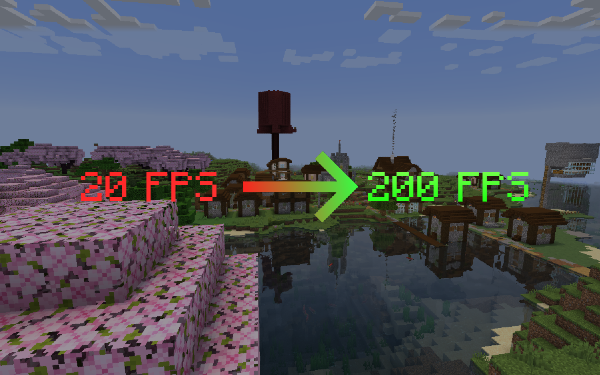
Special thanks to Simply Optimized for their optimization configs.
Project description from Modrinth.
Pick your setup
🪼 Jellyfish by Minecraft version and loader
Choose the version and loader you play, then open the matching release.
Minecraft version
1.21.5
1 loader buildMinecraft version
1.21.1
3 loader buildsMinecraft version
1.21
1 loader buildMade local changes? Try them in a copied instance before touching a world you care about.
Recent files
🪼 Jellyfish versions and loaders
Fabric1.21.11 release
Fabric1.21.5 release
Fabric1.21.1 release
NeoForge1.21.1 release
Quilt1.21.1 release
Fabric1.21.1 release
NeoForge1.21.1 release
Quilt1.21.1 release
Fabric1.21.1 release
Fabric1.21.1 beta
Quilt1.21.1 beta
Quilt1.21 alpha
Looking for an older file? The official Modrinth project page is in Resources.
 modpack
 CurseForge · Minecraft
Atcez SMP
Modpack for a mutilplayer I want to do
 modpack
 CurseForge · Minecraft
Create France Serveur
Create Communauty Pack for friends want to play Together, discover new minecraft world and find new friends to create best project
 modpack
 CurseForge · Minecraft
Cobblewatch
A modpack based on Cobblemon for a better experience playing with friends