Minecraft version
Back to modpacks 
Modrinth · Minecraft modpack
Clovercraft Ultimate
The official editors-choice set of mods for playing on the Clovercraft SMP
Choose a version Pick your version below, then grab the matching file.
Quick answer
Which Clovercraft Ultimate release matches Fabric?
Best match for your filters Season 8 - 5.3.2
Game version 1.21.11
Loader Fabric 0.18.4
Season 8 - 5.3.2 is a complete pack release for 1.21.11 with Fabric 0.18.4. Install it as its own launcher instance. If the creator publishes a separate server file, make sure it names this exact pack release. 37 mods in this pack file.
Pack setup
How should I set up Clovercraft Ultimate for players and a server?
Use Season 8 - 5.3.2 as the pack version. Install the pack as its own launcher instance. The creator’s listing does not name a separate server file, so check the release notes before setting up a dedicated server. Do not upload the ordinary client folder blindly.
Client instance Install Season 8 - 5.3.2
Dedicated server setup Match Season 8 - 5.3.2
Pack loader Fabric 0.18.4
A pack is a matched client and server setup, not one mod with an install-side label. Keep its release, loader, manifest and overrides together.
Referenced mods 37
Client only 24
Server only 0
Not labelled 13
These numbers come from the pack file you chose. “Not labelled” means we don’t know which side it belongs on—not that it is safe everywhere. The file count is not a RAM estimate.
What are the server requirements for Clovercraft Ultimate?
Season 8 - 5.3.2 on Fabric. The pack contents and setup notes below stay tied to that release.
The selected pack release is Season 8 - 5.3.2. That file is for Minecraft 1.21.11 with Fabric 0.18.4. It contains 37 mod projects. The creator’s listing does not name a separate server file. Check their notes before using one, and do not upload an ordinary client folder or rebuild the pack mod by mod. A file count cannot tell us the right RAM, CPU or storage; size the server for the players and world you actually run.
About this project
What kind of pack is Clovercraft Ultimate?
Clovercraft Ultimate
The Ultimate pack is our official extended staff-picks modpack, and our intended way for players to experience the Clovercraft SMP. Similar to the Clovercraft Essentials pack, this modpack contains everything you need to log in to the Clovercraft Season 9 SMP. It's also been rounded out with our favorite choices for various tools and client-side improvements.
A list of the included mods is below, but we'd suggest you use it as a reference. The server is set up with a guidebook which you will recieve on first join that explains all the core mods of the server, and experienced users will find familiar tools in the Ultimate edition's expanded collection.
Note that the list below does not include optimization and library mods, which are included. See the latest version for a full list of all included dependencies.
Core Mods
These mods are included and are required for signing on to the Clovercraft SMP.
- AppleSkin adds food-related HUD improvements.
- Armor Statues allows for easy posing of armor stands for decoration
- Bartering Stations add an easy way to trade with all nearby piglins
- Biomes O' Plenty expands the variety of biomes you can discover in the world
- Bookshelf Inspector lets you see what's in those chiseled bookshelves
- Carry On lets you pick up and move most block entities, including chests
- Copper Hopper makes item sorting a breeze
- Crops Love Rain increases crop growth when exposed to rainfall
- Easy Anvils improves the anvil UI and smithing costs
- Easy Magic improves the enchanting UI and enchanting costs
- Easy Shulker Boxes lets you access your shulkers in your inventory
- Ecologics adds even more biome variety and a few new critters
- Elytra Trims to decorate your wings
- Eternal Nether overhauls the nether exploration experience
- Farmer's Delight for expanded cooking and farming options, as well as some decorations
- Field Guide for tracking your in-game discoveries
- Glowing Torchflowers that actually provide light
- Jade adds an info hud showing what you're looking at
- JEI adds a searchable recipe and block viewer
- Just Hammers for a new type of mining tool
- Lootr player instanced loot chests
- Macaw's Furniture for functional interior decorations
- Measurements gives you a tapemeasure to make sizing up space easy
- Open Parties and Claims for chunk claiming
- Reach Behind so you can access chests through signs and item frames
- Rechiseled adds a variety of new building block variants to expand your building choices
- Right Click Harvest lets you harvest crops and replant them with ease
- Simple Voice Chat for proximity voice chat on the server (optional)
- Storage Drawers to organize your treasures
- Streams Reflowing adds natural flowing rivers to the world
- Trading Post adds a workbench that allows you to trade with all nearby villagers
- Traveler's Backpack lets you craft and upgrade a backpack to carry whatever you please
- Trinkets Elytra Support lets you wear your wings with a chestplate
- Untitled Duck Mod introduces tamable ducks and geese to the rivers of the world
- Visual Workbench improves the crafting UI and allows items to stay in the crafting table
- Waystones allow for long distance point-to-point teleportation
- Xaero's World Map lets you see all that you've discovered
- Xaero's Mini Map adds a mini-map to your hud with a customizable entity radar
Ultimate Edition Expansions
- 3D Skin Layers updates the skin rendering model to fill in 3D layers
- Better F3 offers an improved and customizable debug screen
- Better Statistics Screen gives you a searchable stats interface in place of the vanilla one
- Borderless Fullscreen allows for windowed fullscreen mode
- Chat Animations adds subtle animation to the vanilla chat system
- Chat Heads adds player heads next to their chat messages
- EMF and ETF expand the entity model and texture features for resource packs
- Flashback allows for in-game recording and playback editing
- Freecam lets you detach your camera from your character to look around
- Inventory Profiles Next greatly expands the default abilities of the player inventory
- Iris for shader support
- Litematica provides a suite of builder tools for working with schematics
- Mouse Tweaks provides subtle adjustments to the way you can use your mouse in your inventory
- Not Enough Animations expands the player animations
- Particle Effects adds particle effects to the world based on biome and other conditions
- Particle Rain replaces the default rain system with a particle based one
- Pickup Notifications so you know what you just got
- Reese's Sodium Options for the options menu overhaul
- Scribble adds book editing tools
- Shulkerbox Tooltips shows you what's in your shulkers
- Sound Physics Remastered reshapes the sound engine of the game to better respect block physics
- Sounds adds more sounds
- Status Effect Bars for stylized effect bars
- Voxy for long range LODs
- Zoomify for an easy to use player zoom
Ultimate Edition also bundles several resource packs and Shaders that we recommend for players, along with our default suggested configuration and key-mapping. The modpack should respect your changes on updates.
Pre-6.0 Notes
Heads Up! This section of the page refers only to version of the pack before 6.0.
The Clovercraft Ultimate Modpack includes everything from the Quality-of-Life modpack, along with extra tools for players who need that additional bit of power in their client. Including features for schematics, free cam, and a massive collection of advanced game information, this modpack covers everything you need.
Included Mods
Please note this is not an exhaustive list, and only includes feature mods not library and support mods.
- 3D Skin Layers - Does what it says!
- Better Statistics Screen - View your stats in a searchable full screen menu
- BetterF3 - Gives you a better F3 screen
- Chat Heads - Adds player heads next to chat messages
- Continuity - Support for better connected textures
- Dynamic Light - a dynamic and handheld light mod
- EntityCulling - reduce the number of animated entities for performance
- Freecam - Allows free movement of the camera without moving the player
- Inventory Profiles Next - A huge set of extra inventory tools
- Iris - Shader support
- Litematica - Create, manage, and place schematics
- Lithium - Rendering engine optimizations
- Locator Heads - Replaces locator bar dots with player heads
- MiniHUD - Massive selection of world information tools
- Mod Menu - Adds a mod menu
- Not Enough Animations - Better 3rd person animations
- Reese's Sodium Options - Option menu changes for Sodium graphics settings
- Shulkerbox Tooltips - See what's in your shulkers
- Simple Voice Chat - Prox chat
- Sodium - Graphics engine optimizations
- Sodium Extras - extra graphics features
- Voxy - A far distance rendering mod utilising LoDs
- Xaero's Minimap - A highly configurable mini-map with entity radar
- Xaero's World Map - A worldmap that pairs wonderfully with the mini-map
- Zoomify - Adds zoom functionality to the player camera
Project description from Modrinth.
Mods in Season 8 - 5.3.2
Open any mod on Modpacks.ch to check its files and dependencies.
architectury-19.0.1-fabric.jar SHA-1
2d40563f7e36f7a03f094031aeaacb175117928e · Modrinth version uNdfrcQ8 · Project link unavailable Side not labelledBetterF3-17.0.0-Fabric-1.21.11.jar SHA-1
e1c57a6377d12d6d26c039d317eec00ae7f08e2b · Modrinth version Qw1nhj7u · Project link unavailable Client onlybetterstats-5.0.0-beta.5+fabric-1.21.11.jar SHA-1
3bcfb5c0ae09b9d85054856c357ec1dcecfd308f · Modrinth version 4zp5svX3 · Project link unavailable Side not labelledchat_heads-1.2.1-fabric-1.21.11.jar SHA-1
17ba8126f1953fc9eb059ca8c82b5b72b3f907d3 · Modrinth version AAR2TTo3 · Project link unavailable Client onlycloth-config-21.11.153-fabric.jar SHA-1
4c224606a963bce223db5b27edb4959ecf40d4ee · Modrinth version xuX40TN5 · Project link unavailable Side not labelledcontinuity-3.0.1-beta.1+1.21.11.jar SHA-1
51d34c3f2035db0c7fca321b2d94f01b5167707c · Modrinth version mX1iknM1 · Project link unavailable Client onlyentity_model_features_1.21.11-fabric-3.0.12.jar SHA-1
047820c78e7ca8c4ba60eab337c891375612d9ac · Modrinth version uvlfzqyo · Project link unavailable Client onlyentity_texture_features_1.21.11-fabric-7.0.9.jar SHA-1
5e553413076d4ee587ea1c7aae62a328d3856598 · Modrinth version 3uFr0jys · Project link unavailable Client onlyentityculling-fabric-1.9.5-mc1.21.11.jar SHA-1
e2e88c0b2286148e9547eb23d95d2e30e60ad753 · Modrinth version Dx3xsUER · Project link unavailable Client onlyfabric-api-0.141.3+1.21.11.jar SHA-1
50de67eb221f0b38216da8668b09ca311327040e · Modrinth version i5tSkVBH · Project link unavailable Side not labelledfabric-language-kotlin-1.13.9+kotlin.2.3.10.jar SHA-1
20b2200961e11994595ebb2d5f6624f232d13751 · Modrinth version ViT4gucI · Project link unavailable Side not labelledForgeConfigAPIPort-v21.11.1-mc1.21.11-Fabric.jar SHA-1
61aa1b5fafd75afc44552d0213cac39bc938bc2d · Modrinth version uXrWPsCu · Project link unavailable Side not labelledfreecam-fabric-1.3.6+mc1.21.11.jar SHA-1
fa808166a5a266048a29cb235dd78fc24342e631 · Modrinth version 34bZL2kK · Project link unavailable Client onlyInventoryProfilesNext-fabric-1.21.11-2.2.3.jar SHA-1
7835dac2b68a976a339856146f934e76f3e0e4b4 · Modrinth version hUyBZiaa · Project link unavailable Client onlyiris-fabric-1.10.5+mc1.21.11.jar SHA-1
8f56581bb74c845b702d07488cd9b8adffaae497 · Modrinth version ZQx4ktUs · Project link unavailable Client onlylambdynamiclights-4.9.1+1.21.11.jar SHA-1
f22487846158f62b3485a5a0723ba048326ac00f · Modrinth version 5Tp7kdU0 · Project link unavailable Client onlylibIPN-fabric-1.21.11-6.6.2.jar SHA-1
bf7764431b252d2de415cb5c017d9645873b008e · Modrinth version NfmfXRhx · Project link unavailable Client onlylitematica-fabric-1.21.11-0.26.0.jar SHA-1
c668c2acd44c0a46fac59d7ef4a9382fc19b3273 · Modrinth version 7LGBHMu9 · Project link unavailable Client onlylithium-fabric-0.21.3+mc1.21.11.jar SHA-1
7733e091bebe5f68aaa4e13cfb6f1eaf3a192379 · Modrinth version qvNsoO3l · Project link unavailable Side not labelledlocator-heads-1.6.4.jar SHA-1
d9498ba3cec62668ccb7bf4b7c5978b2f82ab613 · Modrinth version nRYY2Vc3 · Project link unavailable Client onlymalilib-fabric-1.21.11-0.27.6.jar SHA-1
7f4a095bed99677450277921011f613f83e44a75 · Modrinth version 4KeJMj6s · Project link unavailable Client onlyminihud-fabric-1.21.11-0.38.3.jar SHA-1
1e59e1232fefe1d1a3fbb707855c2ffc8fe4ce26 · Modrinth version LTpNG9hs · Project link unavailable Client onlymodmenu-17.0.0-beta.2.jar SHA-1
632c7565ba0fbc033aa4574e1ae6919f277fe03b · Modrinth version JWQVh32x · Project link unavailable Client onlyMouseTweaks-fabric-mc1.21.11-2.30.jar SHA-1
86515de45fe960bd717deea0954055106e857b81 · Modrinth version i1duwnJl · Project link unavailable Client onlymru-1.0.26+edge+1.21.11-fabric.jar SHA-1
8b4d0803932c2edf6f521feb306bcd01a013a692 · Modrinth version XXzIJdq5 · Project link unavailable Side not labellednotenoughanimations-fabric-1.11.3-mc1.21.11.jar SHA-1
437a677acd586e5d17a1efc3fad4c07884c985b8 · Modrinth version QGjgHo9H · Project link unavailable Client onlyowo-lib-0.13.0+1.21.11.jar SHA-1
5baf520ec1e69210ee430a8413a6493cc402764d · Modrinth version 33Ei8Thm · Project link unavailable Side not labelledreeses-sodium-options-fabric-2.0.3+mc1.21.11.jar SHA-1
fb452b122fd72e8540d32fbe3df01cc34a45ce41 · Modrinth version yIgAFMna · Project link unavailable Client onlyshulkerboxtooltip-fabric-5.2.15+1.21.11.jar SHA-1
dfc3911da555fe6c0ca57b2fd4ab18deb3cd1b61 · Modrinth version 2lPKqJBJ · Project link unavailable Side not labelledskinlayers3d-fabric-1.10.1-mc1.21.11.jar SHA-1
00420fd22af05fc8dec38937f6efcfe25717a5f0 · Modrinth version xm69SB7D · Project link unavailable Client onlysodium-extra-fabric-0.8.3+mc1.21.11.jar SHA-1
e8fd1eae0d589393189f64062ca1e46fc03f4ced · Modrinth version yqY1efrC · Project link unavailable Client onlysodium-fabric-0.8.4+mc1.21.11.jar SHA-1
c0a8ac43af978f8d8245bf033670944eb90d7b2e · Modrinth version 1OWNgWVR · Project link unavailable Client onlytcdcommons-5.0.0-beta.5+fabric-1.21.11.jar SHA-1
b555e6eaa1c2f0839144a5099091436c9988ac45 · Modrinth version 9ck6BCCe · Project link unavailable Side not labelledvoicechat-fabric-1.21.11-2.6.12.jar SHA-1
28d5556d892eafcbf8da6dab7284879b61aeb1b4 · Modrinth version pFTZ8sqQ · Project link unavailable Side not labelledvoxy-0.2.10-alpha.jar SHA-1
891c89967014d289ada5388a73e96f46cce91ba8 · Modrinth version v6fo0Yan · Project link unavailable Client onlyyet_another_config_lib_v3-3.8.2+1.21.11-fabric.jar SHA-1
f99cda70903f16dd6927a276150b2762b4d5ab66 · Modrinth version pHWDw3Vc · Project link unavailable Side not labelledzoomify-2.15.2+1.21.11.jar SHA-1
e1f738a9026e9f087d96861935f994b010b8131a · Modrinth version gI5KZI8V · Project link unavailable Client onlyPick your setup
Clovercraft Ultimate by Minecraft version and loader
Choose the version and loader you play, then open the matching release.
Minecraft version
1.21.11
1 loader buildMinecraft version
1.21.10
1 loader buildMinecraft version
1.21.7
1 loader buildMinecraft version
1.21.4
1 loader buildMinecraft version
1.21
1 loader buildMinecraft version
1.20.2
1 loader buildMinecraft version
1.20.1
1 loader buildMinecraft version
1.19.4
1 loader buildMinecraft version
1.19.3
1 loader buildMinecraft version
1.19.2
1 loader buildMade local changes? Try them in a copied instance before touching a world you care about.
Recent files
Clovercraft Ultimate versions and loaders
Fabric26.3 beta
Fabric26.3 beta
Fabric26.3 beta
Fabric 0.18.41.21.118.0.312+7 release
Fabric1.21.10 release
Fabric1.21.10 release
Fabric1.21.7 release
Fabric1.21.7 release
Fabric1.21.4 release
Fabric1.21.4 release
Fabric1.21.4 beta
Fabric1.21 release
Looking for an older file? The official Modrinth project page is in Resources.
 modpack
CurseForge · Minecraft
Sparked - Simply Better
This modpack improves upon the vanilla game, without changing it in a way where it becomes a new game.
 modpack
CurseForge · Minecraft
Wilderness Unbound RPG
NeoForge 26.3 RPG (247 mods, 396 quests): 10 Ranks & 6 Classes, 3D Multi-Size Machines, Raid Castles, [M] Threat Zones, Friendly World, Enhanced Celestials 2 + 5 Claim-Safe Living Sky Events!
 modpack
CurseForge · Minecraft
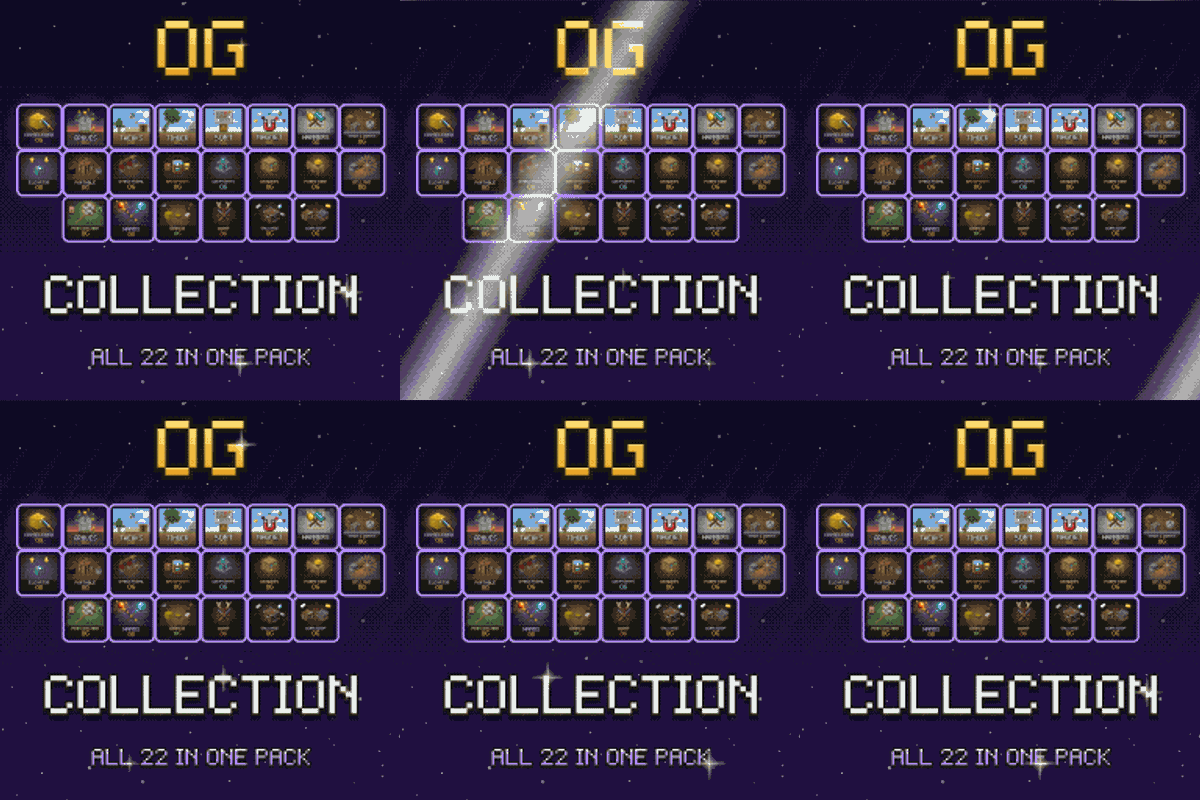
OG Collection
All twenty-two OG mods in one vanilla+ pack: chisel, graves, tweaks, timber, sorting, magnet, hammers, crates, elevators, workstations, physics, backpacks, waypoints, drawers, furniture, bellows, mob nets, wands, ranching, hunting, salvage, workshop.