Minecraft version
Back to modpacks 
Modrinth · Minecraft modpack
ChimpCentralMods
Kitchen Sink Pack for ChimpCentral Community. Themeless and Agile.
Choose a version Pick your version below, then grab the matching file.
Quick answer
Which ChimpCentralMods release should I use?
Latest stable file ChimpCentralMods 1.0.2
Game version 1.20.2
Loader Fabric 0.14.24
ChimpCentralMods 1.0.2 is a complete pack release for 1.20.2 with Fabric 0.14.24. Install it as its own launcher instance. If the creator publishes a separate server file, make sure it names this exact pack release. 13 mods in this pack file.
Pack setup
How should I set up ChimpCentralMods for players and a server?
Use ChimpCentralMods 1.0.2 as the pack version. Install the pack as its own launcher instance. The creator’s listing does not name a separate server file, so check the release notes before setting up a dedicated server. Do not upload the ordinary client folder blindly.
Client instance Install ChimpCentralMods 1.0.2
Dedicated server setup Match ChimpCentralMods 1.0.2
Pack loader Fabric 0.14.24
A pack is a matched client and server setup, not one mod with an install-side label. Keep its release, loader, manifest and overrides together.
Referenced mods 13
Client only 3
Server only 0
Not labelled 10
These numbers come from the pack file you chose. “Not labelled” means we don’t know which side it belongs on—not that it is safe everywhere. The file count is not a RAM estimate.
What are the server requirements for ChimpCentralMods?
ChimpCentralMods 1.0.2. Change the pack release and its contents or setup may change too.
The selected pack release is ChimpCentralMods 1.0.2. That file is for Minecraft 1.20.2 with Fabric 0.14.24. It contains 13 mod projects. The creator’s listing does not name a separate server file. Check their notes before using one, and do not upload an ordinary client folder or rebuild the pack mod by mod. A file count cannot tell us the right RAM, CPU or storage; size the server for the players and world you actually run.
About this project
What kind of pack is ChimpCentralMods?
Who & What
This pack contains a variety of mods without following a specific theme. The mods contained in the pack may be added or removed as the community it is built around evolves. The current section of mods are vanilla+ style mods that add small additions to the game without adding ores. A new major version will indicate a change in the mod selection and Minecraft version.
Why
This pack makes it easy to keep the ChimpCentral community in sync and up-to date.
How to Setup
(For people who are new to Modrinth)
The mods can be installed manually by looking at the names and finding the mod.
Or easily use a launcher like Prism or Modrinth and add the mrpack.
For Prism using Direct Download (Current)
- On the Modrinth page, click download.
- Open Prism.
- Drag the ChimpCentralMods.mrpack onto the window.
- Click OK.
- Select and Launch the ChimpCentralMods instance.
- If there is an update
Update Prism using Direct Download (Current)
- Repeat above steps 1-4
- A Window will say "Similar modpack was found!"
- Select Update existing instance.
For Prism using Modrinth Public Listing (Soon maybe?)
- Open Prism.
- Click on the Add Instance button in the top left corner.
- Select Modrinth as the repository host.
- Search for ChimpCentralMods.
- Click OK.
- Select and Launch the ChimpCentralMods instance.
Project description from Modrinth.
Mods in ChimpCentralMods 1.0.2
Open any mod on Modpacks.ch to check its files and dependencies.
architectury-10.0.16-fabric.jar SHA-1
19dfa722ae593a4af0b7723150db38f83552a8a5 · Modrinth version TcnLTl81 · Project link unavailable Side not labelledbadpackets-fabric-0.5.4.jar SHA-1
b2269f99684c8768e68c45b6b6dfac3ea2d6a1ea · Modrinth version SvSHT7FN · Project link unavailable Side not labelledbalm-fabric-1.20.2-8.0.1.jar SHA-1
c025ed574a78b5fed32a5e17799e7024d16589ef · Modrinth version qHXzOzUv · Project link unavailable Side not labelledcloth-config-12.0.111-fabric.jar SHA-1
fadc64d481a2c0601ea5ca1e0c190aa7a06f84b0 · Modrinth version jvy82BGQ · Project link unavailable Side not labelledfabric-api-0.90.7+1.20.2.jar SHA-1
63d54b41e3dbc3357bd3adc044db4f0df64df141 · Modrinth version FhOnpSMY · Project link unavailable Side not labelledFallingTree-1.20.2-5.0.3.jar SHA-1
9dd0de2a73bbb3531f1fa0ce46a66c84e8f5b5a4 · Modrinth version 7PRbBpzE · Project link unavailable Side not labellediris-mc1.20.2-1.6.10.jar SHA-1
daa258f5acba8a7cc6cc31c2b4d635e342d27e22 · Modrinth version O7RZrusV · Project link unavailable Client onlyjei-1.20.2-fabric-16.0.0.28.jar SHA-1
82cf080ff9c78ab1cc34b35a648df28be1dedcfa · Modrinth version 7Qec2BlS · Project link unavailable Side not labelledjourneymap-1.20.2-5.9.18-fabric.jar SHA-1
4a1ed132a560baaceedb438b5b322d4c1100b1b0 · Modrinth version 7zt8duBI · Project link unavailable Side not labelledMouseTweaks-fabric-mc1.20-2.25.jar SHA-1
21ae6dd81324543e77c10bbb2b928320d71b6750 · Modrinth version m0Dd8Cjy · Project link unavailable Client onlysodium-fabric-mc1.20.2-0.5.3.jar SHA-1
37d1fb5be973beba13b88ae6a6f8158dc80a12ad · Modrinth version bbP1qBMr · Project link unavailable Client onlywaystones-fabric-1.20.2-15.0.0.jar SHA-1
c5a3d4efb3384690e5f83281f35e450d030d820a · Modrinth version zvSaZ3Vl · Project link unavailable Side not labelledwthit-fabric-9.1.2.jar SHA-1
b5d7da8b06cc837df89030f2ea7d9b05f414fabf · Modrinth version qmIJv7KN · Project link unavailable Side not labelledPick your setup
ChimpCentralMods by Minecraft version and loader
Choose the version and loader you play, then open the matching release.
Made local changes? Try them in a copied instance before touching a world you care about.
Recent files
ChimpCentralMods versions and loaders
Fabric 0.14.241.20.28.0.312+7 release
Fabric1.20.2 release
Fabric1.20.2 release
Looking for an older file? The official Modrinth project page is in Resources.
 modpack
CurseForge · Minecraft
precisely.mc
precisely.mc is the official modpack for the precisely.mc server, a tech focused pack with some bonus RPG mods. precisely.mc is the successor to ServerPasqualeDefinitivo.
 modpack
CurseForge · Minecraft
SpookyWorld
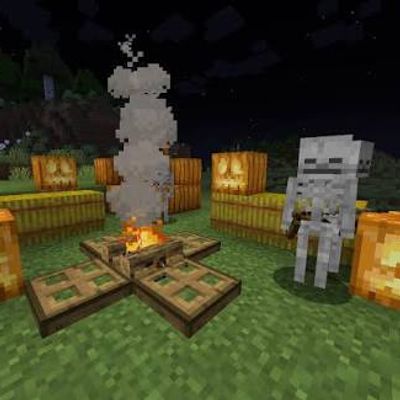
A new Halloween themed modpack made for Minecraft Lovers.
 modpack
CurseForge · Minecraft
Tectonics_Factory
Dragons and Dinos meet factories