Minecraft version
Back to modpacks 
Modrinth · Minecraft modpack
Vanilla Enhancer
Selection of 100+ mods to make Minecraft a little bit better
Choose a version Pick your version below, then grab the matching file.
Quick answer
Which Vanilla Enhancer release should I use?
Latest stable file Vanilla Enhancer 1.2.0
Game version 1.20.1
Loader Fabric 0.15.11
Vanilla Enhancer 1.2.0 is a complete pack release for 1.20.1 with Fabric 0.15.11. Install it as its own launcher instance. If the creator publishes a separate server file, make sure it names this exact pack release. 140 mods in this pack file.
Pack setup
How should I set up Vanilla Enhancer for players and a server?
Use Vanilla Enhancer 1.2.0 as the pack version. Install the pack as its own launcher instance. The creator’s listing does not name a separate server file, so check the release notes before setting up a dedicated server. Do not upload the ordinary client folder blindly.
Client instance Install Vanilla Enhancer 1.2.0
Dedicated server setup Match Vanilla Enhancer 1.2.0
Pack loader Fabric 0.15.11
A pack is a matched client and server setup, not one mod with an install-side label. Keep its release, loader, manifest and overrides together.
Referenced mods 140
Client only 0
Server only 0
Not labelled 140
These numbers come from the pack file you chose. “Not labelled” means we don’t know which side it belongs on—not that it is safe everywhere. The file count is not a RAM estimate.
What are the server requirements for Vanilla Enhancer?
Vanilla Enhancer 1.2.0. Change the pack release and its contents or setup may change too.
The selected pack release is Vanilla Enhancer 1.2.0. That file is for Minecraft 1.20.1 with Fabric 0.15.11. It contains 140 mod projects. The creator’s listing does not name a separate server file. Check their notes before using one, and do not upload an ordinary client folder or rebuild the pack mod by mod. A file count cannot tell us the right RAM, CPU or storage; size the server for the players and world you actually run.
About this project
What kind of pack is Vanilla Enhancer?
Vanilla Enhancer
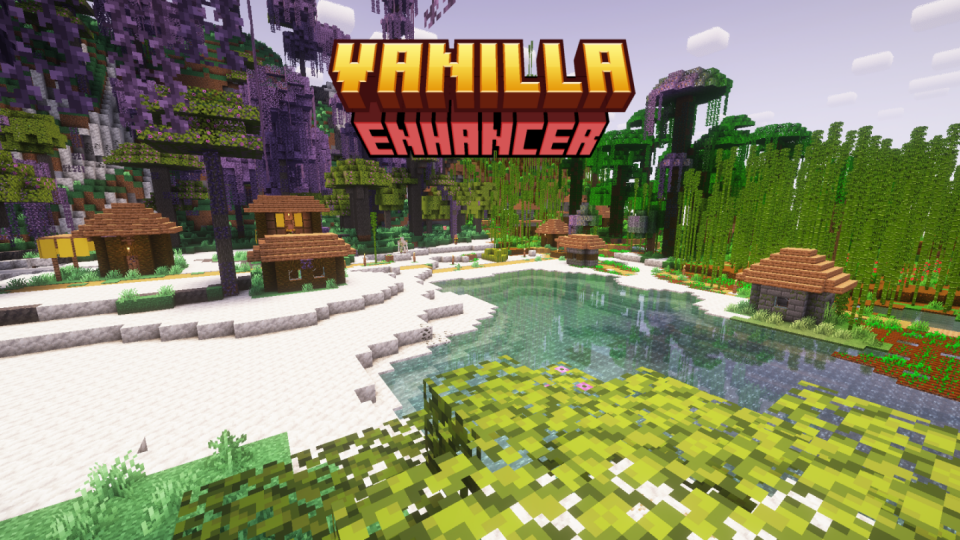
📋 About
If you want to play solo or with friends on a modpack that doesn't change the Vanilla feeling of the game, you're in the right place!
The modpack has a lot of performance improvements even with shaders, with mods like Sodium and Iris.
You also have a ton of Quality of Life mods, such as Comforts, HerdsPanic, Diagonal Fences and much more!
Some texture packs and shaders have been included to enhance the visual of the game like Complementary Shaders - Reimagined and Faithful-32x but you can add as many as you want.
The terrain looks like the vanilla one in no way!
The 3 dimensions are completly modified.
Optifine is nearly completly reimplemented with mods from this table, which are mods used in the Additive modpack.
🔧 Installation
You can either download the .mrpack through your browser and import it as a file in the Modrinth application (or the launcher of your choice if it supports Modrinth modpacks), or download directly from the Modrinth application (or again, another launcher if it supports Modrinth modpacks) and have content updated without needing to download the entire modpack once again.
By default, all server-side only mods, except for Terralith, are disabled, you can enable them back if you want to play in singleplayer but still having the whole experience.
But if you have a server, you wont need to enable them back on your client, but make sure they are enabled on the server.
📦 Content
Click me!
🔌 Mods
- [EMF] Entity Model Features (Client-side only)
- [ETF] Entity Texture Features (Client-side only)
- Additional Additions
- AdditionZ
- Advancement Plaques
- Alternate Current (Server-side only)
- AmbientSounds (Client-side only)
- Amplified Nether (Server-side only)
- Animatica (Client-side only)
- AppleSkin
- Architectury API
- AutoTag
- BCLib
- Beacon Overhaul
- Better Advancements
- Better Mount HUD (Client-side only)
- Better Third Person (Client-side only)
- BetterEnd
- BetterF3 (Client-side only)
- Borderless Mining (Client-side only)
- Capes (Client-side only)
- Cardinal Components API
- Chunky
- CIT Resewn (Client-side only)
- Cloth Config API
- Clumps
- Collective
- Comforts
- Concurrent Chunk Management Engine (Fabric)
- Connectible Chains [Fabric]
- Continuity (Client-side only)
- Controlling (Client-side only)
- CreativeCore
- Cull Less Leaves (Client-side only)
- DashLoader (Client-side only)
- Dawn API
- Debugify
- Diagonal Fences
- Do a Barrel Roll
- Double Doors
- Dynamic Crosshair Compat (Client-side only)
- Dynamic Crosshair (Client-side only)
- Dynamic FPS (Client-side only)
- Easy Anvils
- Easy Elytra Takeoff
- Easy Magic
- Easy Shulker Boxes
- Elytra Slot
- End Remastered
- Ender Dragon Fight Remastered
- Enhanced Block Entities (Client-side only)
- Entity Culling (Client-side only)
- Extended Drawers
- Fabric API
- Fabric Language Kotlin
- Fabric Seasons: Terralith Compat (Client-side only)
- Fabric Seasons
- FabricSkyboxes (Client-side only)
- Fabrishot (Client-side only)
- FastAnim (Client-side only)
- FastChest (Client-side only)
- FerriteCore
- Forge Config API Port
- HerdsPanic
- Iceberg
- ImmediatelyFast (Client-side only)
- Immersive Armors
- Indium (Client-side only)
- Iris Shaders (Client-side only)
- Jade 🔍
- JamLib
- Just Enough Items
- Kaffee's Dual Ride
- Kiwi 🥝
- Krypton
- Ksyxis
- LambDynamicLights (Client-side only)
- LazyDFU
- lazy-language-loader (Client-side)
- Leave My Bars Alone (Client-side only)
- Legendary Tooltips (Client-side only)
- Lithium
- Log Begone
- Memory Leak Fix
- MidnightLib
- Mod Menu (Client-side only)
- Model Gap Fix
- ModernFix
- Mods Command
- More Banner Features
- Mouse Tweaks (Client-side only)
- Mouse Wheelie
- OptiGUI (Client-side only)
- Patchouli
- Paxi
- Presence Footsteps (Client-side only)
- Prism
- Puzzle (Client-side only)
- Puzzles Lib
- RailOptimization
- Reese's Sodium Options (Client-side only)
- Remove Reloading Screen (Client-side only)
- Repurposed Structures - Quilt/Fabric
- RightClickHarvest
- Screenshot to Clipboard (Client-side only)
- Searchables (Client-side only)
- Simply Swords
- Small Ships
- Smoke Suppression (Client-side only)
- Sodium Extra (Client-side only)
- Sodium (Client-side only)
- Soul Fire'd
- Sound Controller (Client-side only)
- Starlight (Fabric)
- SwingThrough (Client-side only)
- TerraBlender
- Terralith
- The Lost Castle
- Time & Wind
- Trinkets
- Twigs
- Universal Ores
- Vanilla Refresh
- World Specific View Distance
- Xaero's Minimap
- Xaero's World Map
- YetAnotherConfigLib
- Your Options Shall Be Respected (YOSBR)
- YUNG's API
- YUNG's Better Dungeons
- YUNG's Better End Island
- YUNG's Better Mineshafts
- YUNG's Better Nether Fortresses
- YUNG's Better Ocean Monuments
- YUNG's Better Strongholds
- Zoomify (Client-side only)
🎨 Resource Packs
- Connected Textures (CTM) Overhaul
- CTM Faithful
- Dark UI 32x
- Emissive TXF (Client-side only)
- Even Better Enchants
- Faithful 32x
- Fast Better Grass (Client-side only)
- Unique Dark (Client-side only)
🌄 Shaders
- Complementary Shaders - Reimagined (Client-side only)
- Nostalgia Shader (Client-side only)
Project description from Modrinth.
Pick your setup
Vanilla Enhancer by Minecraft version and loader
Choose the version and loader you play, then open the matching release.
Made local changes? Try them in a copied instance before touching a world you care about.
Recent files
Vanilla Enhancer versions and loaders
Fabric 0.15.111.20.18.0.312+7 release
Fabric1.20.1 release
Fabric1.20.1 release
Fabric1.20.1 release
Fabric1.20.1 release
Fabric1.20.1 release
Fabric1.20.1 release
Looking for an older file? The official Modrinth project page is in Resources.
 modpack
 CurseForge · Minecraft
RoundAbout JoJo
this mod pack centers around making jojo and minecraft work together
 modpack
 CurseForge · Minecraft
Spirit of Eternal Winter Apocalypse
An apocalypse that is permanently Winter, with POWERFUL foes and tech of copper and zinc.. can you survive?
 modpack
 CurseForge · Minecraft
Shifting Lunar Phase
Modpack based around the mod "Shape Shifter Curse".