Minecraft version
Back to modpacks 
Modrinth · Minecraft modpack
BedJava
A modpack that turns Minecraft java into Minecraft bedrock
Choose a version Pick your version below, then grab the matching file.
Quick answer
Which BedJava release matches 1.20 Fabric?
Best match for your filters BedJava 1.3.0
Game version 1.20
Loader Fabric 0.15.11
BedJava 1.3.0 is a complete pack release for 1.20 with Fabric 0.15.11. Install it as its own launcher instance. If the creator publishes a separate server file, make sure it names this exact pack release. 19 mods in this pack file.
Pack setup
How should I set up BedJava for players and a server?
Use BedJava 1.3.0 as the pack version. Install the pack as its own launcher instance. The creator’s listing does not name a separate server file, so check the release notes before setting up a dedicated server. Do not upload the ordinary client folder blindly.
Client instance Install BedJava 1.3.0
Dedicated server setup Match BedJava 1.3.0
Pack loader Fabric 0.15.11
A pack is a matched client and server setup, not one mod with an install-side label. Keep its release, loader, manifest and overrides together.
Referenced mods 19
Client only 10
Server only 1
Not labelled 8
These numbers come from the pack file you chose. “Not labelled” means we don’t know which side it belongs on—not that it is safe everywhere. The file count is not a RAM estimate.
What are the server requirements for BedJava?
BedJava 1.3.0 on 1.20 Fabric. The pack contents and setup notes below stay tied to that release.
The selected pack release is BedJava 1.3.0. That file is for Minecraft 1.20 with Fabric 0.15.11. It contains 19 mod projects. The creator’s listing does not name a separate server file. Check their notes before using one, and do not upload an ordinary client folder or rebuild the pack mod by mod. A file count cannot tell us the right RAM, CPU or storage; size the server for the players and world you actually run.
About this project
What kind of pack is BedJava?
i perchance may work on this if i have enough time
A Modpack that turns minecraft java into minecraft bedrock
Theres about 16 mods in here that turn minecraft java into a minecraft bedrock lookalike. i made the title screen even look like minecraft bedrocks.
Fetures:
- Mineraft bedrock GUI's
- A Minecraft Bedrock like world creation menu
- Bedrock like main menu
- Fade In Chunks like Bedrock
- And much more fetures!
You can edit a lot of stuff in the configs if you want to.
how to fix some common issues:
- If the main menu screem looks wierd, press CTRL + ALT + C wich will make a topbar appear. then in that topbar press currrent menu, then press the costomsation option wich should be on, click it, then it will be turned off, then the menu should look normal again. to hide the topbar. do CTRL + ALT + C again.
- Make shure to check your video setting before making a new world. becuase its still stuck at 32 chunks and fancy graphics from when i was testing it.
- If you have any other issues. post them in the issues tab
Vibrant Visuals Shader Features
- Pixelated Shadows (Pixel Perfect ish)
- Pixelated underwater reflections
- Vibrant Visuals like reflections
- Runs great due to the low quality shadows
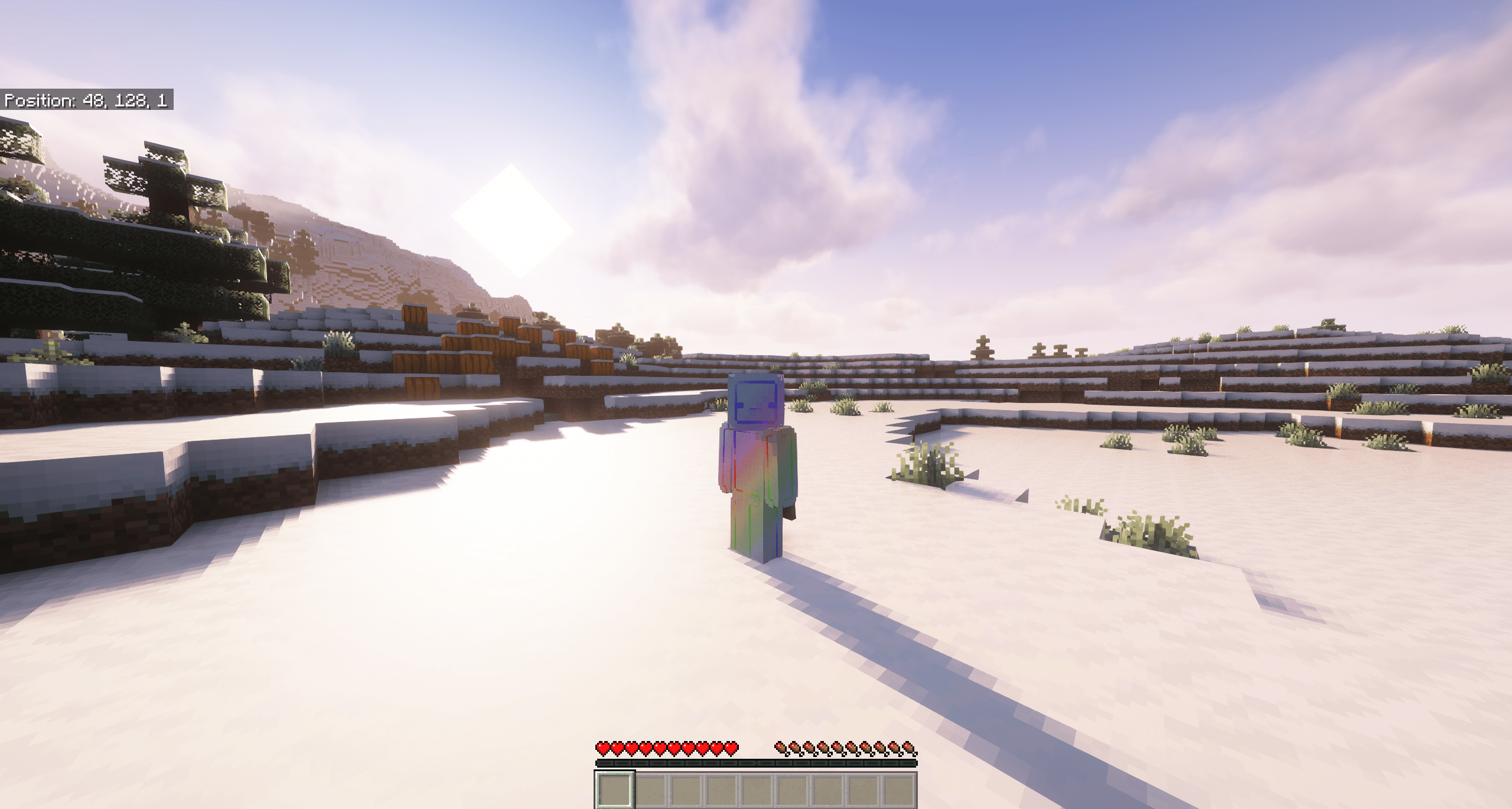
Project description from Modrinth.
Mods in BedJava 1.3.0
Open any mod on Modpacks.ch to check its files and dependencies.
bedrockify-1.9.1+mc1.20.jar SHA-1
32d2e646d698d67961c37278078d6d5f12de6093 · Modrinth version 46zHRXRL · Project link unavailable Side not labelledbedrockwaters-1.7.7+1.20.1.jar SHA-1
cbeec37b7673fbed69a5f31e871c444544540d96 · Modrinth version xuDuAUJ2 · Project link unavailable Client onlyBetterF3-7.0.2-Fabric-1.20.1.jar SHA-1
ed0383ed8c68e1d1cbfc61267afee028d8a4d7fe · Modrinth version 7WkFnw9F · Project link unavailable Client onlyc2me-fabric-mc1.20-0.2.0+alpha.10.89.jar SHA-1
203ae7135e484449a84471b72bcf86b4a2b9d3c9 · Modrinth version L5rSwveR · Project link unavailable Side not labelledchunksfadein-v1.0.5-1.20.jar SHA-1
01011ef50bd814595014ed25cfd2ae5d43e29dd3 · Modrinth version uEHUQ9tW · Project link unavailable Client onlycloth-config-11.1.136-fabric.jar SHA-1
d5fe84a0cc9ed5c7290a76ba570e1f8716afecab · Modrinth version 2xQdCMyG · Project link unavailable Side not labelledcustomsplashscreen-2.1.1.jar SHA-1
40bf9ab122abd11100c2ac35bc1fb4db1f8afcae · Modrinth version olYha9Cw · Project link unavailable Client onlyCustomWindowTitle-Fabric-1.20+v1.2.0.jar SHA-1
180625c304e4d660a08c4c97e5ca24b50622f282 · Modrinth version ueiehBDu · Project link unavailable Client onlyfabric-api-0.83.0+1.20.jar SHA-1
3b0bcacbb175ae6adbbb2af203fce3a37189e494 · Modrinth version n2c5lxAo · Project link unavailable Side not labelledfancymenu_fabric_2.14.9_MC_1.20.jar SHA-1
c3d6f98a0eace33d5bc91c628668e49e36d5f0a9 · Modrinth version VbJOHkC3 · Project link unavailable Side not labellediris-mc1.20-1.6.4.jar SHA-1
ec1491adc5dffeb0ab2f5da290b32cd4e45d58ad · Modrinth version URWeWMAt · Project link unavailable Client onlykonkrete_fabric_1.6.1_MC_1.20.jar SHA-1
2955e03b484153d529c6102ee3fa97720272cc8f · Modrinth version fNYbw69M · Project link unavailable Side not labelledlithium-fabric-mc1.20-0.11.2.jar SHA-1
c19b1fb8ffda09f5bd22cbef8691aa6fed181d90 · Modrinth version 2KMrj5c1 · Project link unavailable Side not labelledmain-menu-credits-1.1.2.jar SHA-1
771eb704928c6d3e9fdf0e7971ba7d97305e09dd · Modrinth version hWX5REu6 · Project link unavailable Client onlymodmenu-7.0.1.jar SHA-1
7210fab34b5ffe9f43207e2a74c7d4b8cdf5b165 · Modrinth version RTFDnTKf · Project link unavailable Client onlynoisium-fabric-2.3.0+mc1.20-1.20.1.jar SHA-1
be85535cf1efe82bd8c41bcf851becaad498a598 · Modrinth version erSJnRcq · Project link unavailable Server onlypotion-cauldron-fabric-1.0.1+mc1.20.jar SHA-1
1fb5d45c79f676a33b7ff081a6951c7310bd113b · Modrinth version 1jZByX3i · Project link unavailable Side not labelledreimaginedmenus-3.1.1-1.20.2.jar SHA-1
61c15d7a863889035e516a20952822c2a0afa061 · Modrinth version MulxgI2B · Project link unavailable Client onlysodium-fabric-mc1.20-0.4.10+build.27.jar SHA-1
b11e18bb09f06c3f8028fa2c090072976fa326d0 · Modrinth version vgceLbdH · Project link unavailable Client onlyPick your setup
BedJava by Minecraft version and loader
Choose the version and loader you play, then open the matching release.
Made local changes? Try them in a copied instance before touching a world you care about.
Recent files
BedJava versions and loaders
Fabric 0.15.111.208.0.312+7 release
Fabric1.20 release
Fabric1.20 release
Fabric1.20 release
Looking for an older file? The official Modrinth project page is in Resources.