CurseForge · Hytale mod
Server Teleporters
Simple plugin for creating teleporters that send users across servers
Quick answer
Which Server Teleporters release should I use?
We could not find enough file information to pick a stable Hytale setup for Server Teleporters.
Where it goes
Where should Server Teleporters be installed in Hytale?
Do not install it as a separate client mod. Enable it on the world host—the local server in singleplayer or the dedicated server in multiplayer.
Put Hytale mods on the world host or dedicated server. Singleplayer runs a local server too; Hytale does not use separate client mods.
What else does Server Teleporters need?
Choose a release before relying on this list.
This file does not give us a dependency list. Check the creator notes before installing.
This file does not list any required or optional project dependencies. Check the creator notes before changing an existing world.
Before you install it
Add Server Teleporters without breaking your instance.
We could not pick a file, so treat this as a checklist—not a compatibility promise.
- 01
Stick to this file
We could not pick a stable file here. Check the game version and loader on the official project page before installing anything.
- 02
Bring the mods it needs
This file does not give us a dependency list. Check the creator notes before installing.
- 03
Enable it on the world host
Do not install it as a separate client mod. Enable it on the world host—the local server in singleplayer or the dedicated server in multiplayer.
- 04
Pick the file you checked
There is no download page for this exact file. Open the project page in Resources and choose the matching release there.
About this project
What does Server Teleporters add?
Cross-Server Teleporter Plugin
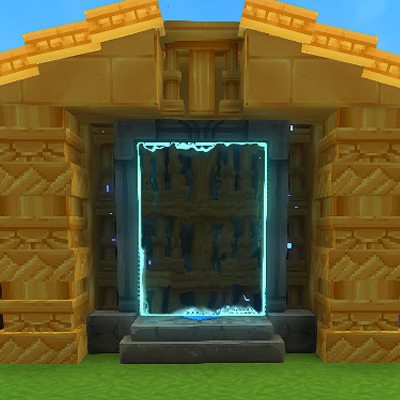
A Hytale plugin that enables seamless cross-server teleportation using the game's native teleporter and warp systems.
Features
Cross-Server Teleportation
- Transfer players between multiple Hytale servers using in-game teleporters
- Works with Hytale's native teleporter blocks and warp system
- Automatic player spawning at designated locations on the target server
Simple Command Interface
- Short, easy-to-remember commands
- List, create, and remove warps and spawn locations
Persistent Storage
- Cross-server warp data stored in
crossserver_warps.json - Survives server restarts
- Separate from Hytale's
warps.jsonto avoid conflicts
Native Integration
- Uses Hytale's built-in teleporter blocks
- Configure destinations through the normal teleporter UI
- No custom blocks or complex setup required
Commands
Cross-Server Warps
Register a cross-server warp
/csw <warpName> <targetServer> <teleporterId>
Remove a cross-server warp
/delcsw <warpName>
List all cross-server warps
/listcsw
Teleporter Spawn Locations
Set spawn location at current position
/settp <teleporterId>
Remove a spawn location
/deltp <teleporterId>
List all spawn locations
/listtp
How It Works
Step 1: Register a Cross-Server Warp
On the source server, create a warp that will redirect players:
/csw hubWarp localhost:25565 spawn1
This creates a warp named hubWarp that transfers players to localhost:25565 and spawns them at teleporter ID spawn1.
Step 2: Set Spawn Location
On the target server, stand where you want players to spawn and run:
/settp spawn1
Step 3: Configure Teleporter
Place a teleporter block in-game, right-click to configure it, and select the hubWarp warp from the list.
Step 4: Use the Teleporter
When a player walks through the configured teleporter, they will:
- Be transferred to the target server
- Spawn at the registered teleporter location
Technical Details
Position-Based Warp Matching
Current implementation is very hacky due to not being able to access a portals destination warp name when the player walks through (working on this)
- Each cross-server warp is assigned unique coordinates (e.g., 10000, 100, 10000)
- The system intercepts teleport events and matches destination coordinates
- If a match is found in the cross-server registry, the transfer is triggered
ECS System Integration
CrossServerTeleportInterceptor- RefChangeSystem that intercepts Teleport component additions- Modifies teleport destination to prevent unwanted movement
- Calls
PlayerRef.referToServer()to initiate cross-server transfer
Data Storage
The plugin stores cross-server warp data in universe/crossserver_warps.json:
{
  "warps": {
    "hubwarp": {
      "targetServer": "localhost:25565",
      "teleporterId": "spawn1"
    }
  }
}
Copy jar file to your Hytale server's
mods/folderRestart the server
Configure cross-server warps using the commands above
Use Cases
Server Networks Connect multiple game servers (lobby to minigames to survival)
Instance-Based Content Transfer players to dedicated servers for dungeons/raids
Load Balancing Distribute players across multiple servers
Regional Servers Connect servers in different geographic locations
Security Considerations
Important: This plugin is currently in development and has no built-in security features. Most of these are currently being worked on
- Any server can send players to any other server
- No authentication between servers
- Referral data is not encrypted or validated
- Commands are not permission based
Project description from CurseForge.
Recent files
Server Teleporters releases and Hytale builds
No release information is currently available.
Looking for an older file? The official CurseForge project page is in Resources.