
Hytale version
Back to mods 
CurseForge · Hytale mod
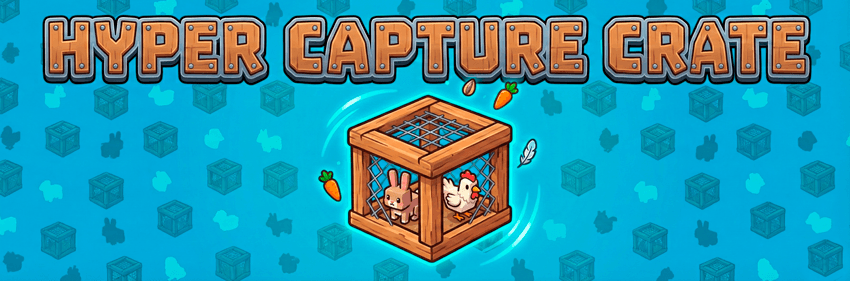
Hyper Capture Crate
Modifies the capture crate to allow capturing most of the creature types, including enemies.
Choose a version Pick your version below, then grab the matching file.
Quick answer
Which Hyper Capture Crate release should I use?
Latest stable file PJ-HyperCaptureCrate-1.1.4.zip
Game version 0.6
Mod system Built-in Hytale mod system
Hyper Capture Crate PJ-HyperCaptureCrate-1.1.4.zip targets 0.6. Do not install it as a separate client mod. Enable it on the world host—the local server in singleplayer or the dedicated server in multiplayer. No required dependencies listed for this file.
Where it goes
Where should Hyper Capture Crate be installed in Hytale?
Do not install it as a separate client mod. Enable it on the world host—the local server in singleplayer or the dedicated server in multiplayer.
Separate client mod Not supported
World host / dedicated server Required
Mod system for this release Built-in Hytale mod system
Required install it here Optional supported, not mandatory Not supported do not install here Source doesn’t say do not assume
Put Hytale mods on the world host or dedicated server. Singleplayer runs a local server too; Hytale does not use separate client mods.
What else does Hyper Capture Crate PJ-HyperCaptureCrate-1.1.4.zip need?
PJ-HyperCaptureCrate-1.1.4.zip. Change the file and its required mods may change too.
This file does not list any required mods. Do not add a library just because a different file uses it.
This file does not list any required or optional project dependencies. Check the creator notes before changing an existing world.
Before you install it
Add Hyper Capture Crate without breaking your instance.
Built for Hyper Capture Crate PJ-HyperCaptureCrate-1.1.4.zip. Pick another file and the loader, install side or required mods may change.
- 01
Stick to this file
Use PJ-HyperCaptureCrate-1.1.4.zip. It targets 0.6; another release may target a different game build or dependency set.
- 02
Bring the mods it needs
This file does not list any required mods. Do not add a library just because a different file uses it.
- 03
Enable it on the world host
Do not install it as a separate client mod. Enable it on the world host—the local server in singleplayer or the dedicated server in multiplayer.
- 04
Pick the file you checked
Use the “Get this file” button beside PJ-HyperCaptureCrate-1.1.4.zip. It opens that exact file at the source.
About this project
What does Hyper Capture Crate add?
This mod adds the Hyper Capture Crate, allowed to capture almost all types of creatures, including aggressive, neutral, and passive mobs.
ℹ️ In its early versions, this mod modified the original Hytale capture crate. Starting with version 1.0.9, a new item (Hyper Capture Crate) was added, different from the vanilla item, although you can still capture almost all creatures in the game with the vanilla Capture Crate.
⚠️ In version 1.1.0, the vanilla item will be restored to its standard functionality, so to achieve the mod's functionality, you will only be able to use the Hyper Capture Crate (which you can craft at the Farming Bench and the PJMods Bench). This way we respect the vanilla item, adding a new one if you need to capture larger creatures.
✅ Features
- Capture All: Some creatures like mosshorns, lizzards, etc… still being uncapturables (… I will implement asap).
💻 Installation
- Place the mod folder
HyperCaptureCrate(or zip) into your server'smodsdirectory. - Add
PJ-HyperCaptureCrateto your server's mod list config if necessary. - Restart the server.
⚒️Crafting
The crafting recipe remains the same as vanilla:
- Input: 4 Wood (Any), 50 Life Essence
- Bench: Farming Bench
- Time: 2 Seconds
👍 Usage
- Craft a Capture Crate.
- Approach any creature (Cows, Bears, Wolves, Skeletons, etc.).
- Use the Capture Crate to capture the entity.
Project description from CurseForge.
Pick your setup
Hyper Capture Crate releases for each Hytale build.
Choose the version and loader you play, then open the matching release.
Hytale version
0.5
1 loader buildCheck the dependencies, then try the file in a copied instance before changing a world you care about.
Recent files
Hyper Capture Crate releases and Hytale builds
PJ-HyperCaptureCrate-1.1.4.zip
27 Aug 2026
Client Not supported Server Required Dependencies No extras listed Listed on Project page
Check the 0.6 setup 0.6 release
PJ-HyperCaptureCrate-1.1.3.zip
15 Aug 2026
Client Not supported Server Required Dependencies No extras listed Listed on Project page
Check the 0.5 setup 0.5 release
PJ-HyperCaptureCrate-1.1.2.zip
13 Jul 2026
Client Not supported Server Required Dependencies No extras listed Listed on Project page
Check the 0.5 setup 0.5 release
PJ-HyperCaptureCrate-1.1.1.zip
16 Jun 2026
Client Not supported Server Required Dependencies No extras listed Listed on Project page
Check the 0.5 setup 0.5 release
PJ-HyperCaptureCrate-1.1.0.zip
26 May 2026
Client Not supported Server Required Dependencies No extras listed Listed on Project page
Check the 0.5 setup 0.5 release
PJ-HyperCaptureCrate-1.0.9.zip
17 May 2026
Client Not supported Server Required Dependencies No extras listed Listed on Project page
Check the setup PJ-HyperCaptureCrate-1.0.8.zip
4 Apr 2026
Client Not supported Server Required Dependencies No extras listed Listed on Project page
Check the setup PJ-HyperCaptureCrate-1.0.7.zip
2 Apr 2026
Client Not supported Server Required Dependencies No extras listed Listed on Project page
Check the setup PJ-HyperCaptureCrate-1.0.6.zip
26 Mar 2026
Client Not supported Server Required Dependencies No extras listed Listed on Project page
Check the setup PJ-HyperCaptureCrate-1.0.5.zip
22 Mar 2026
Client Not supported Server Required Dependencies No extras listed Listed on Project page
Check the setup PJ-HyperCaptureCrate-1.0.4.zip
1 Mar 2026
Client Not supported Server Required Dependencies No extras listed Listed on Project page
Check the setup PJ-HyperCaptureCrate-1.0.3.zip
19 Feb 2026
Client Not supported Server Required Dependencies No extras listed Listed on Project page
Check the setup Looking for an older file? The official CurseForge project page is in Resources.
 mod
mod CurseForge · Hytale
Suspiciously Good Triggers
A must-have improved trigger volume editor for all kinds of trigger volume enjoyers
 mod
mod CurseForge · Hytale
Module: Color Stained Glass Panels
This is the Module vison of the Color Stained Glass Panels to make it more accessible for everyone! Let U chose what u want from the main MOD!
 mod
mod CurseForge · Hytale
Endless Paladin
A class expansion for **Endless Leveling** that adds two new Paladin abilities.