Hytale version
Back to mods 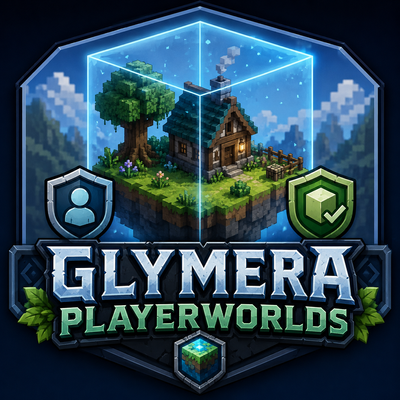
CurseForge · Hytale mod
GlymeraPlayerWorlds
Private, persistent player worlds: right-click the Fragment, pick a biome, and a bounded mini-world spawns just for you. Invite visitors, trust friends, set permissions and spawns. Craft at the Alchemy Bench. Survives restarts.
Choose a version Pick your version below, then grab the matching file.
Quick answer
Which GlymeraPlayerWorlds release should I use?
Latest stable file GlymeraPlayerWorlds-1.0.0.jar
Game version 0.5
Mod system Built-in Hytale mod system
GlymeraPlayerWorlds-1.0.0.jar targets 0.5. Do not install it as a separate client mod. Enable it on the world host—the local server in singleplayer or the dedicated server in multiplayer. No required dependencies listed for this file.
Where it goes
Where should GlymeraPlayerWorlds be installed in Hytale?
Do not install it as a separate client mod. Enable it on the world host—the local server in singleplayer or the dedicated server in multiplayer.
Separate client mod Not supported
World host / dedicated server Required
Mod system for this release Built-in Hytale mod system
Required install it here Optional supported, not mandatory Not supported do not install here Source doesn’t say do not assume
Put Hytale mods on the world host or dedicated server. Singleplayer runs a local server too; Hytale does not use separate client mods.
What else does GlymeraPlayerWorlds-1.0.0.jar need?
GlymeraPlayerWorlds-1.0.0.jar. Change the file and its required mods may change too.
This file does not list any required mods. Do not add a library just because a different file uses it.
This file does not list any required or optional project dependencies. Check the creator notes before changing an existing world.
Before you install it
Add GlymeraPlayerWorlds without breaking your instance.
Built for GlymeraPlayerWorlds-1.0.0.jar. Pick another file and the loader, install side or required mods may change.
- 01
Stick to this file
Use GlymeraPlayerWorlds-1.0.0.jar. It targets 0.5; another release may target a different game build or dependency set.
- 02
Bring the mods it needs
This file does not list any required mods. Do not add a library just because a different file uses it.
- 03
Enable it on the world host
Do not install it as a separate client mod. Enable it on the world host—the local server in singleplayer or the dedicated server in multiplayer.
- 04
Pick the file you checked
Use the “Get this file” button beside GlymeraPlayerWorlds-1.0.0.jar. It opens that exact file at the source.
About this project
What does GlymeraPlayerWorlds add?
GlymeraPlayerWorlds - Private Persistent Player Worlds
Give every player their own private, persistent mini-world. Right-click the Fragment, pick a biome, and a fresh bounded world spawns just for you - with a visitor/trust permission system, custom spawns, and a clean in-game menu. Survives restarts.
Don't miss my other exciting projects — take a look at GlymeraCraft's Profile Discord: https://discord.gg/s5NRFWfxgy
What is GlymeraPlayerWorlds?
GlymeraPlayerWorlds lets each player own one (or more) personal, persistent worlds, separate from the main world. A player crafts a Fragment: Player Realm, right-clicks it, picks a biome from a menu, and the server generates a brand-new Hytale world bounded to a fixed box around its spawn. The world is theirs: they decide who may visit, who may build, and where the spawn point is.
Everything is persistent. Worlds, spawns, trust lists and visitor rules survive server restarts.
How It Works
Crafting the Fragment
Craft at the Alchemy Bench:
- 6x Greater Essence of Life
- 1x Old Map
The recipe is enabled by default and can be turned off in the config (the recipe then stays visible but cannot be crafted; admins hand out Fragments with /pw give).
Creating a world
- Right-click the Fragment: Player Realm (or run
/pw) to open the menu. - Pick one of the enabled biomes: plains, desert, taiga, volcanic, default.
- The server generates your world and teleports you in. The Fragment is consumed.
- A bedrock boundary wall is raised around the playable area so the edge is clearly marked.
If world generation ever fails, the Fragment is refunded - you are never charged for nothing.
Entering, leaving and returning
/pw enterdrops you into your first world (no Fragment needed once you own one)./pw exitreturns you to exactly where you came from.- The playable area is bounded; players cannot wander past the edge.
Visiting other players' worlds
Friends use the same menu: open /pw and below your own worlds you'll find a list of all worlds currently open to visitors — each with a "Visit" button that teleports you straight in. A world appears in that list as soon as its owner enables "Visitors allowed"; players on the owner's Trust list see and can visit the world even when visitors are disabled. /pw exit returns a visitor to exactly where they came from.
Visitors and trust
From a world's Settings page the owner controls:
- Visitors allowed on/off.
- For visitors: build, break and interact permissions, each toggled individually.
- A Trust list - trusted players get full owner-level rights in that world.
- Set spawn at your current position.
When visitor access is revoked, anyone no longer authorized is automatically sent back out.
Replacing and deleting
Already at your world cap? Replace an existing world with a new biome from its Settings page (costs one Fragment), or delete it outright. Replacing keeps your old world intact until the new one has finished generating.
Commands
| Command | Who | Description |
|---|---|---|
/pw |
Everyone | Open the Player Worlds menu (own worlds + visitable worlds of other players) |
/pw enter |
Everyone | Enter your own (first) world - no Fragment required |
/pw exit |
Everyone | Leave your world and return where you came from |
/pw give <player> |
OP | Give a Fragment: Player Realm to a player |
Configuration
Config file: mods/de.glymera_GlymeraPlayerWorlds/config.json
| Key | Default | Description |
|---|---|---|
maxWorldsPerPlayer |
1 |
How many worlds one player may own. At the cap, pick a new biome by replacing an existing world. |
edgeLengthChunks |
13 |
Edge length of the playable box in 32-block chunks (must be odd; even values round up). 13 = 416x416 blocks. |
availableBiomes |
all on | Which biomes appear in the picker: plains, desert, taiga, volcanic, default. |
recipeEnabled |
true |
Whether the Fragment can be crafted. false = recipe shown but blocked; use /pw give. |
Features at a Glance
- Private, persistent per-player worlds with a clean in-game menu.
- Five built-in biomes, admin-selectable.
- Bounded playable area with a bedrock boundary wall (builds in the background, resumes after a restart).
- Visitor permissions (build / break / interact) and an owner-level trust list.
- Custom spawn points, world replacement and deletion.
- Fragment refunded if generation fails; safe against double-click duplication.
- Fully configurable; recipe toggle included.
Project description from CurseForge.
Pick your setup
GlymeraPlayerWorlds releases for each Hytale build.
Choose the version and loader you play, then open the matching release.
Check the dependencies, then try the file in a copied instance before changing a world you care about.
Recent files
GlymeraPlayerWorlds releases and Hytale builds
GlymeraPlayerWorlds-1.0.0.jar
29 May 2026
Client Not supported Server Required Dependencies No extras listed Listed on Project page
Check the 0.5 setup 0.5 release
Looking for an older file? The official CurseForge project page is in Resources.
 mod
mod CurseForge · Hytale
Metin Reforging
Upgrade items like in Metin2
 mod
mod CurseForge · Hytale
QuestLines Titles
Give players access to selectable titles that show in chat and in QuestLines dialogs.
 mod
mod CurseForge · Hytale
QuestLines Denizens
Add highly customizable NPC entities to the world. Jobs/Schedules/Wander/Patrol/Guard/Animations. Does it all.