Hytale version
Back to mods 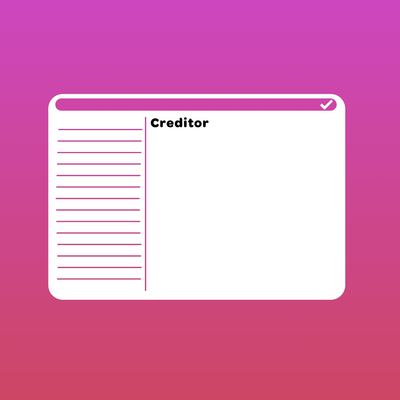
CurseForge · Hytale mod
Creditor
A Hytale Plugin and Java Library to credit mod creators and provide information on the mods which are installed.
Choose a version Pick your version below, then grab the matching file.
Quick answer
Which Creditor release should I use?
Latest stable file Creditor-1.1.2.jar
Game version 0.6
Mod system Built-in Hytale mod system
Creditor-1.1.2.jar targets 0.6. Do not install it as a separate client mod. Enable it on the world host—the local server in singleplayer or the dedicated server in multiplayer. No required dependencies listed for this file.
Where it goes
Where should Creditor be installed in Hytale?
Do not install it as a separate client mod. Enable it on the world host—the local server in singleplayer or the dedicated server in multiplayer.
Separate client mod Not supported
World host / dedicated server Required
Mod system for this release Built-in Hytale mod system
Required install it here Optional supported, not mandatory Not supported do not install here Source doesn’t say do not assume
Put Hytale mods on the world host or dedicated server. Singleplayer runs a local server too; Hytale does not use separate client mods.
What else does Creditor-1.1.2.jar need?
Creditor-1.1.2.jar. Change the file and its required mods may change too.
This file does not list any required mods. Do not add a library just because a different file uses it.
This file does not list any required or optional project dependencies. Check the creator notes before changing an existing world.
Before you install it
Add Creditor without breaking your instance.
Built for Creditor-1.1.2.jar. Pick another file and the loader, install side or required mods may change.
- 01
Stick to this file
Use Creditor-1.1.2.jar. It targets 0.6; another release may target a different game build or dependency set.
- 02
Bring the mods it needs
This file does not list any required mods. Do not add a library just because a different file uses it.
- 03
Enable it on the world host
Do not install it as a separate client mod. Enable it on the world host—the local server in singleplayer or the dedicated server in multiplayer.
- 04
Pick the file you checked
Use the “Get this file” button beside Creditor-1.1.2.jar. It opens that exact file at the source.
About this project
What does Creditor add?
Creditor
Creditor was designed and created by Hytale Workshop following a conversation regarding the problem of server owners unintentionally (or in rare cases, intentionally) not crediting the creators of the mods which they use on their server. Creditor adds a new /credits command which shows a list of installed mods and their creators, as well as other metadata from the manifest.
The mod can be included as a Java library in your own mod (process described below) or it can be installed independently by a good faith server owner. When installed independently, the credits menu adds a checkmark badge in the upper right which tells players that the server owner is actively choosing to support modders. If the symbol is missing, the mod was installed transitively as a Java library in some other installed mod, and the server owner has not chosen to credit creators. This works best for the community if as many people as possible package this with their mod!
Installation
Creditor can be installed as a mod on the server by putting the JAR file in the mods folder as normal, but it can also be used as a Java Library and packaged in your mod. Add Creditor to your project via Cursemaven:
repositories {
    maven { url "https://www.cursemaven.com" }
}

dependencies {
    implementation "curse.maven:creditor-1560961:<file-id>"
}
Note: The file-id is the ID of the file on CurseForge, find the file you want and copy the ID from its URL curseforge.com/hytale/mods/creditor/files/FILE_ID_IS_HERE
Creditor requires initialisation as a Hytale plugin, so in your Main.start() and Main.setup() methods, run Creditor.start() & Creditor.setup() respectively.
When you build your mod, make sure to use the shadow plugin to ensure the dependency is bundled with your mod
plugins {
    idea
    java
    ...
    id("com.gradleup.shadow") version "8.3.6"
}

tasks {
    shadowJar {
        archiveClassifier.set("")

        manifest {
            attributes(
                    "Implementation-Title" to project.name,
                    "Implementation-Version" to project.version,
                    "Multi-Release" to "true"
            )
        }

        from("src/main/resources/hytale-assets") {
            exclude("manifest.json")
        }

        // Remove the nested hytale-assets/ copy from the JAR (assets are at root now).
        // The nested copy still exists in build/resources/main/ for deploy.sh compatibility.
        exclude("hytale-assets/**")

        // Exclude signature files (cause issues)
        exclude("META-INF/*.SF")
        exclude("META-INF/*.DSA")
        exclude("META-INF/*.RSA")
        exclude("META-INF/LICENSE*")
        exclude("META-INF/NOTICE*")
    }

    build {
        dependsOn(shadowJar)
    }

    jar {
        enabled = false // Only use shadowJar
    }
}
Rich credit metadata
Mods can include optional credit metadata in their asset pack under Server/Credits. The asset overrides manifest display fields on the /credits page while the manifest remains the fallback.
Example: Server/Credits/my_mod.json
{
  "Plugin": "com.example:MyMod",
  "Description": {
    "MessageId": "myMod.myMod.description",
    "RawText": "My Mod adds useful server features and includes custom credit metadata."
  },
  "License": {
    "MessageId": "myMod.myMod.license",
    "RawText": "My Mod is licensed under MIT."
  }
}
Project description from CurseForge.
Pick your setup
Creditor releases for each Hytale build.
Choose the version and loader you play, then open the matching release.
Hytale version
0.5
1 loader buildCheck the dependencies, then try the file in a copied instance before changing a world you care about.
Recent files
Creditor releases and Hytale builds
Creditor-1.1.2.jar
30 Aug 2026
Client Not supported Server Required Dependencies No extras listed Listed on Project page
Check the 0.6 setup 0.6 release
Creditor 1.1.1
24 Aug 2026
Client Not supported Server Required Dependencies No extras listed Listed on Project page
Check the 0.6 setup 0.6 release
Creditor 1.1.0
28 Jun 2026
Client Not supported Server Required Dependencies No extras listed Listed on Project page
Check the 0.5 setup 0.5 release
Creditor 1.0.3
4 Jun 2026
Client Not supported Server Required Dependencies No extras listed Listed on Project page
Check the 0.5 setup 0.5 release
Creditor 1.0.1
2 Jun 2026
Client Not supported Server Required Dependencies No extras listed Listed on Project page
Check the 0.5 setup 0.5 release
Creditor 1.0.0
1 Jun 2026
Client Not supported Server Required Dependencies No extras listed Listed on Project page
Check the 0.5 setup 0.5 release
Looking for an older file? The official CurseForge project page is in Resources.
 mod
mod CurseForge · Hytale
FlectonePulse
Every Message Under Your Control in Hytale! (chat, scoreboard, commands, etc.)
 mod
mod CurseForge · Hytale
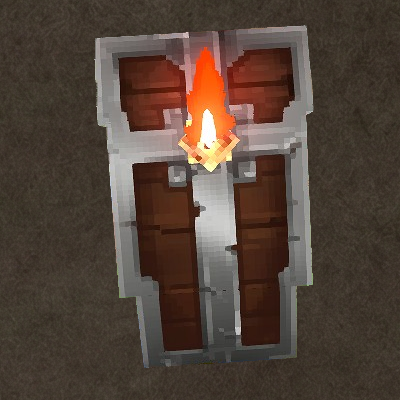
Luminescent Shields
The shields are beautiful, aren't they? These ones shine!
 mod
mod CurseForge · Hytale
Zero0oClasses
A modular Hytale class framework with class UI, class XP, stat scaling, icons, restrictions, and fully editable JSON configs.