Hytale version
Back to mods 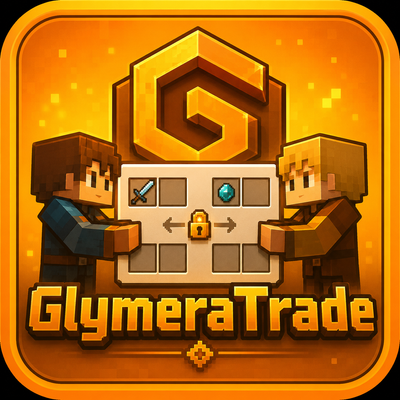
CurseForge · Hytale mod
GlymeraTrade
Safe player-to-player trading for Hytale: a shared window where both sides offer items and money, protected by two-step confirmation and an atomic all-or-nothing swap. Money via GlymeraMerchant or any VaultUnlocked economy.
Choose a version Pick your version below, then grab the matching file.
Quick answer
Which GlymeraTrade release should I use?
Latest stable file GlymeraTrade-2.0.0.jar
Game version 0.6
Mod system Built-in Hytale mod system
GlymeraTrade-2.0.0.jar targets 0.6. Do not install it as a separate client mod. Enable it on the world host—the local server in singleplayer or the dedicated server in multiplayer. No required dependencies listed for this file.
Where it goes
Where should GlymeraTrade be installed in Hytale?
Do not install it as a separate client mod. Enable it on the world host—the local server in singleplayer or the dedicated server in multiplayer.
Separate client mod Not supported
World host / dedicated server Required
Mod system for this release Built-in Hytale mod system
Required install it here Optional supported, not mandatory Not supported do not install here Source doesn’t say do not assume
Put Hytale mods on the world host or dedicated server. Singleplayer runs a local server too; Hytale does not use separate client mods.
What else does GlymeraTrade-2.0.0.jar need?
GlymeraTrade-2.0.0.jar. Change the file and its required mods may change too.
This file does not list any required mods. Do not add a library just because a different file uses it.
This file does not list any required or optional project dependencies. Check the creator notes before changing an existing world.
Before you install it
Add GlymeraTrade without breaking your instance.
Built for GlymeraTrade-2.0.0.jar. Pick another file and the loader, install side or required mods may change.
- 01
Stick to this file
Use GlymeraTrade-2.0.0.jar. It targets 0.6; another release may target a different game build or dependency set.
- 02
Bring the mods it needs
This file does not list any required mods. Do not add a library just because a different file uses it.
- 03
Enable it on the world host
Do not install it as a separate client mod. Enable it on the world host—the local server in singleplayer or the dedicated server in multiplayer.
- 04
Pick the file you checked
Use the “Get this file” button beside GlymeraTrade-2.0.0.jar. It opens that exact file at the source.
About this project
What does GlymeraTrade add?
GlymeraTrade - Safe Player-to-Player Trading
Let your players trade items and money safely, without anyone getting scammed. A shared trade window, live offer preview, two-step confirmation and an atomic swap - plus money support through GlymeraMerchant or any VaultUnlocked economy.
Don't miss my other exciting projects — take a look at GlymeraCraft's Profile Discord: https://discord.gg/s5NRFWfxgy
What is GlymeraTrade?
GlymeraTrade gives your server a proper, scam-proof trading system. A player runs /trade <name>, the other accepts, and a shared trade window opens for both. Each side adds items (and optionally money), both see each other's offer update live, and the deal only goes through once both players confirm. Items and money change hands at the exact same moment - all or nothing.
No more "drop it on the ground and trust me" trades.
How it works
- Player A runs
/trade <player>. Player B gets a request and runs/trade accept. - A trade window opens for both players at the same time.
- Add items: click an item in your inventory (bottom of the window) to move it into Your offer. Click an item in Your offer to take it back. The item leaves your real inventory while it sits in the offer, so it can never be duplicated.
- Add money: type an amount and press Set money (if an economy is available).
- Both players press Confirm. A short countdown runs, then items and money are swapped atomically.
Anti-scam protections
- Both must confirm - nothing happens until both sides agree.
- Any change resets both confirmations. If someone adds, removes or changes anything after confirming, both confirmations are cleared and both must confirm again. This kills the classic "swap the item at the last second" trick.
- Atomic swap - items and money move together or not at all.
- Live colour feedback - a side turns green the moment that player confirms (visible to both); the title turns green when both have confirmed.
- Cancel / close / disconnect - cancelling, closing the window or leaving the game cancels the trade and returns every offered item.
Money support (optional)
GlymeraTrade can include money in a trade, pulled from whichever economy your server runs:
- GlymeraMerchant - used directly, no extra plugins needed.
- VaultUnlocked - any VaultUnlocked-compatible economy works through Vault.
Both are optional. If neither is installed, GlymeraTrade simply runs as an item-only trading plugin - it always loads.
The source is chosen automatically (auto): GlymeraMerchant first, then VaultUnlocked. You can force a specific backend in the config.
Commands
| Command | Description |
|---|---|
/trade <player> |
Send a trade request to a player |
/trade accept |
Accept the pending trade request |
/trade deny |
Decline the pending trade request |
Configuration
Config file: mods/de.glymera_GlymeraTrade/config.json
| Option | Default | Description |
|---|---|---|
confirmSeconds |
3 |
Countdown (seconds) after both confirm, before the swap completes |
requestExpireSeconds |
60 |
How long a trade request stays valid |
allowMoney |
true |
Allow money to be part of a trade |
moneyBackend |
"auto" |
auto, merchant, vault or none |
currencyName |
"gold" |
Display name of the currency |
currencySymbol |
"g" |
Display symbol of the currency |
blacklistedWorlds |
[] |
Worlds where trading is disabled |
blacklistItems |
[] |
Item IDs that cannot be traded (exact or substring match) |
Notes
- Both players must be online and in the same world to start a trade. Distance does not matter - you can trade across the whole map.
- Trading uses a click-to-move interface (Hytale custom UI does not support drag-and-drop item slots).
Project description from CurseForge.
Pick your setup
GlymeraTrade releases for each Hytale build.
Choose the version and loader you play, then open the matching release.
Hytale version
0.5
1 loader buildCheck the dependencies, then try the file in a copied instance before changing a world you care about.
Recent files
GlymeraTrade releases and Hytale builds
GlymeraTrade-2.0.0.jar
28 Aug 2026
Client Not supported Server Required Dependencies No extras listed Listed on Project page
Check the 0.6 setup 0.6 release
GlymeraTrade-1.0.0.jar
4 Jun 2026
Client Not supported Server Required Dependencies No extras listed Listed on Project page
Check the 0.5 setup 0.5 release
Looking for an older file? The official CurseForge project page is in Resources.
 mod
mod CurseForge · Hytale
GlymeraBlueStone
A complete redstone-style automation system for Hytale — wires, pistons, hoppers, repeaters, observers, torches, pressure plates, ejectors, applicators and more.
 mod
mod CurseForge · Hytale
GlymeraPaintings
100 framed wall paintings for Hytale: 50 motifs (monsters, places, animals, heroes), each as a large 3x3 and a small 2x2. Own creative tab plus two optional recipes that craft a random painting.
 mod
mod CurseForge · Hytale
GlymeraFountain
Craftable sandstone wells holding an endless source of water, lava, poison, slime, red slime or tar, dripping from the capstone. Owner-protected, removed cleanly, every recipe configurable. Best paired with GlymeraBucket.