Hytale version
Back to mods 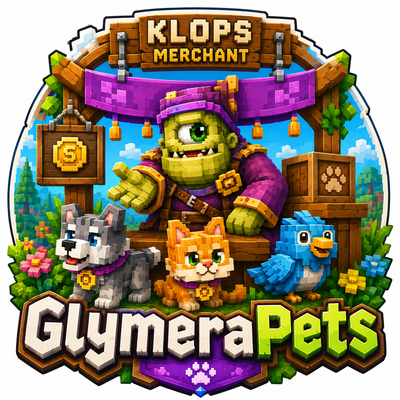
CurseForge · Hytale mod
GlymeraPets
Buy peaceful pets from a placeable shop NPC: own up to 10, one follows you, immortal and never aggressive, teleporting back if you stray. Set each creature's price as items or money (Merchant/Vault). Right-click a pet for hearts.
Choose a version Pick your version below, then grab the matching file.
Quick answer
Which GlymeraPets release should I use?
Latest stable file GlymeraPets-4.0.0.jar
Game version 0.6
Mod system Built-in Hytale mod system
GlymeraPets-4.0.0.jar targets 0.6. Do not install it as a separate client mod. Enable it on the world host—the local server in singleplayer or the dedicated server in multiplayer. No required dependencies listed for this file.
Where it goes
Where should GlymeraPets be installed in Hytale?
Do not install it as a separate client mod. Enable it on the world host—the local server in singleplayer or the dedicated server in multiplayer.
Separate client mod Not supported
World host / dedicated server Required
Mod system for this release Built-in Hytale mod system
Required install it here Optional supported, not mandatory Not supported do not install here Source doesn’t say do not assume
Put Hytale mods on the world host or dedicated server. Singleplayer runs a local server too; Hytale does not use separate client mods.
What else does GlymeraPets-4.0.0.jar need?
GlymeraPets-4.0.0.jar. Change the file and its required mods may change too.
This file does not list any required mods. Do not add a library just because a different file uses it.
This file does not list any required or optional project dependencies. Check the creator notes before changing an existing world.
Before you install it
Add GlymeraPets without breaking your instance.
Built for GlymeraPets-4.0.0.jar. Pick another file and the loader, install side or required mods may change.
- 01
Stick to this file
Use GlymeraPets-4.0.0.jar. It targets 0.6; another release may target a different game build or dependency set.
- 02
Bring the mods it needs
This file does not list any required mods. Do not add a library just because a different file uses it.
- 03
Enable it on the world host
Do not install it as a separate client mod. Enable it on the world host—the local server in singleplayer or the dedicated server in multiplayer.
- 04
Pick the file you checked
Use the “Get this file” button beside GlymeraPets-4.0.0.jar. It opens that exact file at the source.
About this project
What does GlymeraPets add?
GlymeraPets
Peaceful companion pets for your world - plus a placeable pet shop your players can buy them from.
Don't miss my other exciting projects — take a look at GlymeraCraft's Profile Discord: https://discord.gg/s5NRFWfxgy
GlymeraPets lets players own and summon friendly creatures that follow them around. Almost any creature that is no bigger than a player can become a pet - small mammals, birds, reptiles, bugs, tree-folk, little undead and more. Pets are always peaceful and never die.
For players
- Buy pets at a Pet Shop. Walk up to a Pet Shop keeper, right-click it, and a menu opens listing every available pet with its price. Click a pet to buy it - it starts following you right away.
- One pet out at a time, a whole collection at home. You can own up to 10 pets and have 1 following you at any moment.
- Pets follow you everywhere. Wander too far and your pet teleports back to you. Pets are immortal - they can't be killed.
- Pet them for hearts. Right-click your pet and little hearts pop up above it.
- Manage your pets with
/gpets. Call a pet to your side, dismiss it, or release ones you no longer want.
Player commands
/gpets- open your pet manager (call / dismiss / release / list)/gpets call <name>//gpets dismiss <name>- summon or send away your active pet/gpets release <name>- permanently release a pet/gpets list- list your pets
For admins
- Place a shop anywhere. Get the shop block with
/gpets giveshop, then place it - a shop keeper (a Klops Gentleman by default, configurable viashopAppearance) appears. Remove it again with/gpets shopremovewhile standing next to it (you get the block back). Only admins can place or remove shops; shops survive server restarts. - Decide what each pet costs - per creature. Open the settings GUI with
/gpets admin:- Enable or disable each creature for the shop.
- Switch each creature between items and money payment (the active one is marked
[ACTIVE], and both values are always shown). - Adjust the price up/down.
- Set the required payment item simply by holding it in your hand and clicking "Set Item" - its icon then shows next to the pet, in the shop and in the settings.
- Money works with your economy. Money payments use GlymeraMerchant if installed, otherwise a VaultUnlocked economy. If your server doesn't use money at all, just leave everything on item payment - it works out of the box with no economy plugin.
Defaults
- Every creature defaults to 3x Greater Essence of Life as payment.
- The default money price (if you switch a creature to money) is 1000.
- 111 pet-sized creatures are enabled by default; larger/borderline creatures are included but off by default so you can enable them if you want. Aquatic creatures are not included - they don't work as land-following pets.
Admin commands
/gpets admin- open the per-creature settings GUI (enable/disable, items<->money, price, set payment item)/gpets shop- open the buy menu directly/gpets giveshop//gpets shopremove- place / remove a shop/gpets reload- reload the config
How it works
Each pet is a single peaceful, invulnerable follower that simply takes on the look of the creature you bought - so a wolf, a chicken or a little zombie all behave the same friendly way and never attack anything. The shop keeper is a normal NPC you place as a block; clicking it opens a buy menu built from your config. Everything is data-driven: enable creatures, set per-creature prices, and choose item or money payment, all in-game or in the config file.
Compatibility & data
- Optional integrations: GlymeraMerchant (preferred) and VaultUnlocked for money payments. Both optional.
- All settings live in
mods/Glymera_GlymeraPets/config.jsonand can be reloaded in-game with/gpets reload. - No network access, no logging.
Project description from CurseForge.
Pick your setup
GlymeraPets releases for each Hytale build.
Choose the version and loader you play, then open the matching release.
Hytale version
0.5
1 loader buildCheck the dependencies, then try the file in a copied instance before changing a world you care about.
Recent files
GlymeraPets releases and Hytale builds
GlymeraPets-4.0.0.jar
30 Aug 2026
Client Not supported Server Required Dependencies No extras listed Listed on Project page
Check the 0.6 setup 0.6 release
GlymeraPets-3.0.0.jar
28 Aug 2026
Client Not supported Server Required Dependencies No extras listed Listed on Project page
Check the 0.6 setup 0.6 release
GlymeraPets-2.0.0.jar
4 Jun 2026
Client Not supported Server Required Dependencies No extras listed Listed on Project page
Check the 0.5 setup 0.5 release
GlymeraPets-1.0.0.jar
4 Jun 2026
Client Not supported Server Required Dependencies No extras listed Listed on Project page
Check the 0.5 setup 0.5 release
Looking for an older file? The official CurseForge project page is in Resources.