Hytale version
Back to mods 
CurseForge · Hytale mod
Modern's Build Guide
Modern’s Build Guide adds a simple planning block for builders who like to map things out before placing the real materials.
Choose a version Pick your version below, then grab the matching file.
Quick answer
Which Modern's Build Guide release should I use?
Latest stable file ModernBuildGuide-1.2-U6.jar
Game version 0.6
Mod system Built-in Hytale mod system
Modern's Build Guide ModernBuildGuide-1.2-U6.jar targets 0.6. Do not install it as a separate client mod. Enable it on the world host—the local server in singleplayer or the dedicated server in multiplayer. No required dependencies listed for this file.
Where it goes
Where should Modern's Build Guide be installed in Hytale?
Do not install it as a separate client mod. Enable it on the world host—the local server in singleplayer or the dedicated server in multiplayer.
Separate client mod Not supported
World host / dedicated server Required
Mod system for this release Built-in Hytale mod system
Required install it here Optional supported, not mandatory Not supported do not install here Source doesn’t say do not assume
Put Hytale mods on the world host or dedicated server. Singleplayer runs a local server too; Hytale does not use separate client mods.
What else does Modern's Build Guide ModernBuildGuide-1.2-U6.jar need?
ModernBuildGuide-1.2-U6.jar. Change the file and its required mods may change too.
This file does not list any required mods. Do not add a library just because a different file uses it.
This file does not list any required or optional project dependencies. Check the creator notes before changing an existing world.
Before you install it
Add Modern's Build Guide without breaking your instance.
Built for Modern's Build Guide ModernBuildGuide-1.2-U6.jar. Pick another file and the loader, install side or required mods may change.
- 01
Stick to this file
Use ModernBuildGuide-1.2-U6.jar. It targets 0.6; another release may target a different game build or dependency set.
- 02
Bring the mods it needs
This file does not list any required mods. Do not add a library just because a different file uses it.
- 03
Enable it on the world host
Do not install it as a separate client mod. Enable it on the world host—the local server in singleplayer or the dedicated server in multiplayer.
- 04
Pick the file you checked
Use the “Get this file” button beside ModernBuildGuide-1.2-U6.jar. It opens that exact file at the source.
About this project
What does Modern's Build Guide add?
Modern’s Build Guide adds a simple planning block for builders who like to map things out before placing the real materials.
Place down a Build Guide block, interact with it, choose a shape, set the size, offset, fill mode, and direction, then toggle the preview on. The mod shows guide blocks where your build would go, with red markers for spots that are already blocked.
It is meant for planning large builds without tearing up terrain or accidentally replacing existing blocks.
Features:
- Build Guide block with saved settings
- Custom UI, no commands needed
- Shape previews centered on the guide block
- Hollow and solid modes
- Offset controls for X, Y, and Z
- Flip/orientation options
- Conflict markers for blocked spaces
- Preview markers do not replace existing blocks
- Settings stay saved on the guide block until it is broken
- Workbench Tinkering recipe
Included shapes:
- Sphere
- Dome
- Circle
- Ring
- Square
- Rectangle
- Triangle
- Pentagon
- Hexagon
- Octagon
- Honeycomb Cell
- Honeycomb Grid
- Star
- Cross
- Arch
- Cylinder
- Cone
- Torus
- Cube
- Pyramid
- Triangle Prism
- Pentagon Prism
- Hex Prism
- Spiral Tower
Recipe: Crafted in the Workbench under Tinkering.
Requires:
- 100 Stone
- 100 Logs
- 50 Iron Ingots
- 50 Gold Ingots
- 50 Void Essence
Notes: The preview is client-side and meant as a guide. It does not place the real build for you, and it does not delete blocks in the way. Red markers show conflicts so you can move or adjust the preview before building.
Project description from CurseForge.
Pick your setup
Modern's Build Guide releases for each Hytale build.
Choose the version and loader you play, then open the matching release.
Hytale version
0.5
1 loader buildCheck the dependencies, then try the file in a copied instance before changing a world you care about.
Recent files
Modern's Build Guide releases and Hytale builds
ModernBuildGuide-1.2-U6.jar
27 Aug 2026
Client Not supported Server Required Dependencies No extras listed Listed on Project page
Check the 0.6 setup 0.6 release
ModernBuildGuide-1.1.jar
24 Jun 2026
Client Not supported Server Required Dependencies No extras listed Listed on Project page
Check the 0.5 setup 0.5 release
ModernBuildGuide-1.0.jar
14 Jun 2026
Client Not supported Server Required Dependencies No extras listed Listed on Project page
Check the 0.5 setup 0.5 release
Looking for an older file? The official CurseForge project page is in Resources.
 mod
mod CurseForge · Hytale
EreliaStudio - OneBlock
A proof of concept for a OneBlock inside Hytale
 mod
mod CurseForge · Hytale
BetterGrass
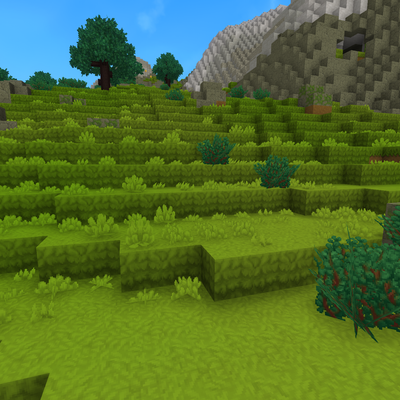
Mod that makes grass cover the sides of blocks on hills and slopes, instead of leaving a strip of bare dirt
 mod
mod CurseForge · Hytale
Endless Bard 🎵 🎵
A full Bard class for Hytale with music-based abilities, party support, healing, damage, visual effects and its own Note resource system.