Hytale version
Back to mods 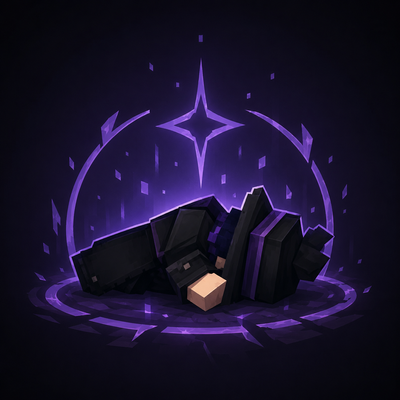
CurseForge · Hytale mod
DarkFalling
Darkfalling replaces instant death with a downed state, allowing players to be revived before they die.
Choose a version Pick your version below, then grab the matching file.
Quick answer
Which DarkFalling release should I use?
Latest stable file DarkFalling-0.1.1.jar - 2v
Game version 0.5
Mod system Built-in Hytale mod system
DarkFalling-0.1.1.jar - 2v targets 0.5. Do not install it as a separate client mod. Enable it on the world host—the local server in singleplayer or the dedicated server in multiplayer. No required dependencies listed for this file.
Where it goes
Where should DarkFalling be installed in Hytale?
Do not install it as a separate client mod. Enable it on the world host—the local server in singleplayer or the dedicated server in multiplayer.
Separate client mod Not supported
World host / dedicated server Required
Mod system for this release Built-in Hytale mod system
Required install it here Optional supported, not mandatory Not supported do not install here Source doesn’t say do not assume
Put Hytale mods on the world host or dedicated server. Singleplayer runs a local server too; Hytale does not use separate client mods.
What else does DarkFalling-0.1.1.jar - 2v need?
DarkFalling-0.1.1.jar - 2v. Change the file and its required mods may change too.
This file does not list any required mods. Do not add a library just because a different file uses it.
This file does not list any required or optional project dependencies. Check the creator notes before changing an existing world.
Before you install it
Add DarkFalling without breaking your instance.
Built for DarkFalling-0.1.1.jar - 2v. Pick another file and the loader, install side or required mods may change.
- 01
Stick to this file
Use DarkFalling-0.1.1.jar - 2v. It targets 0.5; another release may target a different game build or dependency set.
- 02
Bring the mods it needs
This file does not list any required mods. Do not add a library just because a different file uses it.
- 03
Enable it on the world host
Do not install it as a separate client mod. Enable it on the world host—the local server in singleplayer or the dedicated server in multiplayer.
- 04
Pick the file you checked
Use the “Get this file” button beside DarkFalling-0.1.1.jar - 2v. It opens that exact file at the source.
About this project
What does DarkFalling add?
Darkfalling adds a new downed and revival system to the game, replacing instant death with a more dynamic and immersive mechanic. When a player reaches a critical state, they fall to the ground with a downed animation, becoming vulnerable and needing to be revived by another player before the timer runs out. If no one manages to help them in time, the player will die and proceed to the respawn screen.
The mod also includes OP-only commands for server staff and administrators. Players with operator permission can use /rise or /wakeup to instantly make a downed player get back up.
Server owners can customize the system through the config.json file, allowing them to adjust the main timers according to their server’s needs:
{
"downedSeconds": 60,
"deathDelaySeconds": 30,
"reviveSeconds": 5,
"blockCommandsWhileDowned": false,
"damageToDownedTimePercentage": 100,
"ignoreDownedPlayersForHostileNpcs": true
}
These settings control how long a player stays downed, the delay before death or respawn behavior, and how long it takes to revive a player.
Perfect for servers, cooperative maps, and intense survival experiences, this mod makes combat more strategic and increases the importance of teamwork.
Project description from CurseForge.
Pick your setup
DarkFalling releases for each Hytale build.
Choose the version and loader you play, then open the matching release.
Check the dependencies, then try the file in a copied instance before changing a world you care about.
Recent files
DarkFalling releases and Hytale builds
DarkFalling-0.1.1.jar - 2v
13 Jul 2026
Client Not supported Server Required Dependencies No extras listed Listed on Project page
Check the 0.5 setup 0.5 release
DarkFalling-0.1.1.jar
30 Jun 2026
Client Not supported Server Required Dependencies No extras listed Listed on Project page
Check the 0.5 setup 0.5 release
DarkFalling-0.1.0.jar (config.json available)
22 Jun 2026
Client Not supported Server Required Dependencies No extras listed Listed on Project page
Check the 0.5 setup 0.5 release
DarkFalling-0.1.0.jar
20 Jun 2026
Client Not supported Server Required Dependencies No extras listed Listed on Project page
Check the 0.5 setup Looking for an older file? The official CurseForge project page is in Resources.
 mod
mod CurseForge · Hytale
QuestLines Icons
Adds animated icons to NPC enities. Extention Plugin for QuestLines
 mod
mod CurseForge · Hytale
QuestLines GUI
Build custom in-game interfaces for your Hytale server — no Java, no rebuilds, no restarts
 mod
mod CurseForge · Hytale
QuestLines Dialog
A Simple extention to QuestLines that allows for very easy creationg of linear dialogs.