
Hytale version
Back to mods 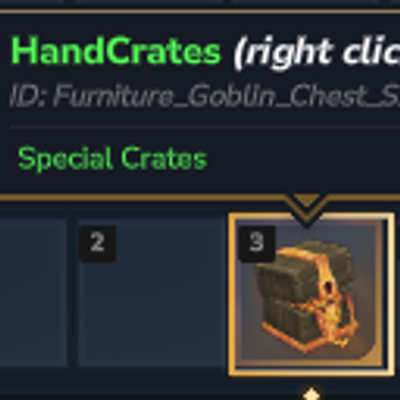
CurseForge · Hytale mod
Custom Item Command & Reward
Turn any block into a customizable physical crate for your Hytale server — create, fill, and hand out reward crates entirely in-game.
Choose a version Pick your version below, then grab the matching file.
Quick answer
Which Custom Item Command & Reward release should I use?
Latest stable file AnimatedCrates.jar
Game version 0.5
Mod system Built-in Hytale mod system
Custom Item Command & Reward AnimatedCrates.jar targets 0.5. Do not install it as a separate client mod. Enable it on the world host—the local server in singleplayer or the dedicated server in multiplayer. No required dependencies listed for this file.
Where it goes
Where should Custom Item Command & Reward be installed in Hytale?
Do not install it as a separate client mod. Enable it on the world host—the local server in singleplayer or the dedicated server in multiplayer.
Separate client mod Not supported
World host / dedicated server Required
Mod system for this release Built-in Hytale mod system
Required install it here Optional supported, not mandatory Not supported do not install here Source doesn’t say do not assume
Put Hytale mods on the world host or dedicated server. Singleplayer runs a local server too; Hytale does not use separate client mods.
What else does Custom Item Command & Reward AnimatedCrates.jar need?
AnimatedCrates.jar. Change the file and its required mods may change too.
This file does not list any required mods. Do not add a library just because a different file uses it.
This file does not list any required or optional project dependencies. Check the creator notes before changing an existing world.
Before you install it
Add Custom Item Command & Reward without breaking your instance.
Built for Custom Item Command & Reward AnimatedCrates.jar. Pick another file and the loader, install side or required mods may change.
- 01
Stick to this file
Use AnimatedCrates.jar. It targets 0.5; another release may target a different game build or dependency set.
- 02
Bring the mods it needs
This file does not list any required mods. Do not add a library just because a different file uses it.
- 03
Enable it on the world host
Do not install it as a separate client mod. Enable it on the world host—the local server in singleplayer or the dedicated server in multiplayer.
- 04
Pick the file you checked
Use the “Get this file” button beside AnimatedCrates.jar. It opens that exact file at the source.
About this project
What does Custom Item Command & Reward add?
Hand Crates (TRUST)
https://github.com/kliti72/HandCrates---Reward-in-You-Hand
Ever wanted to turn that old chest sitting in your spawn area into something players actually get excited about opening? Hand Crates lets you transform any block in your Hytale world into a fully customizable physical crate — design the rewards, set the look, and hand them out, all without ever leaving the game or touching a config file.
Whether you're building a vote rewards system, a dungeon loot chest, or a seasonal event crate, Hand Crates gives you a fast, intuitive in-game workflow to make it happen in minutes.
 //TODOIMAGE
Why Hand Crates?
Setting up reward crates usually means digging through plugin configs, restarting your server, and hoping you didn't typo an item ID. Hand Crates throws that out the window. Everything — from picking the block type to filling rewards via drag & drop — happens through simple commands and an in-game GUI. Make a change, hit reload, and it's live instantly.
Features
- Create a crate from any in-game block type
- Create custom items with attached commands
- In-game GUI editor to fill crate rewards (drag & drop items)
- Custom display name and lore with color tag support, for crates AND items
- Give crates or items directly to players via command
- List, edit, delete crates and items anytime
- Console-executed commands option for items
- Hot reload — no server restart needed
Example: Creating a Custom Hand Reward Crate
Here's an example of setting up a "Dungeon" crate from scratch — creating it, customizing how it looks, and configuring the rewards:
# Create Custom Crates Reward
/handcrates --create=Dungeon --blocktype=Furniture_Desert_Chest_Small

# Give Custom Crates Reward Item
/handcrates --give=Dungeon --player=kliTi2000

# Set Item Name Display
/handcrates --edit=Dungeon --display="<red> Vote <bold> Key </bold> </red>"

# Set Lore Example
/handcrates --edit=Dungeon --lore="<green> This Crates give you reward of doungeon </green>"

# Set Reward (opens in-game GUI editor)
/handcrates --edit=Dungeon
Once you run that last command, the in-game reward editor pops up, letting you drag and drop exactly what you want players to win:

And here's a look at a finished crate in action on a live server:

Example: Creating a Custom Item with Command
Create item with attached command
/handcrates --create=VoteKey --blocktype=Item_Small_Key --command="give {player} example_id"
Set item display name
/handcrates --edit=VoteKey --display="<gold> Vote Key </gold>"
Set item lore
/handcrates --edit=VoteKey --lore="<gray> Redeem this at spawn </gray>"
Make it console-executed (bypasses player permissions)
/handcrates --edit=VoteKey --console=true
Edit command later
/handcrates --edit=VoteKey --command="give {player} example_id 1"
Give the item to a player
/handcrates --give=VoteKey --player=kliTi2000
All Commands
| Command | Description |
|---|---|
/handcrates --create={name} --blocktype={type} |
Create a new crate |
/handcrates --edit={name} |
Open the reward editor GUI |
/handcrates --edit={name} --animation="Flower" |
Set open animation for crates (Flower, Vortex) |
/handcrates --create={itemName} --blocktype={type} --command="give {player} example_id" |
Create the command of an item |
/handcrates --edit={itemName} --command="give {player} example_id" |
Edit the command of an item |
/handcrates --edit={itemName} --console=true |
Execute this command from console |
/handcrates --edit={item or crate name} --lore="..." |
Set item or crate lore |
/handcrates --edit={item or crate name} --display="..." |
Set item or crate display name |
/handcrates --give={item or crate name} --player={player} |
Give an item or crate to a player |
/handcrates --list=true |
List all crates |
/handcrates --delete={item or crate} |
Delete an item or crate |
/handcrates --reload=true |
Reload the plugin |
Configurable Messages
Want the plugin to speak your server's language and tone? Every message is editable straight from config.json:
| Key | Default value | Placeholder |
|---|---|---|
open |
You open the chest {crates} |
{crates} → crate name |
give |
You give crates {crates} |
{crates} → crate name |
recive |
You recive crates {crates} |
{crates} → crate name |
inventory_full |
<red> Your inventory not have amount space. </red> |
— |
Installation
- Drop the
.jarfile into your server'smods/folder - Restart the server
- Run
/handcrates --list=trueto confirm everything loaded correctly
That's it — you're ready to start building crates.
Permissions
Requires operator/admin status or the handcrates.admin permission to manage and edit crates.
Got an idea for a feature or ran into something weird? Drop your feedback and suggestions on the project page — Hand Crates keeps getting better with community input.
Project description from CurseForge.
Pick your setup
Custom Item Command & Reward releases for each Hytale build.
Choose the version and loader you play, then open the matching release.
Check the dependencies, then try the file in a copied instance before changing a world you care about.
Recent files
Custom Item Command & Reward releases and Hytale builds
AnimatedCrates.jar
6 Jul 2026
Client Not supported Server Required Dependencies No extras listed Listed on Project page
Check the 0.5 setup 0.5 release
AnimatedCrates.jar
30 Jun 2026
Client Not supported Server Required Dependencies No extras listed Listed on Project page
Check the 0.5 setup 0.5 release
Looking for an older file? The official CurseForge project page is in Resources.