Hytale version
Back to mods 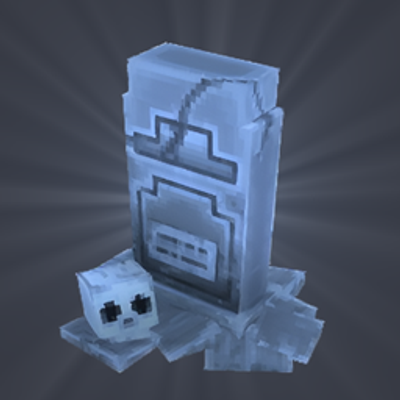
CurseForge · Hytale mod
Zurku Gravestones
A gravestone appears at your death location containing your items.
Choose a version Pick your version below, then grab the matching file.
Quick answer
Which Zurku Gravestones release should I use?
Latest stable file GravestonePlugin-1.3.0.jar
Game version 0.7
Mod system Built-in Hytale mod system
Zurku Gravestones GravestonePlugin-1.3.0.jar targets 0.7. Do not install it as a separate client mod. Enable it on the world host—the local server in singleplayer or the dedicated server in multiplayer. No required dependencies listed for this file.
Where it goes
Where should Zurku Gravestones be installed in Hytale?
Do not install it as a separate client mod. Enable it on the world host—the local server in singleplayer or the dedicated server in multiplayer.
Separate client mod Not supported
World host / dedicated server Required
Mod system for this release Built-in Hytale mod system
Required install it here Optional supported, not mandatory Not supported do not install here Source doesn’t say do not assume
Put Hytale mods on the world host or dedicated server. Singleplayer runs a local server too; Hytale does not use separate client mods.
What else does Zurku Gravestones GravestonePlugin-1.3.0.jar need?
GravestonePlugin-1.3.0.jar. Change the file and its required mods may change too.
This file does not list any required mods. Do not add a library just because a different file uses it.
This file does not list any required or optional project dependencies. Check the creator notes before changing an existing world.
Before you install it
Add Zurku Gravestones without breaking your instance.
Built for Zurku Gravestones GravestonePlugin-1.3.0.jar. Pick another file and the loader, install side or required mods may change.
- 01
Stick to this file
Use GravestonePlugin-1.3.0.jar. It targets 0.7; another release may target a different game build or dependency set.
- 02
Bring the mods it needs
This file does not list any required mods. Do not add a library just because a different file uses it.
- 03
Enable it on the world host
Do not install it as a separate client mod. Enable it on the world host—the local server in singleplayer or the dedicated server in multiplayer.
- 04
Pick the file you checked
Use the “Get this file” button beside GravestonePlugin-1.3.0.jar. It opens that exact file at the source.
About this project
What does Zurku Gravestones add?
This is a fork of Gravestones by Zurku, original Sourcecodepage on github.com.
Sadly the original author's last update is from Feb 19, 2026. So i created this fork that it runs under actual Hytale versions again (tested under Version 0.6.2).
Gravestones Features
💀 Never Lose Your Items - Gravestone spawns at death with all your dropped items.
🪦 Auto Cleanup - Gravestone breaks after collection.
📋 Settings - /gravestone shows all settings and commands.
🎨 Two Styles - /gsmodel toggles custom or vanilla gravestone.
📊 Limits - /gslimit <count> caps gravestones per player.
🔒 Protection - /gsprotection restricts access to owner only.
⏱️ Timer - /gstimer <min> auto breaks and drops loot after set time (0 = off).
⚙️ All Death Modes - Works with none, all, or percentage item loss.
This project is completely free to use.
Project description from CurseForge.
Pick your setup
Zurku Gravestones releases for each Hytale build.
Choose the version and loader you play, then open the matching release.
Hytale version
0.6
1 loader buildHytale version
0.5
1 loader buildCheck the dependencies, then try the file in a copied instance before changing a world you care about.
Recent files
Zurku Gravestones releases and Hytale builds
GravestonePlugin-1.3.0.jar
13 Oct 2026
Client Not supported Server Required Dependencies No extras listed Listed on Project page
Check the 0.7 setup 0.7 release
Gravestones 1.2.0 – Hytale 0.6.x
2 Sept 2026
Client Not supported Server Required Dependencies No extras listed Listed on Project page
Check the 0.6 setup 0.6 release
Gravestones-hytale-0.5.6-v2.jar
14 Jul 2026
Client Not supported Server Required Dependencies No extras listed Listed on Project page
Check the 0.5 setup 0.5 release
Gravestones-hytale-0.5.6.jar
13 Jul 2026
Client Not supported Server Required Dependencies No extras listed Listed on Project page
Check the 0.5 setup 0.5 release
Looking for an older file? The official CurseForge project page is in Resources.
 mod
mod CurseForge · Hytale
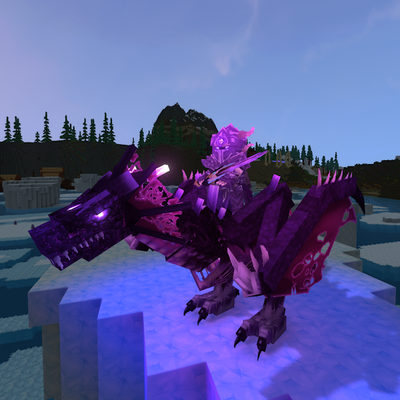
Endgame & QoL 6.1.0: Halloween & Frost Dragon Rework
Adds a real endgame to Hytale: 6 phased bosses, 16 elites, 3 dungeons, the Luminia dimension, the Halloween Witchmoon Vale, quests, 62 ability runes, rideable pets, temporal portals and 160+ items. Free, configurable in-game, with an in-game wiki.
 mod
mod CurseForge · Hytale
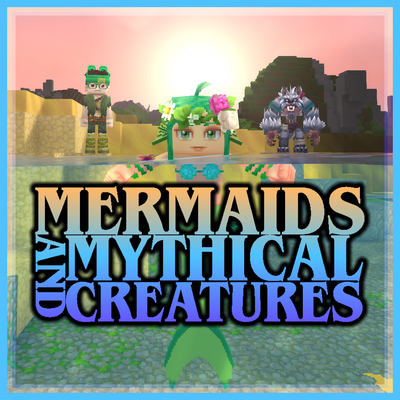
Mermaids and Mythical Creatures v4 - (Transform into a Mythical Creature)
Ever wanted to be a Mermaid, Werewolf, or Vampire? This mod allows the player to transform into a Mermaid when entering the water, transform into a Werewolf at night, and transform into a Vampire, each with their own unique abilities and playstyles.
 mod
mod CurseForge · Hytale
TerrainSlabs
Generate terrain slabs in your world