Hytale version
Back to mods 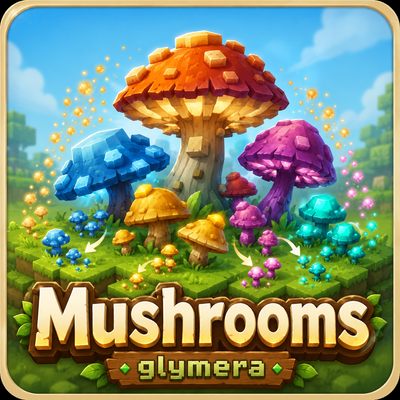
CurseForge · Hytale mod
GlymeraMushrooms
Mushroom farming for Hytale! All 21 species multiply onto their natural ground blocks — Minecraft-style spreading with a density cap, for wild and planted mushrooms alike. Farm forest caps, boomshrooms and glowing cave lights.
Choose a version Pick your version below, then grab the matching file.
Quick answer
Which GlymeraMushrooms release should I use?
Latest stable file GlymeraMushrooms-4.0.0.jar
Game version 0.7
Mod system Built-in Hytale mod system
GlymeraMushrooms-4.0.0.jar targets 0.7. Do not install it as a separate client mod. Enable it on the world host—the local server in singleplayer or the dedicated server in multiplayer. No required dependencies listed for this file.
Where it goes
Where should GlymeraMushrooms be installed in Hytale?
Do not install it as a separate client mod. Enable it on the world host—the local server in singleplayer or the dedicated server in multiplayer.
Separate client mod Not supported
World host / dedicated server Required
Mod system for this release Built-in Hytale mod system
Required install it here Optional supported, not mandatory Not supported do not install here Source doesn’t say do not assume
Put Hytale mods on the world host or dedicated server. Singleplayer runs a local server too; Hytale does not use separate client mods.
What else does GlymeraMushrooms-4.0.0.jar need?
GlymeraMushrooms-4.0.0.jar. Change the file and its required mods may change too.
This file does not list any required mods. Do not add a library just because a different file uses it.
This file does not list any required or optional project dependencies. Check the creator notes before changing an existing world.
Before you install it
Add GlymeraMushrooms without breaking your instance.
Built for GlymeraMushrooms-4.0.0.jar. Pick another file and the loader, install side or required mods may change.
- 01
Stick to this file
Use GlymeraMushrooms-4.0.0.jar. It targets 0.7; another release may target a different game build or dependency set.
- 02
Bring the mods it needs
This file does not list any required mods. Do not add a library just because a different file uses it.
- 03
Enable it on the world host
Do not install it as a separate client mod. Enable it on the world host—the local server in singleplayer or the dedicated server in multiplayer.
- 04
Pick the file you checked
Use the “Get this file” button beside GlymeraMushrooms-4.0.0.jar. It opens that exact file at the source.
About this project
What does GlymeraMushrooms add?
GlymeraMushrooms — Mushrooms Finally Spread (and Grow GIANT)
Hytale's world is full of beautiful mushrooms — 21 small species from forest caps to glowing cave lights — but they are all set dressing: wild mushrooms never multiply, and mushroom farming simply does not exist. (Hypixel left a half-wired burst mechanic on a few species that ignores what each mushroom grows on; this plugin replaces it cleanly.)
GlymeraMushrooms brings the mushroom mechanics every Minecraft player knows: place a mushroom on its natural ground and it slowly multiplies — up to a natural density cap, exactly like the original. And since v2: fertilize a small mushroom and it erupts into a giant mushroom, tree-sized, walkable, harvestable.
How it works
- Every mushroom you place (or find) rolls a spread chance on a fixed interval. The new mushroom appears up to ~4 blocks away, picked by the same short random walk Minecraft uses.
- Species-true grounds: a mushroom only spreads onto the block type it naturally grows on in worldgen (derived from an analysis of all 1,973 vanilla prefabs — see the table below). Every ground block is obtainable by players, so every species is farmable.
- Natural density cap: no spread once 10 mushrooms of the same species stand in a 9×9×3 area. Fields saturate into pretty, sparse patches instead of carpets — harvest a few and the patch regrows. That is the farming loop.
- Works for wild and placed mushrooms alike, in any loaded chunk.
Giant mushrooms (v2)
Right-click any small mushroom with a Fertilizer feedbag (Farmingbench tier 3: 10 poop + 10 life essence + 5 vegetables) and it instantly grows into a giant mushroom — up to 15 blocks of cap and stem above ground, plus roots.
- These are Hytale's own giant mushroom structures. Hypixel shipped them in the game files (you can spot the flat shelf variants in Boreal and Plains worldgen), but the really big ones are wired only into world zones that never generate. This plugin finally puts them in your hands.
- All 7 native colors: the shipped Green, Purple and Yellow giants, plus Red, Brown, White and Blue built from the matching native cap and stem block sets. Each of the 21 small species grows into its best-matching color — a Red Cap becomes a red giant, a Blue Flatcap a blue one.
- Three size variants and four orientations, picked deterministically from the position — the same spot always grows the same mushroom (just like Hytale's tree growth), different spots give variety.
- Needs room to grow: the space above must be clear (air, grass and small plants are fine) and the roots need a few blocks of soil-like ground below. Player-built blocks are never replaced — if anything is in the way you get a chat hint and no fertilizer is used. One feedbag charge per giant.
- Fully harvestable: the caps and stems are proper full blocks (axe-gatherable, wood-like) that drop themselves — a beautiful set of building blocks in 7 colors, and the only renewable source of Purple Mushroom Blocks, the ground the two purple-loving species spread on. Grow, harvest, replant: the giant loop feeds the small loop.
Which mushroom grows on which block?
| Mushroom | Spreads on |
|---|---|
| Red Cap Mushroom | Dirt |
| Brown Cap Mushroom | Dirt |
| White Cap Mushroom | Dry Dirt |
| Spotted Green Cap Mushroom | Burnt Dirt |
| Spotted Allium Cap Mushroom | Purple Mushroom Block |
| Brown Common Mushroom | Dry Dirt |
| Blue Common Mushroom | Blue Moss Block |
| Puffy Green Common Mushroom | Green Moss Block |
| Blue Flatcap Mushroom | Cold Dirt |
| Green Flatcap Mushroom | Blue Moss Block |
| Blue Glowing Mushroom | Cold Dirt |
| Green Glowing Mushroom | Green Moss Block |
| Orange Glowing Mushroom | Poisoned Dirt |
| Purple Glowing Mushroom | Purple Mushroom Block |
| Red Glowing Mushroom | Crystalwood Log |
| Violet Glowing Mushroom | Ashen Sand |
| Brown Mushroom Shelf | Oak Log |
| Green Mushroom Shelf | Ash Log |
| Yellow Mushroom Shelf | Redwood Log |
| Small Boomshroom | Clay |
| Large Boomshroom | Clay |
Log grounds also accept the full-block log variant. Moss blocks are craftable (4 moss + 2 fibre), Purple Mushroom Blocks drop from the giant purple mushrooms — every ground on the list can be farmed by players.
What are mushrooms good for?
- Cooking: Mushroom Kebab (stick + 3 mushrooms) and Mushroom Salad (lettuce + 3 mushrooms).
- Dyes: Blue Flatcap and Blue Common Mushrooms craft into Blue and Cyan Petals.
- Boom Powder: Boomshrooms drop the explosive powder — yes, they spread by default; turn them off in the config if you value your clay pits.
- Light and decor: the six Glowing Mushrooms make wonderful, spreadable cave lighting.
- A placement tip for Glowing Mushrooms: they are edible (and poisonous!) — hold crouch + right-click to place them instead of taking a bite.
Configuration
mods/Glymera_GlymeraMushrooms/config.json (applies after a server restart):
{
  "spreadIntervalSeconds": 60,
  "spreadChancePercent": 70.0,
  "maxSpreadsPerCycle": 50,
  "densityLimit": 10,
  "densityRadiusHorizontal": 4,
  "densityRadiusVertical": 1,
  "giantGrowthEnabled": true,
  "mushrooms": { "Cap_Red": { "enabled": true, "ground": "Soil_Dirt", "giantColor": "Red" }, ... }
}
spreadChancePercentper mushroom per interval. The default is a comfortable pace (~1 spread per 1.5 min per mushroom); set it to3.5if you want Minecraft's original glacial rate.densityLimit/ radius: the saturation rule (Minecraft's original values: 5 / 4 / 1).giantGrowthEnabled: master switch for fertilizer-grown giants.- Per species: disable spreading, change the ground block to any block id you like, or set
giantColor(Red/Brown/Green/Blue/Purple/Yellow/White; empty string = this species never grows giant).
Technical notes
- No game files are modified. The hidden native burst mechanic is disabled — and the fertilizer's giant-growth ability added — at runtime only; remove the plugin and everything is 100% vanilla again. On tilled soil the fertilizer keeps its exact native behavior, and clients need no download: everything is server-side.
- Practically zero server cost: mushroom-free chunks are skipped via palette checks, and the world scan is spread across ticks in small bounded slices. Profiled on a live server: no measurable load, no tick stalls.
- No commands, no permissions, no dependencies. Drop in the jar, restart, done.
Project description from CurseForge.
Pick your setup
GlymeraMushrooms releases for each Hytale build.
Choose the version and loader you play, then open the matching release.
Hytale version
0.6
1 loader buildHytale version
0.5
1 loader buildCheck the dependencies, then try the file in a copied instance before changing a world you care about.
Recent files
GlymeraMushrooms releases and Hytale builds
GlymeraMushrooms-4.0.0.jar
13 Oct 2026
Client Not supported Server Required Dependencies No extras listed Listed on Project page
Check the 0.7 setup 0.7 release
GlymeraMushrooms-3.0.0.jar
28 Aug 2026
Client Not supported Server Required Dependencies No extras listed Listed on Project page
Check the 0.6 setup 0.6 release
GlymeraMushrooms-2.0.0.jar
14 Jul 2026
Client Not supported Server Required Dependencies No extras listed Listed on Project page
Check the 0.5 setup 0.5 release
GlymeraMushrooms-1.0.0.jar
13 Jul 2026
Client Not supported Server Required Dependencies No extras listed Listed on Project page
Check the 0.5 setup 0.5 release
Looking for an older file? The official CurseForge project page is in Resources.
 mod
mod CurseForge · Hytale
Lodestar
Smooth, stutter-free minimap with a live cave view, 6 map styles including Topographic, creature faces, custom pins with tracking, death recovery and a zone, time and weather panel.
 mod
mod CurseForge · Hytale
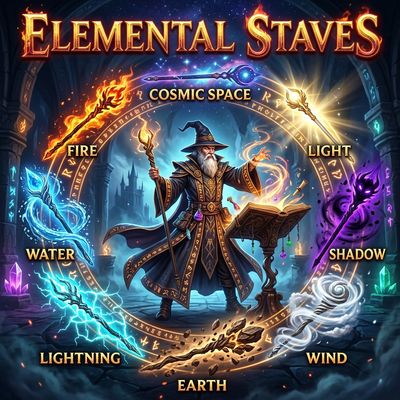
Elemental Staves
Unleash the elements with craftable magic staves, custom wizard armor sets, and elemental fabrics. Channel Fire, Water, Wind, Earth, Lightning, Shadow, Light, and Space magic through the enchanted Ancient Lectern!
 mod
mod CurseForge · Hytale
Arcane Storage Nexus
Tired of rummaging through dozens of chests across your base, but don't want to risk data loss because of mod? Then this is for you. Using standard Hytale storage to create a searchable storage system without the risk of a mod deleting your stuff.