
Hytale version
Back to mods 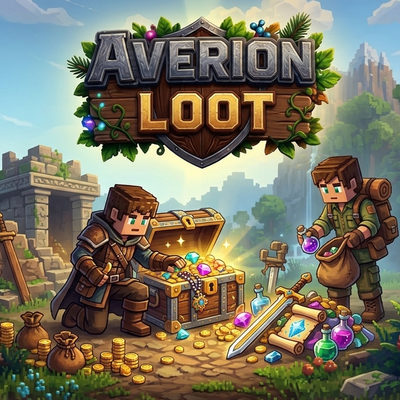
CurseForge · Hytale mod
Averion Loot
Instanced loot for mob kills. When a mob dies, its drops are collected into a corpse instead of scattering loose on the ground — only the player who dealt the most damage can open it at first, with a fair, timed hand-off to everyone else afterward.
Choose a version Pick your version below, then grab the matching file.
Quick answer
Which Averion Loot release should I use?
Latest stable file AverionLoot-Free-1.0.3.jar
Game version 0.5
Mod system Built-in Hytale mod system
Averion Loot AverionLoot-Free-1.0.3.jar targets 0.5. Do not install it as a separate client mod. Enable it on the world host—the local server in singleplayer or the dedicated server in multiplayer. No required dependencies listed for this file.
Where it goes
Where should Averion Loot be installed in Hytale?
Do not install it as a separate client mod. Enable it on the world host—the local server in singleplayer or the dedicated server in multiplayer.
Separate client mod Not supported
World host / dedicated server Required
Mod system for this release Built-in Hytale mod system
Required install it here Optional supported, not mandatory Not supported do not install here Source doesn’t say do not assume
Put Hytale mods on the world host or dedicated server. Singleplayer runs a local server too; Hytale does not use separate client mods.
What else does Averion Loot AverionLoot-Free-1.0.3.jar need?
AverionLoot-Free-1.0.3.jar. Change the file and its required mods may change too.
This file does not list any required mods. Do not add a library just because a different file uses it.
This file does not list any required or optional project dependencies. Check the creator notes before changing an existing world.
Before you install it
Add Averion Loot without breaking your instance.
Built for Averion Loot AverionLoot-Free-1.0.3.jar. Pick another file and the loader, install side or required mods may change.
- 01
Stick to this file
Use AverionLoot-Free-1.0.3.jar. It targets 0.5; another release may target a different game build or dependency set.
- 02
Bring the mods it needs
This file does not list any required mods. Do not add a library just because a different file uses it.
- 03
Enable it on the world host
Do not install it as a separate client mod. Enable it on the world host—the local server in singleplayer or the dedicated server in multiplayer.
- 04
Pick the file you checked
Use the “Get this file” button beside AverionLoot-Free-1.0.3.jar. It opens that exact file at the source.
About this project
What does Averion Loot add?


Instanced loot for mob kills, aimed at servers where multiple players fighting the same mob leads to loot being scooped up by whoever has the fastest mouse. Instead of drops scattering loose on the ground the moment a mob dies, they're bound to a corpse that only the player who earned it can open at first, with a timed, fair hand-off to everyone else afterward.
Instanced Corpses
When a mob dies, its whole drop table gets attached to a corpse entity rather than spawning as loose items on the ground. Ownership is decided automatically by damage dealt — whoever hit the mob hardest owns the corpse, no command needed to claim it.
Access to that corpse runs in two phases. For the first 120 seconds, only the owner can open it and take anything. Once that window closes, it goes public for another 60 seconds and any nearby player can grab whatever's still inside. After both windows run out, the corpse and anything left unclaimed simply disappear. Player deaths can be turned into lootable corpses the same way, though with a longer 300-second owner window, since a player who just died deserves more than two minutes to walk back and recover their own things before anyone else gets a shot at them. How close a player has to be to interact with a corpse at all is a configurable range, 30 blocks out of the box.
Rarity Beams
Every corpse shoots up a colored light beam sized and colored to match the rarity of the best item it's holding — Common, Uncommon, Rare, Epic, Legendary — so a kill worth walking back for stands out from across the map instead of getting missed. While the corpse is still in its owner window, only the owner sees the beam; once it opens up to everyone, the beam becomes visible to all nearby players too. Each player can turn their own beam visibility off with /loot beam if they'd rather not see them at all, or through the small settings page /loot opens.
Admin Panel
/loot admin covers the day-to-day settings without a config file: the whole system can be enabled or disabled, player-death corpses can be toggled on, the loot-detection range is adjustable, and the interface itself switches between English and German. A separate NPC blacklist screen lists every mob role the plugin has seen die so far, searchable and paginated, and lets an admin flip any of them back to vanilla drops instead of getting an instanced corpse.
Other
Ships with English and German built in; custom translation files can be dropped into the mod's data folder to override or add languages beyond those two.
Project description from CurseForge.
Pick your setup
Averion Loot releases for each Hytale build.
Choose the version and loader you play, then open the matching release.
Check the dependencies, then try the file in a copied instance before changing a world you care about.
Recent files
Averion Loot releases and Hytale builds
AverionLoot-Free-1.0.3.jar
8 Aug 2026
Client Not supported Server Required Dependencies No extras listed Listed on Project page
Check the 0.5 setup 0.5 release
AverionLoot-Free-1.0.2.jar
28 Jul 2026
Client Not supported Server Required Dependencies No extras listed Listed on Project page
Check the 0.5 setup 0.5 release
AverionLoot-Free-1.0.1.jar
19 Jul 2026
Client Not supported Server Required Dependencies No extras listed Listed on Project page
Check the 0.5 setup 0.5 release
AverionLoot-Free-1.0.0.jar
16 Jul 2026
Client Not supported Server Required Dependencies No extras listed Listed on Project page
Check the 0.5 setup 0.5 release
Looking for an older file? The official CurseForge project page is in Resources.