CurseForge · Hytale mod
LightConfig
Smart, command-controlled lamps with trigger blocks, day/night automation, and full claim protection.
Quick answer
Which LightConfig release should I use?
We could not find enough file information to pick a stable Hytale setup for LightConfig.
Where it goes
Where should LightConfig be installed in Hytale?
Do not install it as a separate client mod. Enable it on the world host—the local server in singleplayer or the dedicated server in multiplayer.
Put Hytale mods on the world host or dedicated server. Singleplayer runs a local server too; Hytale does not use separate client mods.
What else does LightConfig need?
Choose a release before relying on this list.
This file does not give us a dependency list. Check the creator notes before installing.
This file does not list any required or optional project dependencies. Check the creator notes before changing an existing world.
Before you install it
Add LightConfig without breaking your instance.
We could not pick a file, so treat this as a checklist—not a compatibility promise.
- 01
Stick to this file
We could not pick a stable file here. Check the game version and loader on the official project page before installing anything.
- 02
Bring the mods it needs
This file does not give us a dependency list. Check the creator notes before installing.
- 03
Enable it on the world host
Do not install it as a separate client mod. Enable it on the world host—the local server in singleplayer or the dedicated server in multiplayer.
- 04
Pick the file you checked
There is no download page for this exact file. Open the project page in Resources and choose the matching release there.
About this project
What does LightConfig add?
💡 LightConfig — Lights on. Lights off.
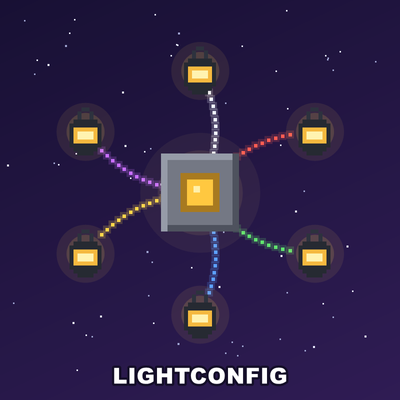
Wire up your world! LightConfig lets you bind lamps to sensors, buttons and pressure plates — walk over a sensor or press a button and all connected lights toggle. Manage everything from a visual map with your mouse, give sensors an auto-off timer, or skip the wiring entirely and let your lamps follow the day/night cycle: on at night, off at dawn, fully automatic.
Works with (almost) every switchable lamp, lantern, torch and fire bowl in the game.
✨ Features
- 🗺️ Visual map (NEW) —
/light mapopens a top-down map of every lamp and sensor around you. Connect them by mouse, without walking — click lamps, click a sensor, done. Zoom, pan, click-to-center, and numbers that show which lamp belongs to which sensor. Perfect for big builds with hundreds of lamps. - ⏱️ Per-sensor auto-off timer (NEW) —
/light timer 3and a sensor turns the lights on and then off again after 3 seconds, like a motion light. Each sensor can have its own time, or classic on/off toggle. - 🚶 Walk-over sensors — turn any block into a sensor; step on it and your lights toggle. Buttons and pressure plates work too.
- 🌙 Day/night mode — register lamps once and they turn on at night and off during the day, fully automatic. No sensor, no wiring. Runs independently — no owner needs to be online.
- 🔘 61 craftable trigger blocks — 45 buttons (15 materials × 3 trims), 15 pressure plates and an own workbench (craftable at the regular Workbench and at Fieldcraft).
- ✨ Particle visualization —
/light visshows glowing beams between every lamp and its sensor and outlines the sensor blocks, in 6 selectable colors. - 🌍 Per-player language & color — every player picks their own language (English/German) and particle color in a clean in-game UI (
/light config). A server default is set inconfig.txt. - 🔐 Per-command permissions — grant each command individually (
kagurke.lightconfig.<command>), plus.adminvariants to use a command anywhere (even in other claims).kagurke.lightconfig.*covers everything. - 🛡️ Claim-aware everywhere — players can only set up or change lights where they are allowed to build (ClaimPro and SimpleClaims supported). The map won't even let you select a neighbour's lamps. Admins may work anywhere.
- ⚙️ Fully configurable — thresholds, particles, tool, claim behavior, map radius and more in a simple
config.txt; all messages editable inlang/*.yml.
🔧 Commands
| Command | What it does |
|---|---|
/light wand |
Gives you the selection tool |
/light set |
Sensor mode (toggle): hit as many blocks as you like — each becomes a sensor |
/light connect |
Collect mode: hit all the lamps, then one sensor → all connected at once |
/light map |
NEW — visual map: connect lamps & set day/night by mouse, no walking. /light map <radius> for a bigger overview |
/light dn |
Day/night mode: hit lamps to register them — on at night, off at day, automatically |
/light timer <sec> |
NEW — per-sensor auto-off: 0 = toggle, 3 = lights go off by themselves after 3s |
/light remove |
Unlinks a lamp / removes a sensor with all its connections |
/light vis |
Toggles the particle beams + sensor outline that show your connections |
/light config |
Opens the settings UI (per-player language + particle color) |
🚀 Quick start
/light wand— grab the tool/light set— hit the block(s) that should be your sensor(s)/light connect— hit your lamps, then the sensor. Done!- Walk over the sensor (or press the button) and watch the lights.
Hundreds of lamps? Run /light map and wire everything by mouse — no walking. 🖱️ Want automation? /light dn for the day/night cycle, or /light timer 3 for auto-off. 🌙☀️
📦 Requirements
- Hytale Server 0.5.6+
- Optional: ClaimPro or SimpleClaims for claim protection (auto-detected)
- Optional: a permissions plugin (e.g. LuckPerms) if you use per-command permissions
🇩🇪 Kurz auf Deutsch: LightConfig verbindet Lampen mit Sensoren, Knöpfen und Druckplatten — oder du verwaltest alles bequem per Maus über die neue Karte (/light map), gibst Sensoren einen Auto-Aus-Timer (/light timer) oder lässt die Lampen dem Tag/Nacht-Zyklus folgen (/light dn). Jeder Spieler stellt seine Sprache selbst ein (/light config → Deutsch/English).
Project description from CurseForge.
Recent files
LightConfig releases and Hytale builds
No release information is currently available.
Looking for an older file? The official CurseForge project page is in Resources.