Hytale version
Back to mods 
CurseForge · Hytale mod
PathForge
Pathforge adds PoE-inspired RPG progression to Hytale — leveling, attributes, a passive skill tree, and gear crafting with rarity and affixes — all in one hub UI.
Choose a version Pick your version below, then grab the matching file.
Quick answer
Which PathForge release should I use?
Latest stable file Pathforge-0.0.16.jar
Game version 0.5
Mod system Built-in Hytale mod system
Pathforge-0.0.16.jar targets 0.5. Do not install it as a separate client mod. Enable it on the world host—the local server in singleplayer or the dedicated server in multiplayer. No required dependencies listed for this file.
Where it goes
Where should PathForge be installed in Hytale?
Do not install it as a separate client mod. Enable it on the world host—the local server in singleplayer or the dedicated server in multiplayer.
Separate client mod Not supported
World host / dedicated server Required
Mod system for this release Built-in Hytale mod system
Required install it here Optional supported, not mandatory Not supported do not install here Source doesn’t say do not assume
Put Hytale mods on the world host or dedicated server. Singleplayer runs a local server too; Hytale does not use separate client mods.
What else does Pathforge-0.0.16.jar need?
Pathforge-0.0.16.jar. Change the file and its required mods may change too.
This file does not list any required mods. Do not add a library just because a different file uses it.
This file does not list any required or optional project dependencies. Check the creator notes before changing an existing world.
Before you install it
Add PathForge without breaking your instance.
Built for Pathforge-0.0.16.jar. Pick another file and the loader, install side or required mods may change.
- 01
Stick to this file
Use Pathforge-0.0.16.jar. It targets 0.5; another release may target a different game build or dependency set.
- 02
Bring the mods it needs
This file does not list any required mods. Do not add a library just because a different file uses it.
- 03
Enable it on the world host
Do not install it as a separate client mod. Enable it on the world host—the local server in singleplayer or the dedicated server in multiplayer.
- 04
Pick the file you checked
Use the “Get this file” button beside Pathforge-0.0.16.jar. It opens that exact file at the source.
About this project
What does PathForge add?
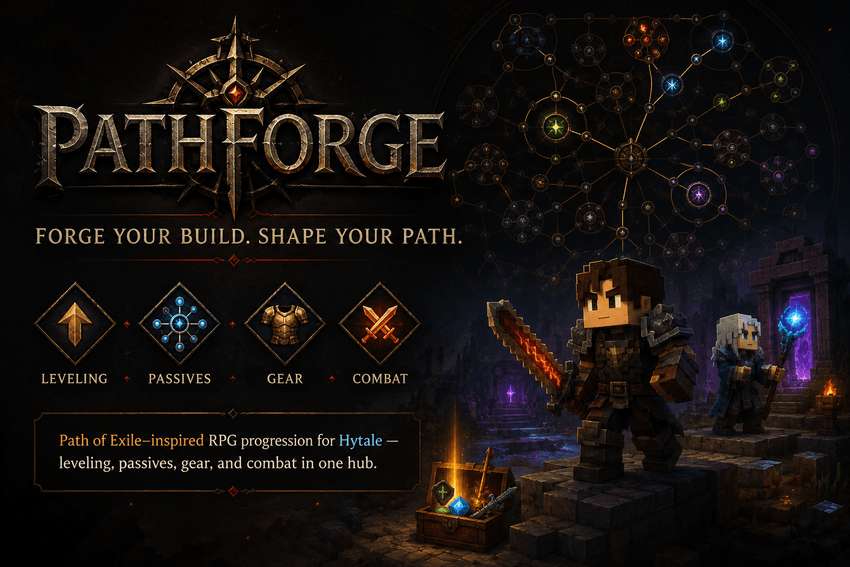
Pathforge is a Path of Exile–inspired RPG progression plugin for Hytale. Level up, spend attribute and passive points, allocate a full skill tree, enhance gear with rarities and affixes, salvage equipment, and manage everything from a single hub UI with /pathforge.
=== REQUIRED DEPENDENCIES ===
These mods must be installed on the server for Pathforge to work correctly:
• HyUI https://www.curseforge.com/hytale/mods/hyui
• MultipleHUD https://www.curseforge.com/hytale/mods/multiplehud
=== OPTIONAL INTEGRATIONS ===
• PartyPro (party XP share + party HUD level) https://www.curseforge.com/hytale/mods/partypro Soft dependency: Pathforge works without it. When PartyPro is present, kill XP is shared with nearby party members. Party leaders can choose share mode in /pathforge → Settings (killer keeps full XP vs equal split). Kill Embermarks can also be shared with the party when enabled.
=== RECOMMENDED / COMPATIBLE ENDGAME MODS ===
Pathforge is designed to stack cleanly with these endgame-focused mods (optional, but recommended for a full late-game experience):
• Endgame & QoL https://www.curseforge.com/hytale/mods/endgame-qol
=== HOW IT WORKS ===
Use /pathforge to open the hub. From there you can view your level and XP, spend attribute points, allocate passives on the skill tree, unlock and bind active abilities, select and craft gear from inventory, salvage enhanced items, browse the player auction Market, manage your Embermarks Bank, track bounties and overworld rifts, claim milestone rewards, and tweak settings (including skill cast keys and party XP share).
Progress comes from combat and world activity: defeating enemies and breaking blocks grant XP (and often Embermarks from kills). Leveling awards attribute points and passive points. Weapon mastery earns family-specific active-tree points. Eligible weapons and armor can roll rarity and affixes (stored under Pathforge’s own pf.* item metadata). Crafting gems let you add, remove, upgrade, or polish affixes on a selected inventory piece. Enhanced pieces can be salvaged into materials. The player economy (Market + Bank) is detailed in the sections below.
=== MARKET (AUCTION HOUSE) ===
Open /pathforge → Market. Your Embermarks wallet is shown at the top (total / available / locked, plus sale tax %).
• Browse — Active player listings. Filter by category (Weapons, Armor, Tools, Materials, Consumables, Other, or Pathforge Gear) and sort by ending soon / price. Bid or Buy Now on other players’ items. • Create — Pick a stack from your inventory (hotbar, bags, backpack, armor, tools, utility — Embermark tokens cannot be listed). Set start bid, optional buyout (0 = auction only; buyout must be ≥ start bid), and duration (1–24h chips). Listing fee is charged from available Embers when configured. The stack is escrowed out of your inventory when listed (anti-dupe). • List (Transfer List) — Your active and expired/unsold listings. Cancel an active listing only if it has no bids (item returns; listing fee is not refunded). Collect expired unsold items. Claim pending deliveries if your inventory was full when a sale settled. • Targets — Listings where you are the current high bidder (raise your bid from here). • History — Your recent buy/sell ledger (price and seller net after tax).
Bidding locks Embers in your wallet until you are outbid, win, or the auction settles. Buyout spends available Embers immediately, pays the seller after tax, and delivers the item (or queues a pending claim). When a timed auction expires with bids, the top bid is consumed, tax is applied, and the item goes to the winner. Expired auctions with no bids wait for the seller to Collect.
Pathforge gear keeps its pf.* rarity and affixes through listing and delivery.
=== BANK & EMBERMARKS ===
Embermarks are Pathforge’s server currency. Most of your balance lives in a secure wallet (survives death). Combat can drop Embers into the wallet (configurable chance/amount by mob level; optional PartyPro party share). A physical Pathforge_Embermark item also exists for carrying/trading stacks in the world (drops on death).
Open /pathforge → Bank:
• Balance — Total, available, and locked (Embers reserved by active Market bids cannot be transferred or withdrawn until unlocked). • IBAN — Every player gets a unique IBAN (shown as XXX-XXX-XXX). Share it so others can send you Embers. • Transfer — Enter another player’s IBAN and amount, verify, then confirm. The sender pays amount + transfer fee; the recipient receives the full amount. • Deposit — Convert held Pathforge_Embermark stacks (or Deposit All) into wallet Embers. • Withdraw — Turn available wallet Embers into physical stacks (capped per action; needs bag space). • Recent transfers — Short ledger of your last Bank sends/receives.
Admins can inspect or change balances with /pathforgeadmin coins, coins set , and coins add . Economy knobs (tax, listing fee, durations, kill drops, transfer fees, withdraw cap) live in market.json.
Active abilities are unlocked from the Active Tree, bound to 3 slots, and cast via Hytale Ability 1/2/3 (or Dodge). Remap the physical keys in Hytale Options → Controls; Pathforge Settings can label and cycle those actions.
On-screen HUDs show your XP bar, ability hotbar, and item tooltips with rarity colors (powered by HyUI + MultipleHUD).
=== FEATURES ===
• Single hub command: /pathforge • Hub tabs: Overview, Attributes, Passive Tree, Active Tree, Gear, Salvage, Bounties, Market, Bank, Rewards, Settings • Leveling with kill / block XP, attribute points, and passive points • Data-driven passive tree (Core / Offense / Defense / Utility) with allocate & refund • Active ability tree by weapon mastery family (~60 abilities, 3 bind slots, ability HUD) • Remappable cast actions (Ability 1/2/3 / Dodge) + key-label capture in Settings • Weapon mastery–style progression and weapon-aware passives • Random rarity + affixes on eligible weapons and armor (tooltip + hub use the same rarity colors) • Inventory picker for Gear craft and Salvage (select bag/slot — no need to hold the item) • Crafting orbs/gems to shape gear (add, remove, upgrade, quality) • Salvage enhanced gear into materials • Player Market / auction house (list from inventory, bid, buyout, transfer list, claims, history) • Embermarks currency + Bank (balance, IBAN transfers, deposit/withdraw physical item) • Kill Embermark drops (configurable; optional party share with PartyPro) • Daily bounties + timed overworld rifts • Milestone level rewards • Hotbar item tooltip HUD + XP HUD + ability HUD • Optional PartyPro kill XP share (leader-tunable mode in Settings) • Soft Endgame & QoL instance scaling / compatibility • Perfect-parry combat module (stamina / timing) • Admin helpers via /pathforgeadmin • Fully configurable JSON (leveling, attributes, trees, rarities, materials, salvage, rewards, bounties, rifts, market, partypro, parry, messages)
=== COMMANDS ===
• /pathforge — Open the Pathforge hub • /pathforgeadmin reload — Config reload notice • /pathforgeadmin setlevel — Set your Pathforge level • /pathforgeadmin attr — Set unspent attribute points • /pathforgeadmin passive — Set unspent passive points • /pathforgeadmin giveorbs — Give crafting orbs • /pathforgeadmin coins set — Set Embermarks balance • /pathforgeadmin coins add — Add (or remove) Embermarks • /pathforgeadmin bounty refresh — Refresh daily bounties • /pathforgeadmin rift <force|close|status> — Manage overworld rifts
=== NOTES ===
• Server mod — install Pathforge plus the required dependencies on your Hytale server. • PartyPro and Endgame & QoL are optional; install them only if you want those integrations. • Item metadata uses the pf.* namespace to avoid conflicts with other gear mods. • Active skill cast keys are Hytale Ability/Dodge actions — remap physical keys in client Options → Controls. • Market listings escrow the selected inventory stack (anti-dupe); collect / claim returns items to pending claims when needed. • English messages ship by default; all gameplay configs can be customized in the plugin data folder after first boot.
Project description from CurseForge.
Pick your setup
PathForge releases for each Hytale build.
Choose the version and loader you play, then open the matching release.
Check the dependencies, then try the file in a copied instance before changing a world you care about.
Recent files
PathForge releases and Hytale builds
Pathforge-0.0.16.jar
2 Aug 2026
Client Not supported Server Required Dependencies No extras listed Listed on Project page
Check the 0.5 setup 0.5 release
Pathforge-0.0.13.jar
1 Aug 2026
Client Not supported Server Required Dependencies No extras listed Listed on Project page
Check the 0.5 setup 0.5 release
Pathforge-0.0.5.jar
1 Aug 2026
Client Not supported Server Required Dependencies No extras listed Listed on Project page
Check the 0.5 setup 0.5 release
Pathforge-0.0.4.jar
30 Jul 2026
Client Not supported Server Required Dependencies No extras listed Listed on Project page
Check the 0.5 setup 0.5 release
Looking for an older file? The official CurseForge project page is in Resources.
 mod
mod CurseForge · Hytale
Cultivation: Xianxia Leveling & Realm Progression
Walk the path of a Xianxia cultivator. Meditate for Spirit Qi, break through 7 realms, found a sect, walk an elemental Dao, wield flying-sword techniques, tame spirit beasts, and survive the heavens' tribulations.
 mod
mod CurseForge · Hytale
The Fantasy Furniture
Adds many fantasy elements such as more banner sizes and colors, big crates, little crates, paintings and more roof colors!
 mod
mod CurseForge · Hytale
QuestLines Icons
Adds animated icons to NPC enities. Extention Plugin for QuestLines