Hytale version
Back to mods 
CurseForge · Hytale mod
GlymeraGameMode
Give every world its own game mode: players entering a listed world switch to Creative or Adventure and get their old mode back when they leave. Strictly opt-in per config, instant protection, no dependencies.
Choose a version Pick your version below, then grab the matching file.
Quick answer
Which GlymeraGameMode release should I use?
Latest stable file GlymeraGameMode-2.0.0.jar
Game version 0.5
Mod system Built-in Hytale mod system
GlymeraGameMode-2.0.0.jar targets 0.5. Do not install it as a separate client mod. Enable it on the world host—the local server in singleplayer or the dedicated server in multiplayer. No required dependencies listed for this file.
Where it goes
Where should GlymeraGameMode be installed in Hytale?
Do not install it as a separate client mod. Enable it on the world host—the local server in singleplayer or the dedicated server in multiplayer.
Separate client mod Not supported
World host / dedicated server Required
Mod system for this release Built-in Hytale mod system
Required install it here Optional supported, not mandatory Not supported do not install here Source doesn’t say do not assume
Put Hytale mods on the world host or dedicated server. Singleplayer runs a local server too; Hytale does not use separate client mods.
What else does GlymeraGameMode-2.0.0.jar need?
GlymeraGameMode-2.0.0.jar. Change the file and its required mods may change too.
This file does not list any required mods. Do not add a library just because a different file uses it.
This file does not list any required or optional project dependencies. Check the creator notes before changing an existing world.
Before you install it
Add GlymeraGameMode without breaking your instance.
Built for GlymeraGameMode-2.0.0.jar. Pick another file and the loader, install side or required mods may change.
- 01
Stick to this file
Use GlymeraGameMode-2.0.0.jar. It targets 0.5; another release may target a different game build or dependency set.
- 02
Bring the mods it needs
This file does not list any required mods. Do not add a library just because a different file uses it.
- 03
Enable it on the world host
Do not install it as a separate client mod. Enable it on the world host—the local server in singleplayer or the dedicated server in multiplayer.
- 04
Pick the file you checked
Use the “Get this file” button beside GlymeraGameMode-2.0.0.jar. It opens that exact file at the source.
About this project
What does GlymeraGameMode add?
GlymeraGameMode
Give every world its own game mode — and every mode its own inventory. GlymeraGameMode lets you declare, per world, whether players should be in Creative or Adventure while they are there. Enter the world — your mode switches. Leave it — your previous mode comes back, automatically. And with mode-separated inventories (on by default), what a player grabs in creative can never leak into adventure play. Perfect for a creative build world or plot world next to a survival-style main world, a lobby that should always be adventure, or an event world where everyone builds freely.
Hytale itself cannot do this: a player's game mode is global and follows them across every world (the GameMode field in a world's config only applies to brand-new players who never had a mode). This plugin adds the missing piece — and nothing else. It is deliberately small.
How it works
- You list worlds in the config (or in-game per command), each with a target mode:
CreativeorAdventure. - A player entering a listed world is switched to that world's mode. Their previous mode is remembered.
- A player entering any unlisted world gets their remembered mode back.
- Hopping between two listed worlds keeps the original mode remembered — it is restored only when they leave managed territory.
- Switching to Adventure is applied instantly on arrival, so creative powers from the previous world never linger where they could be abused. Switching to Creative is granted a moment after the world has finished loading around the player.
One inventory per game mode
With separateInventories on (the default) every player has two inventories: one for Adventure, one for Creative. On every mode change — whether triggered by a world rule or by an operator's /gamemode — the current inventory is stored under the old mode and the new mode's inventory is loaded. First time in creative? You start empty, and the creative item catalog is right there. Back in adventure? Your real items return exactly as you left them, and the creative grabs are gone (they wait in your creative inventory).
Inventories are stored with Hytale's own inventory format — the same serialization the server uses for player files — so durability, states and item data survive perfectly. The snapshot is written to disk before the live inventory is touched, so even a crash mid-switch can never lose items. Set separateInventories to false if you only want the mode switching.
Operators are exempt from everything this plugin does — no mode switching, no inventory separation. Admins keep one mode and one inventory across all worlds and can work undisturbed.
Strictly opt-in
Only worlds you list are ever touched. Worlds run by other plugins — minigame arenas, player worlds, dungeon instances — simply stay unlisted and are never interfered with. Entries for worlds that do not exist are harmless: they never match anything.
Commands (operators only)
/ggamemode— list all managed worlds and their modes/ggamemode set <world> <Adventure|Creative>— manage a world (takes effect immediately, no restart)/ggamemode clear <world>— stop managing a world/ggamemode tp <world>— teleport to a world, loading it if needed (handy for testing)
Normal players cannot change their own mode: Hytale's native /gamemode command already requires the gamemode.self permission (Builder group and up), and this plugin adds no way around that.
Configuration
mods/de.glymera_GlymeraGameMode/config.json — created on first start with two example entries showing the format:
{
  "separateInventories": true,
  "worldModes": {
    "exampleworld1": "Creative",
    "exampleworld2": "Adventure"
  }
}
Replace the examples with your real world names (as shown by /world list). separateInventories (default true) toggles the per-mode inventories. The file is read at server start; in-game changes via /ggamemode set are saved back to it automatically. The plugin also keeps saved-modes.json — the remembered previous mode per player — and per-player inventory snapshots under inventories/, all written atomically, so a crash can never strand players in the wrong mode or lose items.
Install
Drop the JAR into your server's mods/ folder and start the server. Edit the generated config (server stopped) or use /ggamemode set in-game as an operator. No dependencies, no asset pack, works on any world type.
Project description from CurseForge.
Pick your setup
GlymeraGameMode releases for each Hytale build.
Choose the version and loader you play, then open the matching release.
Check the dependencies, then try the file in a copied instance before changing a world you care about.
Recent files
GlymeraGameMode releases and Hytale builds
GlymeraGameMode-2.0.0.jar
30 Jul 2026
Client Not supported Server Required Dependencies No extras listed Listed on Project page
Check the 0.5 setup 0.5 release
GlymeraGameMode-1.0.0.jar
30 Jul 2026
Client Not supported Server Required Dependencies No extras listed Listed on Project page
Check the 0.5 setup 0.5 release
Looking for an older file? The official CurseForge project page is in Resources.
 mod
mod CurseForge · Hytale
GlymeraPlotWorld
PlotSquared-style plot world for Hytale: claim & protect plots, merge any shape, per-plot weather/time, trust/visitor rights, transfer, plus creature & liquid anti-grief — all via a clickable /plot menu.
 mod
mod CurseForge · Hytale
Kami's Ore Golems
Adds a collection of Ore Golems to the game! Make exploration and caving more dangerous but more rewarding!
 mod
mod CurseForge · Hytale
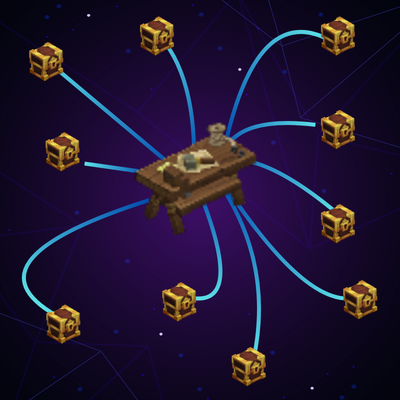
Grab From Far
Grab item from chest far away, configurable!~