Hytale version
Back to mods 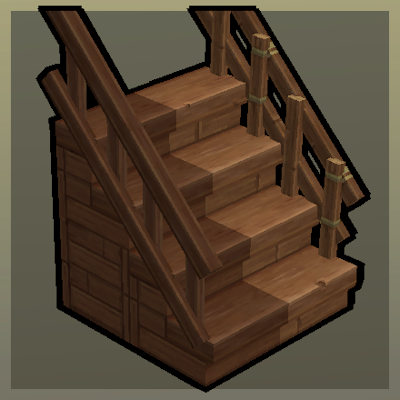
CurseForge · Hytale mod
Step Up
Upgradable Stairs with Railings!
Choose a version Pick your version below, then grab the matching file.
Quick answer
Which Step Up release should I use?
Latest stable file Step Up v1
Game version 0.5
Mod system Built-in Hytale mod system
Step Up v1 targets 0.5. Do not install it as a separate client mod. Enable it on the world host—the local server in singleplayer or the dedicated server in multiplayer. No required dependencies listed for this file.
Where it goes
Where should Step Up be installed in Hytale?
Do not install it as a separate client mod. Enable it on the world host—the local server in singleplayer or the dedicated server in multiplayer.
Separate client mod Not supported
World host / dedicated server Required
Mod system for this release Built-in Hytale mod system
Required install it here Optional supported, not mandatory Not supported do not install here Source doesn’t say do not assume
Put Hytale mods on the world host or dedicated server. Singleplayer runs a local server too; Hytale does not use separate client mods.
What else does Step Up v1 need?
Step Up v1. Change the file and its required mods may change too.
This file does not list any required mods. Do not add a library just because a different file uses it.
This file does not list any required or optional project dependencies. Check the creator notes before changing an existing world.
Before you install it
Add Step Up without breaking your instance.
Built for Step Up v1. Pick another file and the loader, install side or required mods may change.
- 01
Stick to this file
Use Step Up v1. It targets 0.5; another release may target a different game build or dependency set.
- 02
Bring the mods it needs
This file does not list any required mods. Do not add a library just because a different file uses it.
- 03
Enable it on the world host
Do not install it as a separate client mod. Enable it on the world host—the local server in singleplayer or the dedicated server in multiplayer.
- 04
Pick the file you checked
Use the “Get this file” button beside Step Up v1. It opens that exact file at the source.
About this project
What does Step Up add?
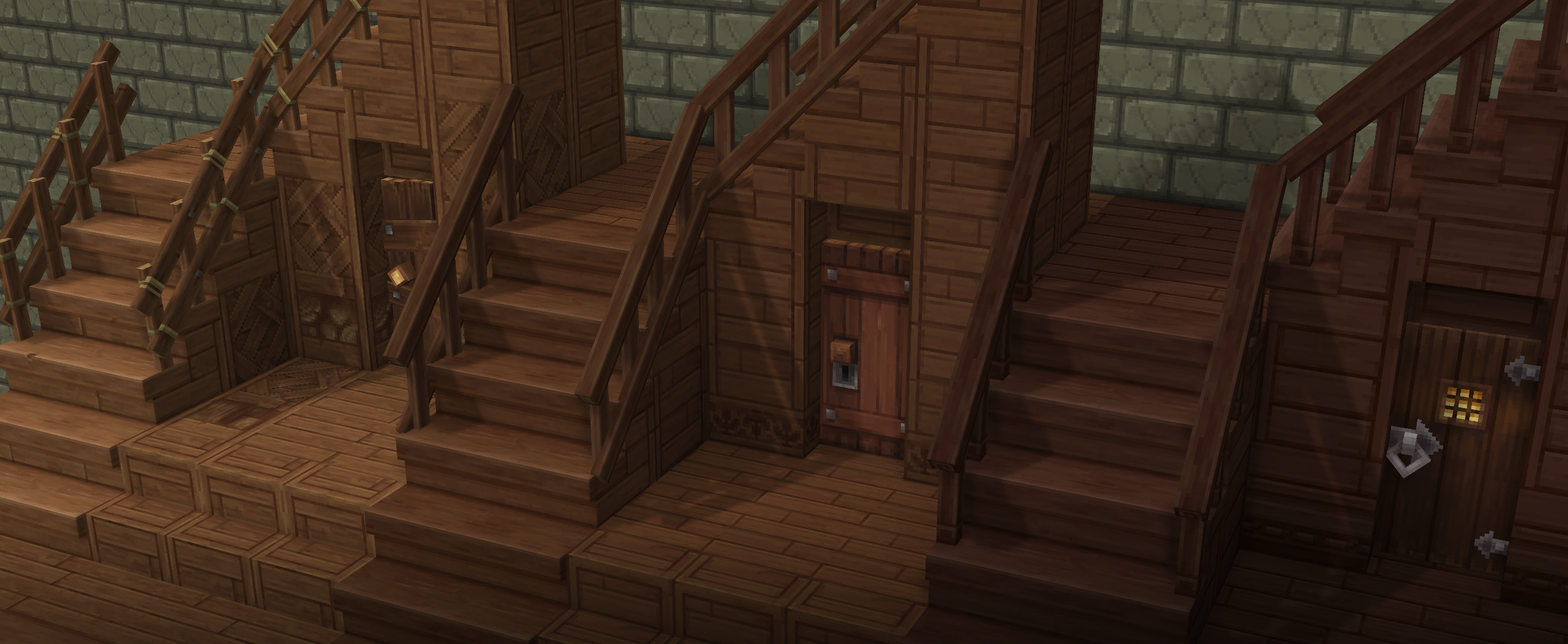
Ever wanted Stairs that actually look like Stairs? What about handrails for your Stairs?
Step Up steps up your Stairs with a brand new overhauled stair system
Features
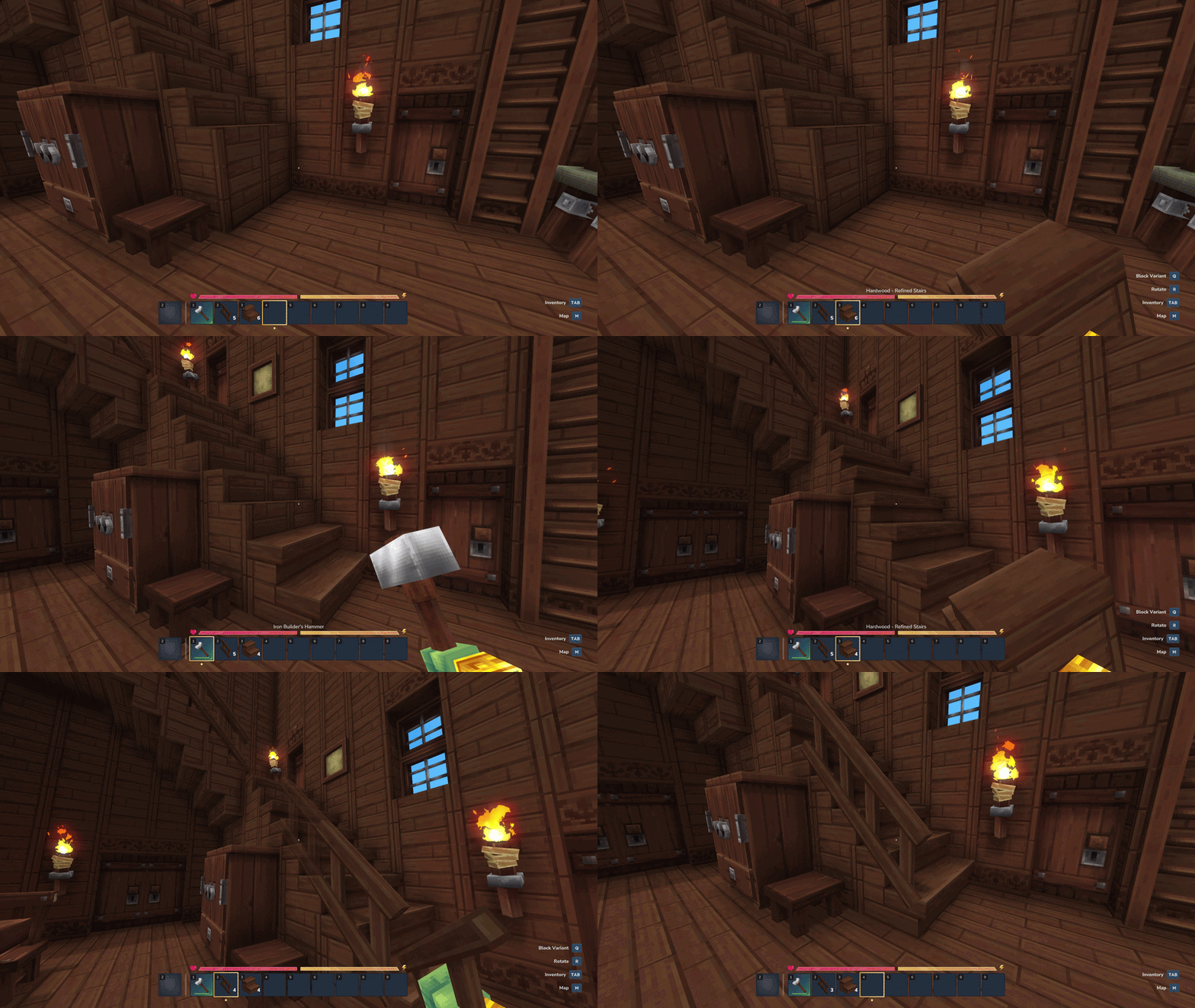
● Hammer your stairs into a Refined Version, or craft them straight away via the Builder's Workbench!
● Railings can be crafted via the Builder's Workbench and can combined with any stair type!
● Change the direction of Railings with the Hammer or Hammer menu!
🚧 This Mod is still being developed! I've only added Refined Stairs and Railings for these Wood types so far:
• Softwood - Refined Stairs & Crude Railings
• Hardwood - Refined Stairs & Simple Railings
• Darkwood - Refined Stairs & Tavern Railings
Project description from CurseForge.
Pick your setup
Step Up releases for each Hytale build.
Choose the version and loader you play, then open the matching release.
Check the dependencies, then try the file in a copied instance before changing a world you care about.
Recent files
Step Up releases and Hytale builds
Step Up v1
6 Aug 2026
Client Not supported Server Required Dependencies No extras listed Listed on Project page
Check the 0.5 setup 0.5 release
Looking for an older file? The official CurseForge project page is in Resources.
 mod
mod CurseForge · Hytale
Alec's Tamework!
Mob taming framework and asset patcher. Breeding, traits, leveling, tame management UI, easier interaction chains, capture/spawn items that store metadata, ownership/tamed status, lots of behavior components and more!
 mod
mod CurseForge · Hytale
Endless Leveling - V11
Hytale RPG Leveling Mod - Endless Leveling adds full character progression: levels, stats, classes, races, augments, skills/abilities, dungeons & dynamic events. Solo Leveling inspired endless growth for singleplayer & servers.
 mod
mod CurseForge · Hytale
Downed!
A downed state with revival and carry . Configurable!