Hytale version
Back to mods 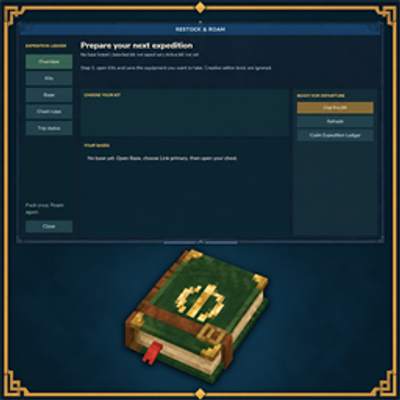
CurseForge · Hytale mod
Restock & Roam
Save a personal expedition kit, link your base chests, then crouch and use any linked chest to store new loot and restock.
Choose a version Pick your version below, then grab the matching file.
Quick answer
Which Restock & Roam release should I use?
Latest stable file RestockAndRoam-1.0.1.jar
Game version 0.6
Mod system Built-in Hytale mod system
Restock & Roam RestockAndRoam-1.0.1.jar targets 0.6. Do not install it as a separate client mod. Enable it on the world host—the local server in singleplayer or the dedicated server in multiplayer. No required dependencies listed for this file.
Where it goes
Where should Restock & Roam be installed in Hytale?
Do not install it as a separate client mod. Enable it on the world host—the local server in singleplayer or the dedicated server in multiplayer.
Separate client mod Not supported
World host / dedicated server Required
Mod system for this release Built-in Hytale mod system
Required install it here Optional supported, not mandatory Not supported do not install here Source doesn’t say do not assume
Put Hytale mods on the world host or dedicated server. Singleplayer runs a local server too; Hytale does not use separate client mods.
What else does Restock & Roam RestockAndRoam-1.0.1.jar need?
RestockAndRoam-1.0.1.jar. Change the file and its required mods may change too.
This file does not list any required mods. Do not add a library just because a different file uses it.
This file does not list any required or optional project dependencies. Check the creator notes before changing an existing world.
Before you install it
Add Restock & Roam without breaking your instance.
Built for Restock & Roam RestockAndRoam-1.0.1.jar. Pick another file and the loader, install side or required mods may change.
- 01
Stick to this file
Use RestockAndRoam-1.0.1.jar. It targets 0.6; another release may target a different game build or dependency set.
- 02
Bring the mods it needs
This file does not list any required mods. Do not add a library just because a different file uses it.
- 03
Enable it on the world host
Do not install it as a separate client mod. Enable it on the world host—the local server in singleplayer or the dedicated server in multiplayer.
- 04
Pick the file you checked
Use the “Get this file” button beside RestockAndRoam-1.0.1.jar. It opens that exact file at the source.
About this project
What does Restock & Roam add?
Restock & Roam is a mod for solo worlds, friend-hosted worlds, and dedicated servers. You save a personal kit, link the chests at your base, then crouch and use any of those chests when you leave and when you come back.
Standing up and opening a chest is still vanilla. The mod only runs when you crouch and interact with a linked chest after a kit is active for that base.
Please see Documentation for more infos.
Features
- Personal kits: equipment layout plus optional extra supply totals
- Linked chest network with guest access; each player keeps their own kit and trip
- Deposit only items gained since departure; refill food, potions, ammo, and saved gear
- Overflow stays with you if a loot chest is full
- Expedition Ledger item (spellbook animation) or
/eprepto open the GUI - Optional BetterClaim chest-interact check
How to use
Type
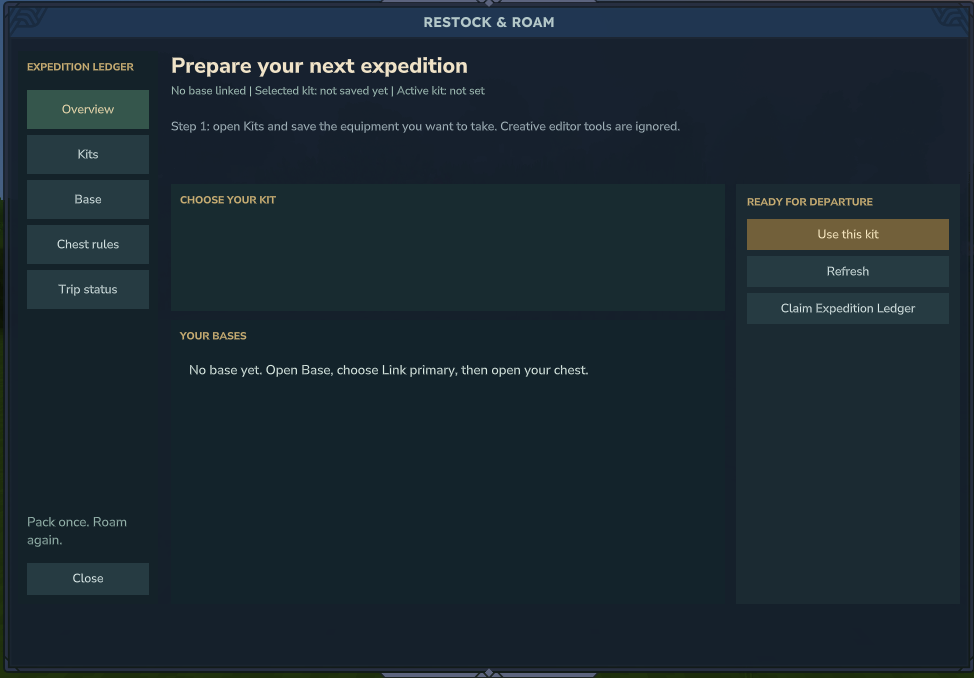
/eprep. Aliases:/expedition,/restock,/rr. The Overview page opens.Click Claim Expedition Ledger. It is free, cannot be crafted, and is ignored by kits. If you already have one, the menu tells you. Hold the Ledger and use secondary action to open Restock & Roam without typing a command.
Open Kits. Put on the armor, tools, utility items, hotbar, inventory, and backpack you want for the trip. Creative editor tools and the Ledger are ignored.
Type a kit name (1-24 letters, numbers, spaces,
-or_). Click Save full kit. Items stay on you; the mod only stores a snapshot. You can keep up to 12 kits. Saving over an existing name asks you to click again to confirm.Optional kit edits: click a listed item, set Desired quantity, then Set quantity or Remove item. Add held supplies adds the item in your active hotbar slot as a total to restock (not a specific slot). Delete kit asks for a second click and does not move items.
Open Base. Click Link primary. The menu closes. Open your main storage chest within 30 seconds. Chat confirms the link. That chest starts as role
BOTHand is the fallback.Optional extra storage: click Link additional, then open another chest within 30 seconds. It must be within 16 blocks of the primary (3D distance). One player owns one base. Extra chests can be unlinked; removing the primary requires Delete network (second click to confirm).
Optional Chest rules: select a chest in the list. Set role to
SUPPLY,LOOT, orBOTH. Priority is-1000to1000. Filters are OR, comma-separated:item:ItemId,category:CategoryId,resource:ResourceId. Leave filters empty for fallback. Filtered chests are tried before fallback; higher priority first, then link order. The primary always stays first in the list.Optional guests: on Base, type the player name and click Add guest. They must have joined at least once so the name is unique. Guests use their own kits and trip tracking on your chests. Select a guest and Remove guest to drop them.
Back on Overview (or Kits), select the kit and click Use this kit. Chat says the kit is active. The help line on Overview then tells you to crouch.
Leave: crouch and interact with any linked chest. The chest window must actually open. First use on that trip prepares the kit from
SUPPLY/BOTHchests and takes a departure snapshot. Stand up to loot or dump items by hand as usual.Return: come back to the same base, crouch, and interact with any linked chest again. The mod deposits only the extra items you gained since departure into
LOOT/BOTHchests that accept them, then pulls missing kit items fromSUPPLY/BOTH. Items you already had when you left are not treated as loot. If a chest is full, leftovers stay on you and show as pending on Trip status.Open Trip status any time to see world, return base, kit name, and the last report (
Loot: N deposited. Kit: N supplied, N missing, N conflicts.). Abandon trip needs a second click. It only clears tracking. It never moves items. Changing the active kit does not rewrite the snapshot of a trip that already started. A trip belongs to its origin world and base; finish or abandon it before using another.
Chest roles in short: SUPPLY only gives items to refill the kit. LOOT only receives new finds. BOTH does both. Empty filters mean fallback after filtered chests.
If BetterClaim is installed, linked chests also respect its chest interact permission.
Installation
- Requires Hytale 0.6.0+
- Download RestockAndRoam-1.0.0.jar from the Files tab
- Place the JAR in mods/ (global
UserData/Modsor per-savemods/) - Start the world. Config at mods/durkz_RestockAndRoam/config.json
- Run
/eprepand follow How to use above - (Optional) Install BetterClaim if you want claim chest permissions applied to linked chests
Commands
/eprep
/expedition
/restock
/rr
/expedition cancel cancels a pending 30-second chest link. Chat shortcuts /expedition bind, /expedition save <name>, and /expedition prepare <name> exist; the GUI is the normal path.
Found a bug? Issues
Permissions
expeditionprep.admin: inspect another player's trip, reset tracking, and receive update notices. Base owners still manage chests and guests themselves.
Recommended
- Stock
SUPPLYorBOTHchests with the food, ammo, and spare tools your kit expects before the first crouch. - Crouch every time you want Restock & Roam. A normal chest open does nothing extra.
- If a turnaround stops early, open Trip status, check your inventory, then Abandon trip before trying again. Abandon never moves items.
- Set
checkForUpdatestofalseinconfig.jsonif you do not want operator update chat.
License: MIT
Project description from CurseForge.
Pick your setup
Restock & Roam releases for each Hytale build.
Choose the version and loader you play, then open the matching release.
Check the dependencies, then try the file in a copied instance before changing a world you care about.
Recent files
Restock & Roam releases and Hytale builds
RestockAndRoam-1.0.1.jar
16 Sept 2026
Client Not supported Server Required Dependencies No extras listed Listed on Project page
Check the 0.6 setup 0.6 release
RestockAndRoam-1.0.0.jar
8 Sept 2026
Client Not supported Server Required Dependencies No extras listed Listed on Project page
Check the 0.6 setup 0.6 release
Looking for an older file? The official CurseForge project page is in Resources.
 mod
mod CurseForge · Hytale
Aetherhaven
Aetherhaven is a town-building add-on built around laying out plots, growing a settlement with named locals, and following quests that push your town forward.
 mod
mod CurseForge · Hytale
Alec's Tamework!
Mob taming framework and asset patcher. Breeding, traits, leveling, tame management UI, easier interaction chains, capture/spawn items that store metadata, ownership/tamed status, lots of behavior components and more!
 mod
mod CurseForge · Hytale
Taji's Crystal Lamps
Crystal lamps made of chalk and crystal shards, put those shiny things to use!