Hytale version
Back to mods 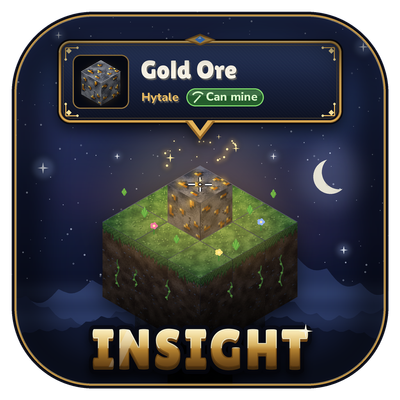
CurseForge · Hytale mod
Insight
See what you’re looking at in Hytale: block and creature names, 3D icons and portraits, chest contents, workbench progress, and which mod it’s from. Clean, movable HUD with 9 sizes and a simple in-game settings menu.
Choose a version Pick your version below, then grab the matching file.
Quick answer
Which Insight release should I use?
Latest stable file Insight-1.1.0.jar
Game version 0.7
Mod system Built-in Hytale mod system
Insight-1.1.0.jar targets 0.7. Do not install it as a separate client mod. Enable it on the world host—the local server in singleplayer or the dedicated server in multiplayer. No required dependencies listed for this file.
Where it goes
Where should Insight be installed in Hytale?
Do not install it as a separate client mod. Enable it on the world host—the local server in singleplayer or the dedicated server in multiplayer.
Separate client mod Not supported
World host / dedicated server Required
Mod system for this release Built-in Hytale mod system
Required install it here Optional supported, not mandatory Not supported do not install here Source doesn’t say do not assume
Put Hytale mods on the world host or dedicated server. Singleplayer runs a local server too; Hytale does not use separate client mods.
What else does Insight-1.1.0.jar need?
Insight-1.1.0.jar. Change the file and its required mods may change too.
This file does not list any required mods. Do not add a library just because a different file uses it.
This file does not list any required or optional project dependencies. Check the creator notes before changing an existing world.
Before you install it
Add Insight without breaking your instance.
Built for Insight-1.1.0.jar. Pick another file and the loader, install side or required mods may change.
- 01
Stick to this file
Use Insight-1.1.0.jar. It targets 0.7; another release may target a different game build or dependency set.
- 02
Bring the mods it needs
This file does not list any required mods. Do not add a library just because a different file uses it.
- 03
Enable it on the world host
Do not install it as a separate client mod. Enable it on the world host—the local server in singleplayer or the dedicated server in multiplayer.
- 04
Pick the file you checked
Use the “Get this file” button beside Insight-1.1.0.jar. It opens that exact file at the source.
About this project
What does Insight add?
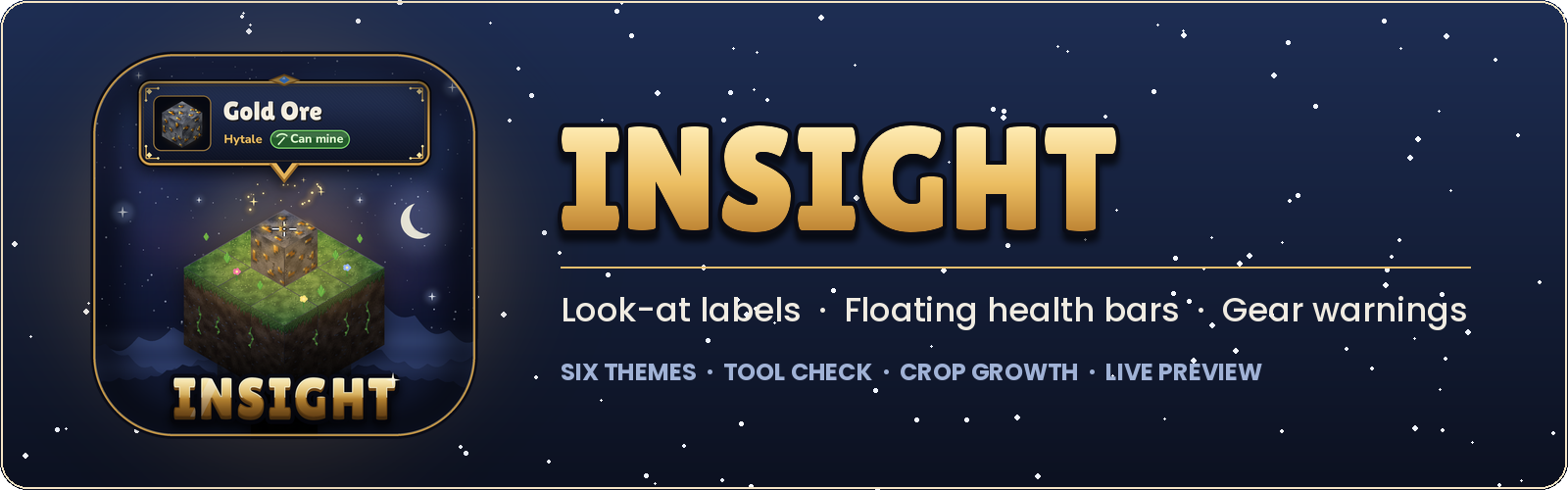
A clean info label for whatever you're looking at, themed health bars over creatures, and a page listing every mod you have installed.
Look at a block, a creature or an item on the ground and Insight shows what it is, which mod it comes from and anything useful to know about it. Everything can be switched on or off from one settings menu, with a live preview as you go. Insight is available in English, Spanish, French, Portuguese (Brazil), Russian, Ukrainian and Chinese (Simplified).

Blocks
- Name, icon and the mod it comes from
- Tool check: shows "Can mine" when your tool will work, or tells you which tool you need
- Crop growth: current stage, and when it's ready to harvest
- Bench tiers, processing progress and a peek inside chests
Items on the ground
- Look at a dropped item to see its name, picture and stack size
- Shows durability for tools and armor, and which mod the item comes from
Creatures
- Name, portrait and the mod it comes from
- Active effects like burning or poisoned
- Attitude toward you (hostile, neutral, passive, friendly). Off by default
Gear warnings
- A small warning above the hotbar when your held item or armor is wearing out
- Choose when it shows: 10%, 25% or 50% durability left
Installed mods
/insight mods(or the Mods button in the menu) lists the base game and every mod you have installed- See what each one adds: how many blocks, items and creatures
- A coloured stripe shows the kind of mod: base game, code + assets, code only or assets only
- Click a mod to see its version, who made it, its description and website
Your language
- Menus, labels and messages follow your game's language setting
- English, Spanish, French, Portuguese (Brazil), Russian, Ukrainian and Chinese (Simplified)
- Each player on a server sees Insight in their own language

Experimental: the bars are placed on screen by the mod, so they can trail slightly behind fast camera turns.
- Themed health bars that float above creatures and replace the game's own bar
- Stay on what you hit: in a fight, the bar keeps following your target for a few seconds, even if you glance away
- Show bars over other players too, or leave them the game's own bar
- Damage trail, hit flash and a low-health colour, each optional
- Optional health numbers on the bar
- Three sizes, three heights, and how long the bar stays after you look away
- Turn prediction to keep the bar steady while you look around
- Has its own menu (
/insight bars) with a live preview

- Six looks: Classic, Midnight, Glass, Parchment, Ember and Frost
- Several label sizes
- Health bars match your label theme, or pick a different one

| Command | What it does |
|---|---|
/insight |
Open the settings menu |
/insight bars |
Open the health bar menu |
/insight mods |
Open the installed mods page |
/insight reload |
Reload the server settings (admins) |
Server settings
Server owners can turn features off for everyone in config.properties, in Insight's data folder. Run /insight reload to apply changes without a restart. When a player opens the menu, they get a short note saying what the server has turned off.
| Setting | Turns off |
|---|---|
players |
Labels for other players |
playerHealth |
Other players' health (handy for PvP) |
creatureHealth |
Creature health |
floatingBars |
Floating health bars |
containers |
Peeking inside chests |
groundItems |
Labels for items on the ground |
attitude |
Creature attitude |
effects |
Creature effects |
modNames |
Which mod something comes from |
modsPage |
The installed mods page |
| Permission | Lets players | Default |
|---|---|---|
insight.admin |
Use /insight reload |
Admins |

- Drop
Insight-1.1.0.jarinto yourModsfolder. Remove any older Insight jar first. - Enable Insight for your world.
- Join the game and look at something.

- Built for Hytale 0.7.x
- Coming from LookLabel? Remove the old jar. Your settings carry over.
- If the floating bars sit a little off, set the Field of View in the health bar menu to match your game setting.
Found a bug or have an idea? Leave a comment. Screenshots and what you were looking at help a lot.
Project description from CurseForge.
Pick your setup
Insight releases for each Hytale build.
Choose the version and loader you play, then open the matching release.
Check the dependencies, then try the file in a copied instance before changing a world you care about.
Recent files
Insight releases and Hytale builds
Insight-1.1.0.jar
18 Oct 2026
Client Not supported Server Required Dependencies No extras listed Listed on Project page
Check the 0.7 setup 0.7 release
Insight-1.0.1.jar
16 Oct 2026
Client Not supported Server Required Dependencies No extras listed Listed on Project page
Check the 0.7 setup 0.7 release
LookLabel
15 Oct 2026
Client Not supported Server Required Dependencies No extras listed Listed on Project page
Check the 0.7 setup 0.7 release
Looking for an older file? The official CurseForge project page is in Resources.
 mod
mod CurseForge · Hytale
ViewFinder
Photo mode and a craftable Camera Drone for Hytale: free camera, focus blur, your own sky, and cinematic flythroughs.
 mod
mod CurseForge · Hytale
Spark lantern pets merchant
A merchant-themed version of Spark Lantern Pets, adapted to work correctly with the CurseForge app. A merchant will sell pets that light your way.
 mod
mod CurseForge · Hytale
Spark lantern pets
Explore Orbis with a floating spark pet by your side. Bright and always close, these companions turn every adventure into a shared journey.