Hytale version
Back to mods 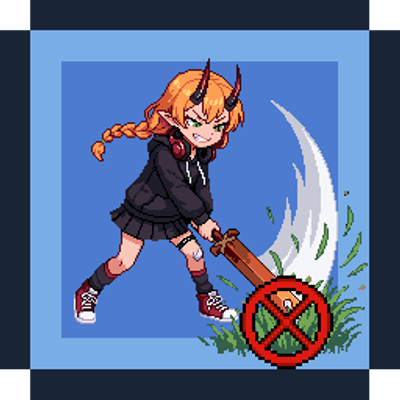
CurseForge · Hytale mod
Swing through vegetation and rubble
Prevents weapons from accidentally breaking grass, bushes, flowers, rubble and other protected vegetation during combat.
Choose a version Pick your version below, then grab the matching file.
Quick answer
Which Swing through vegetation and rubble release should I use?
Latest stable file SwingThroughGrass-1.2.1.jar
Game version 0.7
Mod system Built-in Hytale mod system
Swing through vegetation and rubble SwingThroughGrass-1.2.1.jar targets 0.7. Do not install it as a separate client mod. Enable it on the world host—the local server in singleplayer or the dedicated server in multiplayer. No required dependencies listed for this file.
Where it goes
Where should Swing through vegetation and rubble be installed in Hytale?
Do not install it as a separate client mod. Enable it on the world host—the local server in singleplayer or the dedicated server in multiplayer.
Separate client mod Not supported
World host / dedicated server Required
Mod system for this release Built-in Hytale mod system
Required install it here Optional supported, not mandatory Not supported do not install here Source doesn’t say do not assume
Put Hytale mods on the world host or dedicated server. Singleplayer runs a local server too; Hytale does not use separate client mods.
What else does Swing through vegetation and rubble SwingThroughGrass-1.2.1.jar need?
SwingThroughGrass-1.2.1.jar. Change the file and its required mods may change too.
This file does not list any required mods. Do not add a library just because a different file uses it.
This file does not list any required or optional project dependencies. Check the creator notes before changing an existing world.
Before you install it
Add Swing through vegetation and rubble without breaking your instance.
Built for Swing through vegetation and rubble SwingThroughGrass-1.2.1.jar. Pick another file and the loader, install side or required mods may change.
- 01
Stick to this file
Use SwingThroughGrass-1.2.1.jar. It targets 0.7; another release may target a different game build or dependency set.
- 02
Bring the mods it needs
This file does not list any required mods. Do not add a library just because a different file uses it.
- 03
Enable it on the world host
Do not install it as a separate client mod. Enable it on the world host—the local server in singleplayer or the dedicated server in multiplayer.
- 04
Pick the file you checked
Use the “Get this file” button beside SwingThroughGrass-1.2.1.jar. It opens that exact file at the source.
About this project
What does Swing through vegetation and rubble add?
SwingThroughGrass
SwingThroughGrass prevents weapons from accidentally breaking grass, bushes, flowers, and other protected vegetation during combat.
Fight without destroying the environment around you. Tools can still be used to clear vegetation normally, and sneaking allows you to intentionally break protected blocks with your weapon.
Features
Vegetation Protection - Prevents accidental destruction of grass, bushes, flowers, crops, saplings, and loose ground stones.
Optional Leaf Protection - Choose whether tree leaves should also be protected.
Sneak to Break - Hold sneak to intentionally break protected vegetation with your weapon. This behavior can be configured.
Normal Tool Behavior - Explicitly defined tools continue to work normally for clearing and harvesting.
Modded Weapon Support - Detects weapons through the Weapon_ prefix, weapon definitions, or the Items.Weapons category.
Personal Settings - Players can customize their protection preferences using /stg config.
Server-Side Control - Administrators can disable personal customization or lock individual settings.
Custom Block Support - Add specific block IDs to the protection list or exclude them.
Persistent Settings - Personal preferences are saved automatically.
Default Behavior
SwingThroughGrass works out of the box with the following defaults:
| Setting | Default |
|---|---|
| Weapon vegetation protection | Enabled |
| Crop and sapling protection | Enabled |
| Loose ground stone protection | Enabled |
| Tree leaf protection | Disabled |
| Sneak to break | Enabled |
Weapons will not accidentally destroy protected vegetation during combat.
To intentionally break protected vegetation, hold sneak while attacking. Regular tools continue to function normally.
Hytale already prevents weapons from breaking many bushes and rubble blocks. SwingThroughGrass does not override that restriction.
The bush and rubble settings are useful for modded blocks that allow weapon breaking, or when Protect only with weapons is disabled. With that option disabled, STG protection also applies to tools and empty-hand breaking.
Commands
| Command | Description |
|---|---|
/stg |
Display help and current settings |
/stg config |
Open the personal settings menu |
/stg toggle |
Enable or disable personal protection |
/stg status |
Show protection settings and SimpleClaims connection status |
/stg debug |
Toggle diagnostic messages for block interactions |
/stg reload |
Reload the server configuration (admin only) |
Note: Personal settings and commands respect restrictions configured by the server administrator.
Server Configuration
Server administrators can manage protection behavior, player customization, and individual setting restrictions through the configuration file.
Configuration file:
Seborn_SwingThroughGrass/SwingThroughGrass.json
Administrators can also customize which blocks are protected by adding or excluding specific block IDs.
SimpleClaims Integration
Optional integration — Tested with SimpleClaims 1.0.40
SwingThroughGrass supports SimpleClaims and respects its block protection permissions.
When SimpleClaims is installed:
SimpleClaims break permissions take priority over SwingThroughGrass settings.
Claim restrictions cannot be bypassed by sneaking.
Personal protection settings cannot override claim permissions.
Creative mode does not bypass SimpleClaims restrictions.
SimpleClaims is not required. SwingThroughGrass works independently without it.
AI Disclosure
AI tools were used to assist with parts of the development.
Project description from CurseForge.
Pick your setup
Swing through vegetation and rubble releases for each Hytale build.
Choose the version and loader you play, then open the matching release.
Check the dependencies, then try the file in a copied instance before changing a world you care about.
Recent files
Swing through vegetation and rubble releases and Hytale builds
SwingThroughGrass-1.2.1.jar
19 Oct 2026
Client Not supported Server Required Dependencies No extras listed Listed on Project page
Check the 0.7 setup 0.7 release
Looking for an older file? The official CurseForge project page is in Resources.