Hytale version
Back to mods 
CurseForge · Hytale mod
ModDoctor
An automated diagnostic and repair tool that helps you detect, analyze, and fix mod conflicts and errors.
Choose a version Pick your version below, then grab the matching file.
Quick answer
Which ModDoctor release should I use?
Latest stable file ModDoctor-0.6.8-Hytale-0.7.4.jar
Game version 0.7
Mod system Built-in Hytale mod system
ModDoctor-0.6.8-Hytale-0.7.4.jar targets 0.7. Do not install it as a separate client mod. Enable it on the world host—the local server in singleplayer or the dedicated server in multiplayer. No required dependencies listed for this file.
Where it goes
Where should ModDoctor be installed in Hytale?
Do not install it as a separate client mod. Enable it on the world host—the local server in singleplayer or the dedicated server in multiplayer.
Separate client mod Not supported
World host / dedicated server Required
Mod system for this release Built-in Hytale mod system
Required install it here Optional supported, not mandatory Not supported do not install here Source doesn’t say do not assume
Put Hytale mods on the world host or dedicated server. Singleplayer runs a local server too; Hytale does not use separate client mods.
What else does ModDoctor-0.6.8-Hytale-0.7.4.jar need?
ModDoctor-0.6.8-Hytale-0.7.4.jar. Change the file and its required mods may change too.
This file does not list any required mods. Do not add a library just because a different file uses it.
This file does not list any required or optional project dependencies. Check the creator notes before changing an existing world.
Before you install it
Add ModDoctor without breaking your instance.
Built for ModDoctor-0.6.8-Hytale-0.7.4.jar. Pick another file and the loader, install side or required mods may change.
- 01
Stick to this file
Use ModDoctor-0.6.8-Hytale-0.7.4.jar. It targets 0.7; another release may target a different game build or dependency set.
- 02
Bring the mods it needs
This file does not list any required mods. Do not add a library just because a different file uses it.
- 03
Enable it on the world host
Do not install it as a separate client mod. Enable it on the world host—the local server in singleplayer or the dedicated server in multiplayer.
- 04
Pick the file you checked
Use the “Get this file” button beside ModDoctor-0.6.8-Hytale-0.7.4.jar. It opens that exact file at the source.
About this project
What does ModDoctor add?
(EN) ModDoctor 🩺
ModDoctor is an advanced diagnostic, repair, and utility toolkit built specifically for Hytale modding. If you are dealing with mysterious game crashes, broken UI layouts, conflicting mods, or corrupted configuration files, ModDoctor acts as your go-to system doctor—scanning your environment, recognizing known error patterns, and providing powerful in-game recovery tools.
[Testing version (alpha), still work in progress.]
🔍 Key Features & Capabilities
- Multi-Level Diagnostic Engine: Features specialized diagnostic tiers including deep scans that thoroughly analyze mod states, map dependency graphs, and pinpoint the exact source of failures.
- Known Errors Database (
known_errors.json): Ships with an intelligent pattern-matching system designed to instantly recognize common mod conflicts and guide you smoothly toward automated fixes. - Inactive Mods Management: Easily isolate, track, and handle disabled or problematic mods directly from a clean, centralized in-game interface.
- Automated Backups & Safety: Built-in backup routines ensure that system repairs and deep-level actions can be performed safely with immediate recovery options if anything goes wrong.
- Asynchronous Action Runner: Powered by a non-blocking background job runner to handle heavy diagnostic tasks and complex repair sequences without freezing your game.
⌨️ Commands & Usage
ModDoctor integrates cleanly into your game via intuitive commands and interactive UI panels:
/moddoctor— Opens up the primary diagnostic dashboard, status overview, and tool menu./moddoctorcheck— Creates a main diagnostic report and displays it directly in the chat.- Access specialized scan routines, level diagnostics, and repair wizards directly from the management menus whenever something acts up.
📦 Public Version v0.6.8 CRITICAL UPDATE
This release bundles text handling fixes, verification logic refinements, and diagnostic stability enhancements into a single build that is still in ALPHA:
- Unicode Text & String Utilities (
PatchHelpers):PatchHelpers.cut: Fixed to properly respect character limits without cutting Unicode surrogate pairs.PatchHelpers.wrap: Refined to cleanly split descriptions, conflicts, and lists into legible lines to prevent panel overflow and overlapping.
- Reactivation & State Verification - In ALPHA: Refined reactivation checks so that previous action warning states no longer invalidate a fresh reactivation if persistent state was cleared and no current errors exist.
- Isolation & Persistence Evidence - In ALPHA: Isolation verification now accepts a new persistent state as valid evidence, while ensuring that explicit controller failure reports prevent operations from being marked successful.
- Diagnostic & Preview Distinction - In ALPHA: Improved distinction between execution errors, preview notices, and "no applicable repair/restoration" situations.
- Boot Protection & Compatibility: Retained critical boot-time protections from 0.6.7—preventing automatic isolation during startup and avoiding the automatic generation of
ModDoctorIcons. - Manifest & Metadata: Updated manifest version, internal signature, and recovery reporting structures to 0.6.8.
- Stability & Compatibility: Continued internal preparations and static/synthetic verification for Hytale 0.7.4, with full in-game client validation still required.
Note: ModDoctor 0.6.8 is an experimental ALPHA release. Static verifications and synthetic tests have passed, but a complete in-game test within the Hytale 0.7.4 client remains pending.
📦 Public Version v0.6.6
This release bundles UI improvements, stability patches, and diagnostic enhancements into a single build that is still in ALPHA:
- UI & Visual Layout Stability: Improved panel sizing, scrolling behavior, and layout consistency to prevent unexpected resizing when selecting mods or switching categories.
- Improved Readability: Increased text sizes and refined text containers to reduce overlapping labels and improve overall usability.
- Async Performance - In ALPHA: Improved progress reporting and asynchronous action handling for mod isolation, restoration, repairs, and diagnostic tasks. Further testing is still required.
- Action Verification - In ALPHA: Introduced improved result checking to distinguish successful operations, warnings, and failures. Verification of all actions remains in development.
- Deep Diagnostics - In ALPHA: Improved instance-specific log selection and error analysis to help identify problematic mods without mixing unrelated world logs.
- UI Bindings & Stability: Refined Custom UI integration to prevent legacy layout transformations from interfering with the redesigned interface.
- Stability & Compatibility: Continued internal stability improvements for Hytale 0.7.4, with in-game validation still required.
Note: ModDoctor 0.6.6 is an experimental ALPHA release. Some features may be incomplete or require further testing in Hytale 0.7.4.
🛠️ Support & Feedback
Encountered an unhandled bug, a missing error pattern, or have a suggestion? Feel free to report it or drop feedback. Hope ModDoctor saves you hours of debugging time and keeps your modded setup running butter-smooth! 🚀
BY: Creator.
Mod created with the help of ChatGPT to find ways to polish it as well as knowing how to build it. I'm new, doing what I can, and I don't know everything, but I will keep updating it until it reaches the point I want. HOPE YOU LIKE IT!
(ES) ModDoctor 🩺
ModDoctor es un kit de herramientas avanzado de diagnóstico, reparación y utilidad creado específicamente para el modding de Hytale. Si estás lidiando con misteriosos bloqueos del juego, diseños de interfaz rotos, mods en conflicto o archivos de configuración corruptos, ModDoctor actúa como tu médico de cabecera: escanea tu entorno, reconoce patrones de errores conocidos y proporciona potentes herramientas de recuperación dentro del juego.
[Version de prueba (alpha) aun sin terminar.]
🔍 Características y capacidades clave
- Motor de diagnóstico MultiNivel: Cuenta con niveles de diagnóstico especializados incluyendo análisis profundos que analizan a fondo los estados de los mods, mapean gráficos de dependencias y señalan la fuente exacta de los fallos.
- Base de datos de errores conocidos (
known_errors.json): Viene con un sistema inteligente de coincidencia de patrones diseñado para reconocer instantáneamente conflictos comunes entre mods y guiarte sin problemas hacia soluciones automatizadas. - Gestión de mods inactivos: Aisla, rastrea y maneja fácilmente mods deshabilitados o problemáticos directamente desde una interfaz limpia y centralizada dentro del juego.
- Copias de seguridad automatizadas y pulido de seguridad: Las rutinas de respaldo integradas garantizan que las reparaciones del sistema y las acciones de nivel profundo se puedan realizar de forma segura con opciones de recuperación inmediata si algo sale mal.
- Ejecutor de acciones asíncronas: Impulsado por un administrador de tareas en segundo plano no bloqueante para manejar tareas de diagnóstico pesadas y secuencias de reparación complejas sin congelar tu juego.
⌨️ Comandos y uso
ModDoctor se integra perfectamente en tu juego mediante comandos intuitivos y paneles de interfaz interactivos:
/moddoctor— Abre el panel de diagnóstico principal, la visión general del estado y el menú de herramientas./moddoctorcheck— Crea un diagnóstico principal y se visualiza desde el chat.Accede a rutinas de análisis especializadas, diagnósticos de nivel y asistentes de reparación directamente desde los menús de gestión cada vez que algo falle.
📦 Versión Pública v0.6.8 ACTUALIZACION CRITICA
Esta versión incluye correcciones en el manejo de texto, refinamientos en la lógica de verificación y mejoras en la estabilidad de diagnósticos en una compilación que sigue estando en ALPHA:
- Utilidades de Texto y Cadenas (
PatchHelpers):PatchHelpers.cut: Corregido para que ahora sí respete el límite de caracteres sin cortar pares sustitutos Unicode.PatchHelpers.wrap: Las descripciones, conflictos y listas se dividen ahora en líneas legibles para evitar desbordamiento y solapamiento del panel.
- Verificación de Reactivación y Estado - En ALPHA: El color rojo de una acción anterior ya no invalida una reactivación si el estado persistente se limpió y no hay un error explícito de la acción actual.
- Aislamiento y Evidencia de Persistencia - En ALPHA: La verificación de aislamiento acepta un estado persistente nuevo como evidencia; si el controlador informa de fallo explícito, la operación no se declara exitosa.
- Distinción de Diagnósticos y Vista Previa - En ALPHA: Los avisos de vista previa y las situaciones de “no hay reparación/restauración aplicable” se distinguen claramente de los errores de ejecución.
- Protección de Arranque y Compatibilidad: Se conserva la protección de arranque heredada de 0.6.7 —sin aislamiento automático durante el inicio ni generación automática de
ModDoctorIcons. - Manifiesto y Metadatos: Versión de manifiesto, firma interna e informes de recuperación actualizados a 0.6.8.
- Estabilidad y Compatibilidad: Preparaciones internas continuas y pruebas estáticas/sintéticas superadas para Hytale 0.7.4, quedando pendiente la prueba completa dentro del cliente de juego.
Nota: ModDoctor 0.6.8 es una versión experimental en ALPHA. Se han superado las verificaciones estáticas y las pruebas sintéticas, pero aún falta una prueba completa dentro del cliente de Hytale 0.7.4.
📦 Versión pública v0.6.6
Esta versión reúne mejoras de interfaz, parches de estabilidad y ampliaciones de diagnóstico en una sola compilación que sigue en ALPHA:
- Estabilidad del diseño de interfaz y diseño visual: mejoras en el tamaño del panel, el desplazamiento y la distribución para evitar cambios inesperados al seleccionar mods o cambiar de categoría.
- Mejoras de legibilidad: se aumentaron los tamaños de texto y se ajustaron los contenedores para reducir la superposición de etiquetas y mejorar la legibilidad general.
- Rendimiento asíncrono - en ALPHA: mejoras en el seguimiento del progreso y la gestión de tareas asíncronas para el aislamiento, la restauración, la reparación y el diagnóstico de mods. Se requieren más pruebas.
- Verificación de acciones - en ALPHA: se introdujeron mejoras en la comprobación de resultados para distinguir entre operaciones exitosas, advertencias y errores. La verificación de todas las acciones sigue en desarrollo.
- Diagnósticos profundos - en ALPHA: mejoras en la selección de registros por instancia y el análisis de errores para ayudar a identificar mods problemáticos sin mezclar los registros de distintos mundos.
- Correcciones de enlaces de interfaz y estabilidad: se perfeccionó la integración con Custom UI para evitar que las transformaciones de diseño heredadas interfieran con la nueva interfaz.
- Estabilidad y compatibilidad: se continuaron las mejoras internas de estabilidad para Hytale 0.7.4, aunque todavía se requieren pruebas dentro del juego.
Nota: ModDoctor v0.6.6 sigue siendo una versión experimental en ALPHA. Algunas funciones pueden estar incompletas o requerir más pruebas en Hytale 0.7.4.
🛠️ Soporte y comentarios
¿Encontraste un error no manejado, un patrón de error faltante o tienes alguna sugerencia? No dudes en reportarlo o dejar tus comentarios. ¡Esperamos que ModDoctor te ahorre horas de tiempo de depuración y mantenga tu configuración con mods funcionando de maravilla! 🚀
ATT: Creador.
Mod Creado con Ayuda de Chat Gpt para encontrar formas de pulirlo como también saber cómo crearlo, soy nuevo hago lo que puedo, y no me lo se todo, seguire actualizandolo hasta llegar al punto que quiero. ESPERO OS GUSTE.
Project description from CurseForge.
Pick your setup
ModDoctor releases for each Hytale build.
Choose the version and loader you play, then open the matching release.
Check the dependencies, then try the file in a copied instance before changing a world you care about.
Recent files
ModDoctor releases and Hytale builds
ModDoctor-0.6.8-Hytale-0.7.4.jar
26 Oct 2026
Client Not supported Server Required Dependencies No extras listed Listed on Project page
Check the 0.7 setup 0.7 release
ModDoctor-0.6.6-Hytale-0.7.4.jar
24 Oct 2026
Client Not supported Server Required Dependencies No extras listed Listed on Project page
Check the 0.7 setup ModDoctor-0.5.1-Hytale-0.7.4.jar
23 Oct 2026
Client Not supported Server Required Dependencies No extras listed Listed on Project page
Check the 0.7 setup Looking for an older file? The official CurseForge project page is in Resources.
 mod
mod CurseForge · Hytale
CrypticJava's Tweaks
A customizable Hytale utility mod featuring personal offhand/utility tweaks, arrow recovery, repair improvements, and global admin-controlled infinite durability and multiplayer sleep settings.
 mod
mod CurseForge · Hytale
Endgame & QoL 6.1.0: Halloween & Frost Dragon Rework
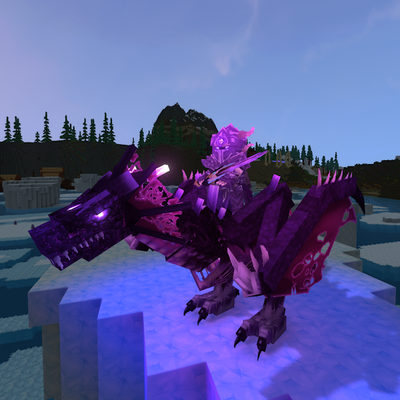
Adds a real endgame to Hytale: 6 phased bosses, 16 elites, 3 dungeons, the Luminia dimension, the Halloween Witchmoon Vale, quests, 62 ability runes, rideable pets, temporal portals and 160+ items. Free, configurable in-game, with an in-game wiki.
 mod
mod CurseForge · Hytale
Resource Pack Loader (Minecraft compatible)
Give your Hytale server a new look easily: blocks, leaves, ores, plants, stairs, creatures, icons and even the sun and moon.