Hytale version
Back to mods 
CurseForge · Hytale mod
Book Production
Adds a custom bench for crafting over 10 decorative books! And over 10 Bigger Bookcases that actually hold items! More to come in future updates!
Choose a version Pick your version below, then grab the matching file.
Quick answer
Which Book Production release should I use?
Latest stable file Book Production 1.2.zip
Game version 0.7
Mod system Built-in Hytale mod system
Book Production 1.2.zip targets 0.7. Do not install it as a separate client mod. Enable it on the world host—the local server in singleplayer or the dedicated server in multiplayer. No required dependencies listed for this file.
Where it goes
Where should Book Production be installed in Hytale?
Do not install it as a separate client mod. Enable it on the world host—the local server in singleplayer or the dedicated server in multiplayer.
Separate client mod Not supported
World host / dedicated server Required
Mod system for this release Built-in Hytale mod system
Required install it here Optional supported, not mandatory Not supported do not install here Source doesn’t say do not assume
Put Hytale mods on the world host or dedicated server. Singleplayer runs a local server too; Hytale does not use separate client mods.
What else does Book Production 1.2.zip need?
Book Production 1.2.zip. Change the file and its required mods may change too.
This file does not list any required mods. Do not add a library just because a different file uses it.
This file does not list any required or optional project dependencies. Check the creator notes before changing an existing world.
Before you install it
Add Book Production without breaking your instance.
Built for Book Production 1.2.zip. Pick another file and the loader, install side or required mods may change.
- 01
Stick to this file
Use Book Production 1.2.zip. It targets 0.7; another release may target a different game build or dependency set.
- 02
Bring the mods it needs
This file does not list any required mods. Do not add a library just because a different file uses it.
- 03
Enable it on the world host
Do not install it as a separate client mod. Enable it on the world host—the local server in singleplayer or the dedicated server in multiplayer.
- 04
Pick the file you checked
Use the “Get this file” button beside Book Production 1.2.zip. It opens that exact file at the source.
About this project
What does Book Production add?
Features
- The Book Binding Bench
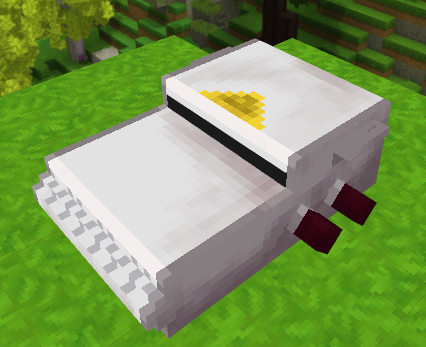
- over 10 decorative books(one of them might be familiar to hitmen?)
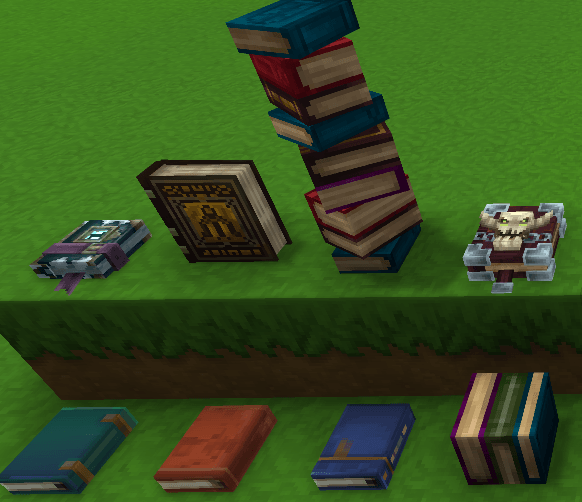
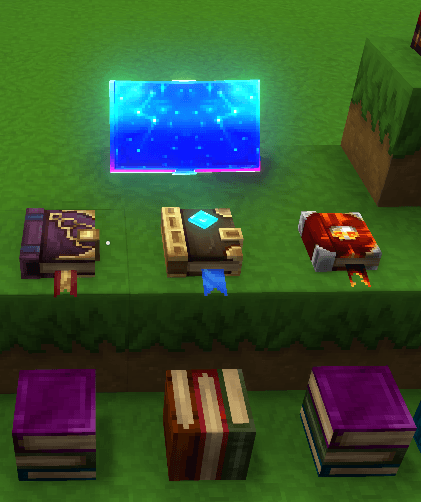
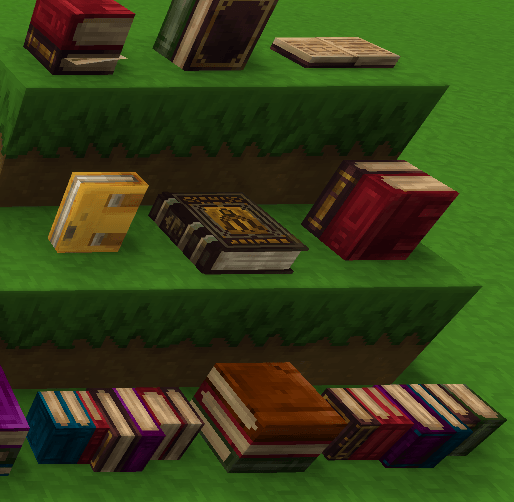
- over 10 bookcases/shelves that can hold items(right now in all wood plank variants), and more to come
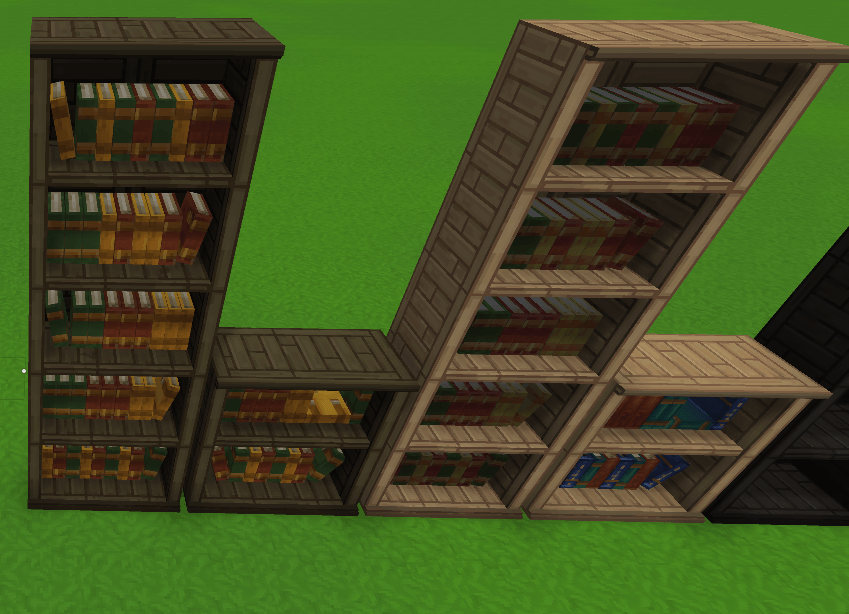
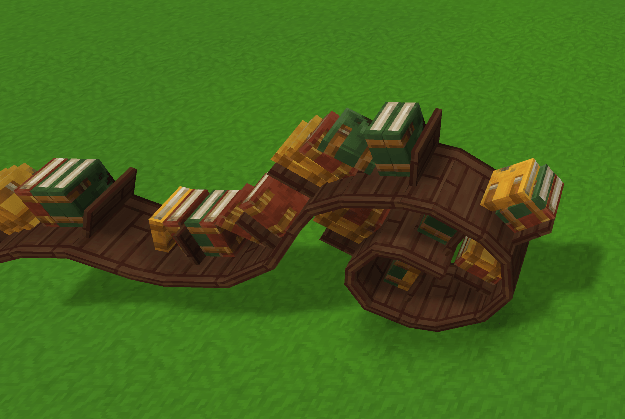
Whats Next im working on is probably temple variants and maybe another book.
Installation
Step 1:
put the file into in your global or save world Mod folder or just download from hytale directly
Step 2:
After that, right-click on your world to go to the settings and enable it. If you are starting a new world, make sure to enable it in the settings when creating the new world.
Project description from CurseForge.
Pick your setup
Book Production releases for each Hytale build.
Choose the version and loader you play, then open the matching release.
Check the dependencies, then try the file in a copied instance before changing a world you care about.
Recent files
Book Production releases and Hytale builds
Book Production 1.2.zip
24 Oct 2026
Client Not supported Server Required Dependencies No extras listed Listed on Project page
Check the 0.7 setup 0.7 release
Looking for an older file? The official CurseForge project page is in Resources.
 mod
CurseForge · Hytale
Cerion's Tiered Weapons and Armor
Adds over 16 adventure weapons with their own sounds and animations along with new sets of armor.
 mod
CurseForge · Hytale
Moon Pool Mermaids
Find the hidden Moon Pool, stand in its water under a full moon, and claim a locket that’s yours alone. Ten seconds after water touches you, you’re a mermaid until you dry off. A free fan mod inspired by H2O: Just Add Water.
 mod
CurseForge · Hytale
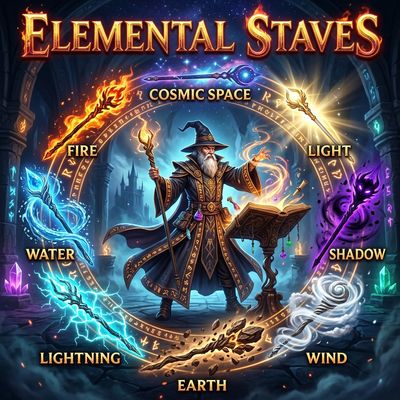
Elemental Staves
Unleash the elements with craftable magic staves, custom wizard armor sets, and elemental fabrics. Channel Fire, Water, Wind, Earth, Lightning, Shadow, Light, and Space magic through the enchanted Ancient Lectern!