Hytale version
Back to mods 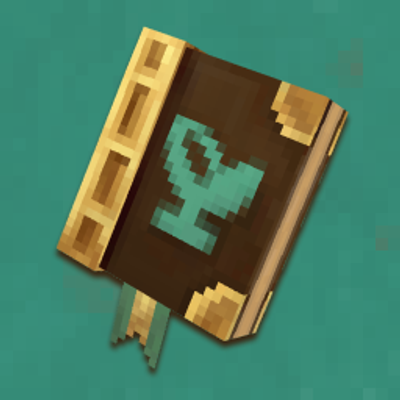
CurseForge · Hytale mod
Herbarium
Set out to discover the flora of Orbis, like a true Botanist, and get rewarded!
Choose a version Pick your version below, then grab the matching file.
Quick answer
Which Herbarium release should I use?
Latest stable file Herbarium-1.3.0_0.7.jar
Game version 0.7
Mod system Built-in Hytale mod system
Herbarium-1.3.0_0.7.jar targets 0.7. Do not install it as a separate client mod. Enable it on the world host—the local server in singleplayer or the dedicated server in multiplayer. No required dependencies listed for this file.
Where it goes
Where should Herbarium be installed in Hytale?
Do not install it as a separate client mod. Enable it on the world host—the local server in singleplayer or the dedicated server in multiplayer.
Separate client mod Not supported
World host / dedicated server Required
Mod system for this release Built-in Hytale mod system
Required install it here Optional supported, not mandatory Not supported do not install here Source doesn’t say do not assume
Put Hytale mods on the world host or dedicated server. Singleplayer runs a local server too; Hytale does not use separate client mods.
What else does Herbarium-1.3.0_0.7.jar need?
Herbarium-1.3.0_0.7.jar. Change the file and its required mods may change too.
This file does not list any required mods. Do not add a library just because a different file uses it.
This file does not list any required or optional project dependencies. Check the creator notes before changing an existing world.
Before you install it
Add Herbarium without breaking your instance.
Built for Herbarium-1.3.0_0.7.jar. Pick another file and the loader, install side or required mods may change.
- 01
Stick to this file
Use Herbarium-1.3.0_0.7.jar. It targets 0.7; another release may target a different game build or dependency set.
- 02
Bring the mods it needs
This file does not list any required mods. Do not add a library just because a different file uses it.
- 03
Enable it on the world host
Do not install it as a separate client mod. Enable it on the world host—the local server in singleplayer or the dedicated server in multiplayer.
- 04
Pick the file you checked
Use the “Get this file” button beside Herbarium-1.3.0_0.7.jar. It opens that exact file at the source.
About this project
What does Herbarium add?
Set out to discover the flora of Orbis! Herbarium adds a journal that you fill in as you explore the world: every plant you come across is recorded in it, along with hints on where to find it.
Vanilla friendly
This mod is designed to blend seamlessly into the vanilla game.
Discoveries and progression tracking work much like the built-in Memories collection system.
It is built entirely from vanilla assets — only a few of them were slightly tweaked (the Journal's model, for example). A few custom translations were also added, for texts the game does not provide.
How to play
1. Craft your journal
At a workbench:
- 1 wood trunk
- 1 light leather
2. Open the journal
Right-click while holding the journal to unlock tracking of your discoveries.
You can also set the journal down: crouch and right-click while aiming at a horizontal surface to place it in the world. Once placed, use the interaction key on it to open it, and break it to pick it back up.
For each recorded plant, the journal tells you where to look for it: caves, chests, Kweebec villages, Trork camps, the goblin realm, Howling Sands ruins, and many more.
Your progress is tied to your character: it carries over from session to session.
3. Explore and observe
Every new plant you discover is automatically added to your herbarium, sorted by category: trees, bushes, brambles…
4. Rewards
Every 50 plants recorded, you can collect a reward straight from your journal!
Feedback
If you encounter any problem or have any idea, please let me know!
Roadmap
Here is what is planned for future updates:
A rewards systemBetter model for the journal- Category icons in the style of the Memories categories
- More information in the plant pages
Project description from CurseForge.
Pick your setup
Herbarium releases for each Hytale build.
Choose the version and loader you play, then open the matching release.
Check the dependencies, then try the file in a copied instance before changing a world you care about.
Recent files
Herbarium releases and Hytale builds
Herbarium-1.3.0_0.7.jar
2 Nov 2026
Client Not supported Server Required Dependencies No extras listed Listed on Project page
Check the 0.7 setup 0.7 release
Herbarium-1.2.0_0.7.jar
1 Nov 2026
Client Not supported Server Required Dependencies No extras listed Listed on Project page
Check the 0.7 setup 0.7 release
Herbarium-1.1.1_0.7.jar
31 Oct 2026
Client Not supported Server Required Dependencies No extras listed Listed on Project page
Check the 0.7 setup 0.7 release
Herbarium-1.1.0_0.7.jar
30 Oct 2026
Client Not supported Server Required Dependencies No extras listed Listed on Project page
Check the 0.7 setup 0.7 release
Herbarium-1.0.0_0.7.jar
26 Oct 2026
Client Not supported Server Required Dependencies No extras listed Listed on Project page
Check the 0.7 setup 0.7 release
Looking for an older file? The official CurseForge project page is in Resources.