Hytale version
Back to mods 
CurseForge · Hytale mod
Wacky Hats
Octa's Wacky hats Add funny Wacky thing in to hats Every want a chicken coop on your head now u can Or how about Bread or Rail Cart OR even Hard Mode Button Now u can & even more to come! (wardrobe addon)
Choose a version Pick your version below, then grab the matching file.
Quick answer
Which Wacky Hats release should I use?
Latest stable file v3Octa's_Wacky.Wacky Hats.zip
Game version 0.7
Mod system Built-in Hytale mod system
Wacky Hats v3Octa's_Wacky.Wacky Hats.zip targets 0.7. Do not install it as a separate client mod. Enable it on the world host—the local server in singleplayer or the dedicated server in multiplayer. No required dependencies listed for this file.
Where it goes
Where should Wacky Hats be installed in Hytale?
Do not install it as a separate client mod. Enable it on the world host—the local server in singleplayer or the dedicated server in multiplayer.
Separate client mod Not supported
World host / dedicated server Required
Mod system for this release Built-in Hytale mod system
Required install it here Optional supported, not mandatory Not supported do not install here Source doesn’t say do not assume
Put Hytale mods on the world host or dedicated server. Singleplayer runs a local server too; Hytale does not use separate client mods.
What else does Wacky Hats v3Octa's_Wacky.Wacky Hats.zip need?
v3Octa's_Wacky.Wacky Hats.zip. Change the file and its required mods may change too.
This file does not list any required mods. Do not add a library just because a different file uses it.
This file does not list any required or optional project dependencies. Check the creator notes before changing an existing world.
Before you install it
Add Wacky Hats without breaking your instance.
Built for Wacky Hats v3Octa's_Wacky.Wacky Hats.zip. Pick another file and the loader, install side or required mods may change.
- 01
Stick to this file
Use v3Octa's_Wacky.Wacky Hats.zip. It targets 0.7; another release may target a different game build or dependency set.
- 02
Bring the mods it needs
This file does not list any required mods. Do not add a library just because a different file uses it.
- 03
Enable it on the world host
Do not install it as a separate client mod. Enable it on the world host—the local server in singleplayer or the dedicated server in multiplayer.
- 04
Pick the file you checked
Use the “Get this file” button beside v3Octa's_Wacky.Wacky Hats.zip. It opens that exact file at the source.
About this project
What does Wacky Hats add?
This is a Addon too the Wardrobe Mod by jacksonhardaway U need the mod for this too work
https://www.curseforge.com/hytale/mods/wardrobe
Meet Wacky Hats
For all that Wacky time u want be.
I some just get a ider and just have make in a mod so this Wacky Hats i do plan make other Wacky stuff like this but start with Hats an see how it go!
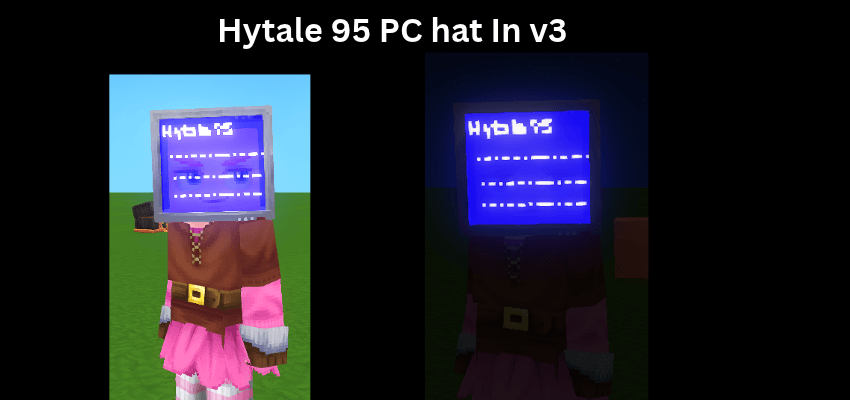
V3 Add Hytale 95 Pc Stuck on your Head
V2 Add Cow Hat Tower!!! as why not have cow on head an then a sheep an then a chicken!!
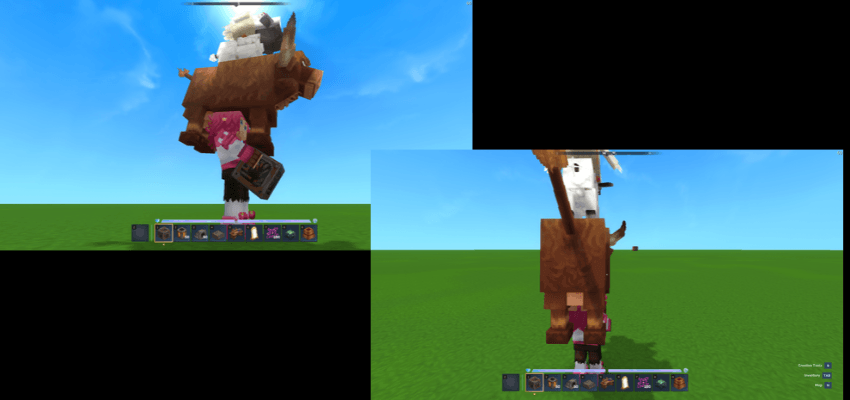
Photo below of V1 hats
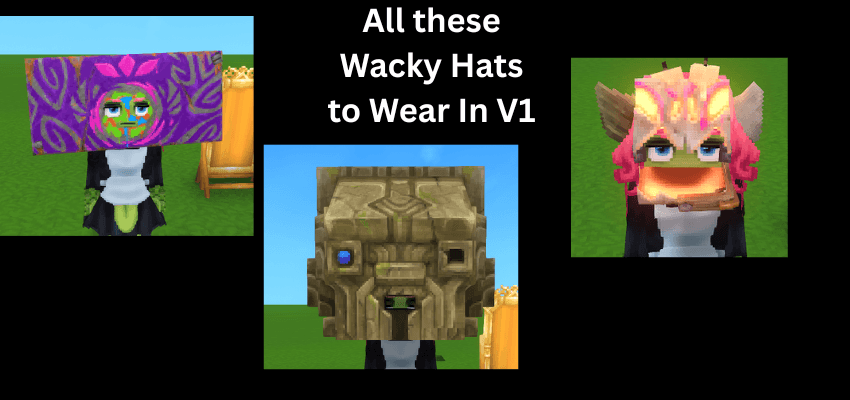
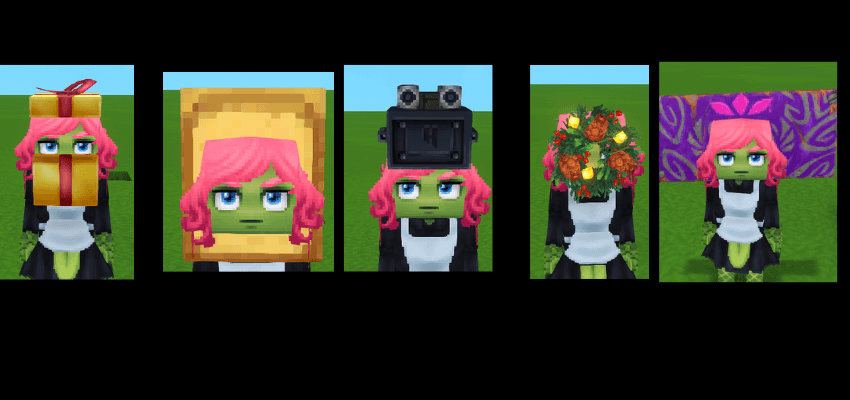
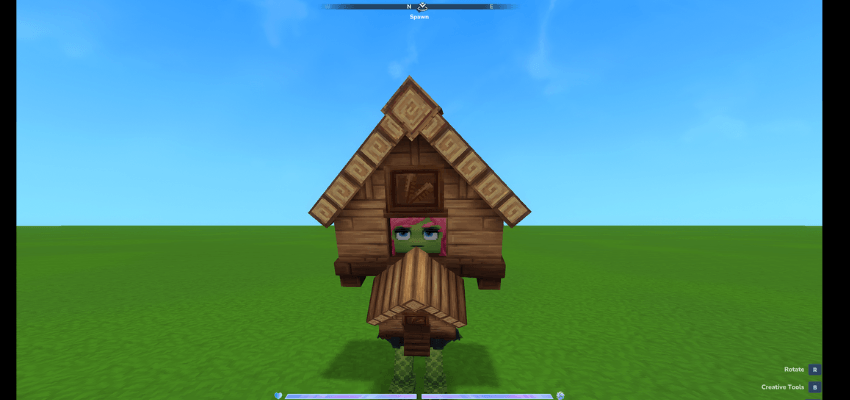
More too come soon in the coming days I do want not make pack too big but also just add fun wacky hats if got ider for hat let me know in the comments!
Enjoy all
How to install: 1) Just drop .zip file to your mods folder: %appdata%\Hytale\user_data\mods 2) In your world settings check the box next to the "Octa's_Wacky.Wacky Hats.zip" For servers: Just drop .zip file to your mods folder: %mods/server/mods
Enjoy the Mod this was made like all other mods over on My Twitch channel drop in some time i stream every day.!
Project description from CurseForge.
Pick your setup
Wacky Hats releases for each Hytale build.
Choose the version and loader you play, then open the matching release.
Check the dependencies, then try the file in a copied instance before changing a world you care about.
Recent files
Wacky Hats releases and Hytale builds
v3Octa's_Wacky.Wacky Hats.zip
9 Nov 2026
Client Not supported Server Required Dependencies No extras listed Listed on Project page
Check the 0.7 setup 0.7 release
v2Octa's_Wacky.Wacky Hats.zip
3 Nov 2026
Client Not supported Server Required Dependencies No extras listed Listed on Project page
Check the 0.7 setup 0.7 release
Octa's_Wacky.Wacky Hats.zip
28 Oct 2026
Client Not supported Server Required Dependencies No extras listed Listed on Project page
Check the 0.7 setup 0.7 release
Looking for an older file? The official CurseForge project page is in Resources.
 mod
CurseForge · Hytale
Edilan's BetterShovel
A simple fix to make the Shovel feel better
 mod
CurseForge · Hytale
HynfinityIndexer
Storage network for Hytale: link your chests with glass pipes and search, sort and move all your items from one storage terminal.
 mod
CurseForge · Hytale
Eternal Harvest
Adds rare eternal seeds into the game for easier potion brewing experience